

Content coach
Ask itWhat should I post this week, and what worked last week?
- Content CalendarFull access
 Voice Idea WallFull access
 Media KitRead all
- Monday plan against your target
- Flags posts stuck at scripted
- Nudges you to log results
Four apps for the business side of making content: a plan that moves every post from idea to posted, a desk for brand deals and what they owe you, a media kit that stays current and a wall for ideas you say out loud. They sit on your Home Screen, a coach watches them together, and nothing is ever posted or sent for you.
Tap one and watch the phone
2Media KitVoice Idea Wall Marci
This is a creator's Home Screen: two apps and two goals. Tap Content Calendar or Brand Deals, or ask me one of these.
What goes out today in Content Calendar?
Paste this brand email into Brand Deals
Update my short video followers in Media Kit to 48K
Read me this week's ideas from Voice Idea Wall

Your work, your clients, your lists.
Each app does one part of the job well and starts working the day you add it. Ask Marci for any of them by name, or say what you need and she picks.
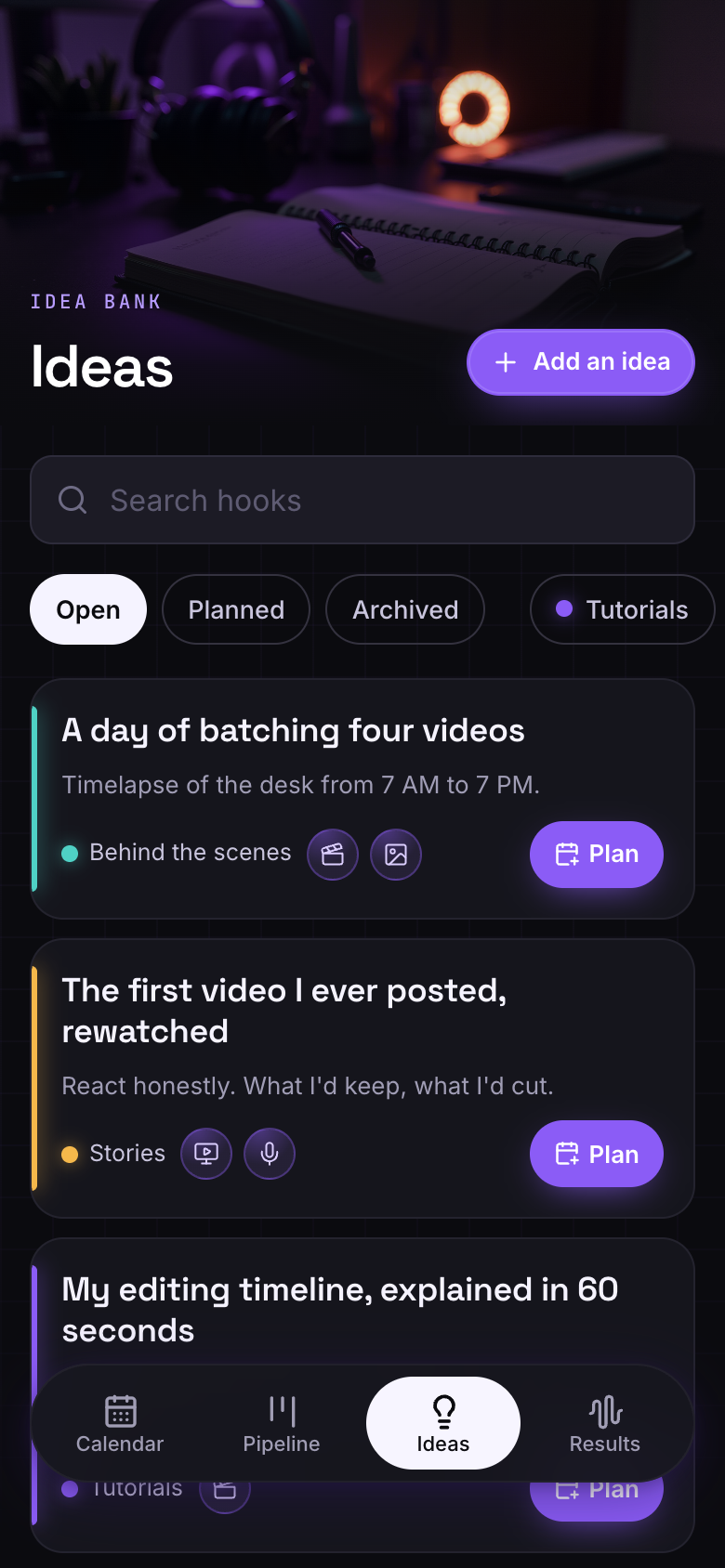
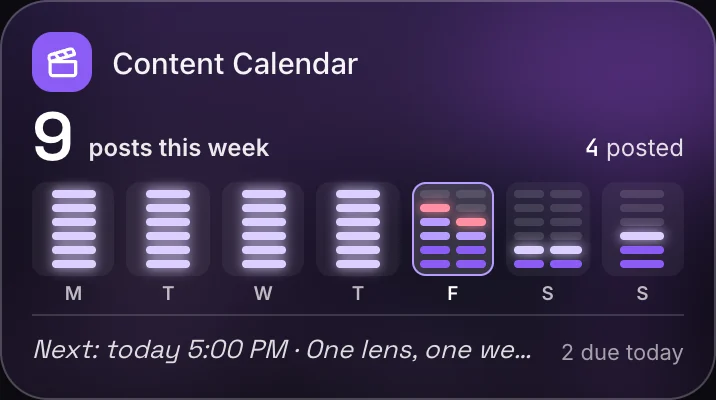 From idea to postedContent CalendarAn idea bank of hooks, a month calendar and a pipeline from idea to scripted, filmed, edited, scheduled and posted. Marci writes three hook variants and a caption for any post, and you type in views, likes and saves to see which pillars and platforms work.
 When a brand emails
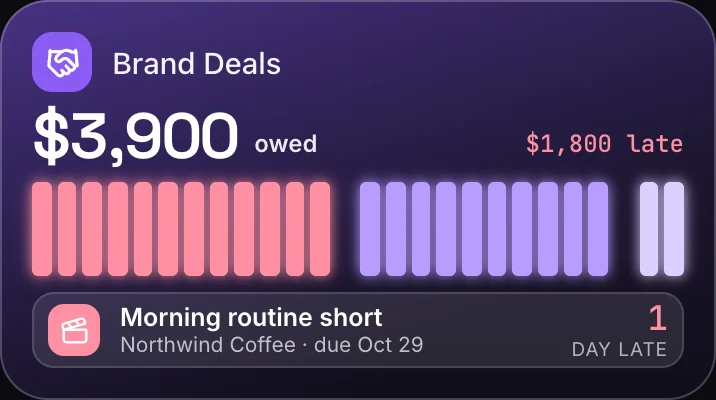
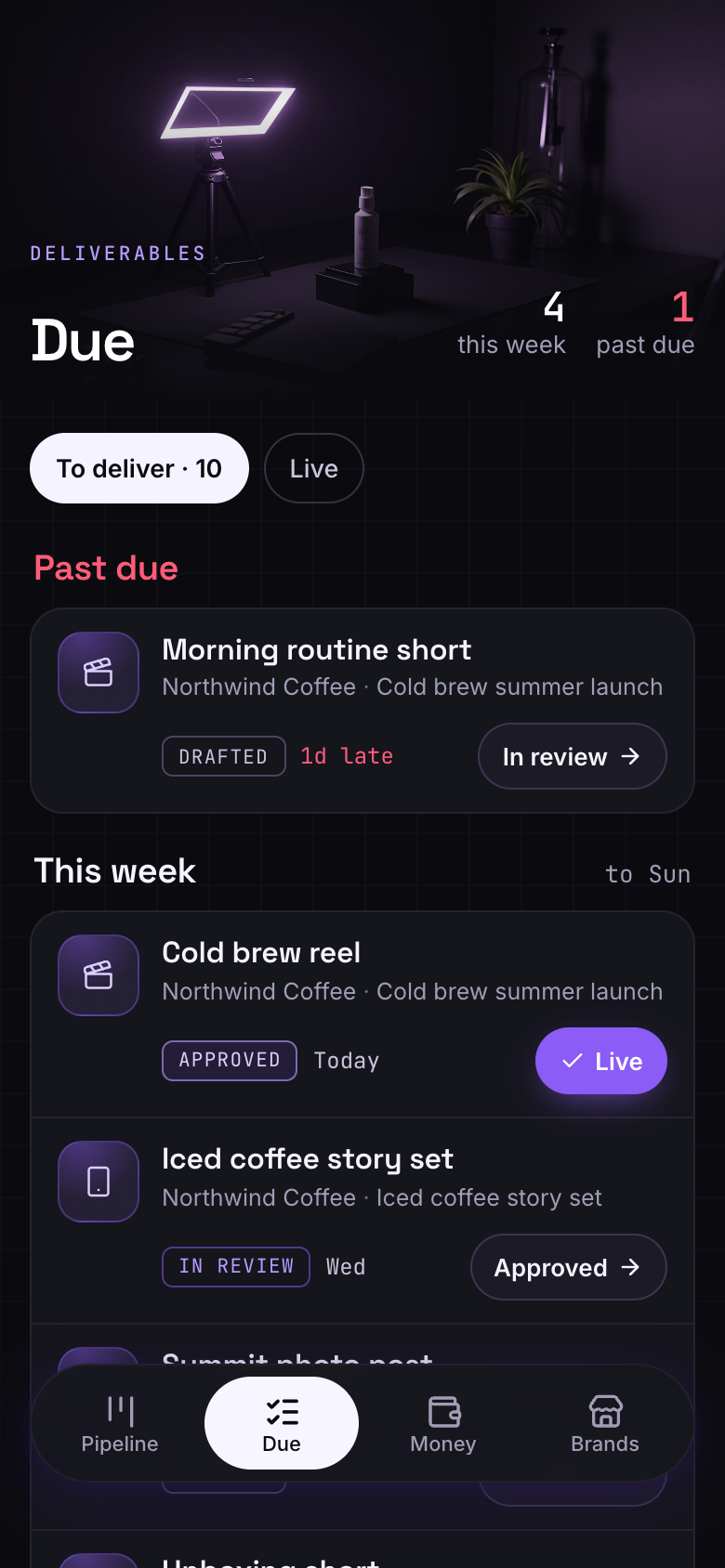
 Brand DealsPaste the inquiry and Marci fills in the deal. Move it from inquiry to paid, track every deliverable and its due day, log invoices and payments, and see what's owed and overdue. Marci drafts a rate reply from your rate card for you to copy into your email.
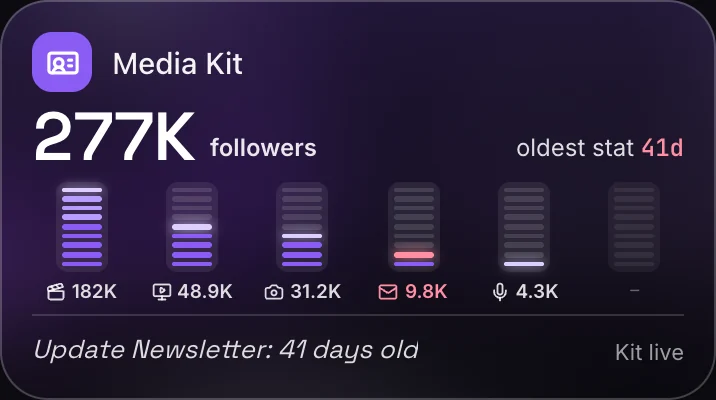 Before the pitchMedia KitEvery channel's followers, views and engagement, your rates and past partners, shared as one polished link brands open on any phone. Each stat shows how old it is, and a monthly reminder tells you when to refresh.
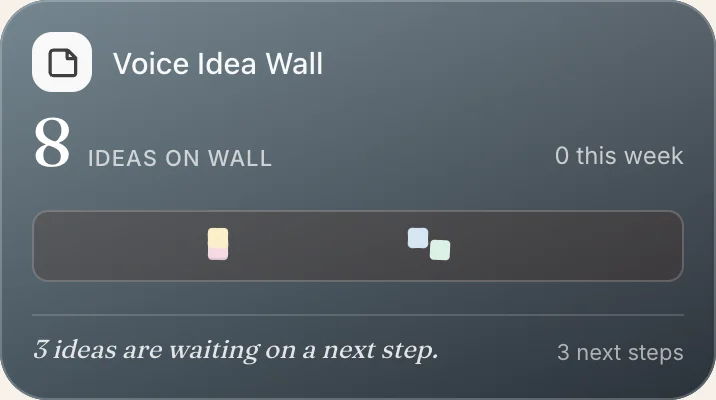 When an idea hitsVoice Idea WallTap the mic and say it onto a sticky note. Tag a topic, drag notes into clusters and give any idea a next step to tick off. On Sunday evening Marci looks over the themes that keep coming back.
Here is how the four apps share a week, with the real screens they show.
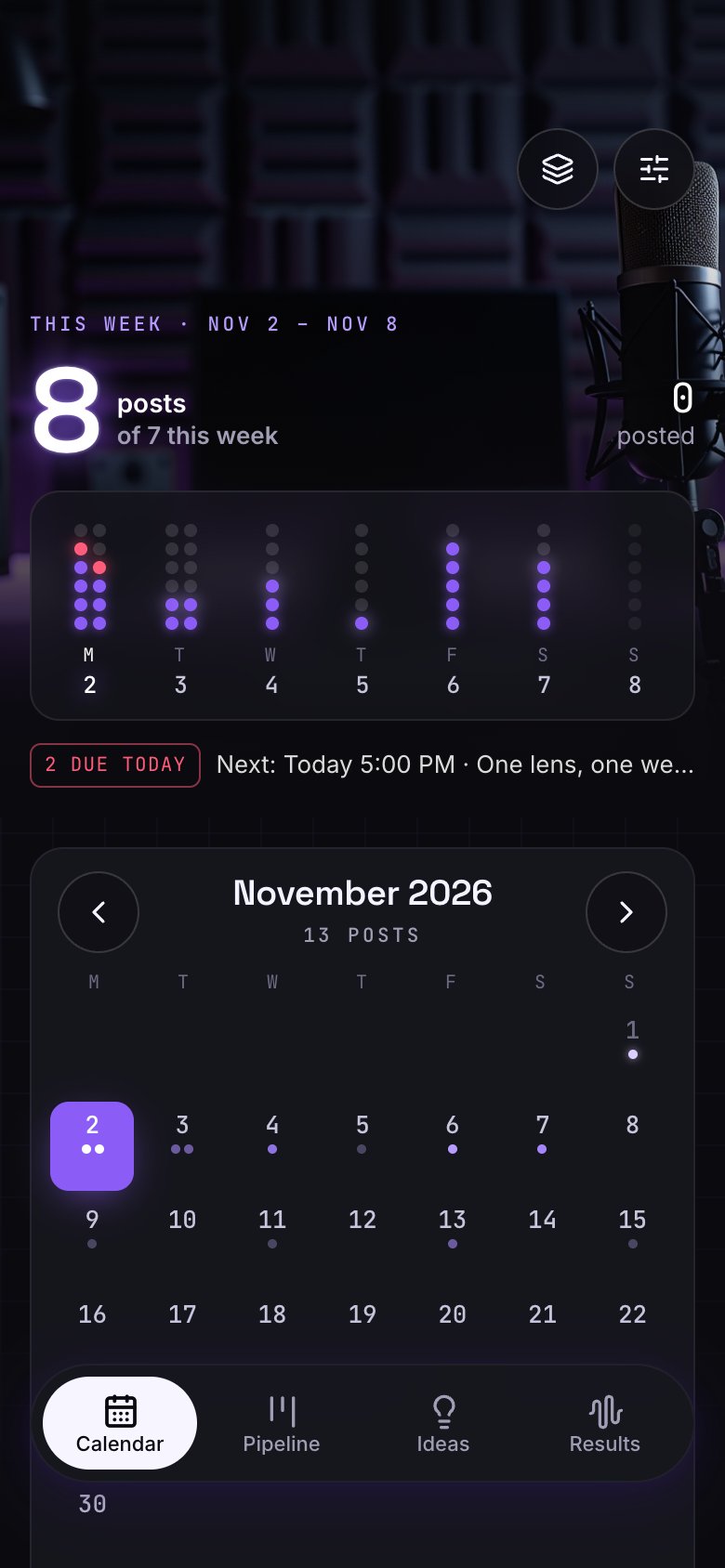 MondayThe week against your targetMonday's note: planned posts against your weekly target, posts still at idea or scripted with a day this week, and last week's best post by views.Content Calendar
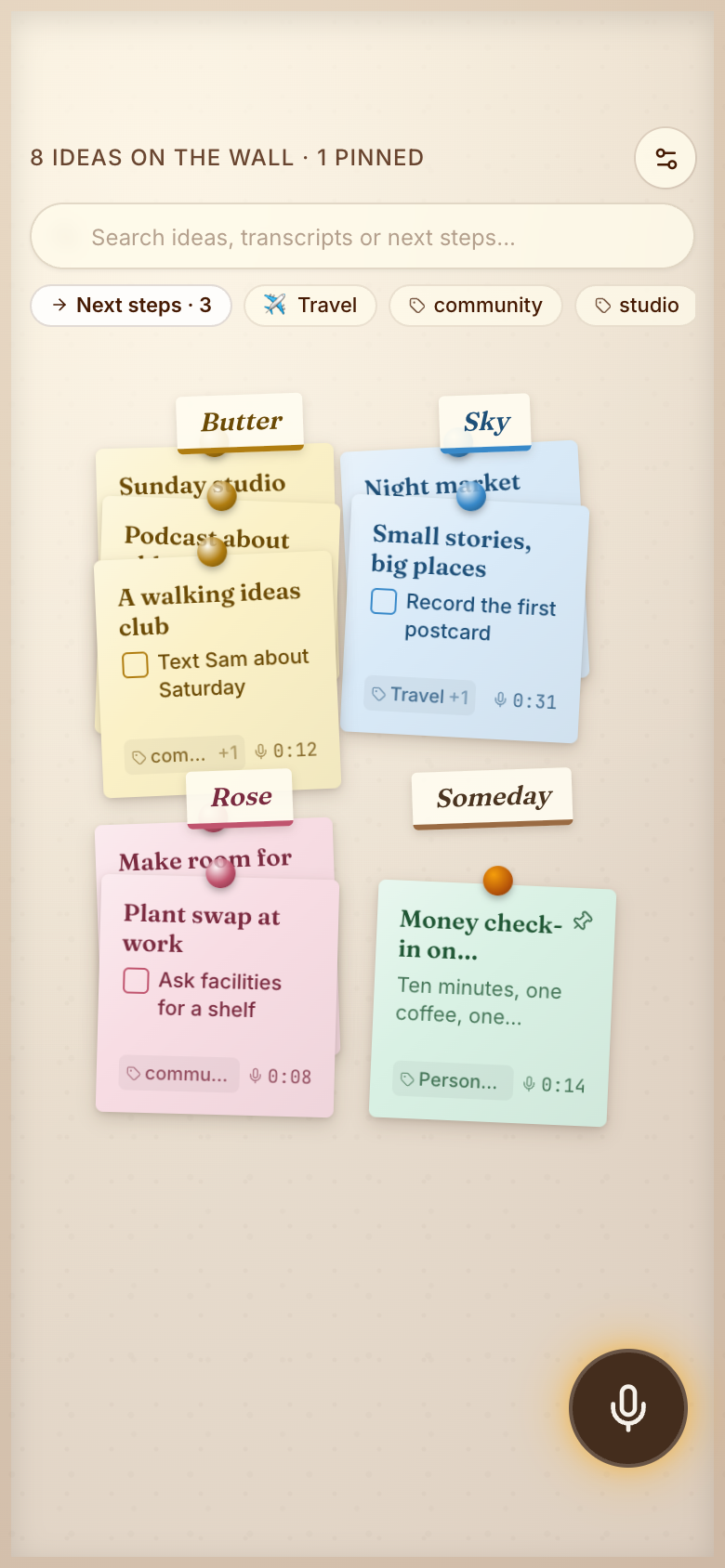 TuesdayAn idea on the walk homeSay it into the mic, and a fresh note lands on the wall under its topic, with a next step to film it.Voice Idea Wall
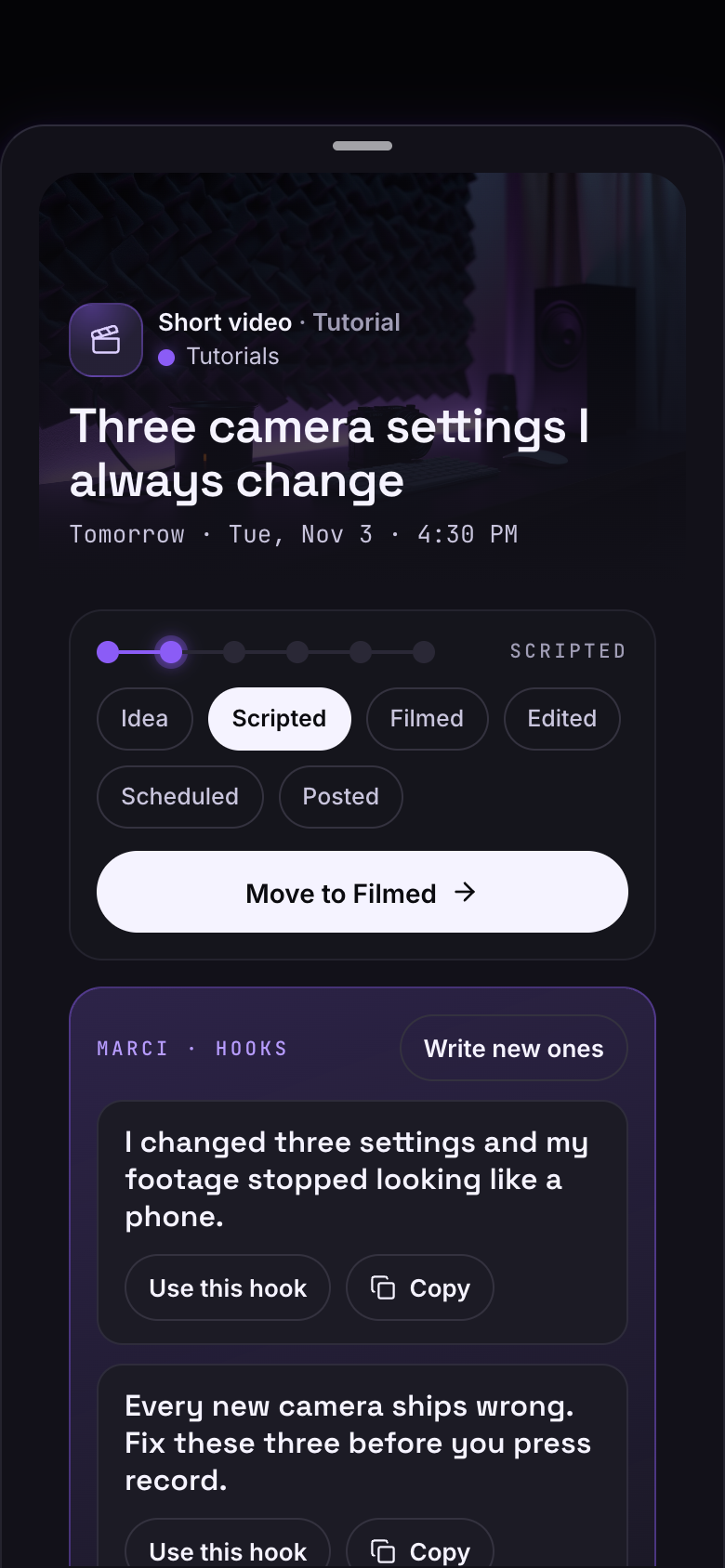 WednesdayThree hooks to pick fromOpen the post and Marci writes three hook variants and a caption draft. Use one in a tap, then move the post to scripted.Content Calendar
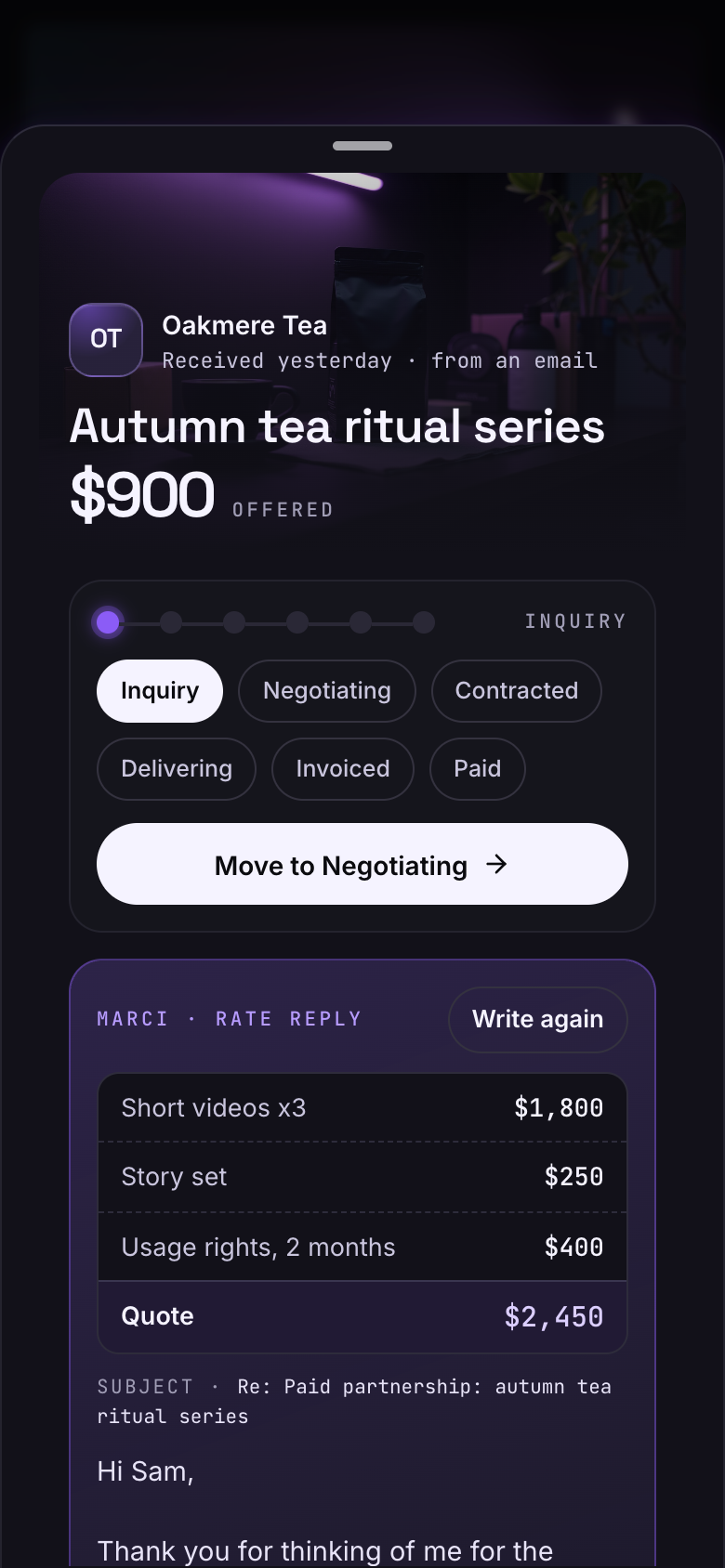 ThursdayA brand asks your ratePaste the email and the deal fills in. Marci drafts a rate reply from your rate card and your past deals with that brand.Brand Deals
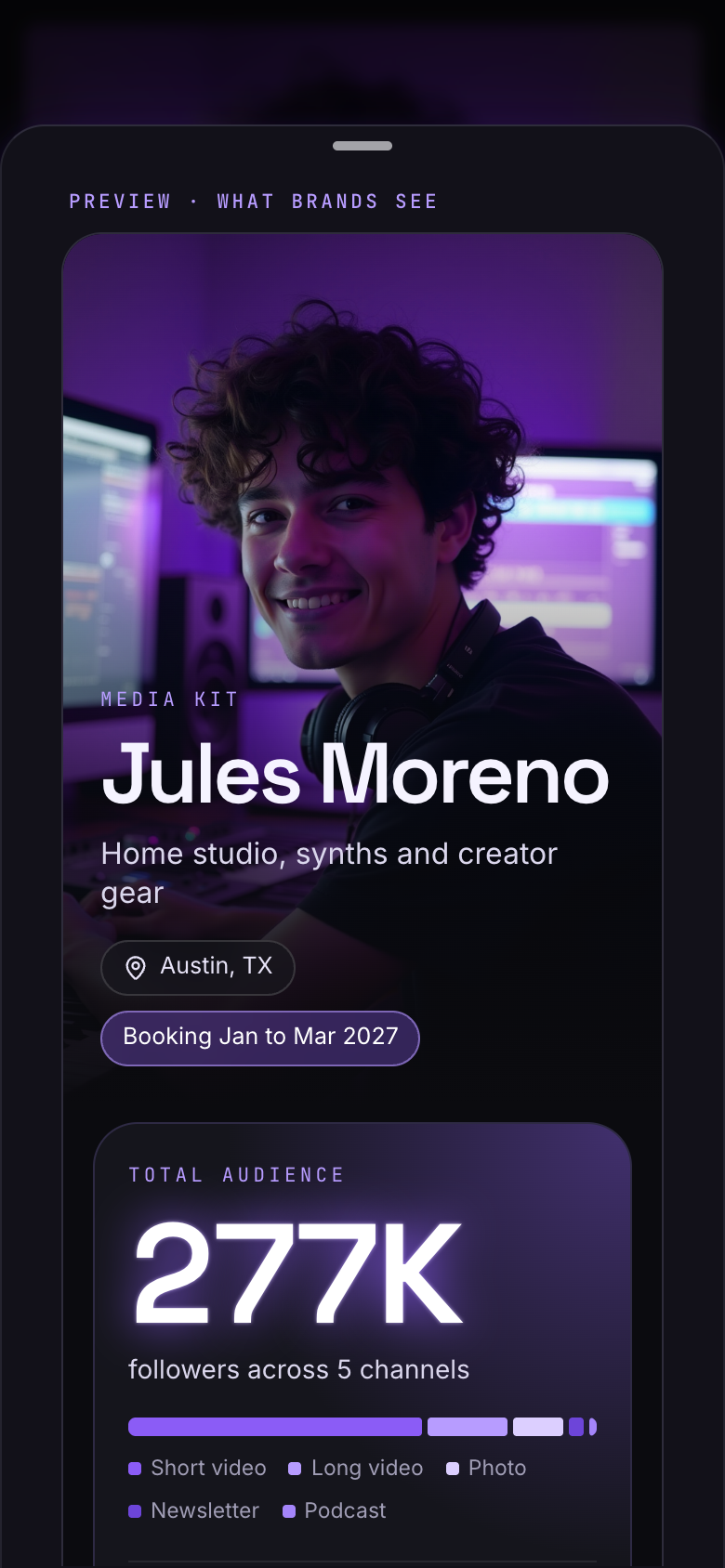 FridaySend the kit, not a PDFTap Still right on the channels that haven't moved, update the one that has, preview it as the brand will see it, and send one link.Media Kit
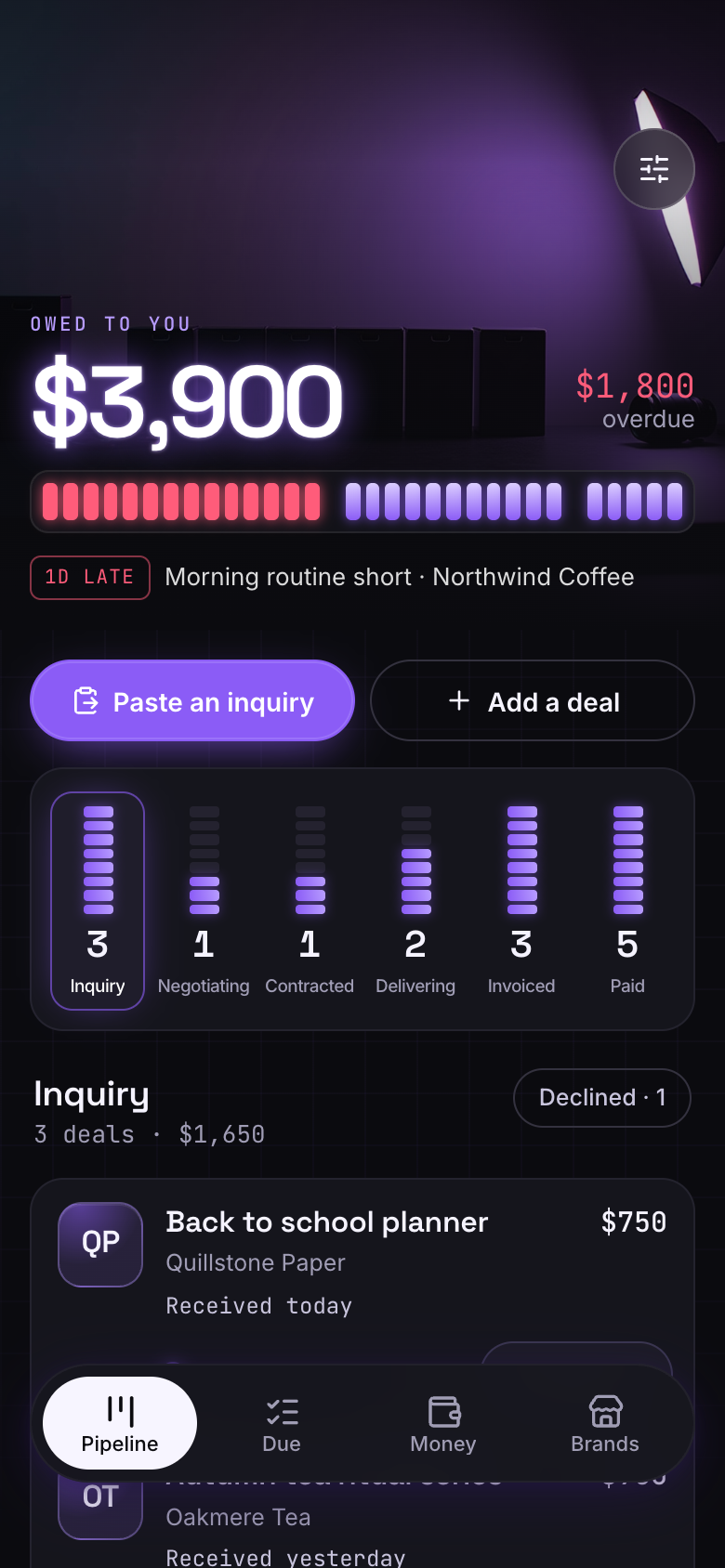 SaturdayA payment landsRecord the payment and the owed meter drains. The deal lights up Paid, and this month's total climbs.Brand Deals
A chat can write a caption. It can't hold a month of posts at six different stages, keep track of which brand owes you for which deliverable or keep your follower counts current for the next pitch. Those jobs need real screens from your first sponsored post, not a spreadsheet and a notes app.
So each of these apps was designed around one moment. Content Calendar and Brand Deals share a studio at night: posts move like tracks through a mix, and money owed drains from a level meter as payments land. Media Kit is your one-sheet pinned above the desk, where tapping Still right relights a channel's meter. Voice Idea Wall is a sunlit corkboard where a spoken idea lands as a fresh note.
Content Calendar connects no account and posts nothing, and Brand Deals sends nothing to brands and moves no money. Every hook, caption and rate reply waits for you.
Views, likes and follower counts are the ones you enter, and Media Kit shows how old each one is.
Hooks and captions come from the post you're planning, and rate replies from your own rate card and past deals with that brand.
Ask for a new field, a new view or a new step, and Marci changes your copy of the app.
Ask itWhat should I post this week, and what worked last week?
Content CalendarFull accessVoice Idea WallFull accessMedia KitRead all
Ask itWho owes me money, and what do I owe brands this week?
Brand DealsFull accessMedia KitRead allContent CalendarRead all
Say the outcome in your own words. Progress comes from what the apps record, never from a number you type in.
| Who | What they get | From |
|---|---|---|
| Brands | Your media kit as one polished page from a link | Media Kit |
| Brands | Rate replies and invoice summaries you copy into your email | Brand Deals |
Connect Marci once in each. They all read and write the same apps, so each can take a piece of the business: reading contracts, turning past deals into proof, or watching Instagram and X for ideas and brands.
 ChatGPTFrom a PDF
Here's the signed Loomwell contract. Put the deliverables, due days and exclusivity into Brand Deals.
Moved Loomwell to Contracted in Brand Deals at $3,200: a YouTube integration due Nov 20 and two Reels due Nov 27 and Dec 4, with 90 days of usage. You can't work with other bedding brands until March 4, so that's set as the exclusivity end.
 ClaudeAcross your apps
Read my paid deals in Brand Deals and how each sponsored post did in Content Calendar. Add the best ones to my Media Kit's partner wall with the result.
Your three strongest: Quilted Co.'s throw video with 182K views and 9,400 saves, Ember Candle's Reel with 61K views, and Hearth & Pine's shelf makeover at 8.2% engagement. All three are on the partner wall in Media Kit with the campaign and result. Logos are yours to add.
 MuseWhenever you save a Reel
Whenever I save a Reel on Instagram, add it to the idea bank in Content Calendar with the hook and the pillar it fits.
Whenever you save one, I'll add it to your idea bank with its hook, why it worked and the pillar it fits, linked to the Reel. The rental kitchen makeover you saved this morning is in under Budget makeovers, hook first: "My landlord said no paint."
 Grok BotEvery morning, from X
Every morning, watch X for home and design brands looking for creators, and add the ones that fit me to Brand Deals.
Each morning I'll read posts from home and design brands and the creator-program accounts you follow. When one wants creators your size, I'll bring it to you before adding it to Brand Deals as an inquiry. Today: Ostra Lighting wants three creators for its spring lamp launch.
The brand Grok Bot finds becomes the deal ChatGPT fills in and the partner Claude adds to your kit, all in the same apps.
Spots Ostra Lighting looking for creators on X and, once you say yes, adds it to Brand Deals as an inquiry.
Brand DealsReads the signed Ostra contract and fills in the deliverables, their due days and the exclusivity end.
Brand DealsAdds the lamp Reels you save on Instagram to your idea bank, ready to shape the Ostra post.
Content CalendarOnce the post is live and you've typed in its results, adds Ostra to your Media Kit's partner wall.
Media KitReminds you on each deliverable's due day and the invoice's, and keeps money owed on your Home Screen.
Add a sponsor field to posts in Content Calendar
Remind me before each exclusivity ends in Brand Deals
Put a short case study under each partner in Media Kit
Marci is free and invite only for now. Join the waitlist, or ask a friend on Marci for an invite.
Ask for Content Calendar, set your pillars and put this week's posts on the board.
Brand Deals and Media Kit next. Then ask Marci for a coach that watches them together.
No. Content Calendar connects no account and posts nothing. It reminds you at each post's time, and you post it yourself.
No. Your media kit opens as a polished one-page site from a link. You choose when the link ends, and you can turn it off.
Brand Deals keeps the invoices you log for each deal, with partial and full payments, and shows money owed, overdue and paid this month. No money moves through the app.
Yes. Ask Marci for a new field, view or step, approve the change, and it becomes your own copy of the app.
Marci is free for now and invite only, on iPhone, Android and app.getmarci.ai.

Marci is invite only for now. Join the waitlist, or ask a friend on Marci for an invite.