

Earnings coach
Ask itWhen should I drive next week to hit my goal?
- Driver ShiftsFull access
 Deduction BoxFull access
 UpkeepRead all
- Checks in Monday
- Names your best hours and platform
- Counts receipts waiting to review
Four apps for a driver's week: shifts logged when you park, real net per hour after fuel, every receipt and mile for tax time, and the car's service and whereabouts. They sit on your Home Screen, a coach watches them together, and you see which platform and which hours actually pay after gas.
Tap one and watch the phone
 Marci
This is a driver's Home Screen: two apps and two goals. Tap Driver Shifts or Deduction Box, or ask me one of these.
Log tonight's shift in Driver Shifts: 6 PM to 11:40, $142 plus $31 in tips
File this fuel receipt in Deduction Box
When is the next oil change due in Upkeep?
Where did Sam leave the car in Family Car?

Your work, your clients, your lists.
Each app does one part of the job well and starts working the day you add it. Ask Marci for any of them by name, or say what you need and she picks.
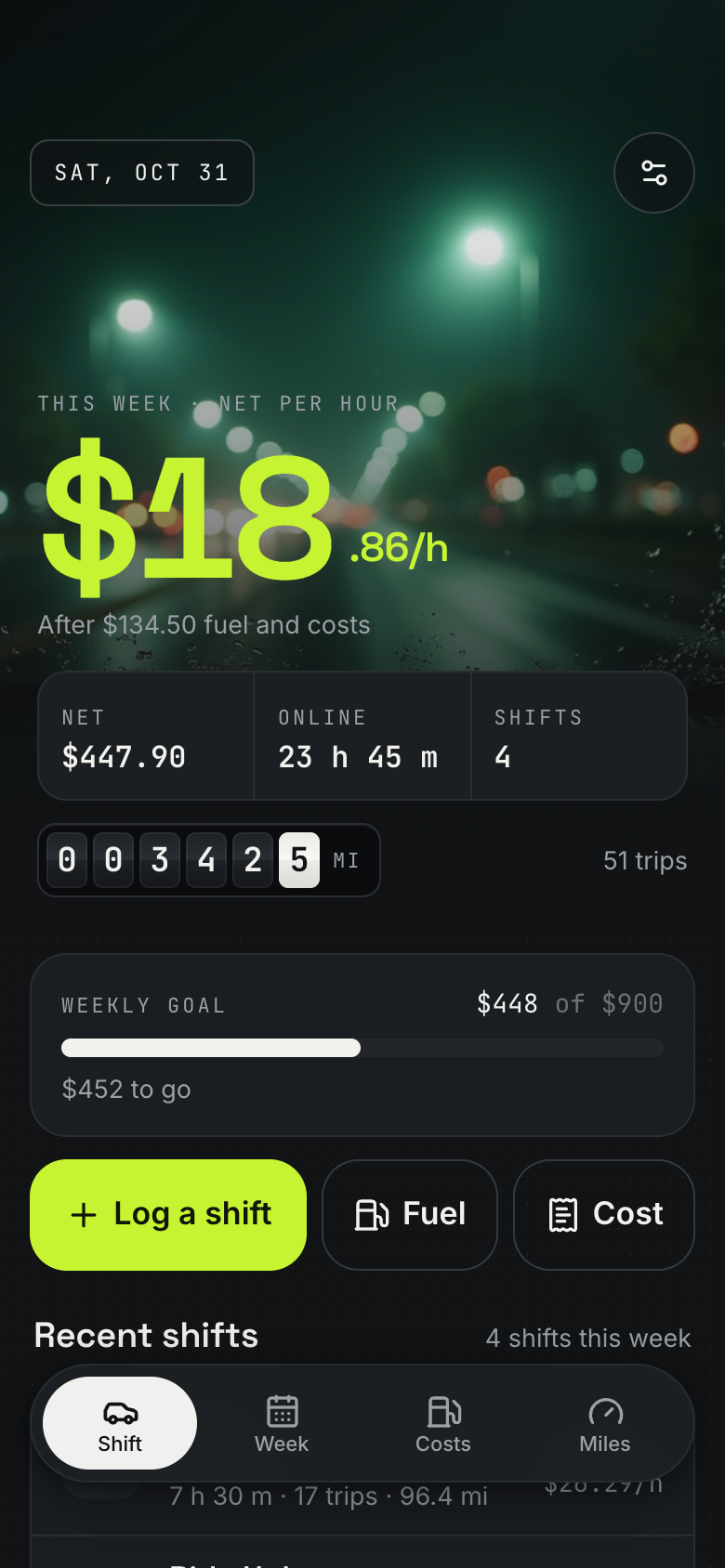
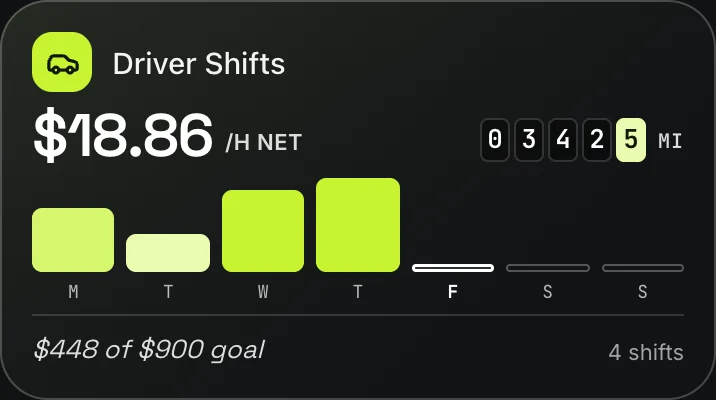 When you parkDriver ShiftsLog a shift one-handed with your last one filled in: times past midnight, platform, earnings, tips, trips and odometer. See this week's net per hour after fuel and costs, compare platforms and find the hours that pay. A mileage log keeps a deduction estimate.
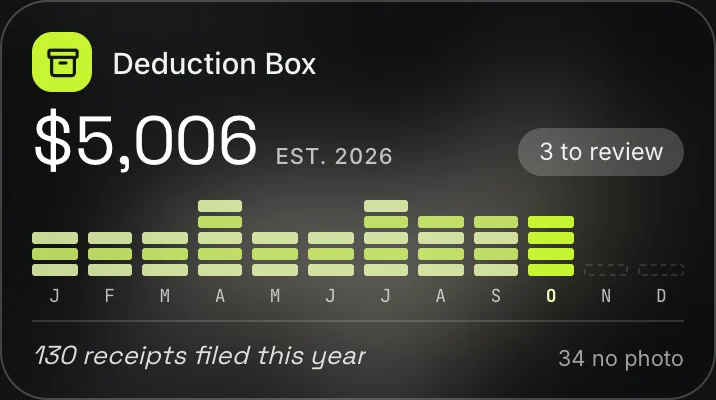 At every fuel stopDeduction BoxSnap a receipt and the app reads the total, day and vendor for you to check. Purchases found in Gmail wait in an inbox to confirm. File each one with its business share, and the year view keeps one deductible estimate to copy as CSV. It is not tax advice.
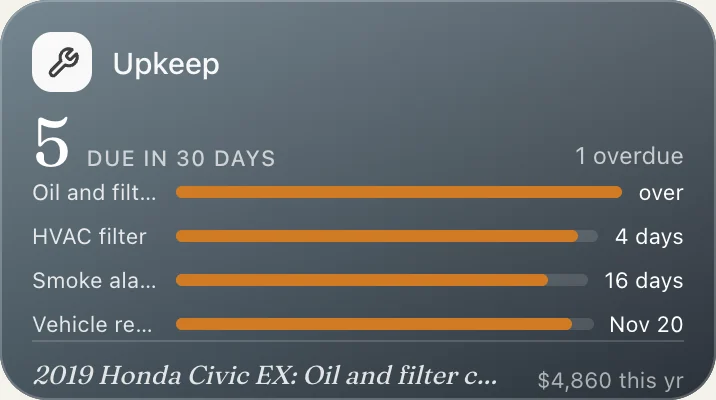 Keeping the car on the roadUpkeepUpkeep fills in your car from its VIN and suggests a service schedule by months and miles. Due bars show what's next, logging a service or fuel-up keeps it right, and open safety recalls for your make, model and year show up with the free fix.
 If the car is shared at home
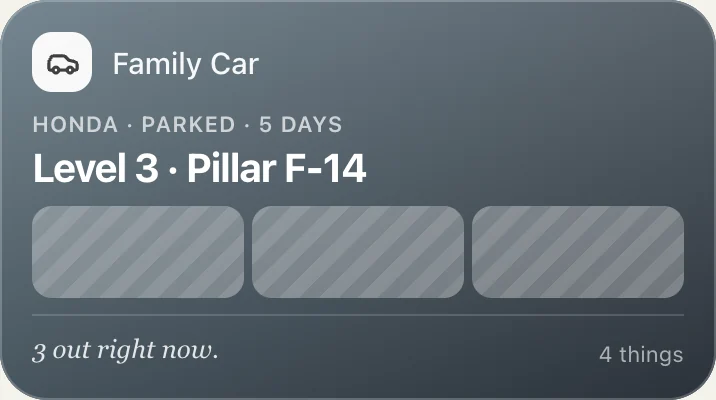
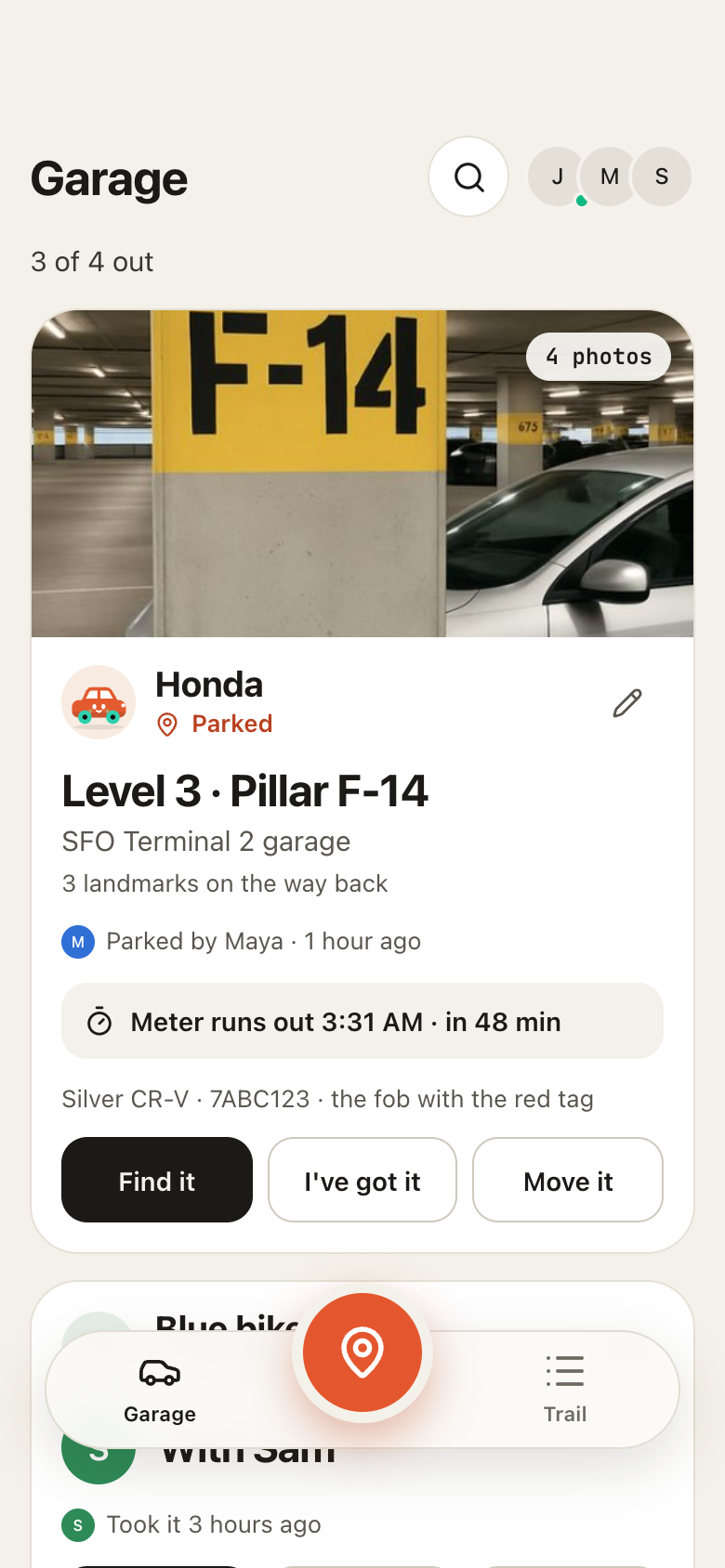
 Family CarEveryone at home sees where the car is, who parked it last and when, with photos of the spot and the landmarks back to it. Hand the key on or put it back home, and get a push before the meter runs out.
Here is how the four apps share a week, with the real screens they show.
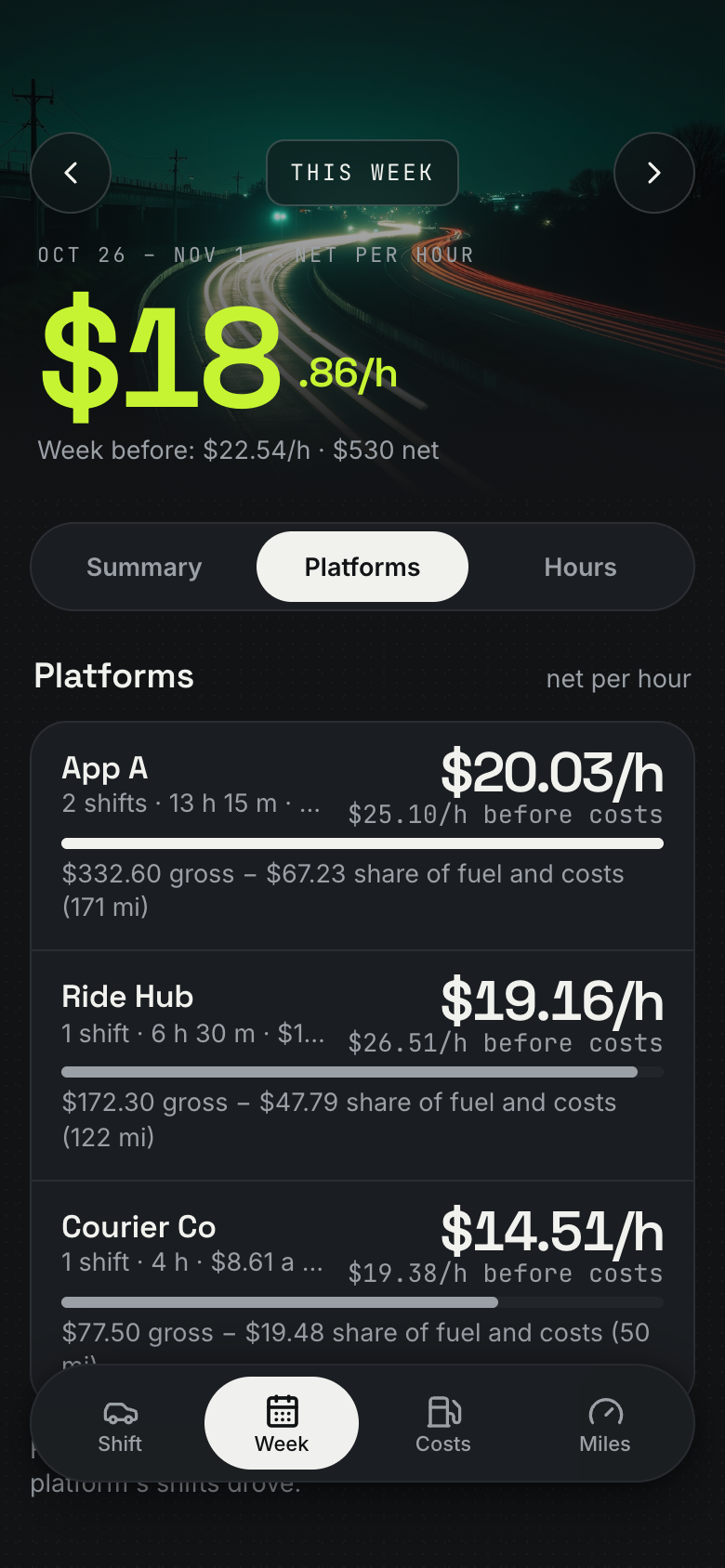 MondayLast week, by platformThe Monday review gives last week's net, net per hour, hours and distance, and the platform and hours that paid best.Driver Shifts
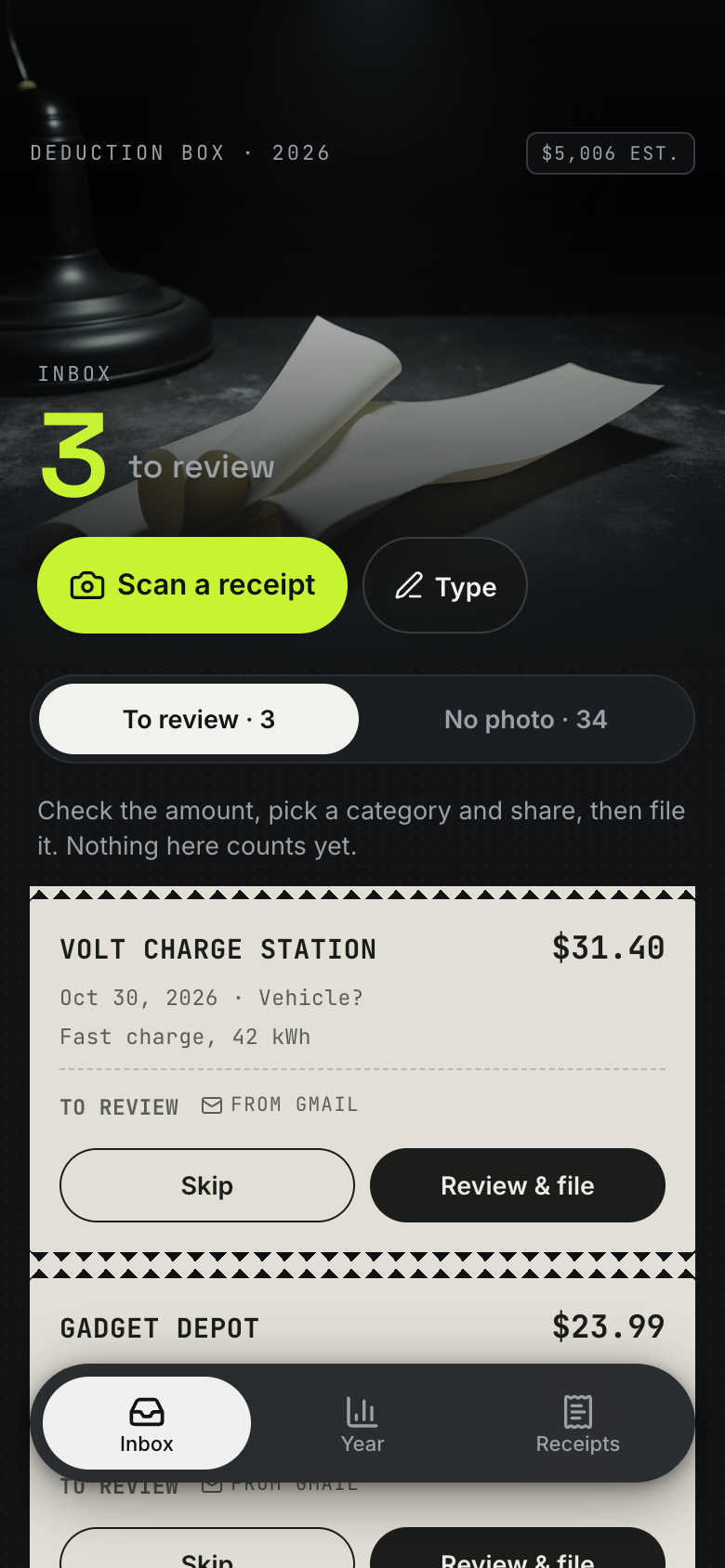 TuesdayReceipts from Gmail, waitingThe phone bill and a car wash found in Gmail wait in the inbox. Confirm each one with its business share.Deduction Box
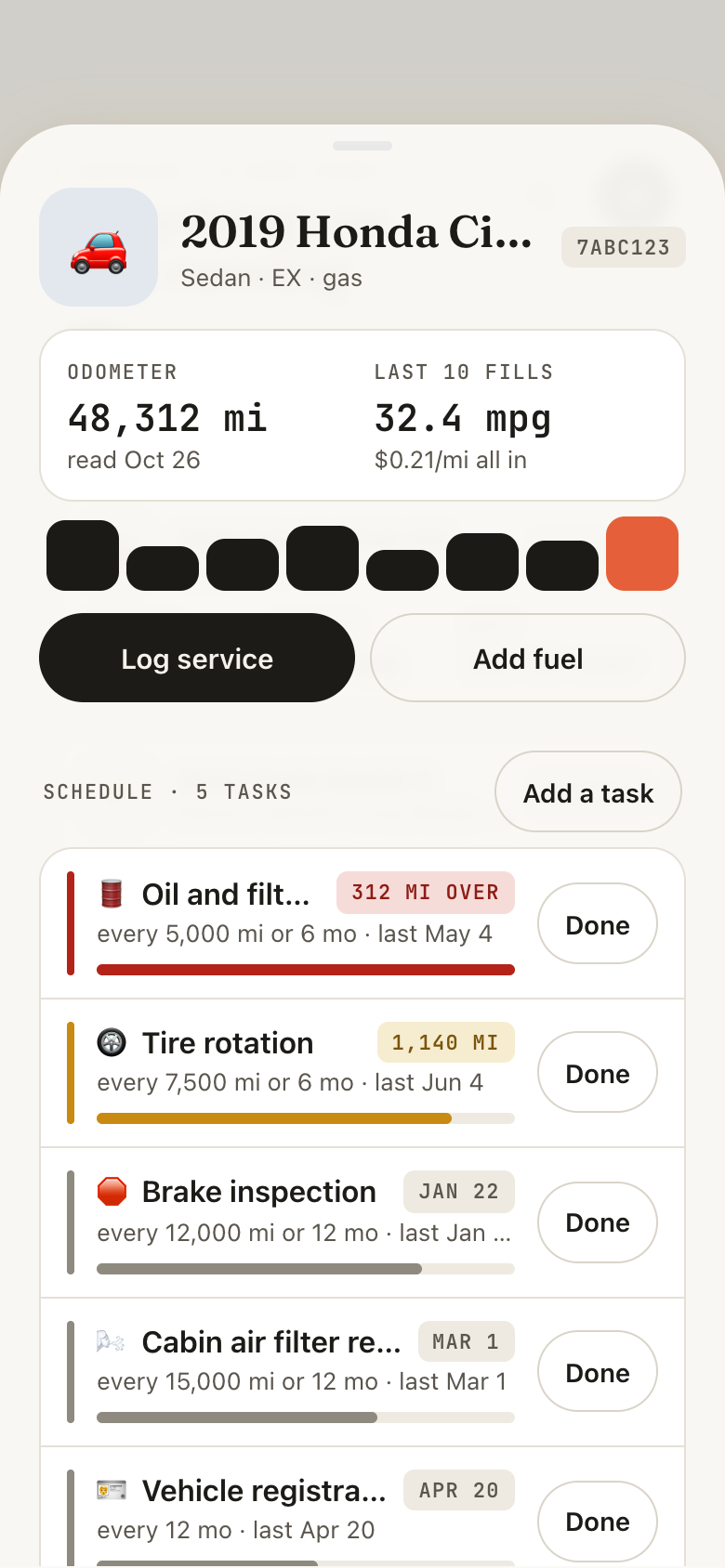 WednesdayOil change, loggedLog the service with the odometer and cost. The due bar drains and the next one is dated from how far you drive.Upkeep
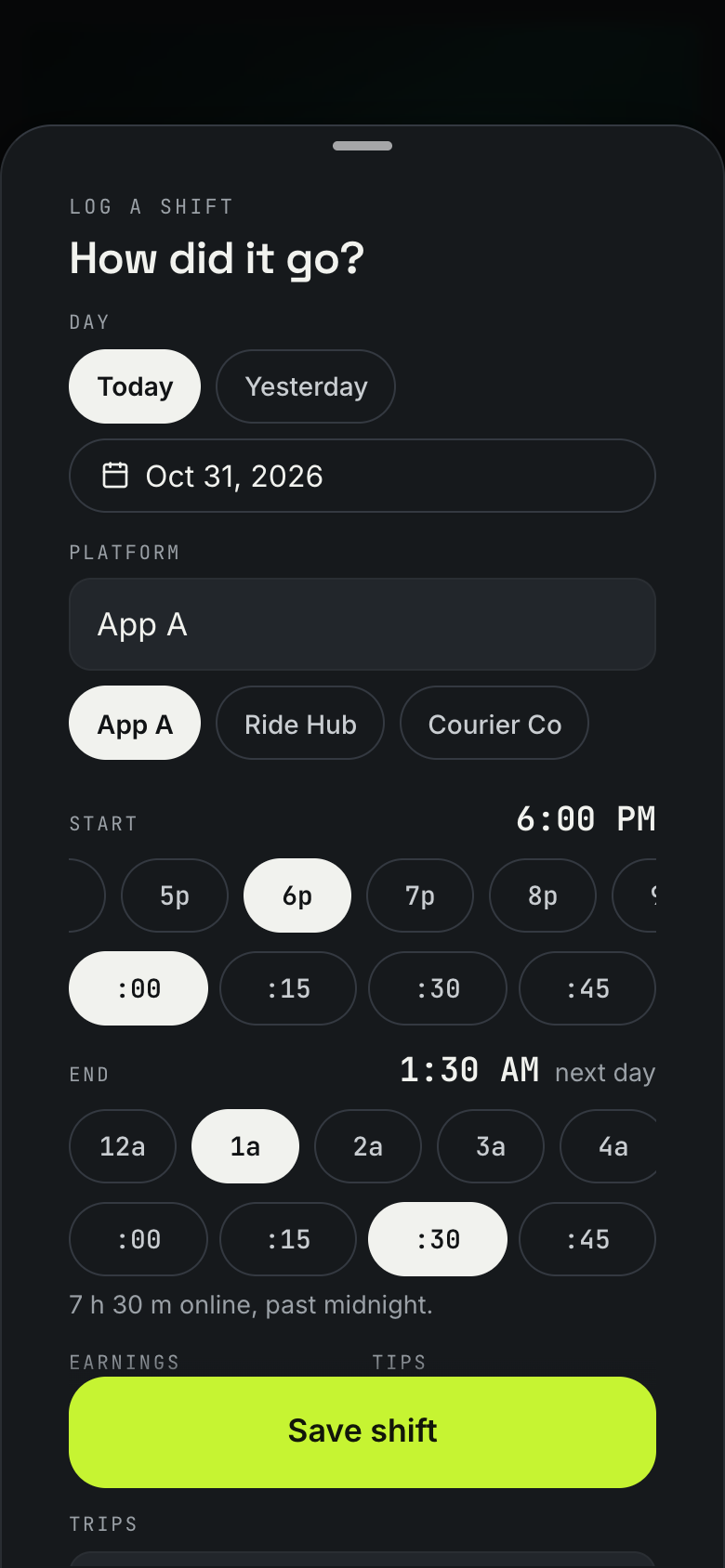 Friday nightLogged before you drive homeThe form already has your last times, platforms and odometer. Type the pay, save, and the week's net per hour rolls to its new value.Driver Shifts
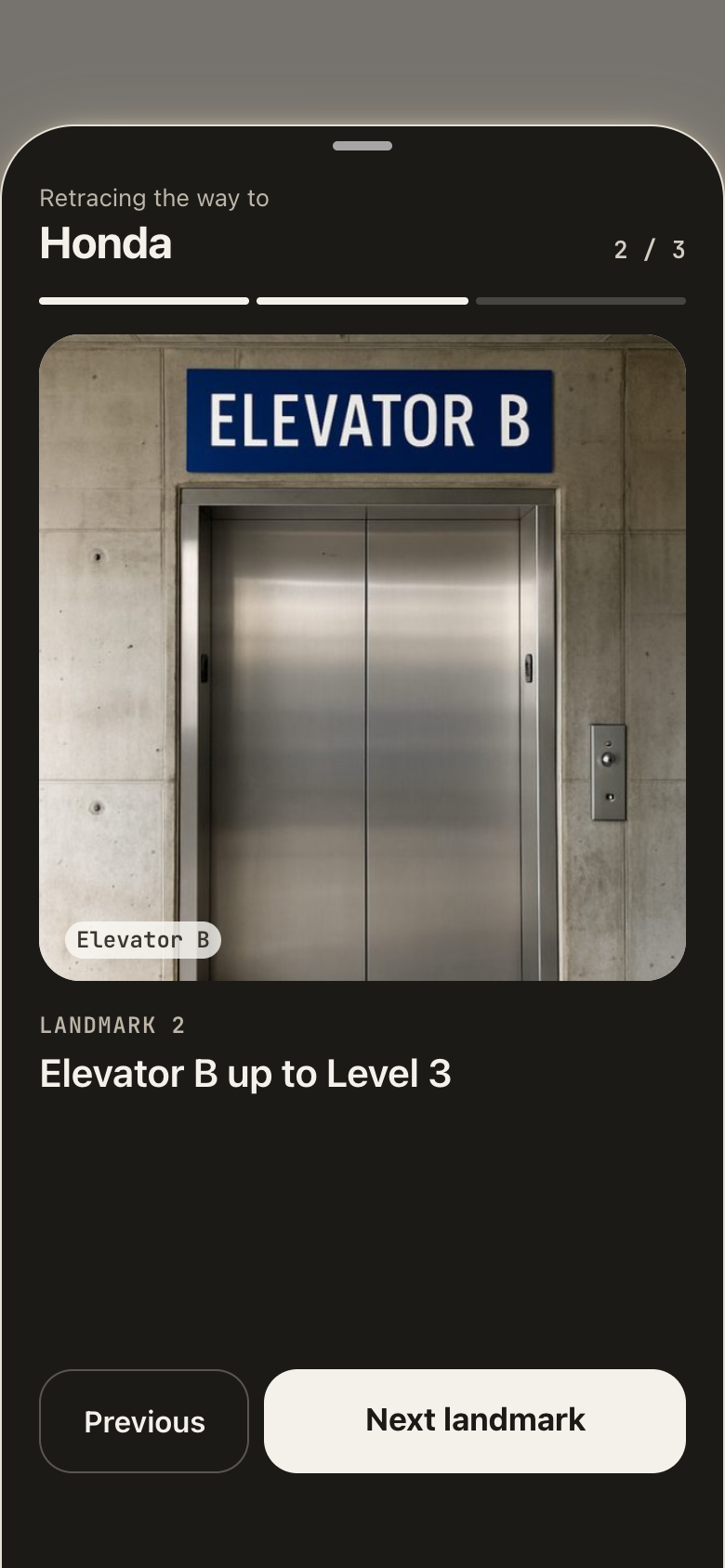 SaturdayThe car's where Sam left itYour partner parked it on level 3. Retrace the way landmark by landmark, then tap I've got it.Family Car
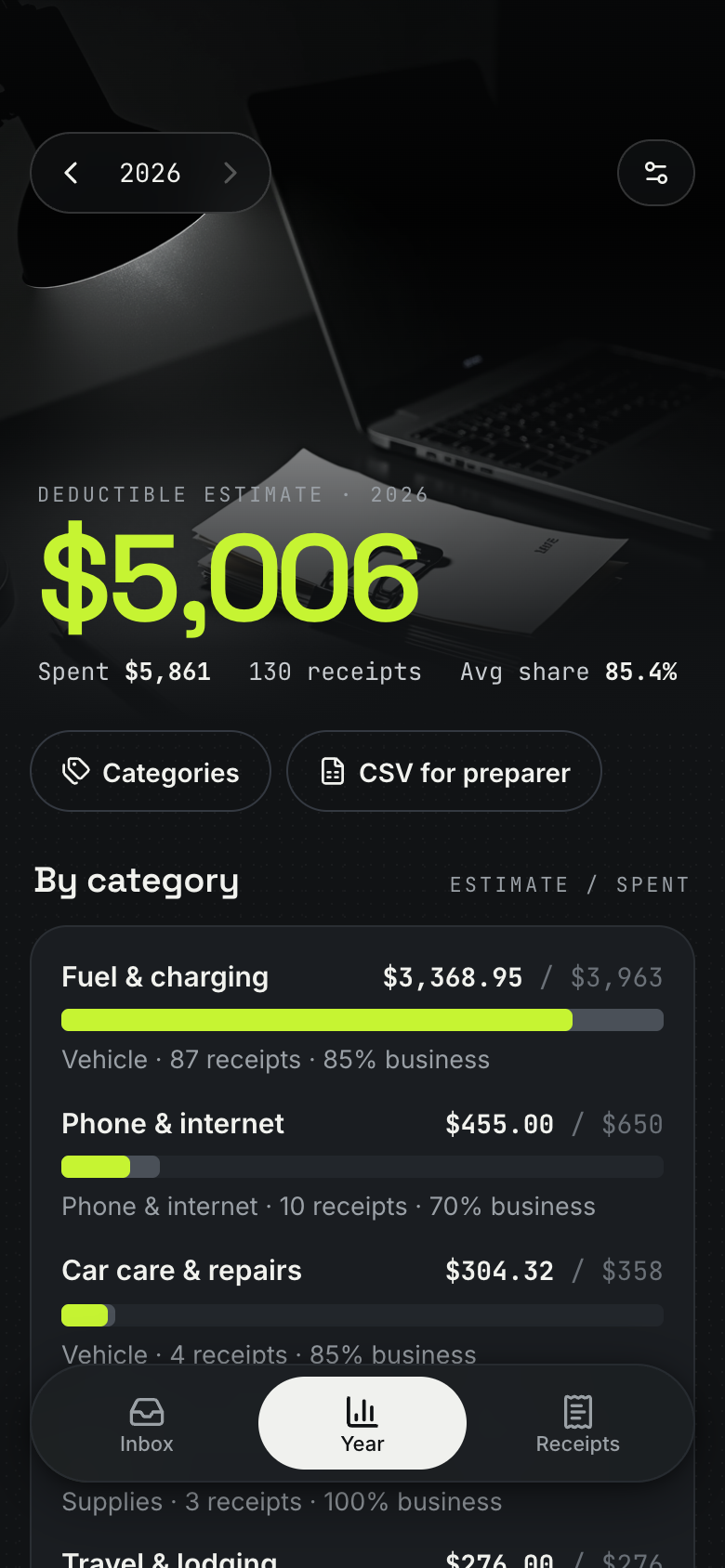 Sunday eveningThe year so farThe Sunday note gives the receipts filed this week, the year's deductible estimate and any slip still missing a photo.Deduction Box
A chat can work out a mileage rate. It can't take a shift log from one thumb at 1 AM, keep every fuel receipt with its photo, or show that the late shift on one app pays more per hour after gas than the other. Those jobs need real screens, ready on the first night you drive.
So each app was built around one moment of a driving week and how it should feel. Driver Shifts is a car's night dashboard: save a shift and the week's net per hour rolls to its new value while the odometer digits roll on. Deduction Box is a shoebox of receipts under a desk lamp, where each filed slip gets a lime stamp and the year's total ticks up. Upkeep is a garage logbook whose due bars drain when you log a service.
Driver Shifts takes fuel and costs off before it shows net per hour, for the week and for each platform you drive for.
The shift form starts from your last shift, with recent platforms as one-tap chips and the last odometer reading filled in.
The mileage deduction and the deductible total are estimates from the rate and shares you set, copied as CSV. They are not tax advice.
Ask for a new field, a new view or a new step, and Marci changes your copy of the app.
Ask itWhen should I drive next week to hit my goal?
Driver ShiftsFull accessDeduction BoxFull accessUpkeepRead all
Ask itWhat's due on the car this month?
UpkeepFull accessFamily CarRead allDriver ShiftsRead all
Say the outcome in your own words. Progress comes from what the apps record, never from a number you type in.
| Who | What they get | From |
|---|---|---|
| Your household | Where the car is, who has the key and every move | Family Car, shared with them |
| Your tax preparer | Shifts, the mileage log and receipts as CSV that you copy | Driver Shifts, Deduction Box |
Connect Marci once in each. They all read and write the same apps, so each can do what it does best: look up your car's schedule, count the car in your net, or keep watch on Facebook and X for you.
 ChatGPTResearch into your apps
Look up my car maker's schedule for heavy use, since rideshare counts, and set Upkeep's service intervals to match.
Your maker's heavy-use schedule shortens three jobs: oil and filter every 5,000 miles instead of 10,000, tire rotation every 5,000 and the cabin filter every 15,000. Updated them in Upkeep, so your oil change is now due in about 700 miles, around a week and a half at your pace.
 ClaudeAcross your apps
Does my net per hour in Driver Shifts count what the car costs me in Upkeep?
Not all of it. Upkeep has $463 of service since September that Driver Shifts doesn't count: a $389 brake job and a $74 oil change. Say yes and I'll add both as maintenance costs, which takes your net per hour since September from $21.10 to $19.60. Both receipts are already in Deduction Box.
 MuseWhen you buy on Marketplace
Whenever I buy something for the car on Facebook Marketplace, file it in Deduction Box.
Each time, I'll read the Marketplace chat for the item, price, seller and day, and put it in your Deduction Box inbox for you to set the business share and confirm. Last week's $45 dash cam is waiting. Add a screenshot of the chat as its photo, so it counts toward your photo goal.
 Grok BotEvery morning, from X
Every morning, check the city's X account for street sweeping and tow notices, and tell me if one hits where the car is parked in Family Car.
Each morning I'll check the notices against the car's spot in Family Car. Today one hits: Sam parked on Elm Street last night, and sweeping starts there at 8 AM tomorrow. Want me to add that to the spot's note so whoever has the car sees it? I'll ask before each change.
The schedule ChatGPT sets and the cost Claude adds end up in one number, so your net per hour counts what the car really costs.
Sets Upkeep to your maker's heavy-use schedule, so the oil change comes due 5,000 miles sooner.
UpkeepAfter you log the oil change in Upkeep, adds its cost to Driver Shifts once you say yes, so your net per hour counts it.
Driver ShiftsWhen Sam parks back on Elm Street, spots a sweeping notice on X and asks before noting it on the spot.
Family CarReminds you before the next service is due, and keeps this week's net per hour on your Home Screen.
Add EV charging costs to Driver Shifts
Track time online but waiting in Driver Shifts
Add a car wash budget to Upkeep
Marci is free and invite only for now. Join the waitlist, or ask a friend on Marci for an invite.
Ask for Driver Shifts, set your weekly net goal and log the shift when you park.
Deduction Box for receipts, then Upkeep for the car. Then ask Marci for a coach that watches them together.
Driver Shifts shows this week's net per hour after fuel and costs as one big number, compares every platform you drive for on net per hour and per trip, and shows which hours and days pay best.
Driver Shifts keeps a mileage log from each shift's odometer and estimates a deduction from the per-mile rate you set, and Deduction Box keeps the receipts. Both copy as CSV for your tax preparer. They are estimates, not tax advice.
No. You type each shift's earnings, tips and trips when you park, and the form starts from your last shift so it takes seconds.
Yes. Family Car shows everyone at home where the car is, who parked it last, who has the key and every move, with a push to whoever parked it before the meter runs out.
Marci is free for now and invite only, on iPhone, Android and app.getmarci.ai.

Marci is invite only for now. Join the waitlist, or ask a friend on Marci for an invite.