Brainstorm Wall
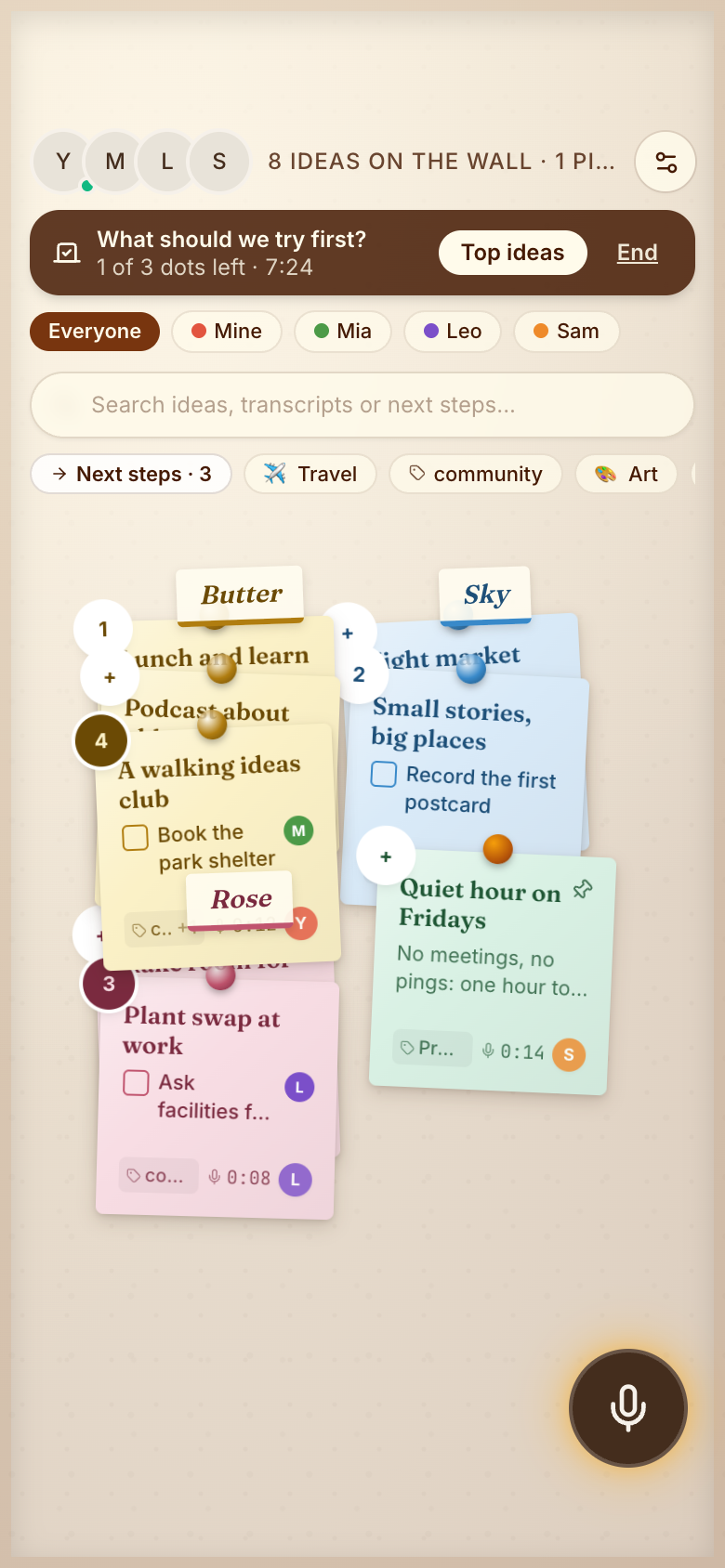
Brainstorm Wall is a shared Marci corkboard where a whole team pins ideas as sticky notes. Speak or type an idea and it lands in your pen color. Anyone drags notes into clusters, a dot vote puts the best ideas on top, and each next step goes to a member.
Tap one and watch the phone

 Marci
Tap Brainstorm Wall on the phone, or ask me one of these.
Who it's for
Teams brainstorming apart
One live wall everyone adds to, with every note showing who pinned it.
Study groups
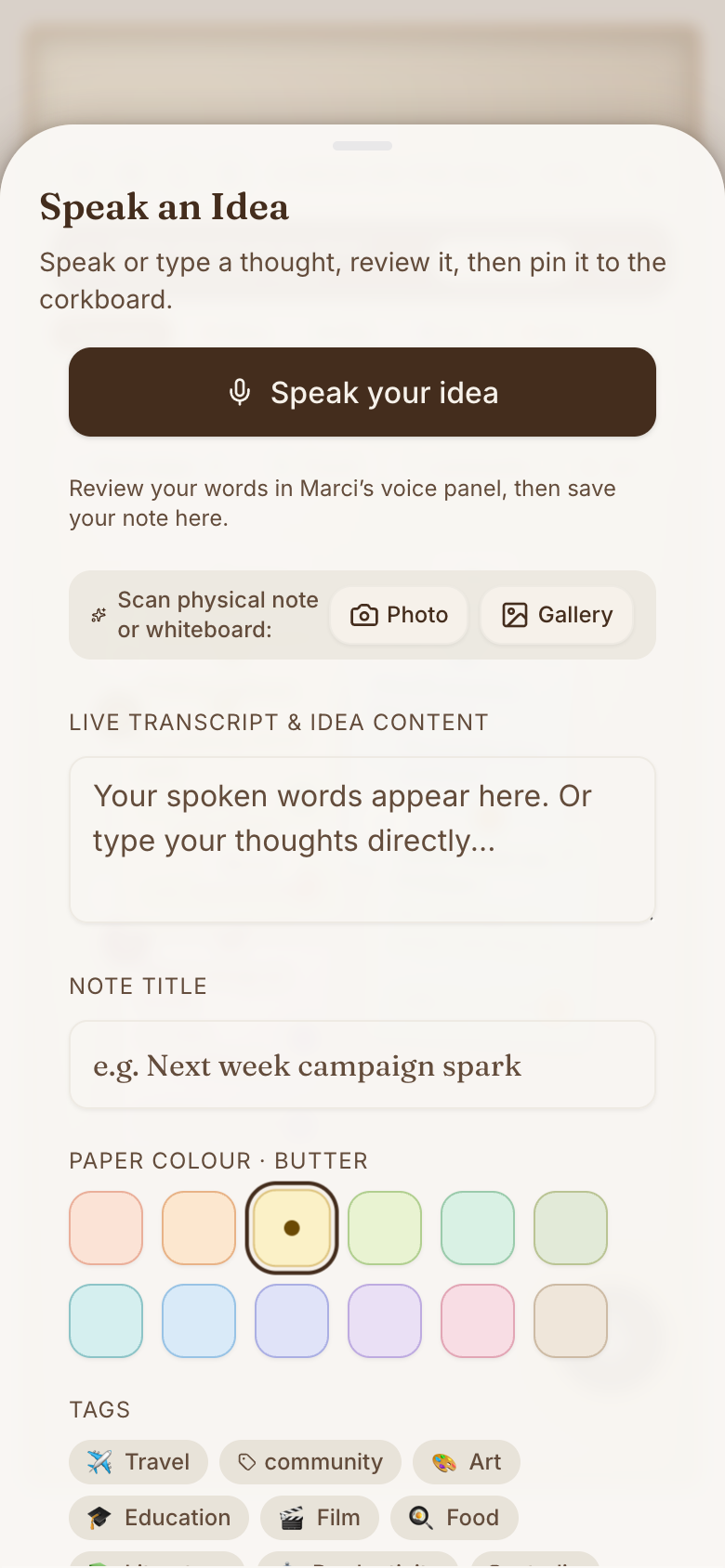
Scan a paper note or a whiteboard into a draft, then sort it with everyone else's ideas.
Flatmates and families
Plan the holiday or the garden on one wall, vote, and put a name on the next step.

Notes, numbers and next steps, all in reach.
Every screen

Ways to use it
After the workshop
Scan the whiteboard into draft notes, then drag them into clusters with tags like Design or Business.
Picking a direction
Start a dot vote with three dots each and a timer. Top ideas ranks the winners.
Making it happen
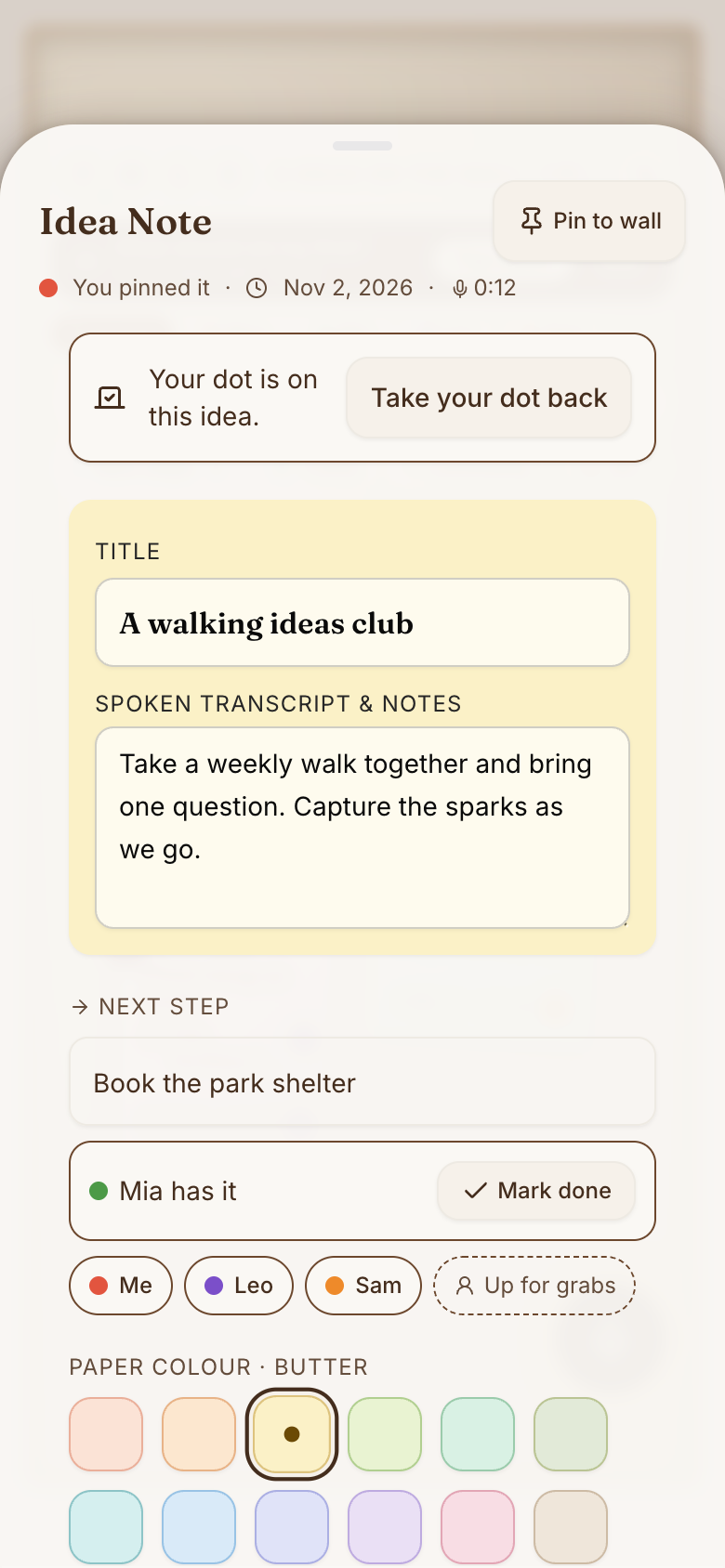
Give the winning idea a next step and hand it to a member. They tick it off when it's done.
What it does
- One live corkboard for the whole team; every note shows who pinned it in their pen colour
- Speak or type an idea, or scan a paper note or whiteboard into a draft
- Anyone drags notes into clusters or tidies the wall by colour; only the author changes a note's words
- Twelve pastel paper colours and topic tags like Design, Business or Travel, or your own words
- Dot votes with two to five dots each and an optional timer, and a Top ideas ranking
- Give an idea a next step, hand it to a member or take it yourself, and tick it off
- Search every idea, or see one member's ideas or the open next steps
Make it yours
Ask for a change in your own words and Marci updates the app for you.
Add a Marketing topic tag
Give everyone four dots by default
Add a Parked column for later ideas


Talk it over in its room
Brainstorm Wall is made for sharing. Invite people as editors or viewers, start separate spaces for different groups, and tap the Marci button inside it to start a room with everyone in it.
Pairs well with
 Project TogetherTurn the wall's winning idea into a shared project with everyone.
 Team PulseBrainstorm Wall collects the team's ideas for clearing the blockers.
 Team ThreadIdeas the team throws around between meetings land on one shared wall, ready for the next agenda.
 Voice Idea WallKeep a private wall of your own ideas before bringing the best to the team.
Questions
Can anyone edit my notes on Brainstorm Wall?
Anyone can move notes into clusters, but only the author can change a note's words.
Can I add ideas by voice?
Yes. Speak or type an idea, or scan a paper note or whiteboard into a draft.
How do I invite my team?
Invite people as editors or viewers. Start separate spaces for different teams, each with its own wall.
Marci is rolling out now
Marci is invite only for now. Join the waitlist, or ask a friend on Marci for an invite.