Class Roster
Class Roster is a shared Marci app for running a studio's class schedule with your instructors. Plan one-off and weekly classes with a capacity, share one link, and people sign up with a name and email. Full classes get a waitlist that moves up on its own, and check-in takes one tap.
Tap one and watch the phone

 Marci
Tap Class Roster on the phone, or ask me one of these.
Who it's for
Studio owners
Plan repeating classes that stay four weeks ahead, share a schedule page in your studio's look, and see who came and who keeps missing.
Instructors
Link to your person in the app and Mine shows your classes. You hear about sign-ups for the classes you teach.

Notes, numbers and next steps, all in reach.
Every screen
Ways to use it
Barbell Club, every Tuesday
Set a class to repeat every week. Change the instructor or capacity once and it carries to every future class.
A full class, then a cancellation
The first person on the waitlist moves up on their own, and the team gets a push for sign-ups and cancellations.
Check-in at the door
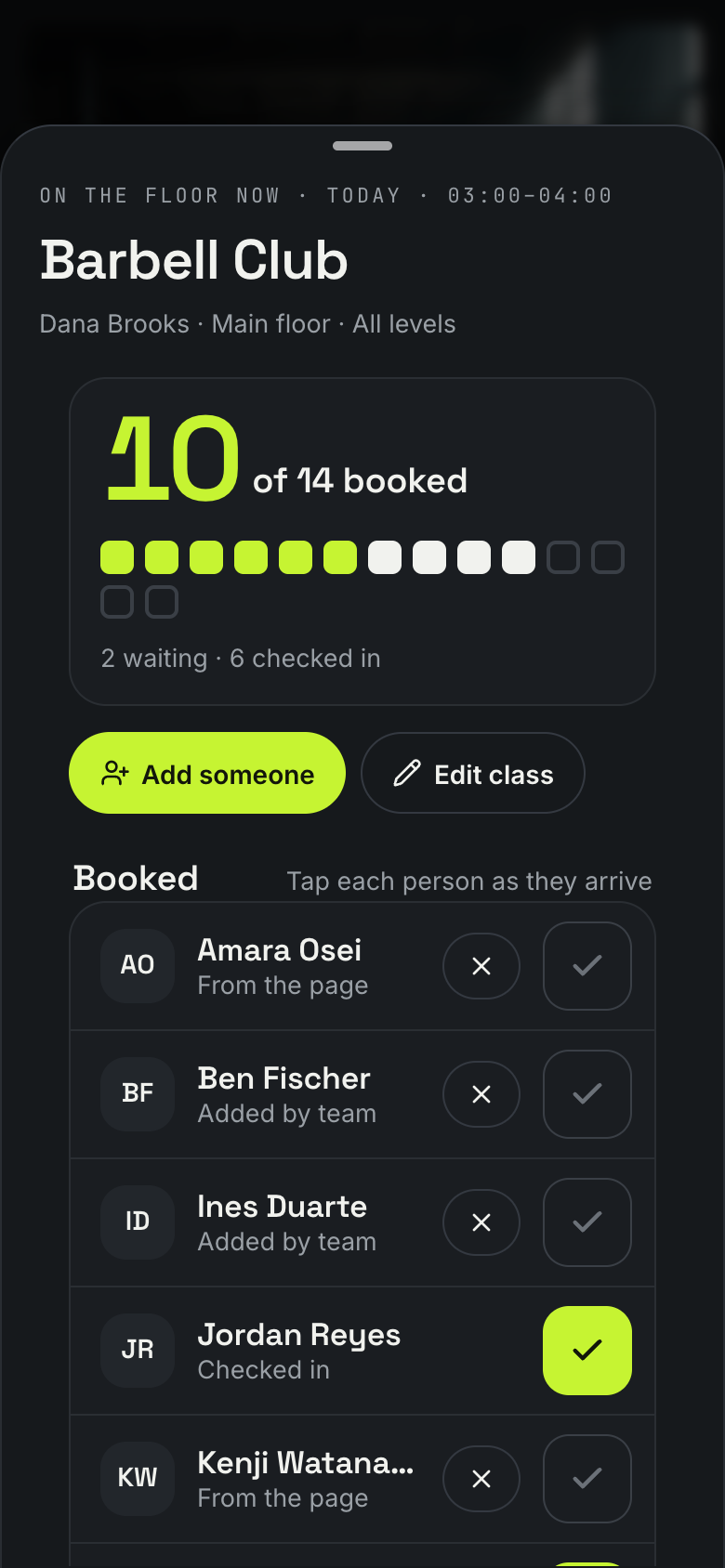
Open the class sheet and tap each name as people arrive. A booked spot with no check-in counts as a no-show when the class ends.
What it does
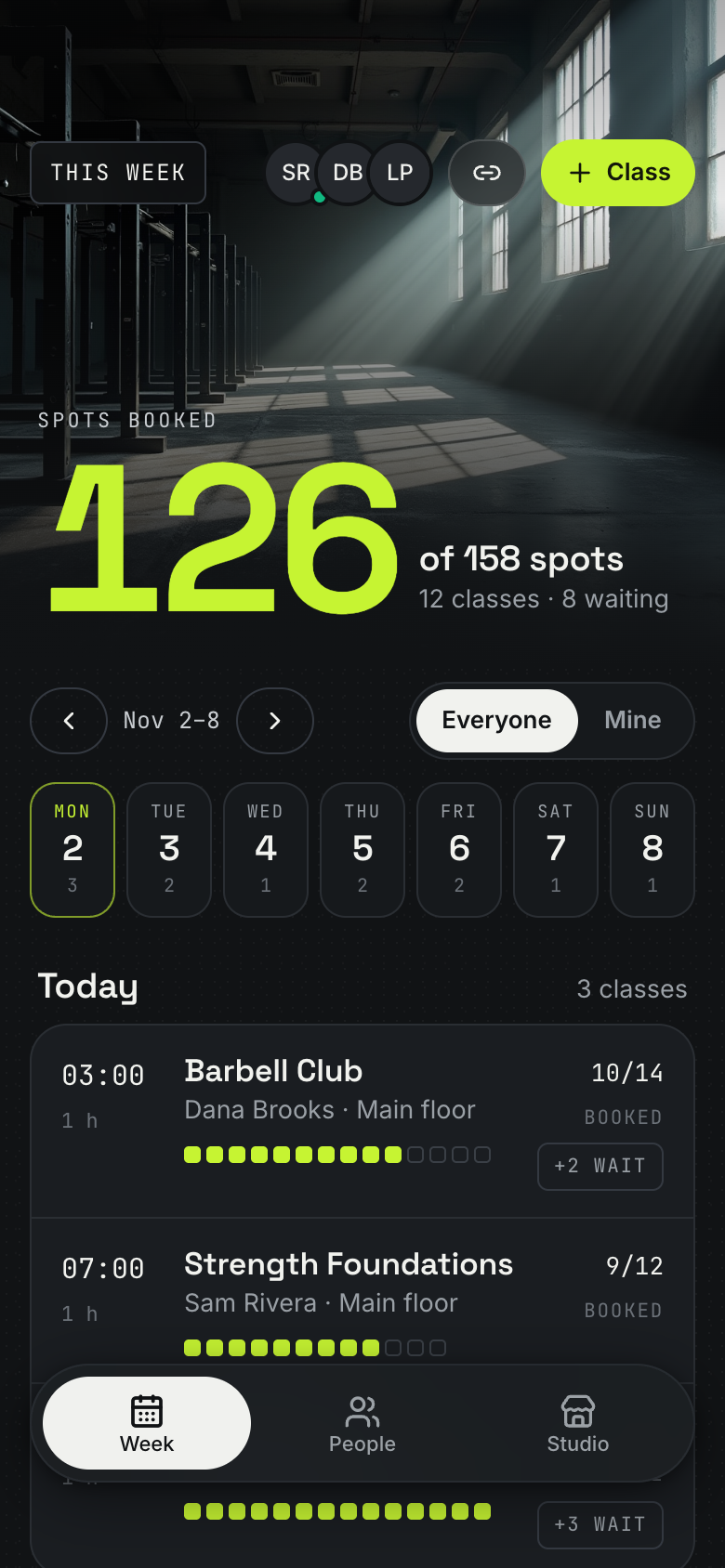
- A week schedule of the studio's classes: each day's classes with time, title, instructor, place and level, and every class's booked spots drawn as filled squares out of its capacity, with the waitlist; Everyone or Mine; previous and next week
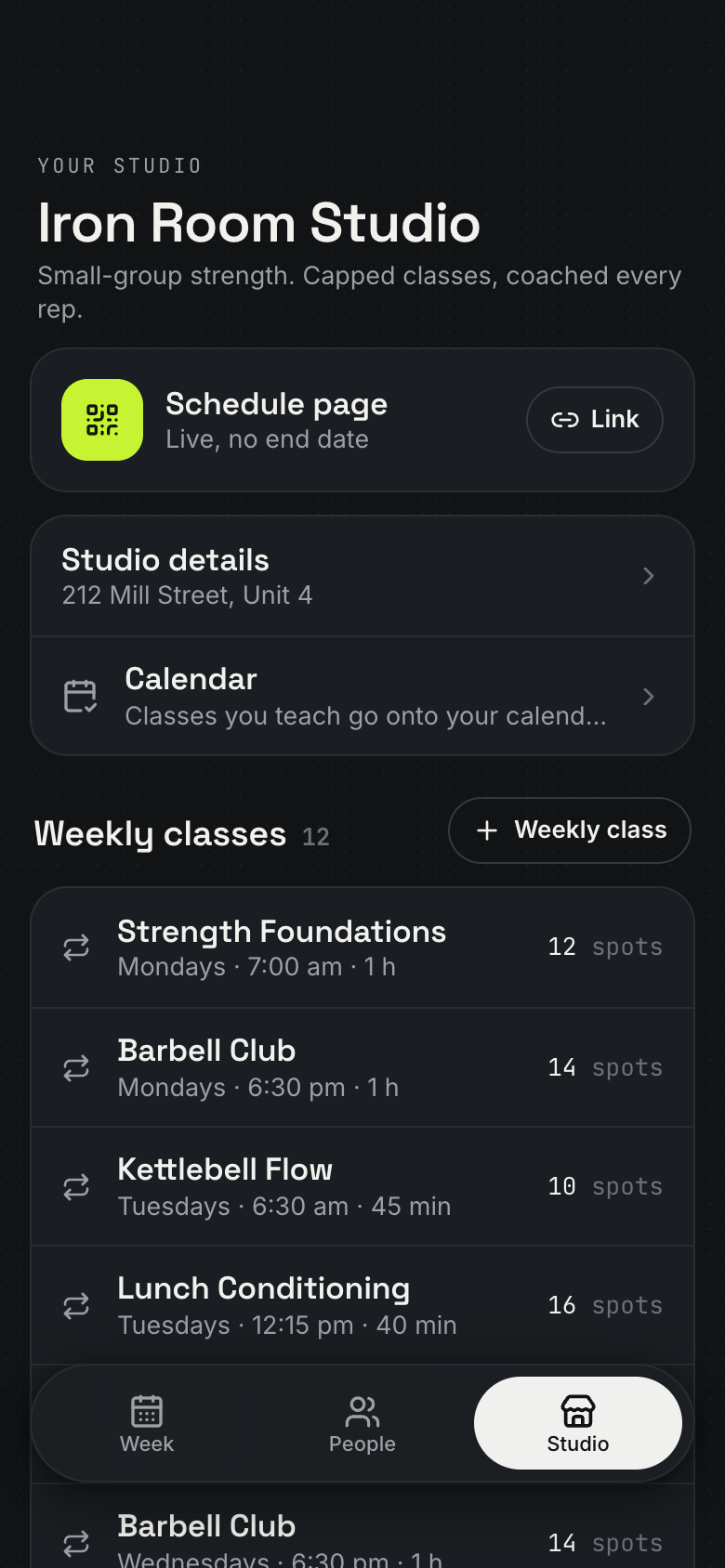
- Classes one at a time or repeating every week on a weekday and time (Barbell Club, Tuesdays 6:30 PM); repeating classes stay planned four weeks ahead, and changes to title, instructor, capacity, place or level carry to their future classes; end a repeating class and its empty future classes go away
- A public schedule page in the studio's own look: the studio's name, line, address and policy and this week's classes with spots left; a visitor signs up with name and email in two taps and sees their spot, with no account
- Capacity and a waitlist: a full class offers the waitlist with the visitor's place in line; when someone cancels or the class grows, the first person waiting moves up on their own
- Every spot gets its own manage link: the visitor sees their class, time, status or waitlist place and cancels until the studio's cut-off; the team gets a push when someone signs up or cancels
- The class sheet: a big booked-of-capacity count, the roster with one-tap check-in, the waitlist in order, add someone (an existing person or a new name), cancel a spot, edit, cancel or restore the class
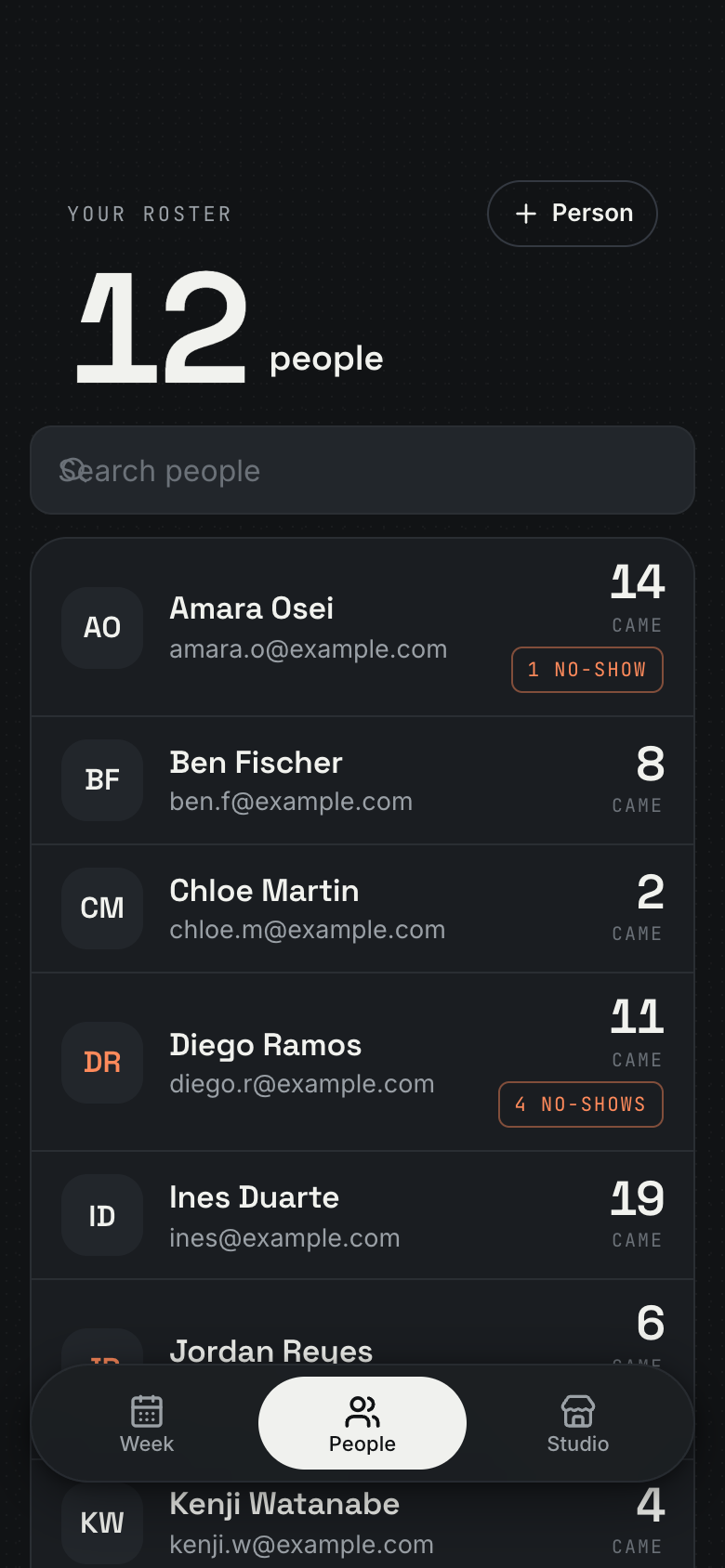
- Attendance history: who came to each past class, and per person the classes attended, no-shows, upcoming spots and private notes; a no-show is a booked spot whose class ended without a check-in
- People: everyone who has signed up, matched by email, with search and each person's attended and no-show counts
Make it yours
Ask for a change in your own words and Marci updates the app for you.
Add a first-class badge for new people on the roster
Show spots left as a number on the home card
Add an injury notes field to each person


Talk it over in its room
Class Roster is made for sharing. Invite people as editors or viewers, start separate spaces for different groups, and tap the Marci button inside it to start a room with everyone in it.
Pairs well with


Questions
Do people need an account to sign up for a class?
No. They sign up from your schedule page with a name and email in two taps, and each spot gets its own link to see its status or cancel before your cut-off.
Can my instructors use Class Roster too?
Yes. The owner and instructors share one schedule. Invite people as editors or viewers, and start separate spaces for different groups, each with its own people and data.
Can classes go on my calendar?
Yes, optionally. Your classes, or every class, go onto the owner's calendar and follow every change and cancellation.
Is Class Roster free?
Marci is free for now and invite only. Join the waitlist at getmarci.ai, or ask a friend on Marci for an invite.
Marci is rolling out now
Marci is invite only for now. Join the waitlist, or ask a friend on Marci for an invite.