Flightbook
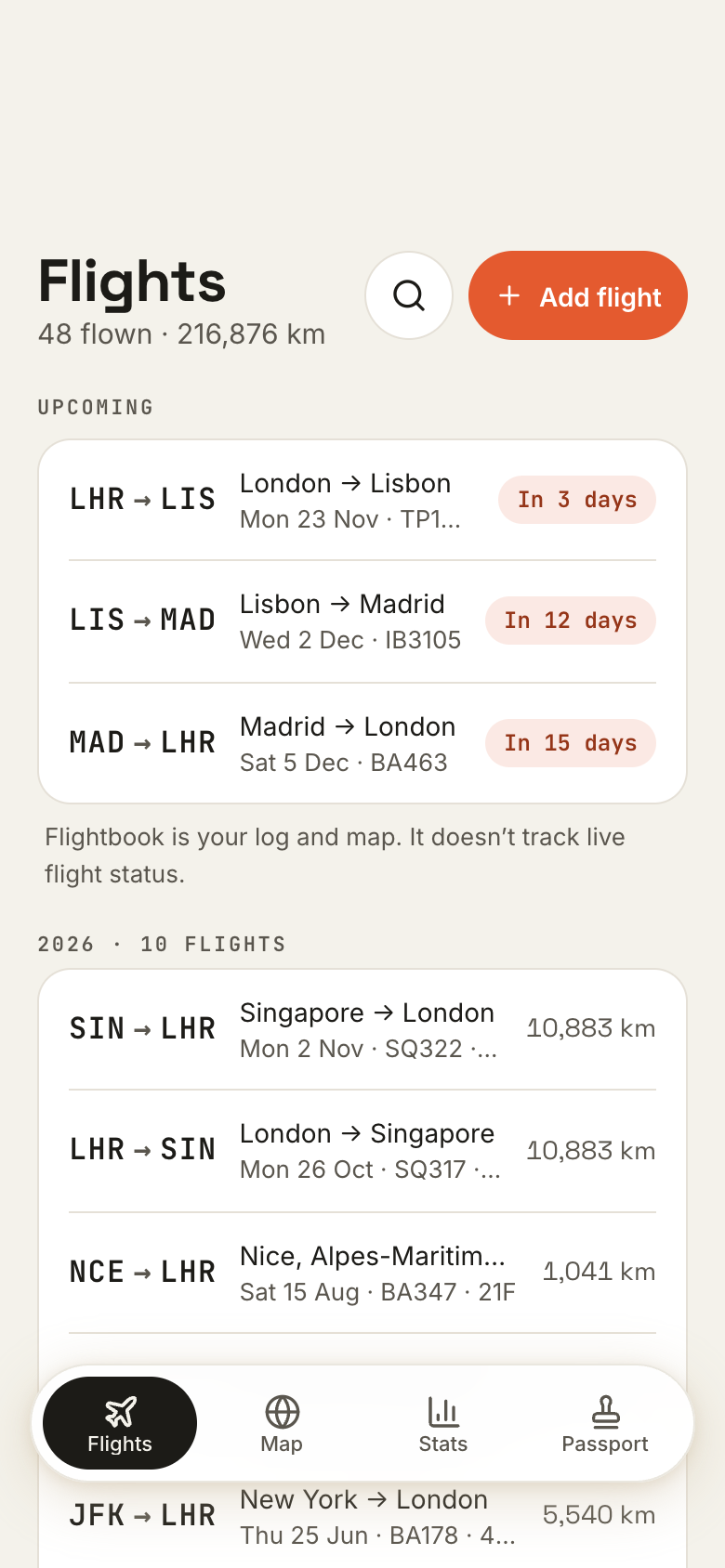
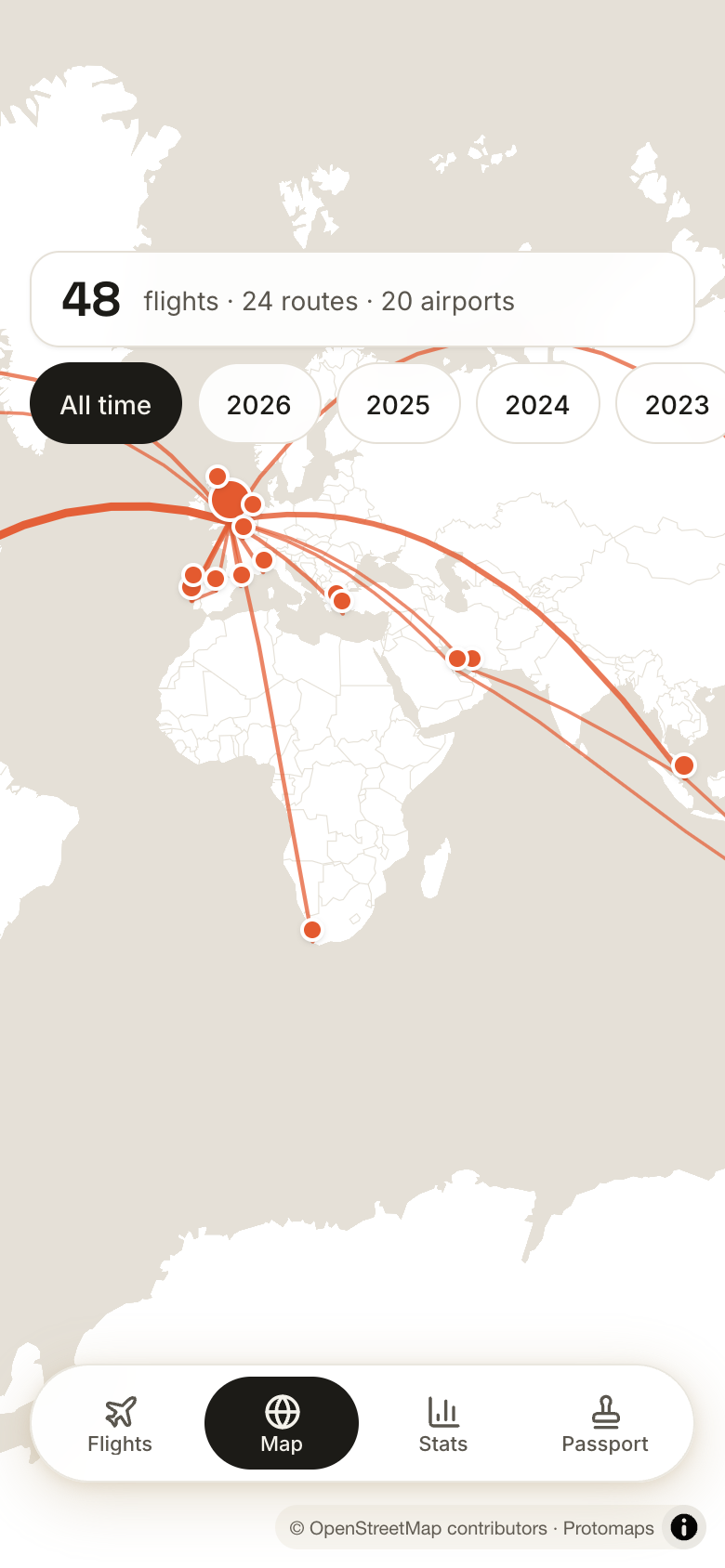
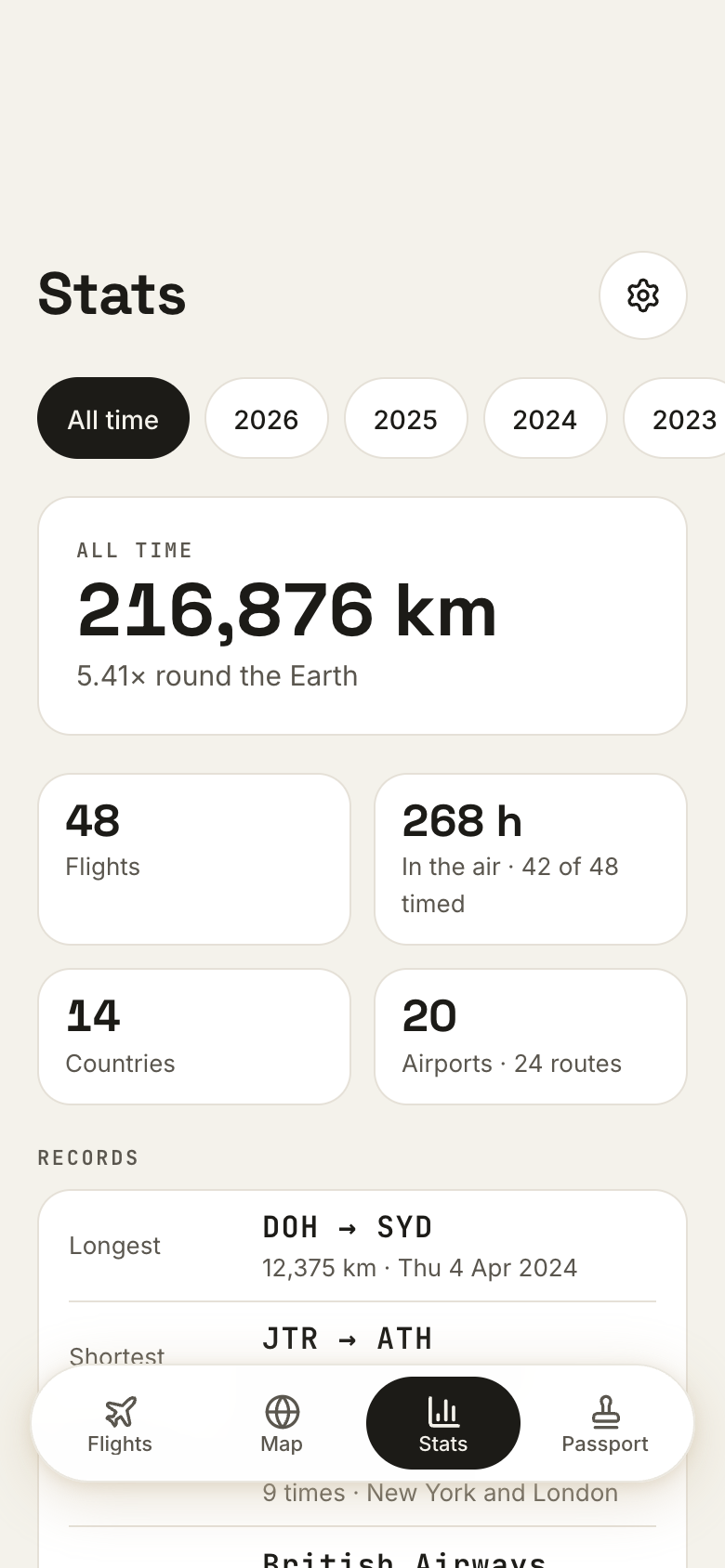
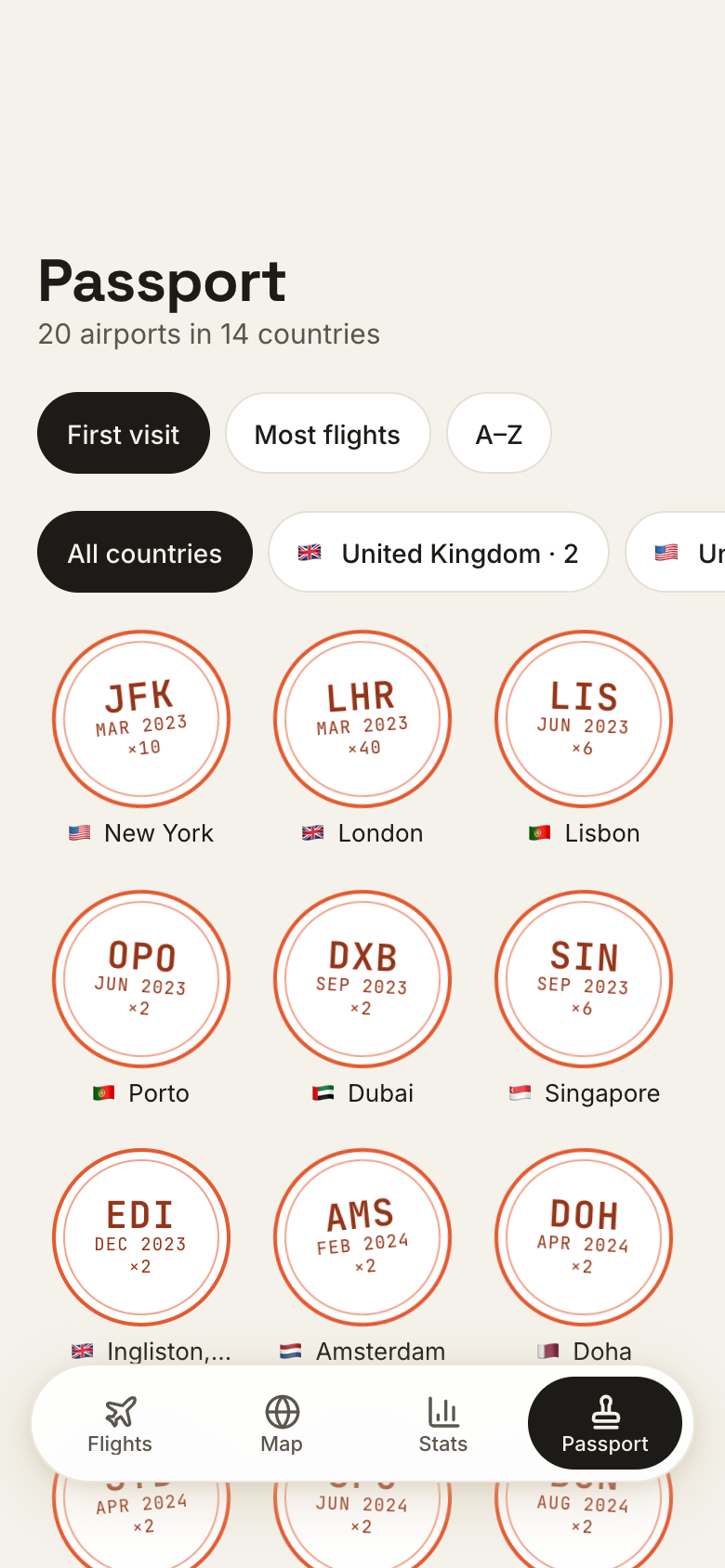
Flightbook is a Marci app that keeps a personal record of every flight you take. Type two airport codes or cities and the date, and Flightbook works out the great-circle distance, draws the route, shows how far the clocks change between the two airports on that date and keeps upcoming flights on top with a countdown. Your numbers add up: flights, distance and times round the Earth, hours in the air, countries, airports, longest and shortest flights, and most-flown route and airline, with a map and a passport stamp for every airport. It is a log and a map, not live flight status.
Tap one and watch the phone

 Marci
Tap Flightbook on the phone, or ask me one of these.
Who it's for
Frequent flyers
Every flight in one log with the numbers that add up: distance, hours in the air, routes, airlines and a year-by-year view.
Holiday travelers
A map of every route you have flown and a passport stamp for every airport, filled in as you add each trip.
Aviation fans
Keep the aircraft, the seat and the cabin for each flight, and see your longest flight and most-flown route at a glance.

Movie night, book night, any night.
Every screen
Ways to use it
Add a flight in seconds
Pick the two airports by typing a code or a city from a catalog of about 49,000 airports, choose the date and save. The distance, the route and the time difference between the two airports are worked out for you, and with a departure time and the flight time Flightbook shows when you land, local time; an airport the catalog lacks can be typed by hand.
Log a past trip at once
Enter every leg of a trip in one go, or paste the itinerary or choose a boarding pass screenshot and Marci reads the legs for you to check before saving.
Your numbers and your map
Stats count flights, distance, hours in the air, countries and airports for all time or any year, with records and a year-by-year view. The map draws every route; the passport keeps a stamp for every airport.
What it does
- Add a flight in seconds: pick the two airports by typing a code or a city from Marci's catalog of about 49,000 airports, the date, and optionally airline, flight number, seat, cabin, aircraft, departure and arrival times, flight time and a note
- Type an airport yourself when it isn't in the catalog or the airport search is unavailable: code, name, city, country and optional coordinates
- The great-circle distance and the route line worked out for every flight, and the time-zone change worked out from the departure and arrival times and the flight time you enter (never guessed)
- Upcoming flights at the top with a countdown (Today, Tomorrow, In 12 days), and a plain line that Flightbook is a log and a map with no live flight status
- The log: past flights grouped by year, newest first, with search and Load more
- Each flight's page: route, cities, date, distance, flight time, time change, airline and number, seat, cabin, aircraft and note; edit or delete
- Add a past trip quickly by entering several legs at once
- Read an itinerary: paste a booking or itinerary, or choose a photo or screenshot of a boarding pass, and Marci's AI reads it into legs you check before saving (one AI call, only when you ask)
Make it yours
Ask for a change in your own words and Marci updates the app for you.
Add a field for my booking reference
Show distance flown this year on the home card
Sort the passport by country


A coach for Flightbook
Tap the Marci button inside Flightbook and say yes to a coach: a room of its own where Marci knows the app, checks in on the days you choose and answers questions about your numbers. Give a friend their own copy with a share link; they get the app, never your entries.
Pairs well with


Part of
Questions
Does Flightbook track live flight status?
No. Flightbook is your log and map: it keeps the flights you add, works out their distance and routes, and adds up your numbers. It shows no live status, delays or gates.
Where do the airports come from?
From Marci's airport catalog of about 49,000 airports worldwide, built from public airport data, with time zones derived from timezone-boundary-builder (© OpenStreetMap contributors, Open Database License). The airport's name, city, country, position and time zone are stored on each flight when you add it, so your log never depends on a lookup again.
How is the distance worked out?
As the great-circle distance between the two airports: the shortest path over the Earth, the way airline distances are quoted. It is within about half a percent of the most exact figures.
How does it know the time difference?
Each airport in the catalog has its time zone, so Flightbook works out how far ahead or behind your destination is on the day you fly, daylight saving included. Give a departure time and the flight time and it shows your local arrival, the next day or the day before across the date line; your own times are never changed. An airport you type yourself has no time zone, so there the time change comes from the times and flight time you enter.
Does it cost anything to use?
Adding flights, the map, stats and the passport are free to use. Reading an itinerary or boarding pass uses your Marci AI allowance, and only when you ask.
Marci is rolling out now
Marci is invite only for now. Join the waitlist, or ask a friend on Marci for an invite.