Homework Link
Homework Link is a Marci app for tutors who set homework for their own students. Set work for each student and share their own link. They hand in from their phone with a written answer, a link and up to four photos of their pages, and your note and mark show on their page.
Tap one and watch the phone

 Marci
Tap Homework Link on the phone, or ask me one of these.
Who it's for
Private tutors
Set homework for one student or several at once, and review every hand-in from one inbox instead of an email chain.
Tutors who still get paper homework
Log paper homework handed in at a lesson, so the inbox holds everything, alongside the photos students send.

Your work, your clients, your lists.
Every screen
Ways to use it
Set the week's work
Give it a title, instructions and an optional due day, for one student or several. Each student sees it on their own homework page.
Mark a hand-in
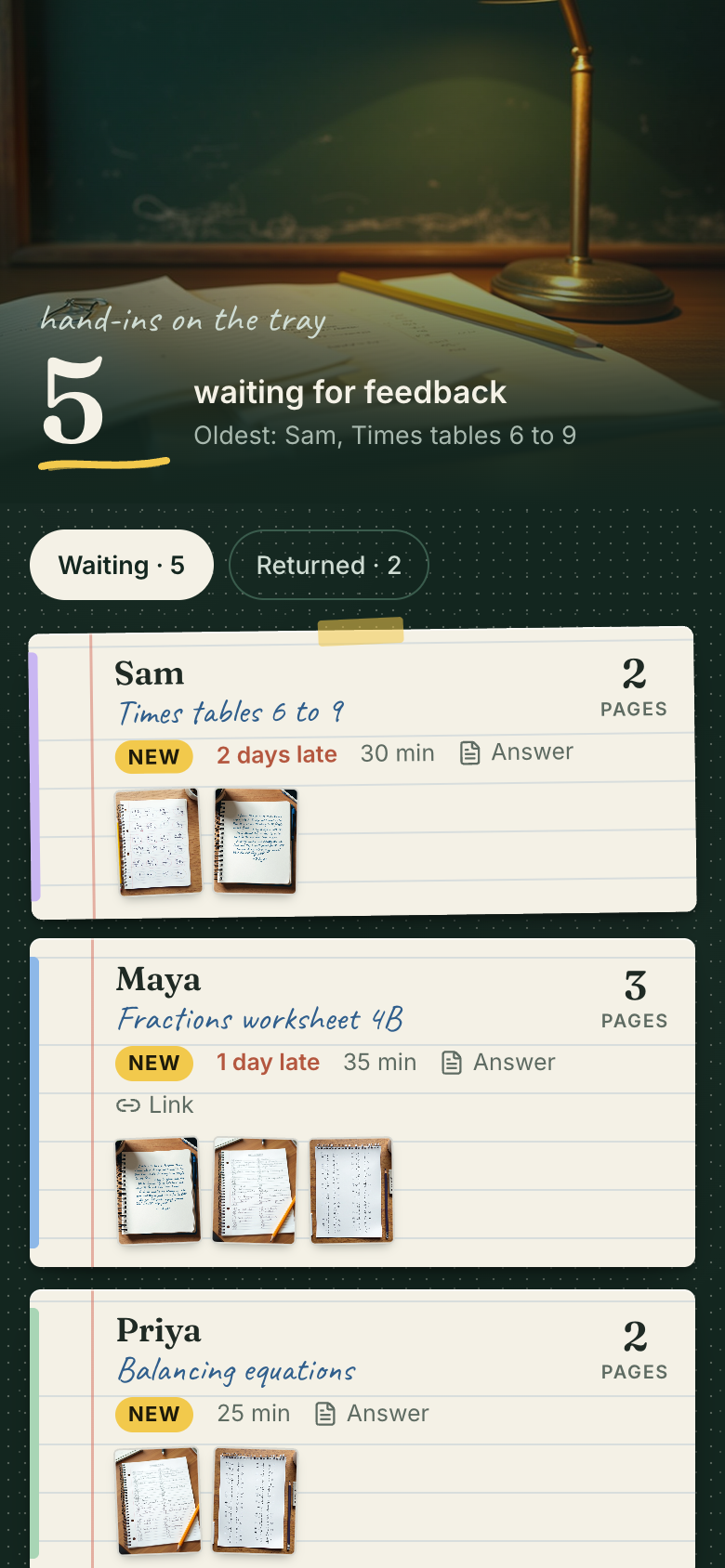
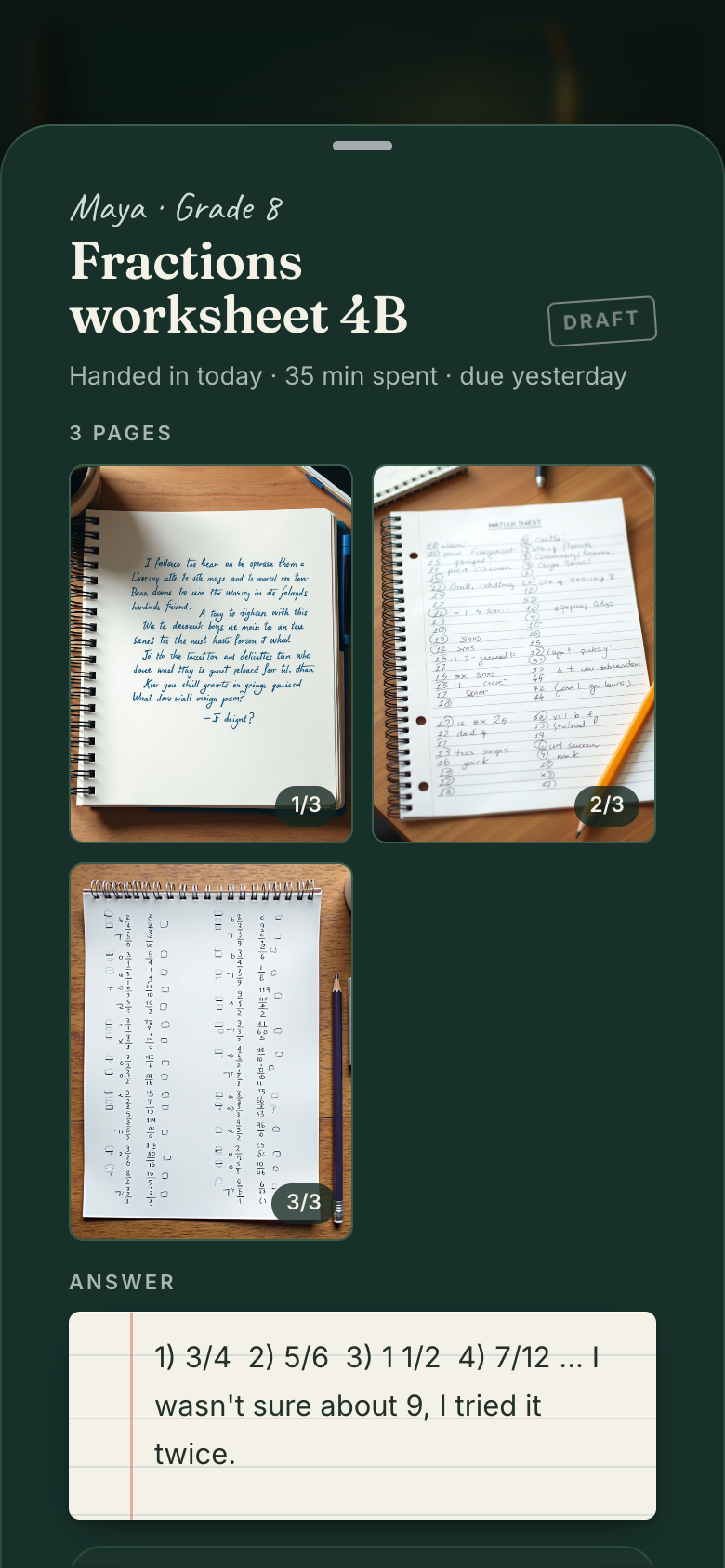
Hand-ins arrive as paper index cards, oldest first. Open each page photo full size, write a note and a mark, then keep a draft or return it.
Friday check
A Friday check shows what is still out, and the Due view lists every open homework by due day with who has handed in.
What it does
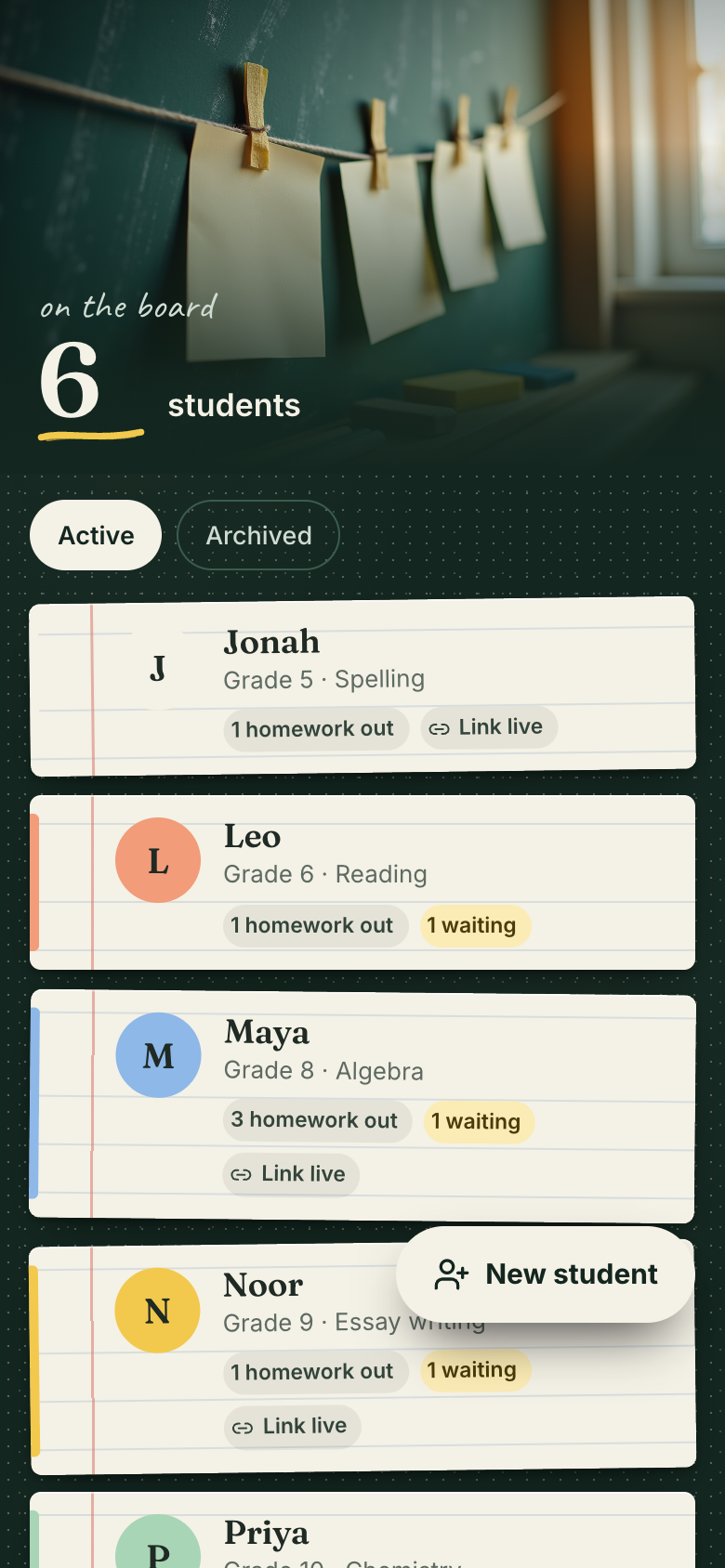
- Students with a first name only, an optional level and subject and a chalk colour; archive a student who stops
- Set homework with a title, instructions and an optional due day, for one student or several at once (one assignment each); edit, close or delete it
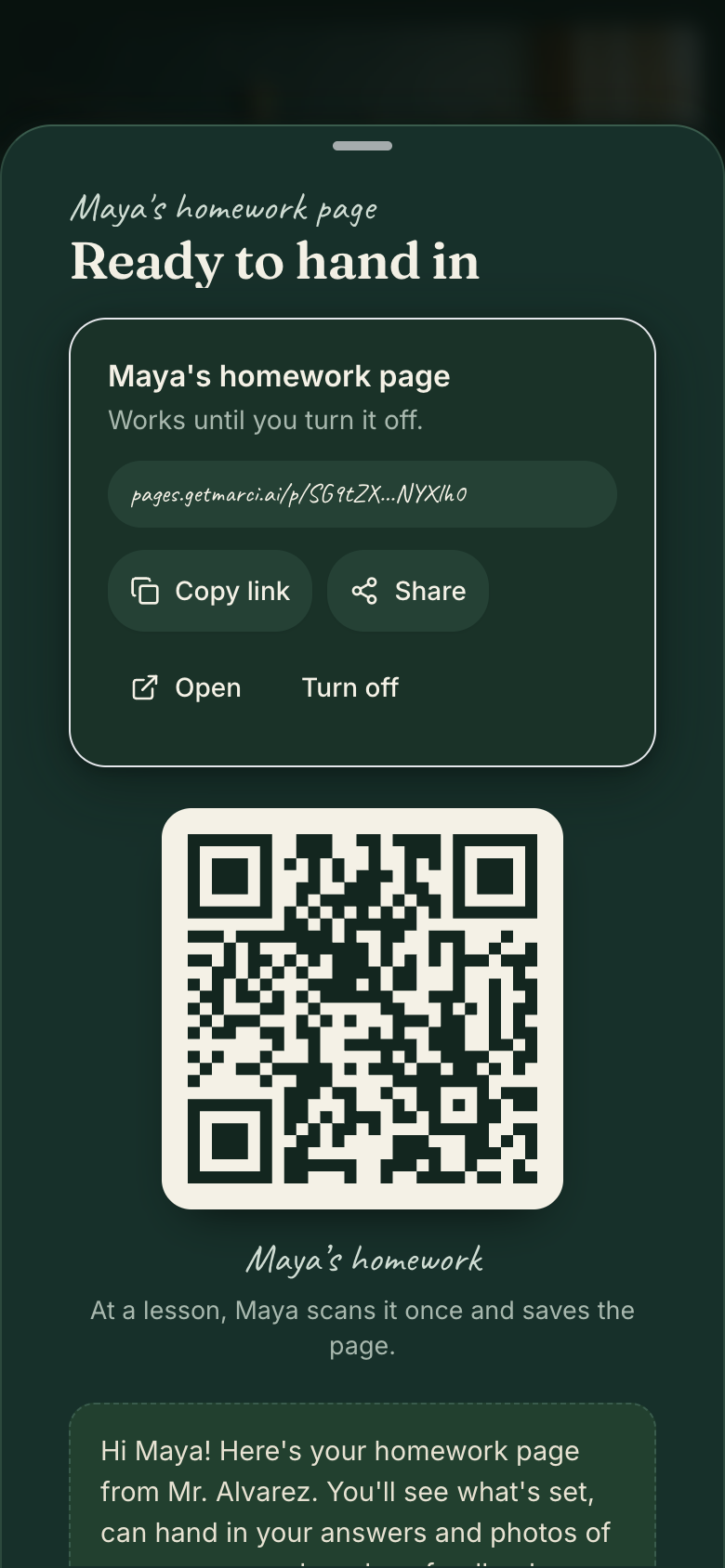
- Each student gets their own homework link, a QR code and a ready message; the tutor picks when the link ends (7, 30 or 90 days, a date or never), copies or shares it and turns it off
- A student's homework page: the tutor's name and welcome line, what is set with due days, and To do, Handed in and Feedback states; no account and no app
- Hand in from the page: a written answer, an optional link to a document or video, minutes spent and up to four photos of worksheet or notebook pages; change or take back a hand-in until feedback is in
- Only written pages: the platform shrinks each photo on the student's phone, keeps handwriting legible and refuses any photo that is not a written or printed page or that shows a person
- Submissions inbox: hand-ins waiting for feedback, oldest first, as paper index cards with the student, the homework, minutes, page photos and when it came in; then the ones returned
- Feedback sheet with the page photos: open each page full size, read the answer and the link, write a note and a mark, keep a draft or return it
Make it yours
Ask for a change in your own words and Marci updates the app for you.
Mark homework with grades from A to F
Make new homework links end after 30 days by default
Add a parent email field to each student


A coach for Homework Link
Tap the Marci button inside Homework Link and say yes to a coach: a room of its own where Marci knows the app, checks in on the days you choose and answers questions about your numbers. Give a friend their own copy with a share link; they get the app, never your entries.
Made for people like
Pairs well with



Questions
Do students need an account or the app?
No. Each student opens their own homework page from a link or QR code, with no account and no app.
What can students hand in?
A written answer, an optional link to a document or video, minutes spent and up to four photos of worksheet or notebook pages. They can change or take back a hand-in until feedback is in.
What photos are allowed?
Only written or printed pages. The platform shrinks each photo on the student's phone, keeps handwriting legible, and refuses any photo that isn't a page or that shows a person.
Can I turn off a student's link?
Yes. You choose when each link ends (7, 30 or 90 days, a date or never), and you can turn it off any time.
Marci is rolling out now
Marci is invite only for now. Join the waitlist, or ask a friend on Marci for an invite.