Preferred Vendors
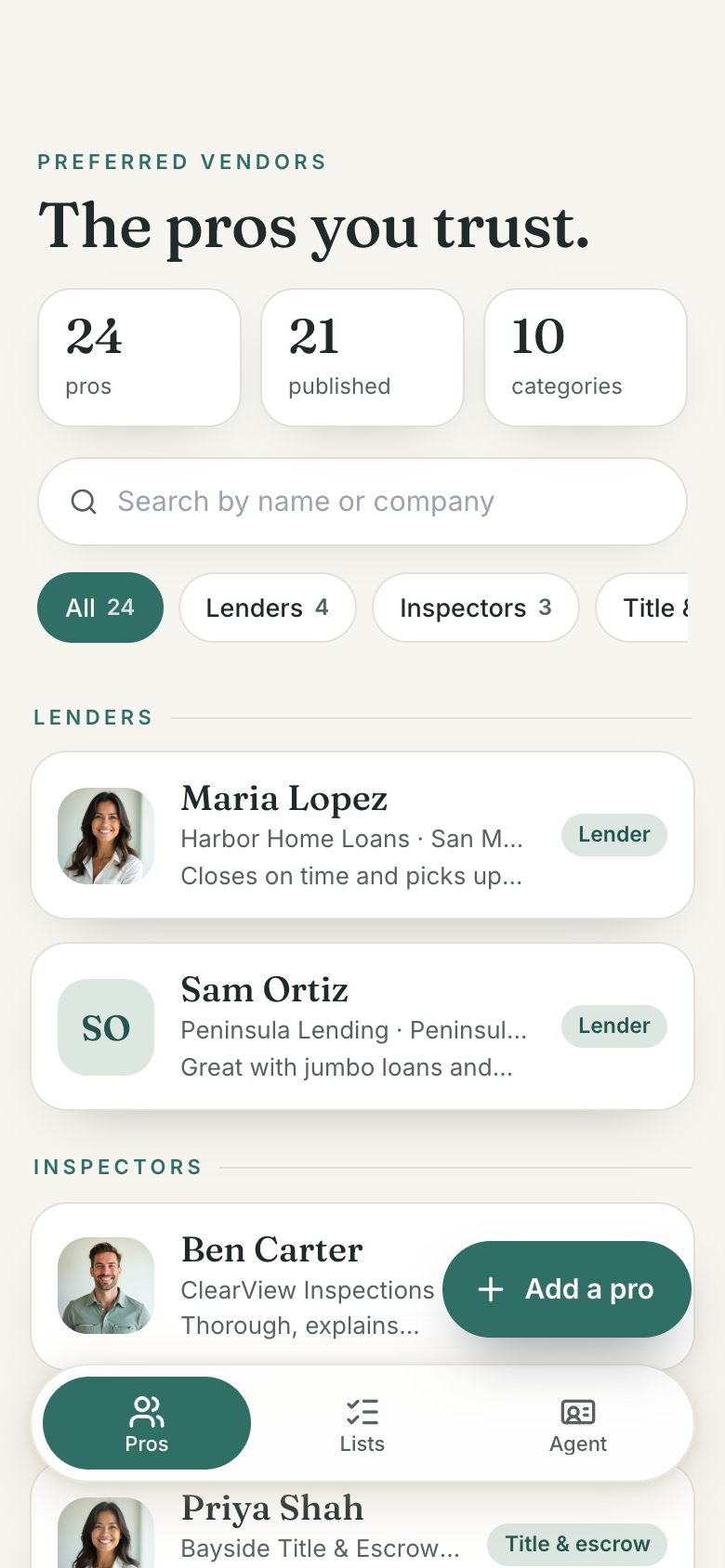
Preferred Vendors keeps the lenders, inspectors, contractors and other pros a real estate agent recommends, and shares them as a polished page. On Marci you build a list for each situation, publish only the pros you choose, and send clients one link with your card and a no-referral-payment statement.
Tap one and watch the phone

 Marci
Tap Preferred Vendors on the phone, or ask me one of these.
Who it's for
Buyer's agents
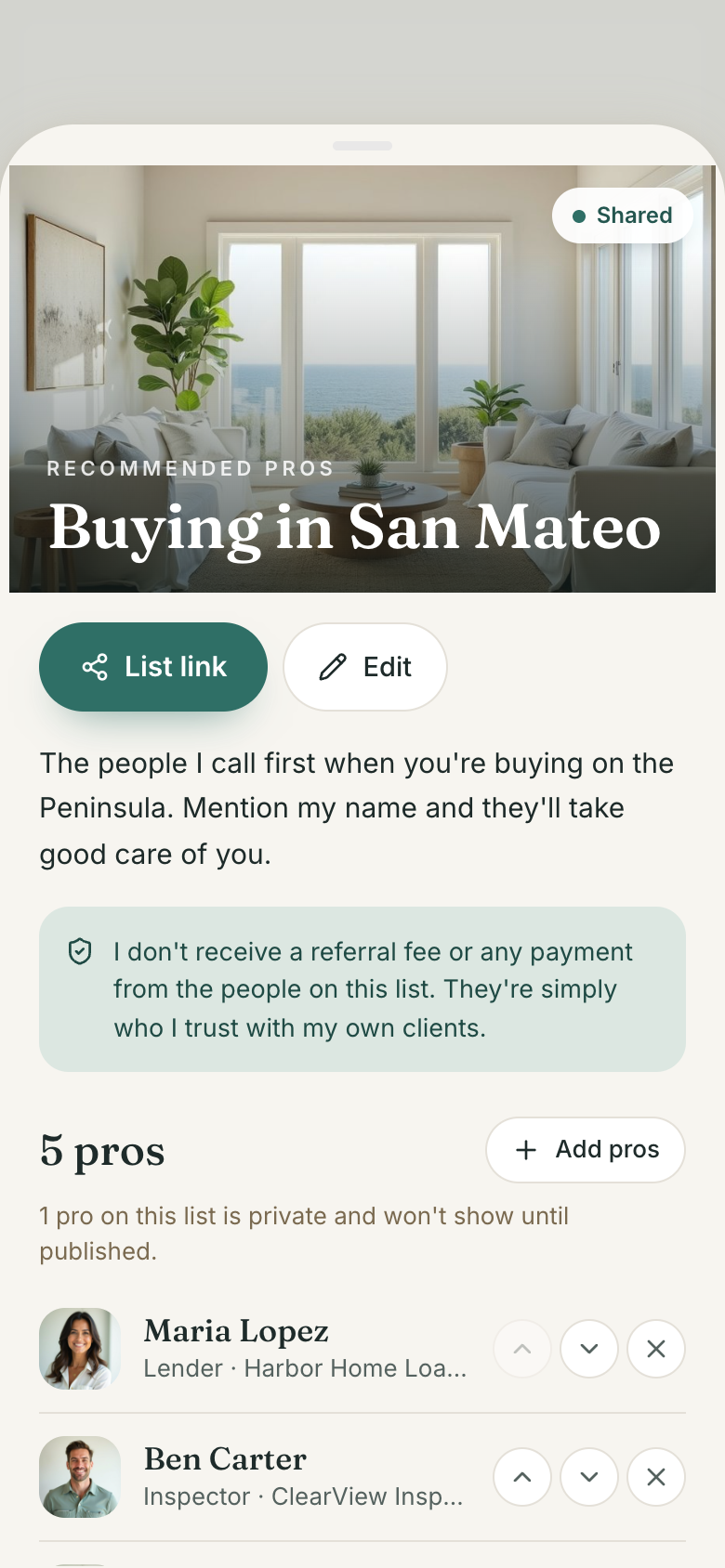
Build a list like Buying in San Mateo with your lender, inspector, title officer and movers, and send it to each new client as one link.
Listing agents
Keep a Selling your home list of stagers, photographers, cleaners and handymen, with why you trust each one and private notes only you see.

Your work, your clients, your lists.
Every screen
Ways to use it
A new client is waiting
Instead of digging through old texts, you share your Buying list. The client opens a page with your pros grouped by category, each with phone, email and a website button, and needs no account.
Remembering the good handyman
You add him with his service area and why you recommend him. Your assistant can also add a pro from a business card, an email signature or your own words.
A vendor stops returning calls
Take them off a list or unpublish them. Only the pros you publish ever appear on shared lists, and the rest stay private.
What it does
- Pros by category: lenders, inspectors, title and escrow, attorneys, contractors, handymen, movers, stagers, photographers, cleaners, insurance and more, with counts
- Each pro: name, company, phone, email, website, service area, why you recommend them, private notes and a published photo
- Published switch: only the pros you publish appear on shared lists; the rest stay private
- Search across your pros by name or company
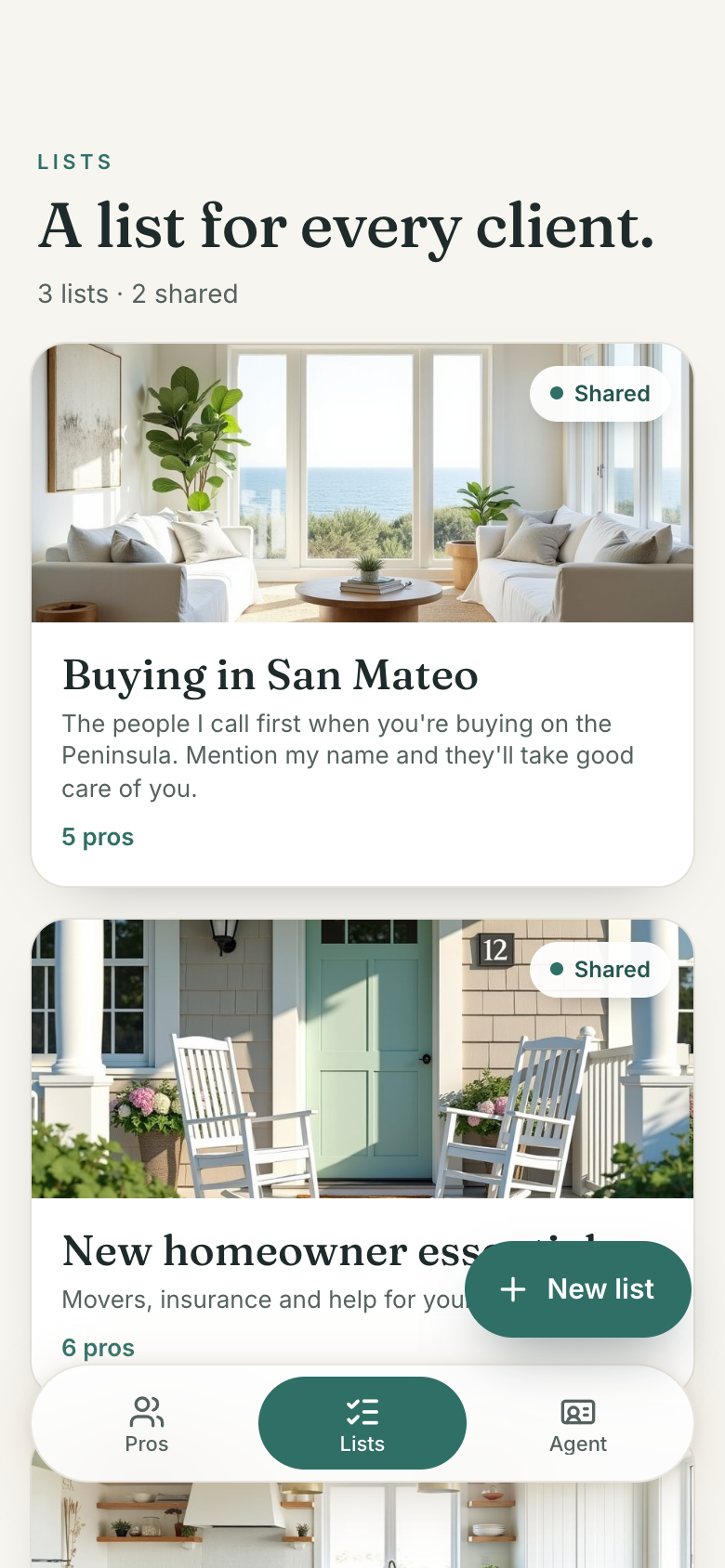
- Lists for each situation (Buying in San Mateo, Selling your home): add pros, put them in order, take them off
- A no-referral-payment statement on every list that you can reword per list
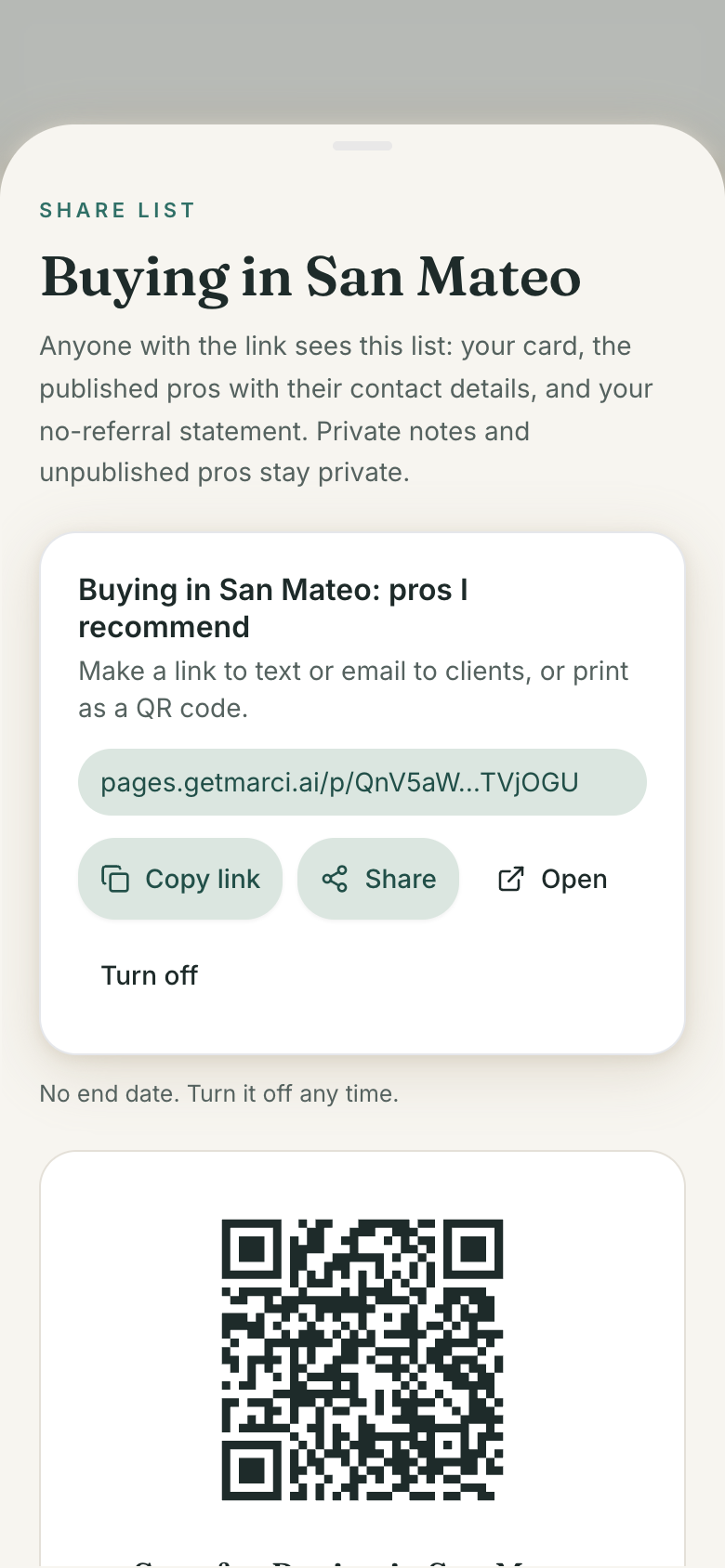
- Share a list as a public link with an end date you choose, with copy, share and a QR code
- The public page: your card, the list's pros grouped by category with phone, email and a website button, and your statement; no account needed
Make it yours
Ask for a change in your own words and Marci updates the app for you.
Add a category for pest inspectors
Add a field for the languages each pro speaks
Show the service area on each card in the public page


A coach for Preferred Vendors
Tap the Marci button inside Preferred Vendors and say yes to a coach: a room of its own where Marci knows the app, checks in on the days you choose and answers questions about your numbers. Give a friend their own copy with a share link; they get the app, never your entries.
Made for people like
Pairs well with
 Client BookClient Book holds the buyers and sellers you send your vendor lists to.
 Listing LaunchListing Launch runs the listing while Preferred Vendors supplies the stager, photographer and cleaner.
 Neighborhood GuideNeighborhood Guide is another polished page in your voice to hand clients alongside your trusted pros.
Questions
Do my clients need an account to see the list?
No. The public page opens from the link with no account. It shows your agent card, the list's pros grouped by category and your statement.
Can I keep notes about a vendor private?
Yes. Private notes are only for you, and only the pros you publish appear on shared lists.
How long does a shared list link work?
You choose an end date when you share it. You can copy the link, share it, show a QR code, or turn it off at any time.
How do I get Marci?
Marci is free for now and invite only. Join the waitlist at getmarci.ai, or ask a friend on Marci for an invite. It runs on iPhone, Android and the web at app.getmarci.ai.
Marci is rolling out now
Marci is invite only for now. Join the waitlist, or ask a friend on Marci for an invite.