Vision Board
Vision Board is a Marci app for picture boards of what you are working towards. Make a board for a year or an area of life and fill it with your own photos, short words in good type, colour blocks and drawings on a grid that always looks composed. Put the goal behind a tile, look at one tile each day, and move what you achieve to a Made it happen wall with the date. You can share one board with a partner and keep the rest private.
Tap one and watch the phone

 Marci
Tap Vision Board on the phone, or ask me one of these.
Who it's for
New-year planners
Make a board for the year ahead with the photos and words that sum it up, and see one of them every morning.
Anyone starting over
Give one part of life its own board (health, home, work) with a clear first step behind each goal.
Couples planning their next years
Share one board between the two of you and keep your personal boards to yourself.
Notes, numbers and next steps, all in reach.
Every screen
Ways to use it
A board that looks finished
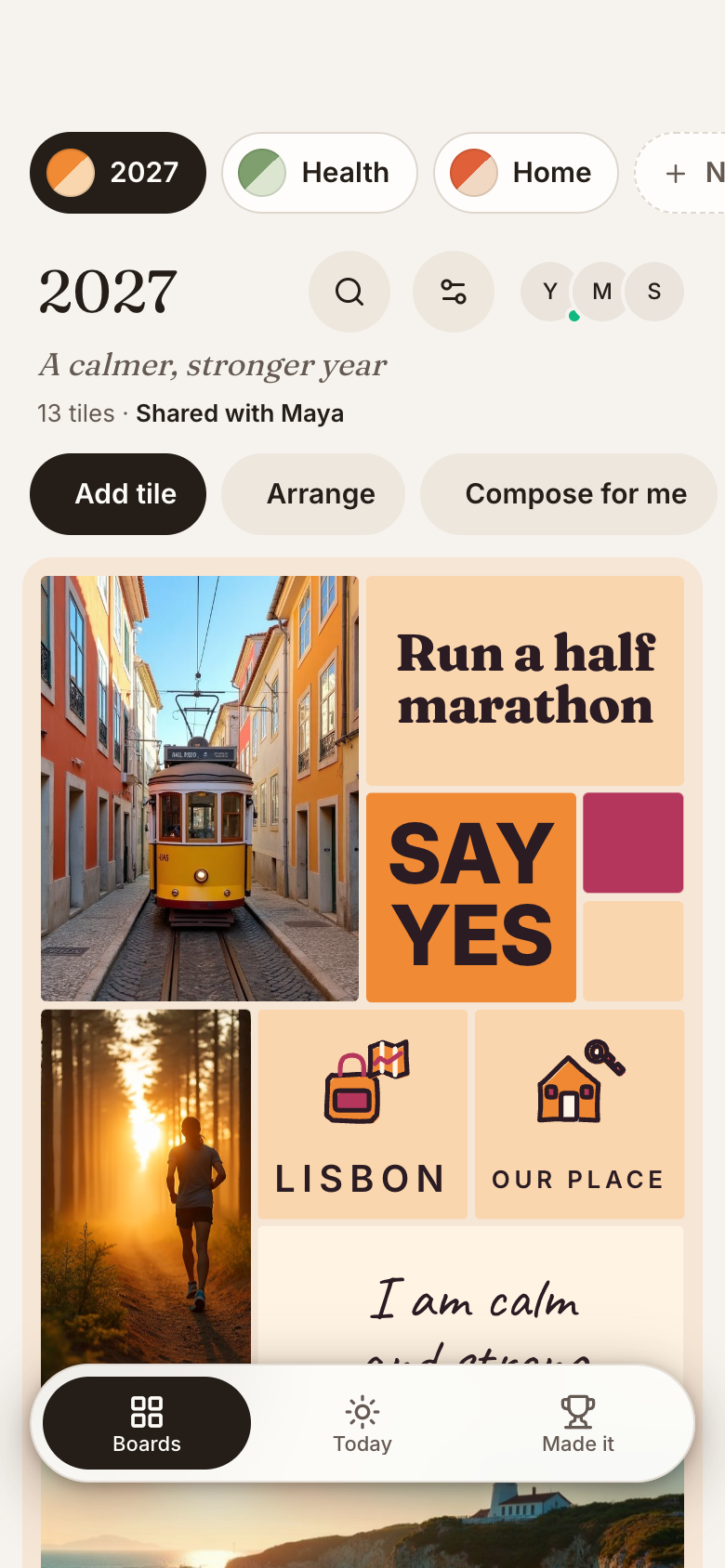
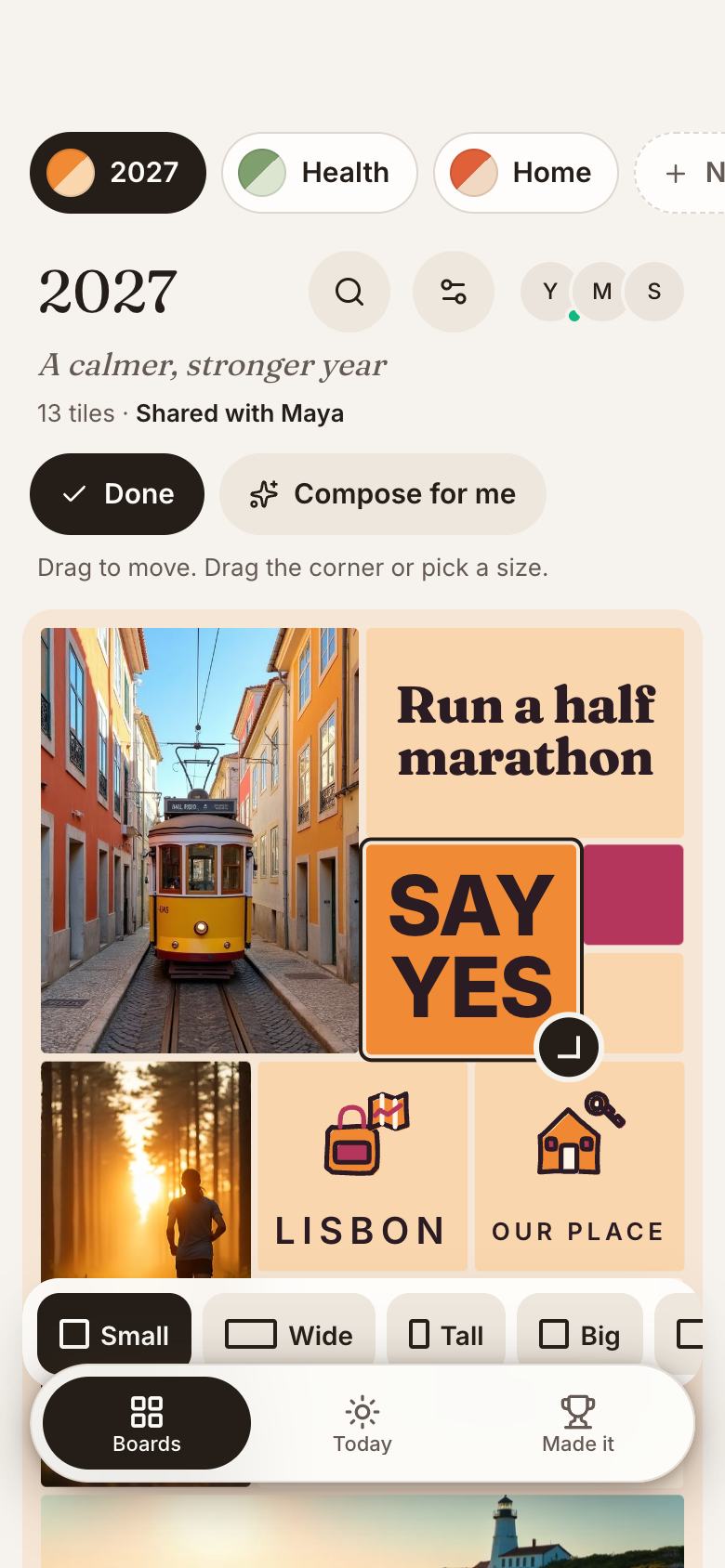
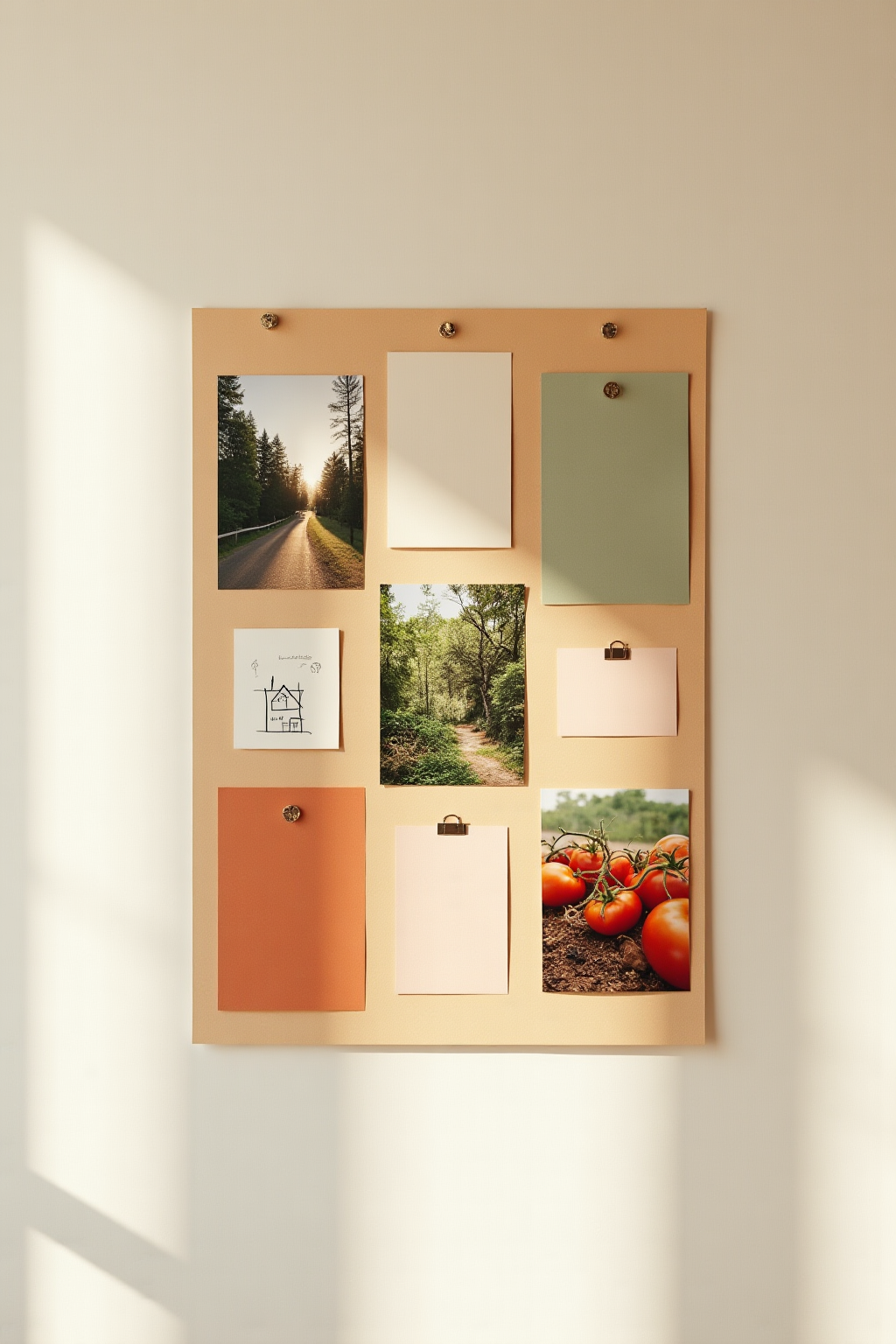
Photos of any shape, words and colour blocks snap to a six-column grid that never leaves gaps. Drag to arrange, pick a size, or tap Compose for me.
The goal behind the picture
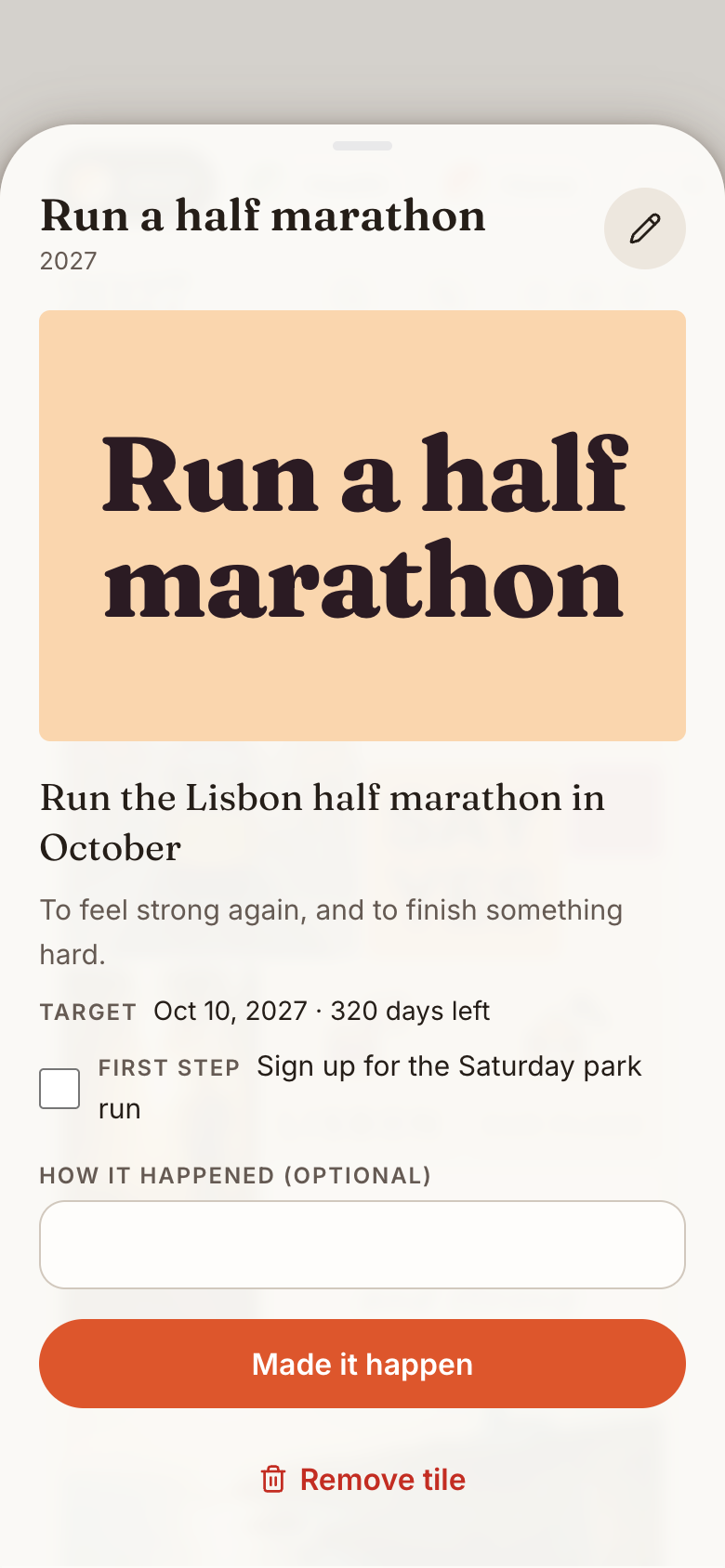
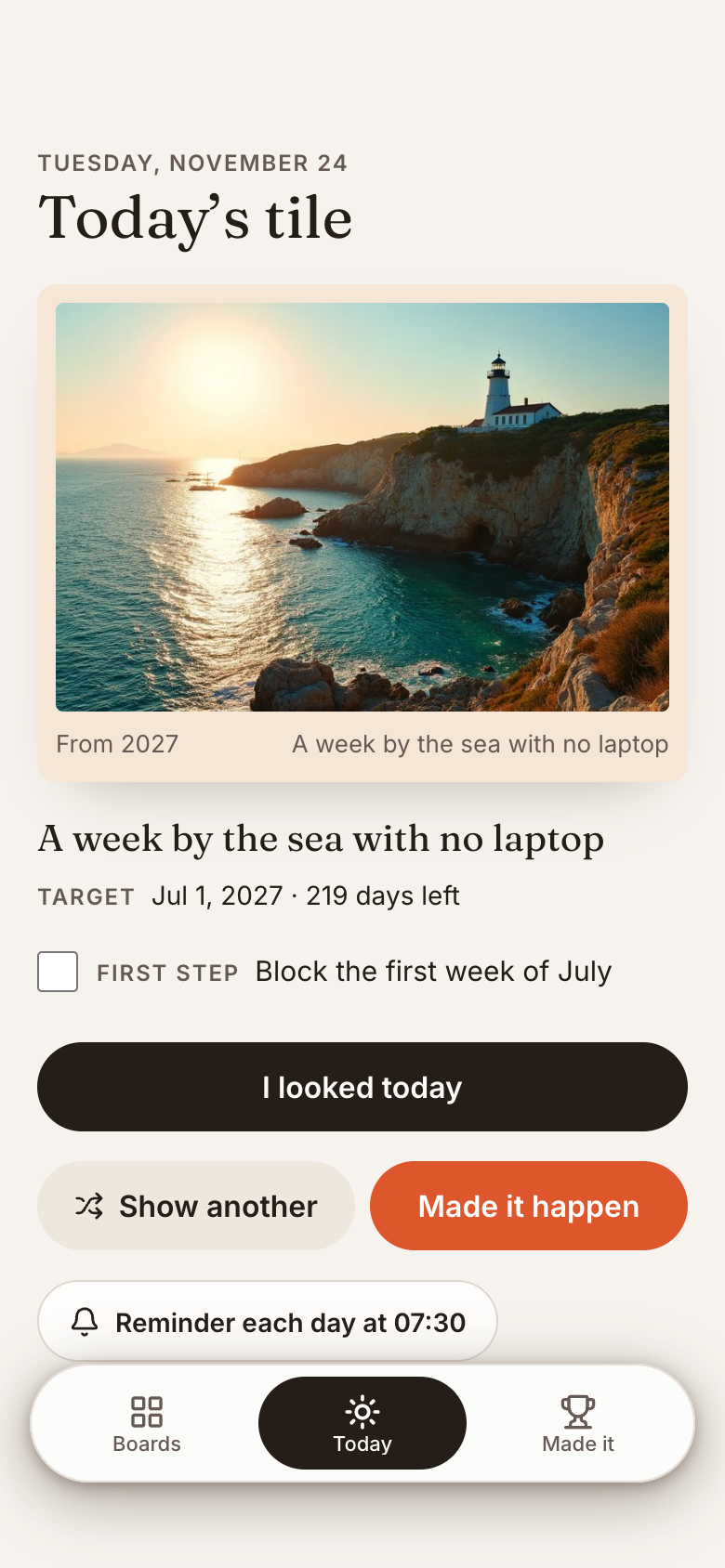
Any tile can carry why it matters, a target date and a first step. Today puts one tile in front of you each day.
A wall of what came true
Tap Made it happen and the tile moves to your wall with the date and how it happened.
What it does
- Boards by year or by area of life (2027, Home, Health), each with its own colour scheme, a one-line intention and a drawing for its area; switch boards from chips across the top
- A collage of tiles on a six-column grid: your own photos from the camera or library, words in five type styles fitted to the tile, colour blocks from the board's scheme and hand-drawn pictures of 16 areas of life and 12 occasions
- Arrange: drag a tile and the others make room; pick a size (Small, Wide, Tall, Big, Banner) or drag a corner; the board fills its gaps so any mix looks composed; Compose for me sizes every tile from its content in one tap
- A goal behind any tile: why it matters, a target date with days left, a first step to tick, and whether you made it happen
- Today: one tile in focus each day (a tile with a goal first), its goal and first step, I looked today once a day, Show another, and the days you looked this month
- Made it happen: an achieved tile leaves its board for the Made it wall with the date and how it happened, grouped by year; put it back any time
- A gentle daily reminder at the time you choose, from the app itself
- Share one board with a partner who is in the app: they see and add to that board only; every other board stays yours alone
Make it yours
Ask for a change in your own words and Marci updates the app for you.
Add a link field to each tile
Add a forest green colour scheme
Remind me on Sunday evenings instead

Talk it over in its room
Vision Board is made for sharing. Invite people as editors or viewers, start separate spaces for different groups, and tap the Marci button inside it to start a room with everyone in it.
Pairs well with


Questions
Where do the pictures come from?
From you: take a photo or choose one from your library. Boards also have hand-drawn pictures for 16 areas of life and 12 occasions, words in five type styles and colour blocks from each board's colour scheme. The app uses no stock photo service.
Can Marci make pictures for my board?
Not yet: apps cannot make new pictures. Marci can help with the words, turning a goal into a short affirmation or suggesting a first step when you ask.
Who sees my boards?
Only you, unless you share a board. Sharing is one board at a time with one person in the app; your other boards stay private.
Does it remind me?
If you turn it on, one gentle push a day at the time you choose. It never shows your goals on the lock screen.
Do the AI suggestions cost anything?
They use your Marci allowance, so they run only when you tap them. Everything else works without them.
Marci is rolling out now
Marci is invite only for now. Join the waitlist, or ask a friend on Marci for an invite.