Weekly Rhythm
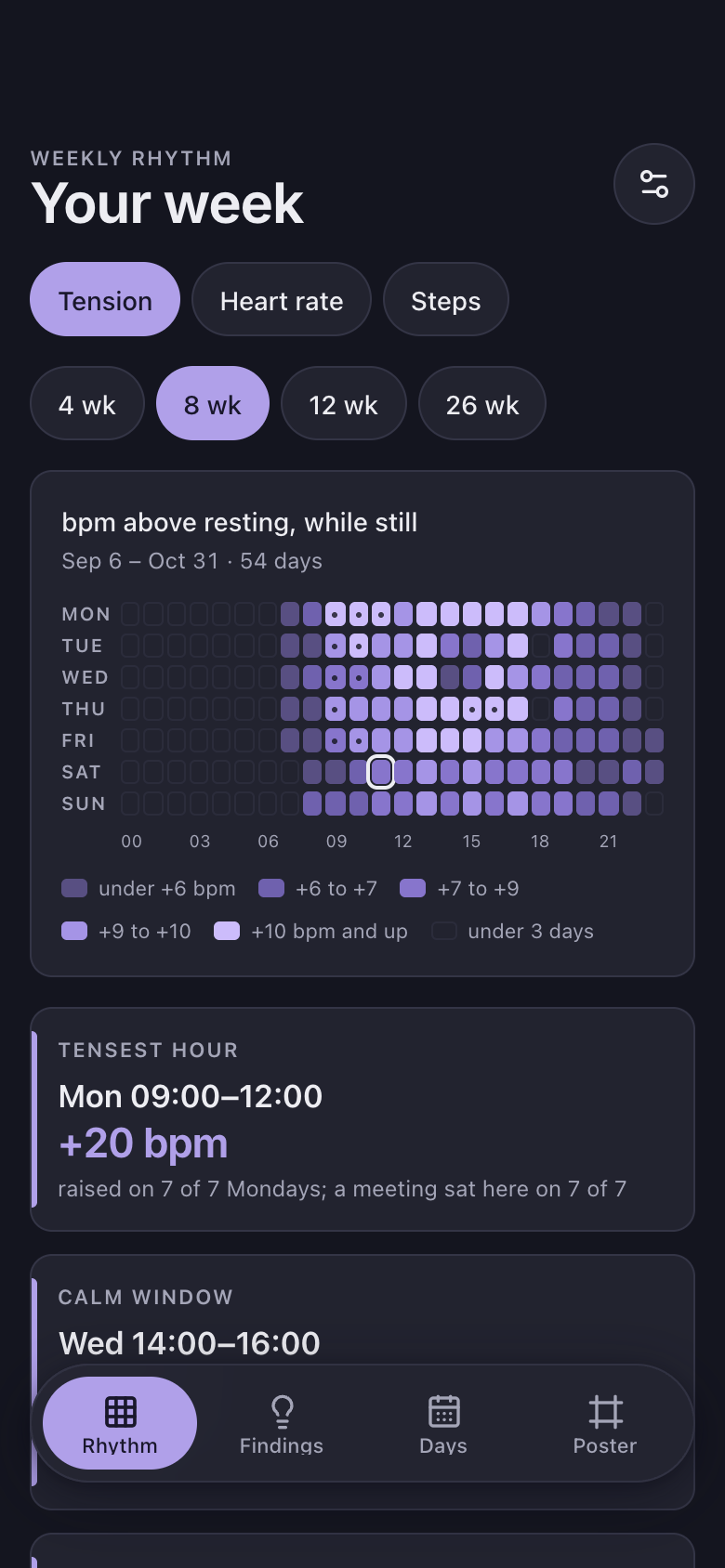
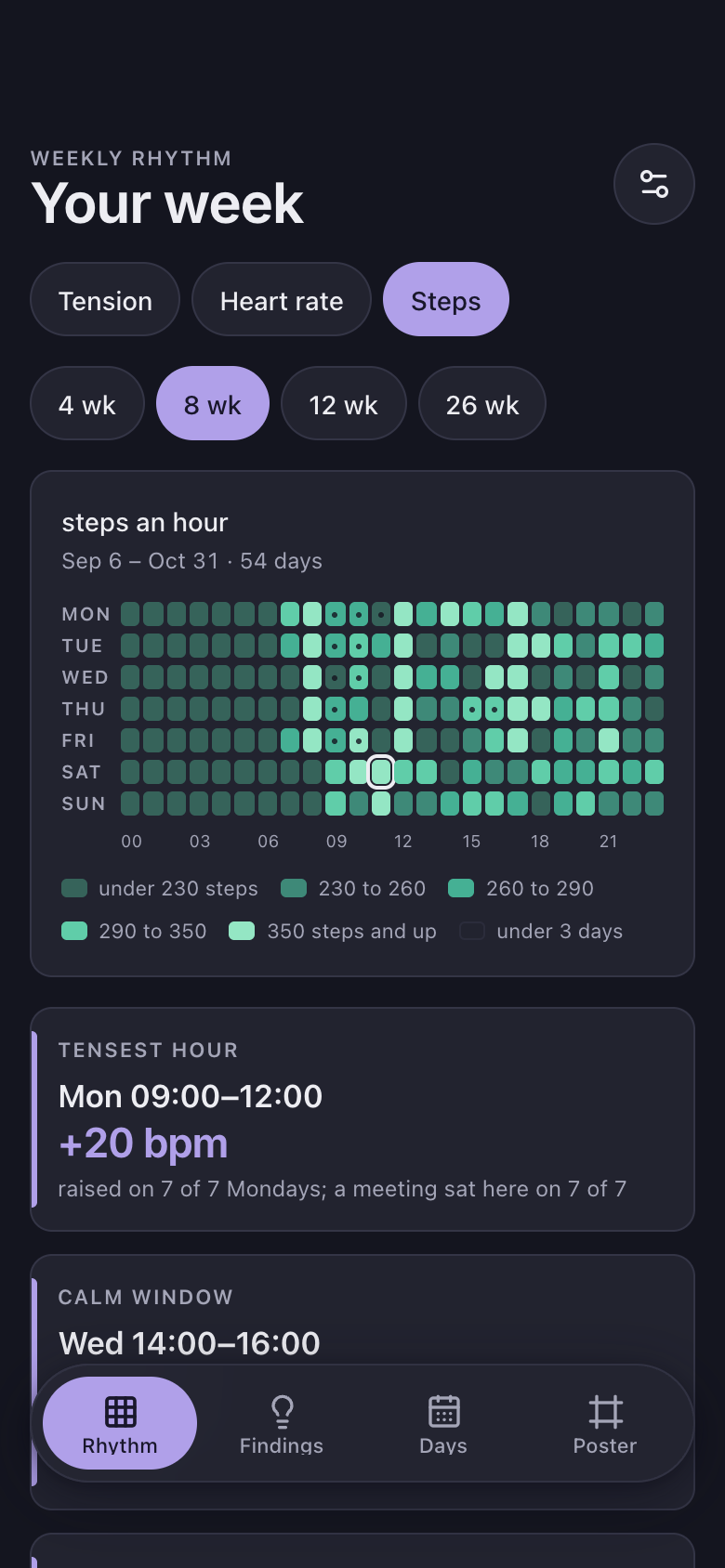
Weekly Rhythm is a Marci app that turns your health app data into your week's rhythm. A weekday by hour grid shows when you run tense, your heart rate and your steps, names the hours that reliably run hot, and finds a calm window each working day to protect for focus.
Tap one and watch the phone

 Marci
Tap Weekly Rhythm on the phone, or ask me one of these.
Who it's for
People whose weeks blur into meetings
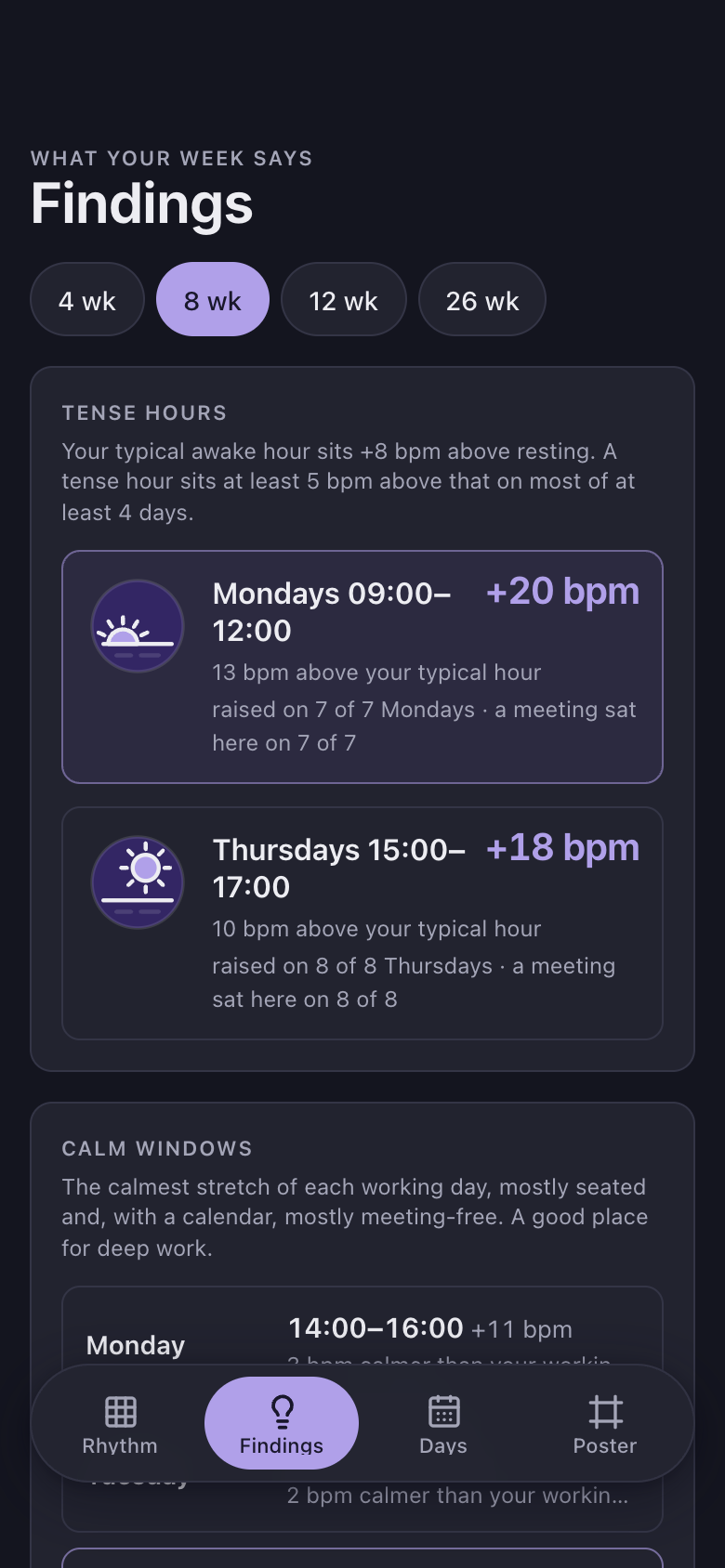
See which hours cost you, like Mondays 10:00 to 12:00, and with a calendar connected, how often a meeting sat there.
Watch wearers who plan their week
Find your calm window each working day and get an optional nudge when it starts.

The corner where the streaks are kept.
Every screen
Ways to use it
Protect the calm window
Set your working hours and window length, and a focus nudge arrives at the start of each day's calmest stretch.
Tap an hour
Tap Tuesday at 3pm to see its average, how many days it rests on and how often a meeting sat there.
A rhythm poster
Frame the grid for one metric with your tensest hour, calm window and most active hour, ready to screenshot.
What it does
- Your week as a weekday x hour grid over the last 4, 8, 12 or 26 weeks: each cell shaded by its average in five steps with a legend, the current hour outlined, cells under 3 days left blank; three views: tension (heart rate above resting while still), heart rate while awake, and steps
- Three callouts under the grid: your tensest hour, your calm window and your most active hour, each with how many days it rests on
- Tap a cell for its average, how many days it rests on, how often a meeting sat there and how it compares with your typical hour
- Tense hours: weekday spans that sit at least 5 bpm above your typical hour on at least 60 % of at least 4 days, with how often a meeting sat there
- Calm windows: for each working day the calmest stretch of your chosen length inside working hours, mostly seated and, with a calendar, mostly meeting-free; the calmest one marked
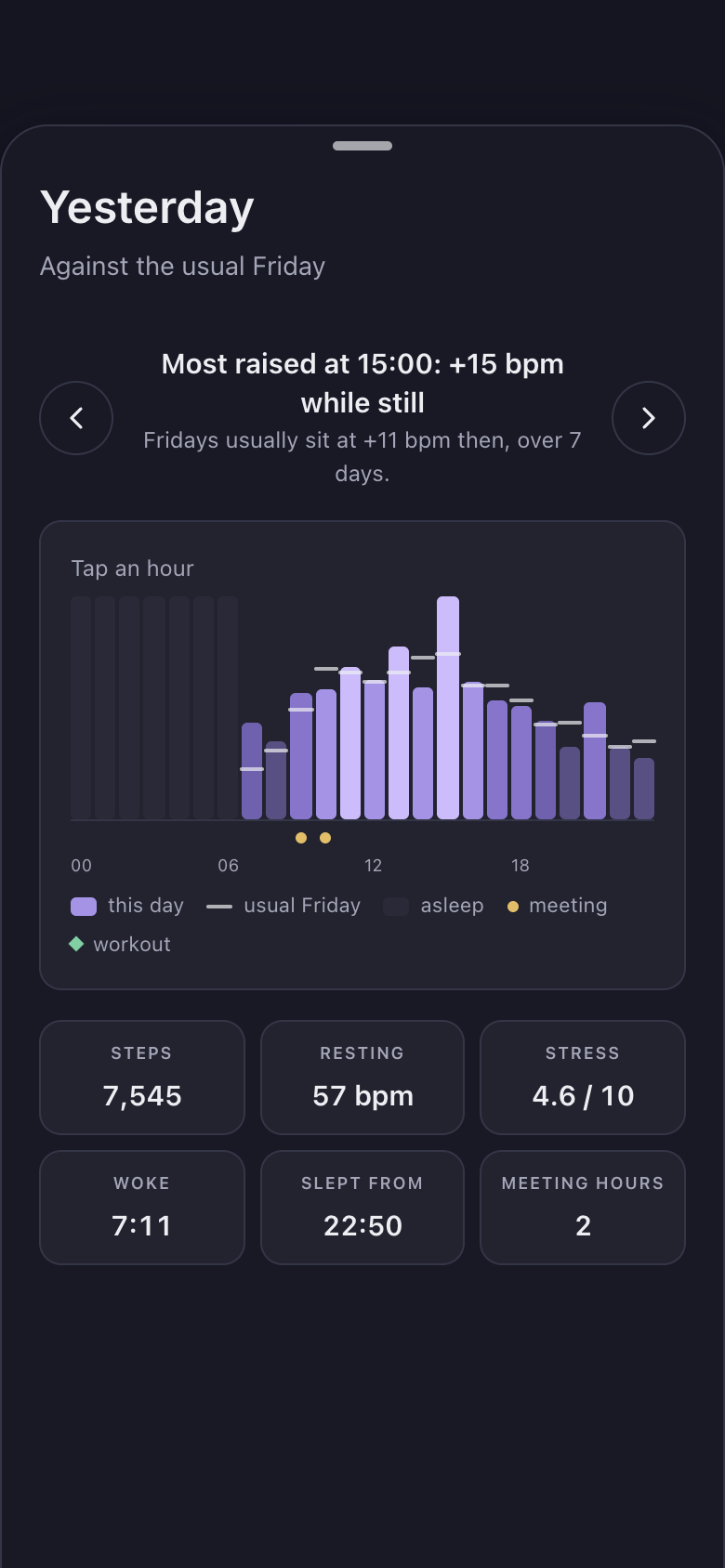
- Your day hour by hour and your week day by day: tension, steps and the health app's stress score
- Facts: your tensest day, most active hour, weekday and weekend wake-up, work-night and weekend bedtimes, and the day your stress score runs highest
- Days: every synced day newest first as a 24-hour tension strip with its steps, stress score and most raised hour, in numbered pages
Make it yours
Ask for a change in your own words and Marci updates the app for you.
Make my calm window 2 hours
Add Saturday as a working day
Start the home card strip at 06:00


A coach for Weekly Rhythm
Tap the Marci button inside Weekly Rhythm and say yes to a coach: a room of its own where Marci knows the app, checks in on the days you choose and answers questions about your numbers. Give a friend their own copy with a share link; they get the app, never your entries.
Pairs well with


Questions
What do I need to use Weekly Rhythm?
A watch that writes heart rate to Apple Health or Google Health. Connecting a calendar adds how often meetings sat in each hour.
Does walking count as tension?
No. Tension is heart rate above resting while you sit still, so walking and workouts never count.
Is this a diagnosis?
No. Weekly Rhythm calls everything a pattern, never a diagnosis. It's a general wellness tool.
How long before it shows results?
It learns for two weeks before naming any hour, and leaves cells blank when they rest on fewer than 3 days.
Marci is rolling out now
Marci is invite only for now. Join the waitlist, or ask a friend on Marci for an invite.