A party RSVP your guests can answer from any browser
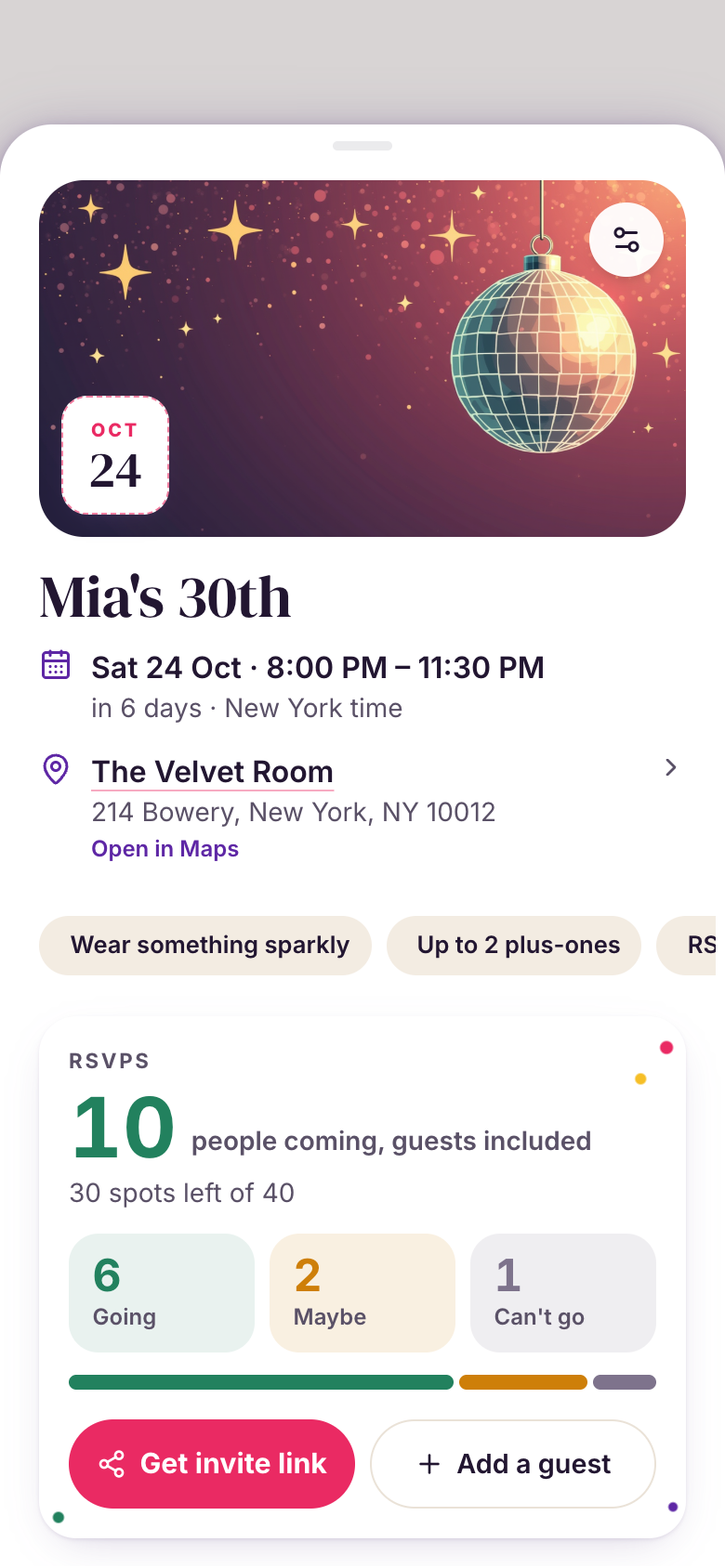
Ask Marci for an RSVP and share one link. Party Invite gives you an invitation with a cover photo, a place that opens in maps, and Going, Maybe or Can't go with plus-ones. Or ask in any chat for a one-off page. Guests answer without Marci or an account, and the headcount updates live.
Tap one and watch the phone

 Marci
Tap Party Invite on the phone, or ask me one of these.
What it looks like
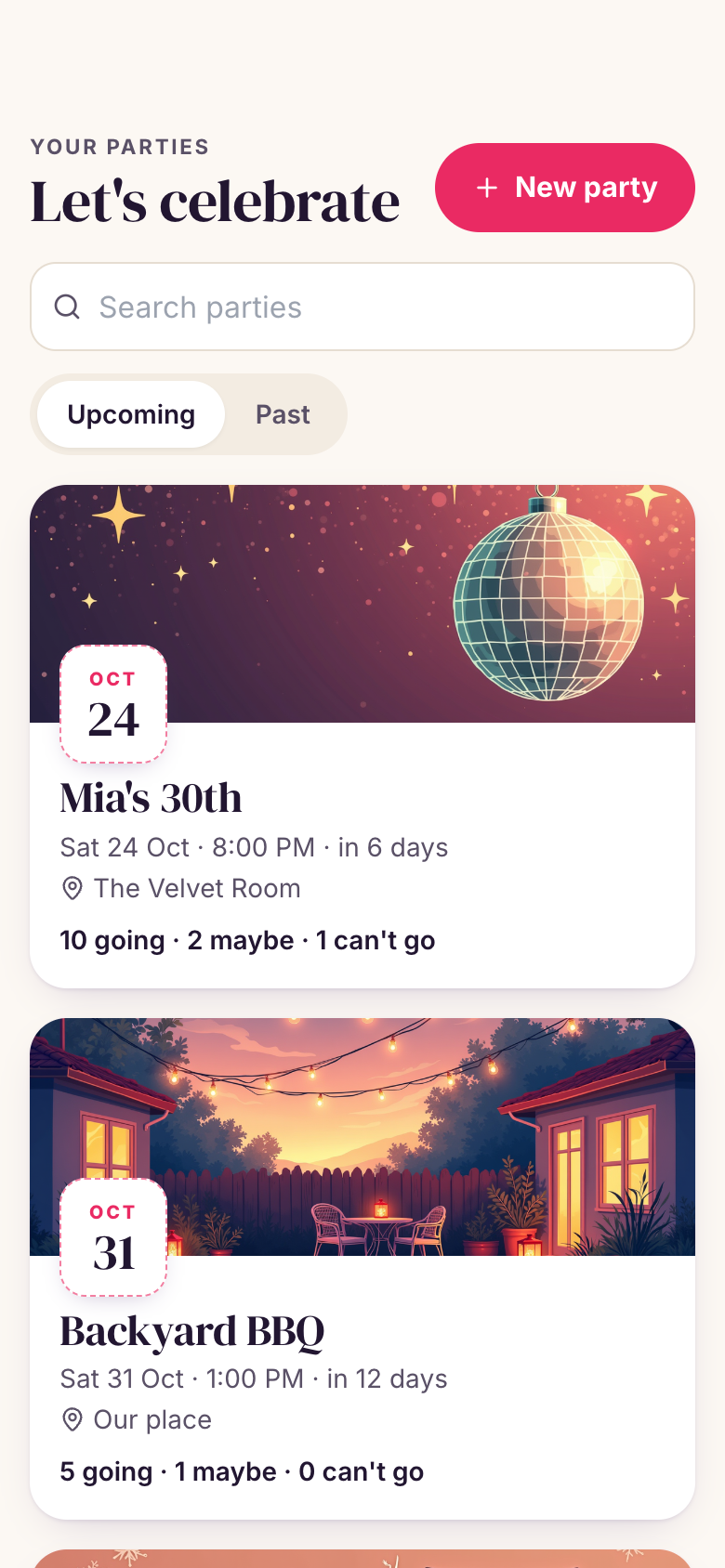

The apps you share with your people.
Ask Marci
Make me a party invite
Make an RSVP page for my birthday on Saturday from 8, ask who's coming and how many
Make a potluck page for Sunday's picnic with spots for 4 mains, 6 sides and 3 desserts
How it goes
Ask
Marci asks for what guests need, like when, where and what to collect, in one short message. For a party it offers Party Invite beside a one-off page, and you pick.
Share the link
Copy the link or show its QR code. In iMessage, WhatsApp or Slack it unfolds into a card with the cover and title.
Watch answers arrive
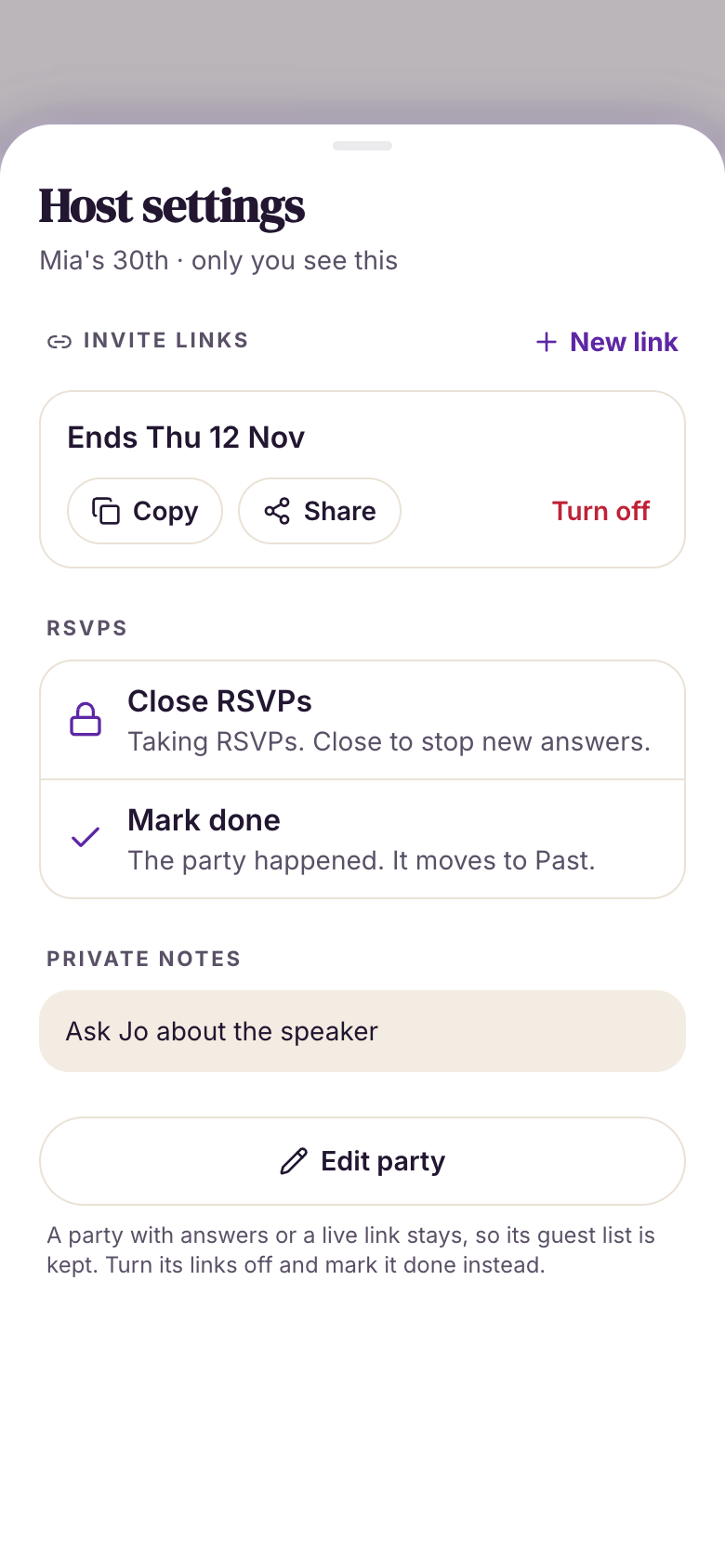
You get a push as answers come in and see Going, Maybe and Can't go with plus-ones. Guests who come back on the same browser can change their answer. Close RSVPs whenever you like.
Why we built Party Invite
Hosting means asking the same question in five group chats: are you coming, and are you bringing someone? Answers come back as thumbs-up, maybes and silence, and the headcount lives in your head. A host needs one invitation anyone can open, a clear yes, maybe or no with plus-ones, and a count you can trust the day before.
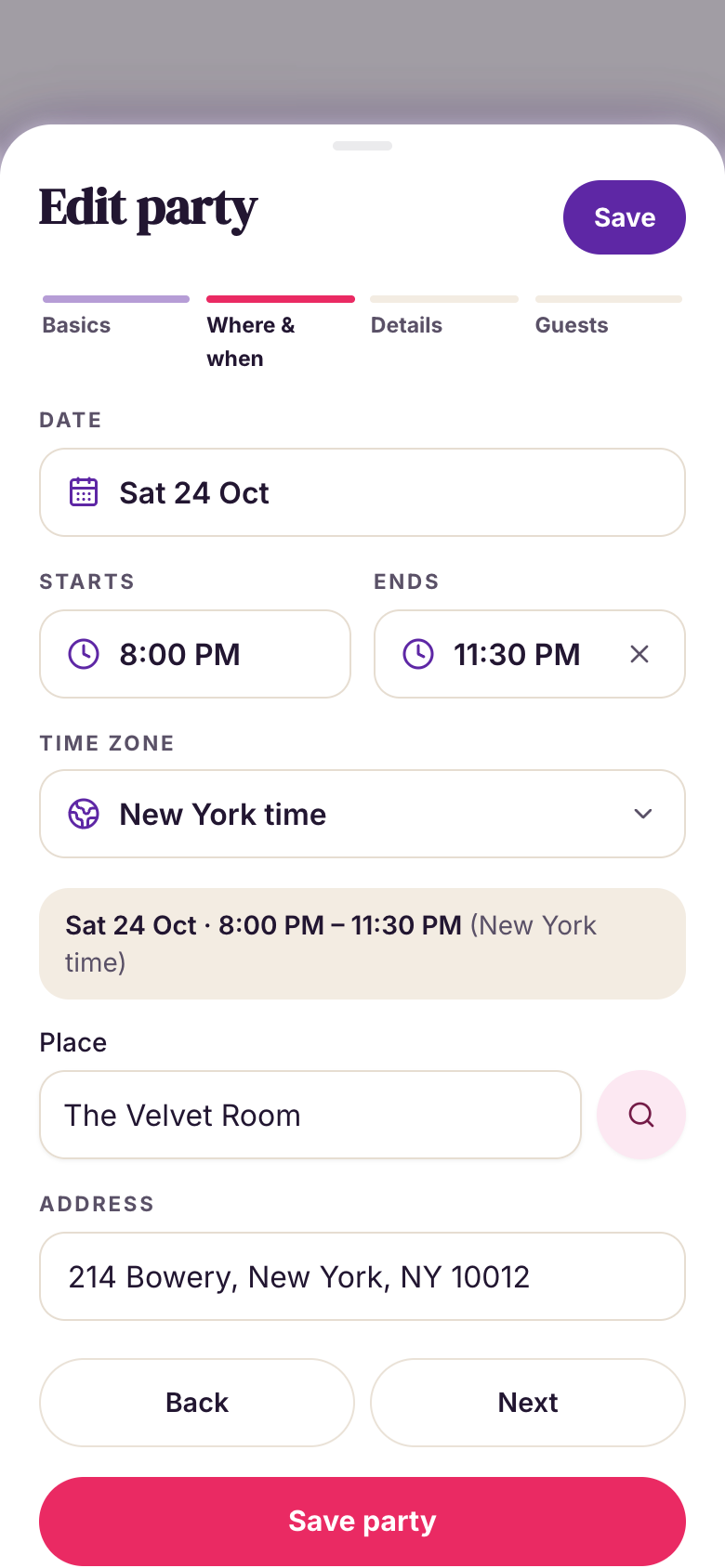
Party Invite is a stack of printed invitations, each with its own RSVP envelope filling up. You make a party in four short steps, share one link, and guests answer in their browser with no app or account. The good part is an answer arriving while the party is open: the counter springs, confetti bursts and the name slides into the list. It starts with a blank invitation and ends with a full guest list and a party that happened.
Guests need nothing
The invite opens in any browser with no app or account. Guests answer Going, Maybe or Can't go, with plus-ones and a note, and can change it later.
You decide when a link ends
Choose 7, 30 or 90 days, a date or no end. Turn a link off or make a new one from Host settings.
A push for every answer
Each RSVP from the link reaches you as a push. The day before, you get the headcount and who's bringing what.
Still yours to change
Ask for a song request on the RSVP or a count of kids beside plus-ones, and Marci changes your copy of the app.
How people use it
Birthday hostsThirty guests, one linkThey drop the link in three group chats. The party shows the headcount with plus-ones and every guest grouped by answer, with notes like "bringing my sister". Party InviteDinner hostsA dinner with a guest capTitle, date, place and cover in four short steps, then what to bring, a cap of ten guests and an RSVP deadline. When the table is full, they close RSVPs and the invite says so.Party InviteHoliday party hostsEvery party, year after yearEach party they host stays on the stack, upcoming and past, with its cover, date, place and headcount. Search finds last December's party and who said yes.Party Invite
Make it yours
Make it green
Add a dietary question
Move it to 9 pm
Party Invite or a one-off page?
Party Invite is an app you keep: every party you host, upcoming and past, with the next one's headcount on its card. The day before, it sends the headcount and who's bringing what, or a nudge to share the link if nobody has answered. Close RSVPs, reopen them, and choose when each link ends: 7, 30 or 90 days, a date, or never.
A page from chat fits one occasion: a potluck, a sign-up, a date poll. Marci designs it with a photo cover made for the occasion and buttons for directions or adding it to a calendar, usually within two minutes. A list can have limited spots that fill up ("2 left", then "Full"), and nobody sees who answered unless you ask for a visible guest list. Ask from a group room and the page is yours, with the link posted for everyone.
What guests see
Guests open the link in any browser, on a phone or a computer, and answer on the page itself. They don't join your app, your room or Marci, and they see only what the page shows. Pages aren't indexed by search engines, so only people with the link can find it.
The apps for this

Take it further


Questions
Do guests need Marci?
No. Guests open the link in any browser and answer there, without an app or an account.
Can guests see who else is coming?
On a page from chat, guests see live counts like "14 going", and names stay hidden unless you ask for a visible guest list.
Can I stop taking RSVPs?
Yes. Close RSVPs or turn the link off any time, or set a cap so the page closes when it's full. People who already answered can still see their answer.
Can I change the details after I share it?
Yes. Ask in the same chat and Marci updates the page under the same link, keeping every answer already given.
Marci is rolling out now
Marci is invite only for now. Join the waitlist, or ask a friend on Marci for an invite.