

Family coach
Ask itWhat does this week need from us?
- Fam CalendarRead all
 School CircleRead all
 Sitter HandoffRead all
- Checks in Sunday evening
- Flags runs that need a driver
- Lists school notices nobody has seen
Six apps for a family with young kids: one calendar, chores that fill each kid's jar, the school week with a name on every run, sitter nights, dinner and the questions kids ask at the table. They sit on your Home Screen, a coach watches them together, and everyone who helps writes in the same place.
Tap one and watch the phone
2School CircleSitter Handoff Marci
This is a parent's Home Screen: two apps and two goals. Tap Fam Calendar or Chore Stars, or ask me one of these.
What's on for the family Saturday in Fam Calendar?
Add feed the cat for Leo in Chore Stars, 50 cents a day
Who's doing Thursday pickup in School Circle?
Write tonight's sheet for Grandma in Sitter Handoff

Where the whole house keeps track together.
Each app does one part of the job well and starts working the day you add it. Ask Marci for any of them by name, or say what you need and she picks.
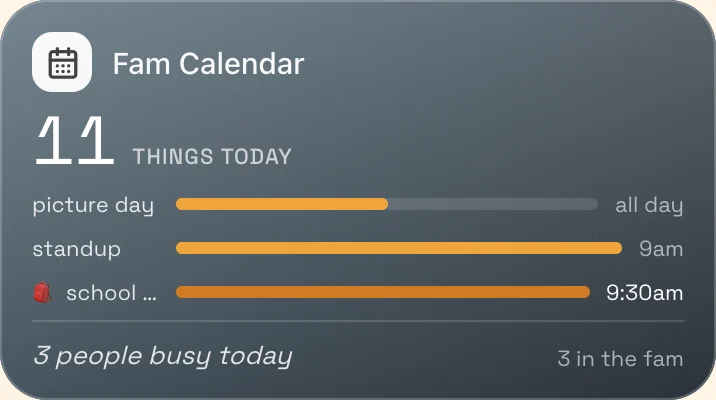 The whole family's weekFam CalendarEveryone's Google Calendars sync into one, each person in their own sticker color, with a switch to keep any calendar to yourself. Add fam plans, birthdays that come back every year, and notes and photos pinned to events. Sunday brings a look at the week ahead.
 After school
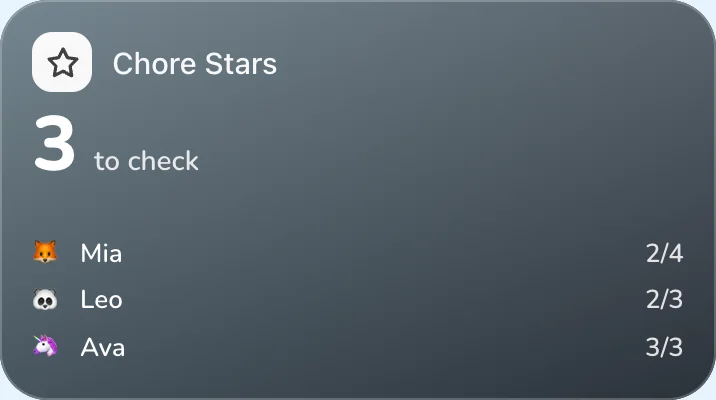
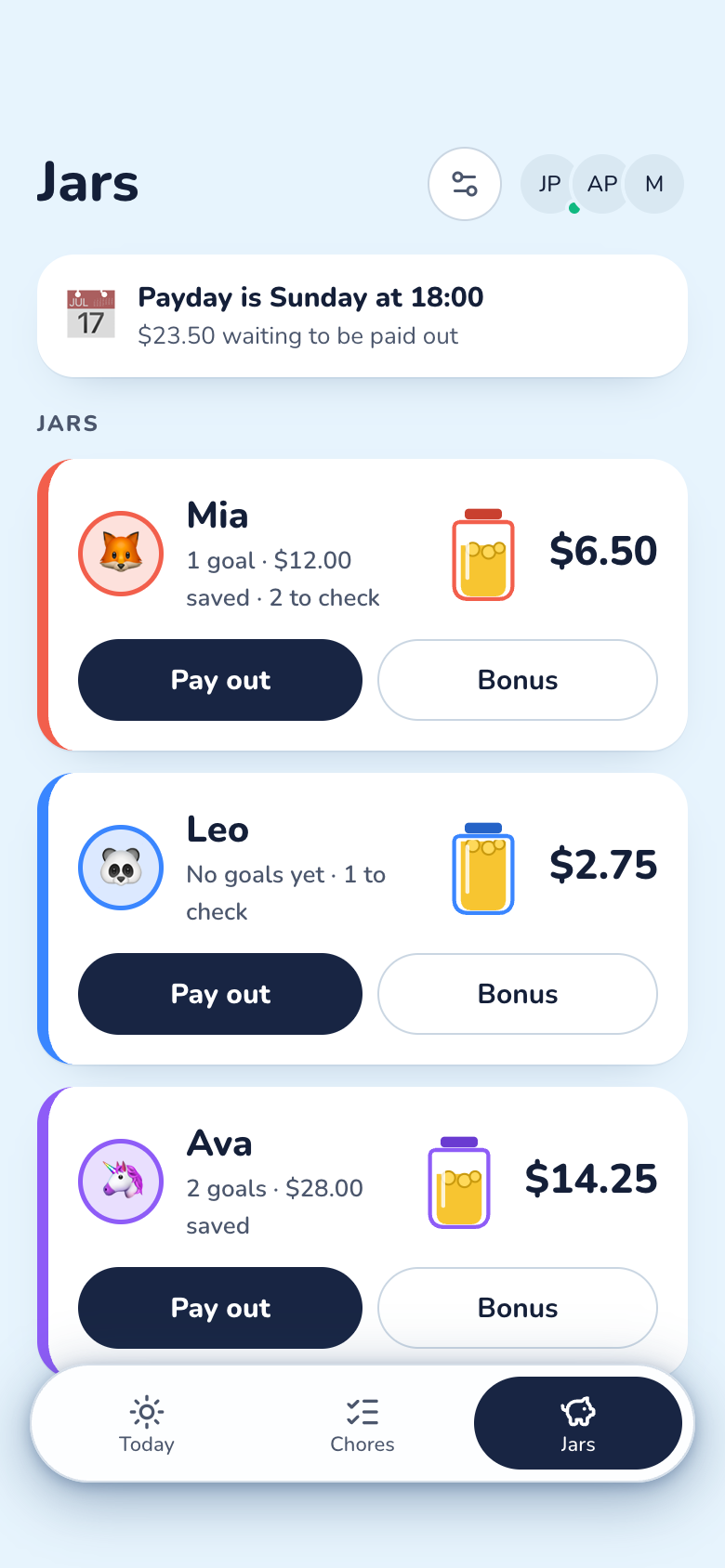
 Chore StarsChores for each kid that pay money or stars, from age-graded ideas. Kids tick them on big buttons, a grown-up approves or sends them back, and approved chores pay into each kid's jar. Savings goals, streaks and a payday digest of what to pay out in real life.
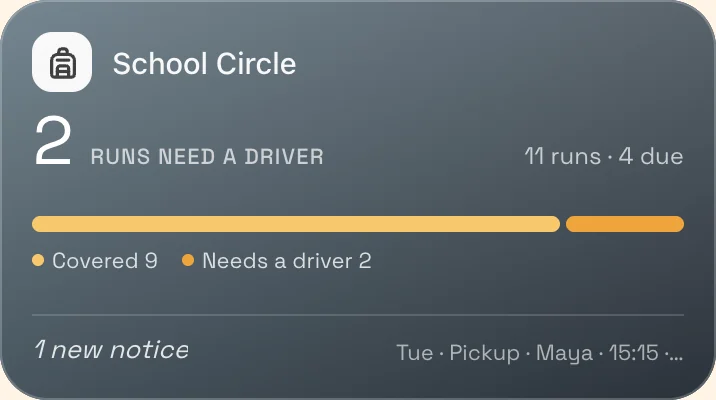 The school weekSchool CircleEvery drop-off and pickup with who's driving, and what's due each day. Snap a notice and Marci reads out the to-dos for you to check. Slips show who signed, notices show who has seen them, and anything nobody holds sits under Needs someone.
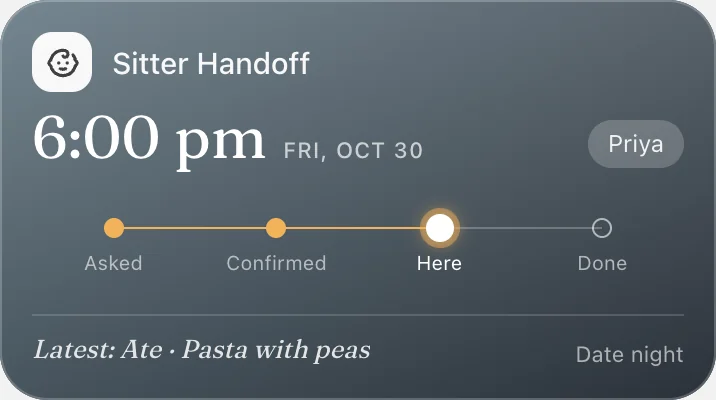 Date nightSitter HandoffA binder you keep with the routine, allergies, bedtime and who may pick up, and a sheet for tonight that the sitter confirms they've read. They log dinner and bed in a tap, and the evening's account is built from the log.
 Dinner
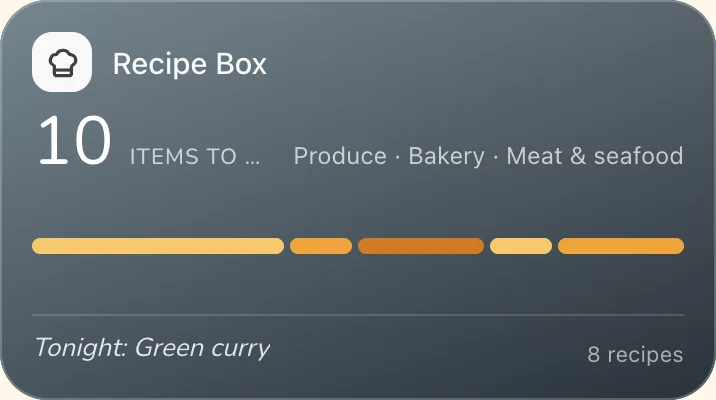
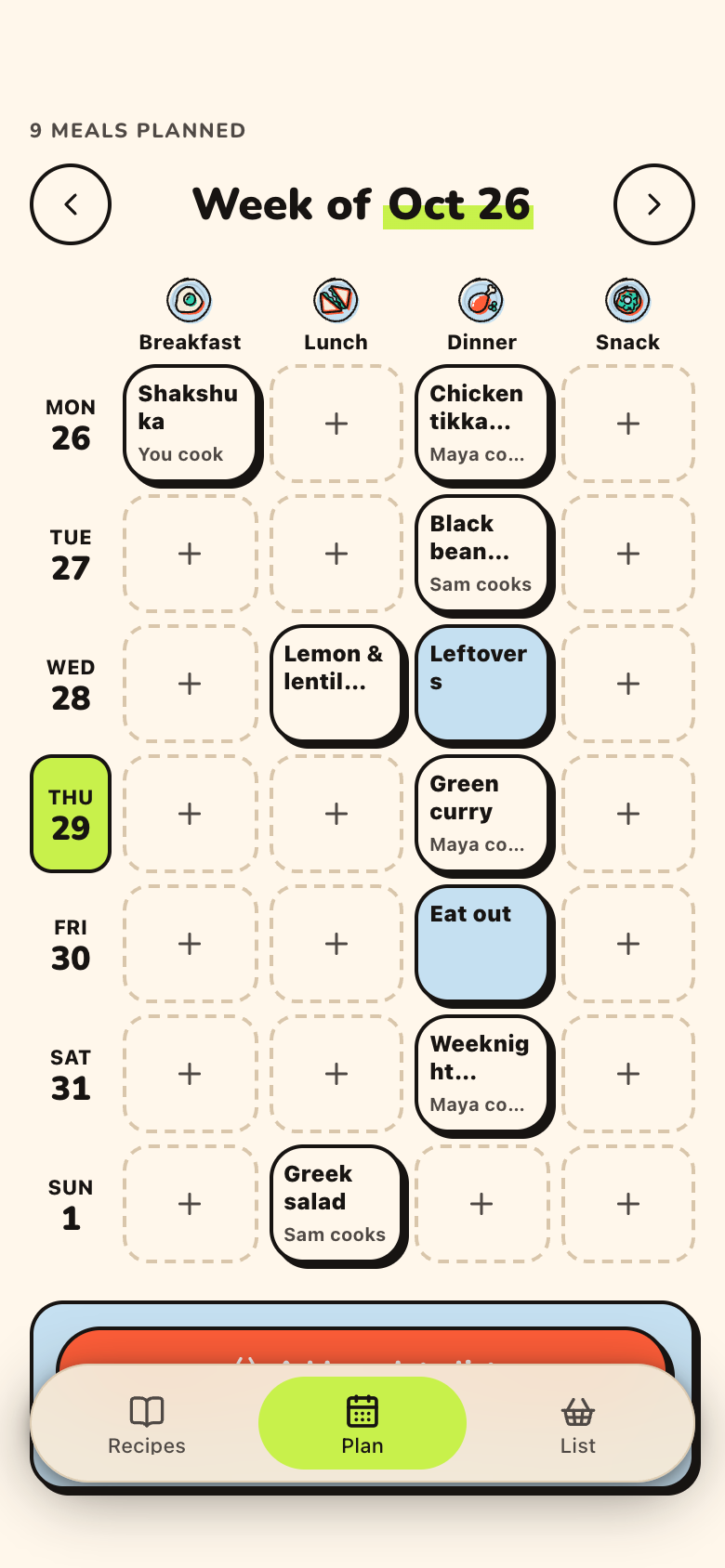
 Recipe BoxRecipe Box keeps the family's recipes, read from a link or a cookbook photo, a week of meals with who's cooking, and one grocery list sorted by aisle. When someone checks an item off in the store, it flashes on your phone.
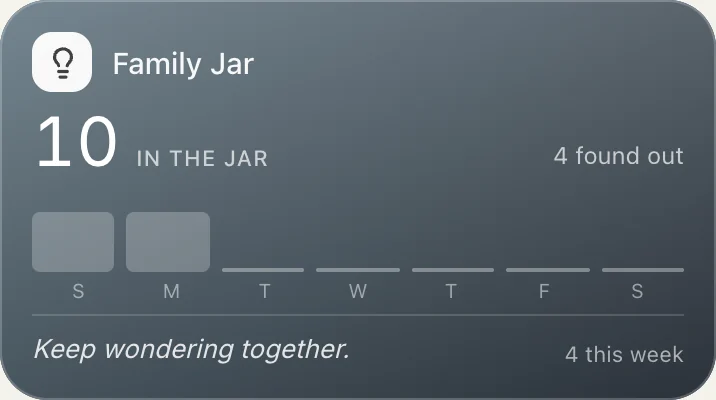 At the dinner table
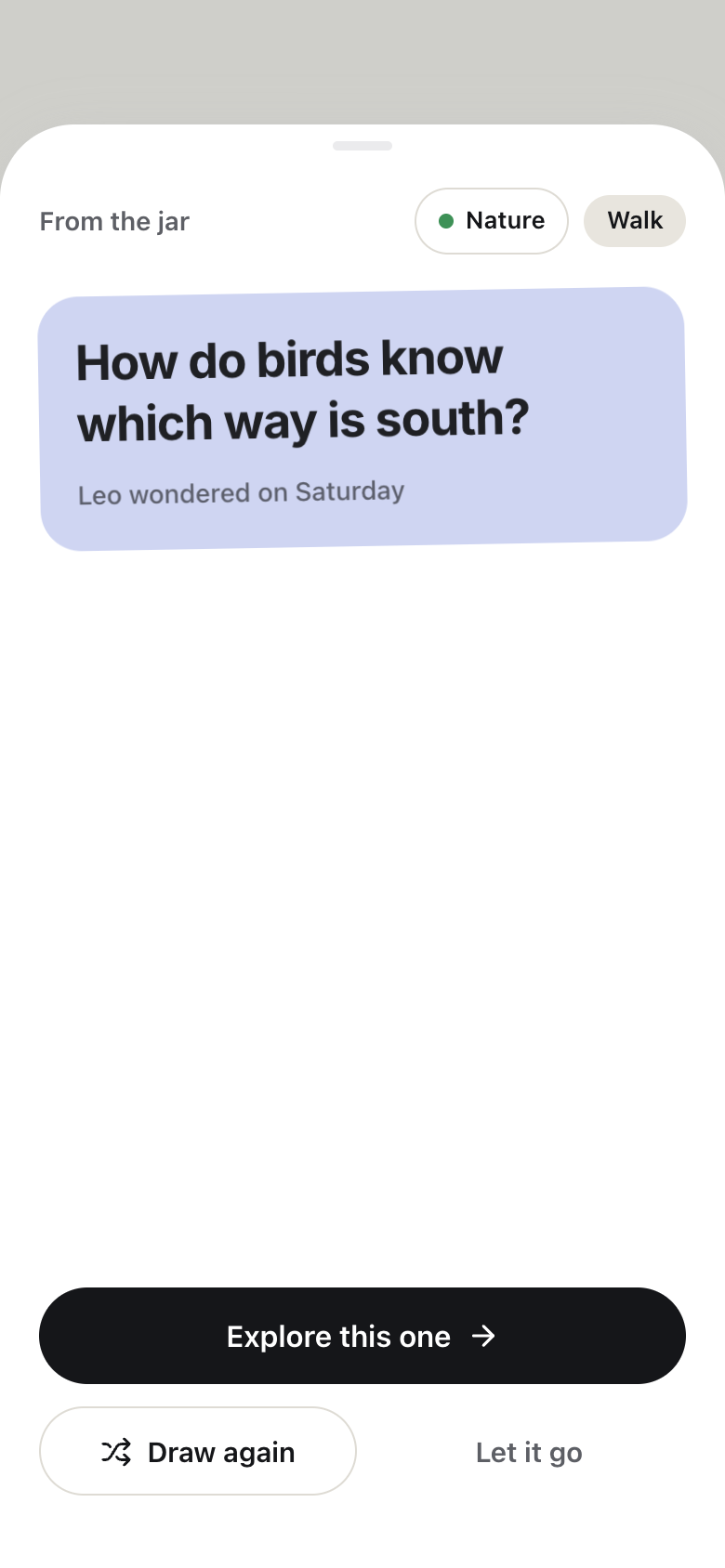
 Family JarAnyone drops a question in on their own color of paper, typed or spoken. Shake the jar to draw one to explore together, add what you found, and Things we know now becomes the family's timeline.
Here is how the six apps share a week, with the real screens they show.
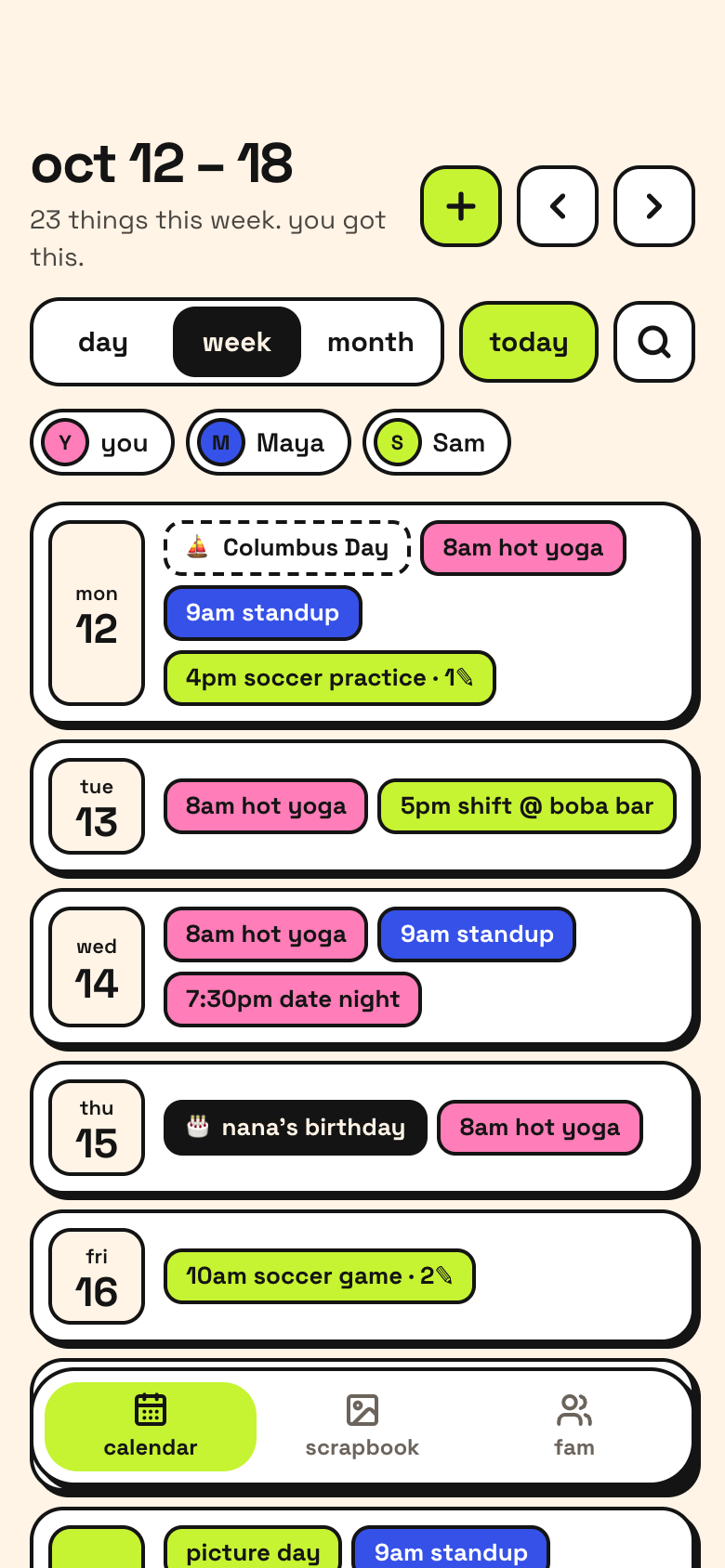 SundayThe family week at a glanceEveryone's calendars in one week, each person in their color, and a Sunday look at the family's week ahead.Fam Calendar
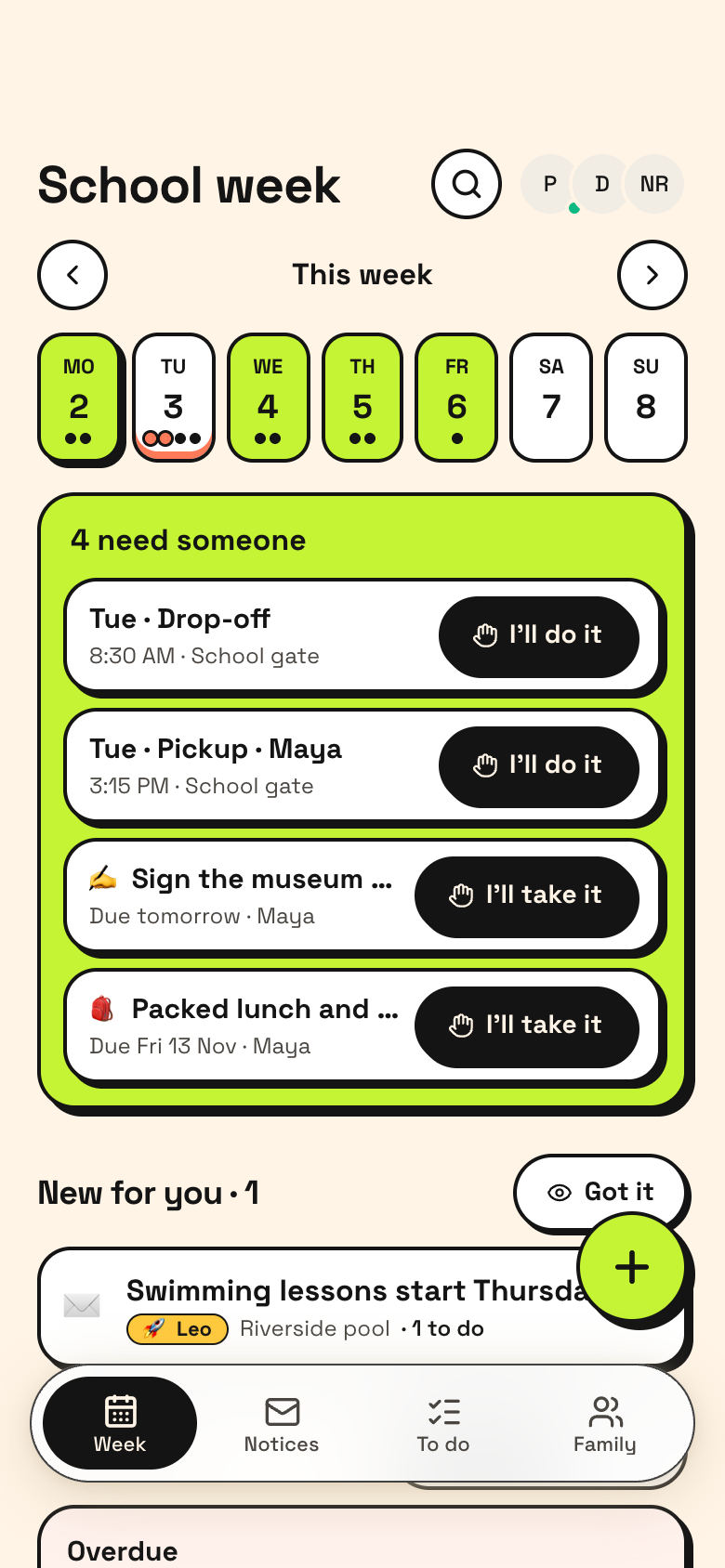 Sunday eveningThe school week, coveredThe Sunday note lists runs that still need a driver, what's due this week and notices nobody has seen.School Circle
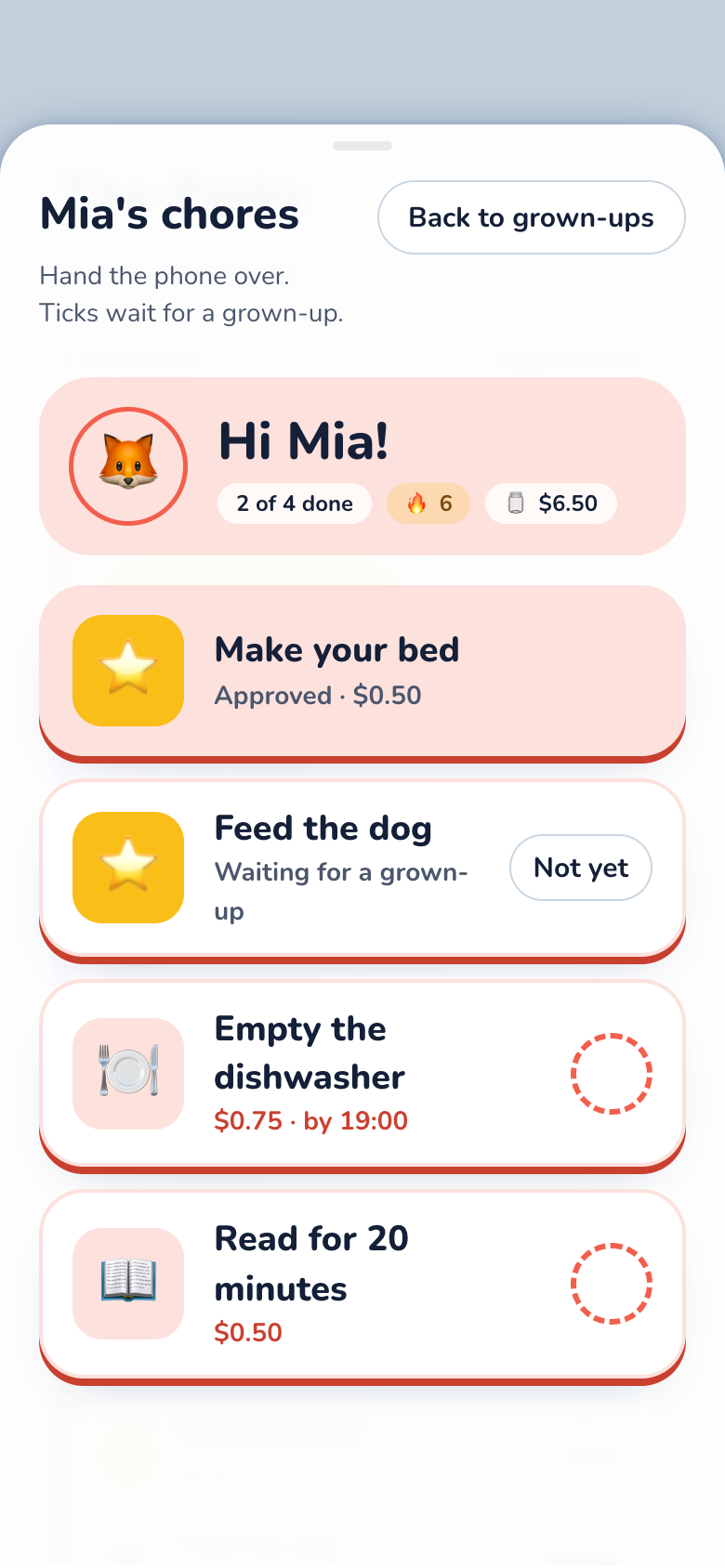 MondayChores after schoolLeo ticks feed the cat on his big-button board. It waits for your OK, then pays into his jar.Chore Stars
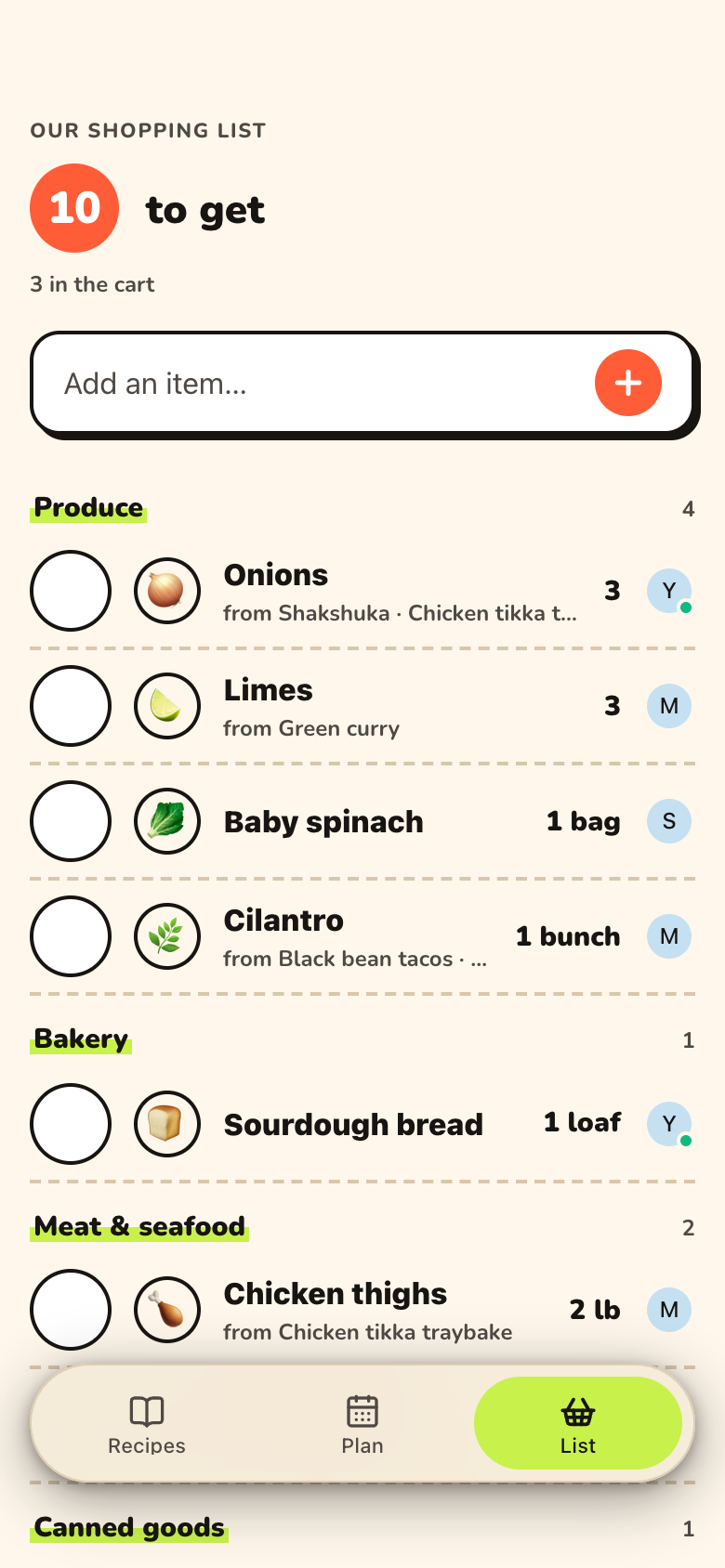 WednesdayOne list at the storeYou shop while your partner adds milk from home. Each item you check off flashes on their phone.Recipe Box
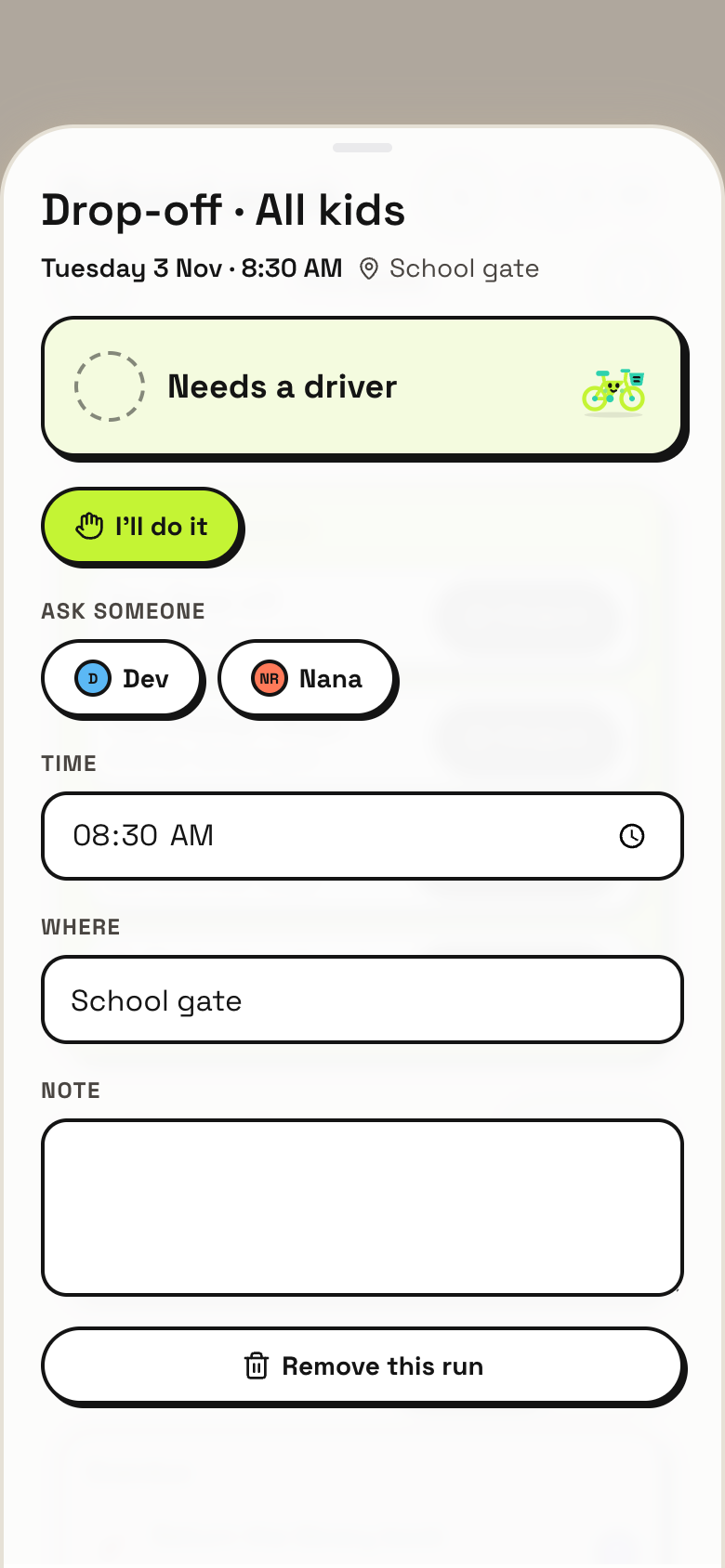 ThursdayA pickup handed backA meeting runs late. Tap Can't make it, the run goes back to Needs someone, and Grandpa takes it in one tap.School Circle
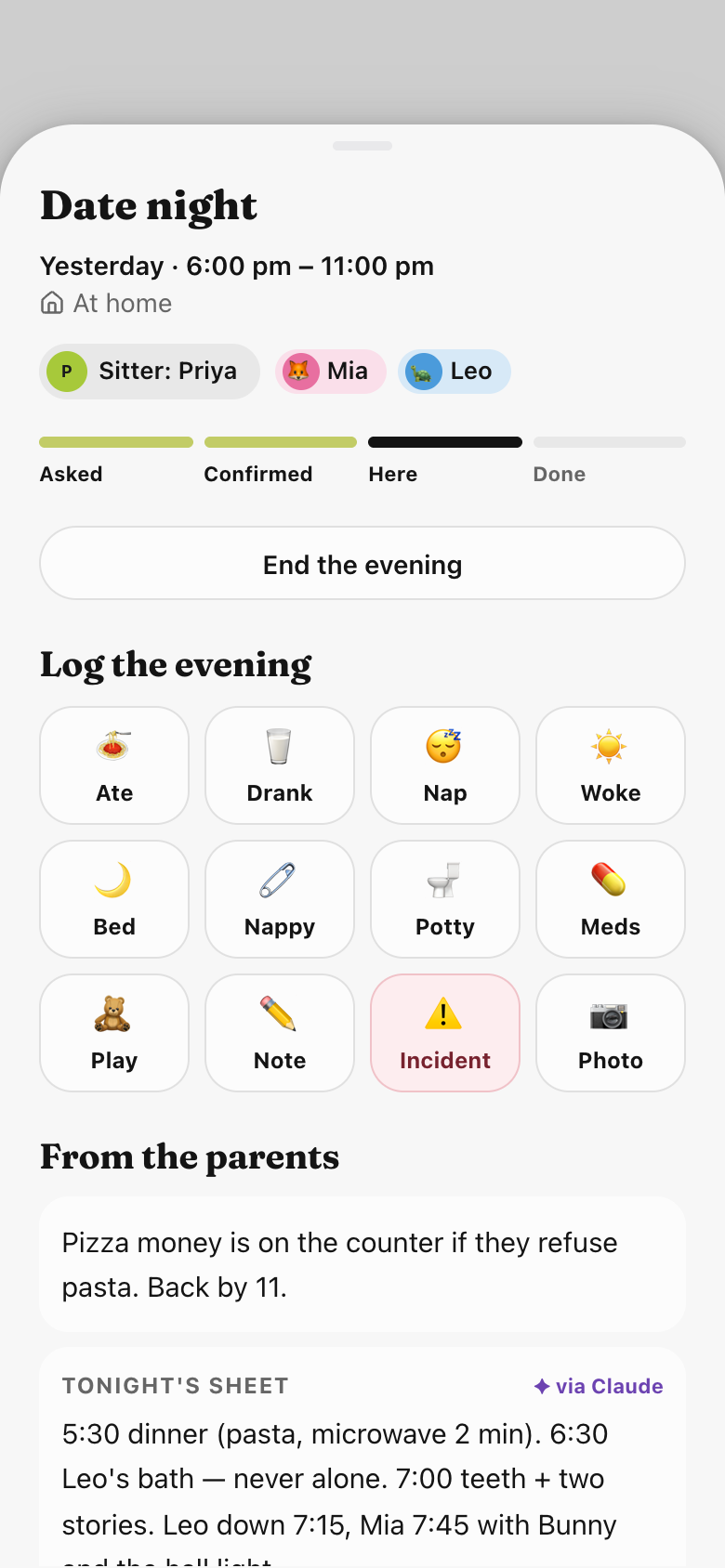 SaturdayDate nightThe sitter confirms she's read tonight's sheet, logs dinner and bedtime in a tap, and the evening's account is ready when you're home.Sitter Handoff
A chat can remind you about pickup. It can't put three calendars in one week, hold a sitter's instructions until she confirms she's read them, or show which kid's chores are still waiting for your OK. Family life runs on shared records like these, and everyone needs the same screen from the first week.
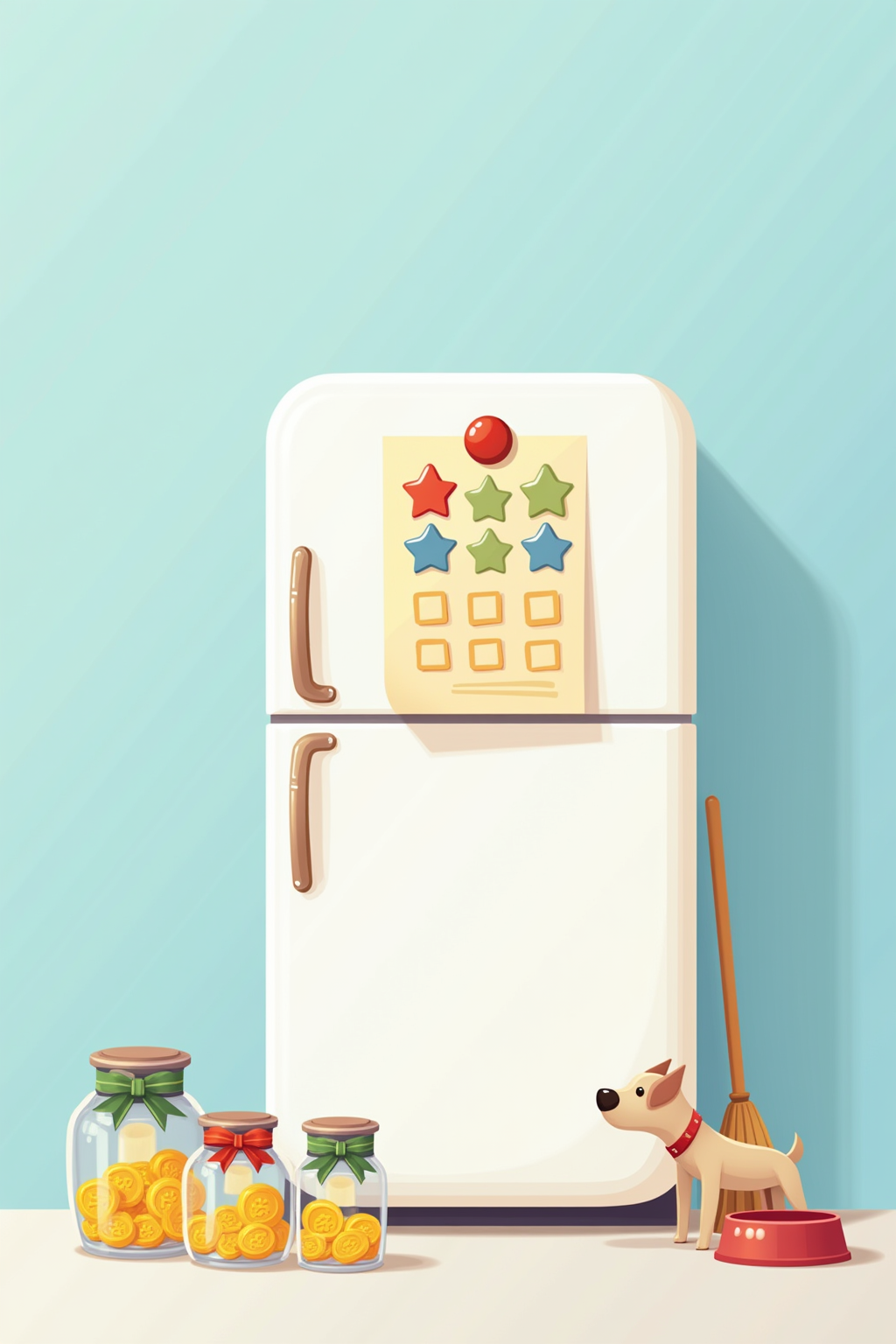
So each app was built around one moment of family life and how it should feel. Chore Stars is the sticker chart on the fridge, and the last chore of the day makes a kid's column burst into stars. School Circle is the school week pinned up in bold marker, and the week lights up when every run has a driver. Sitter Handoff is a family binder with tonight's sheet clipped to the front, and the sitter's tap says she's on it.
The calendar, chores, school runs, the sitter binder and the grocery list are shared, so co-parents, grandparents and sitters see the same thing.
Chore Stars has a big-button board for each kid, kids without a phone included, and every tick waits for a grown-up's OK.
Hide any of your calendars from the family with one switch. Everything else is shared only with the people you add.
Ask for a new field, a new view or a new step, and Marci changes your copy of the app.
Ask itWhat does this week need from us?
Fam CalendarRead allSchool CircleRead allSitter HandoffRead all
Ask itWho still has chores, and what should we wonder about tonight?
Chore StarsRead allFamily JarRead allRecipe BoxRead all
Say the outcome in your own words. Progress comes from what the apps record, never from a number you type in.
| Who | What they get | From |
|---|---|---|
| Your co-parent | Every app here: calendar, chores, school, the binder and groceries | All six, shared with them |
| Grandparents | The school week with runs to take, and the sitter binder | School Circle, Sitter Handoff |
| Sitters | Tonight's sheet, the routine and who to call, plus the evening log | Sitter Handoff |
| Kids | Their own chore board and jar, and the question jar | Chore Stars, Family Jar |
Connect Marci once in each. They all read and write the same apps, so each can do what it does best: find a dinner the kids will eat, catch what the school week needs, or keep watch on Facebook and X for you.
 ChatGPTResearch into your apps
Find three 30-minute dinners kids like that use chicken thighs, rice or broccoli. Save them in Recipe Box and put one on Thursday.
Saved three to Recipe Box from their pages: sheet-pan chicken and broccoli, chicken fried rice and honey garlic thighs. The fried rice is on Thursday's dinner, which was empty, so five dinners are planned this week. Want scallions and frozen peas on the grocery list?
 ClaudeAcross your apps
Check this week's school notices against Fam Calendar. Is there anything we'd miss?
One. Friday is a half day with pickup at 12:30, and nobody has that run in School Circle yet. Fam Calendar has Grandma visiting Friday. Say yes and I'll put the 12:30 pickup under Needs someone and pin a note to her visit so she can take it.
 MuseSaturdays, on Marketplace
Leo's saving for a bike in Chore Stars. Every Saturday, look on Facebook Marketplace for a 20-inch bike nearby, and set his goal to the best one's price.
Found a blue 20-inch bike for $65, two miles away, and set Leo's Bike goal in Chore Stars to $65. His jar has $41, so he's $24 away, about three weeks of chores at his pace. Here's the listing if you want to message the seller.
 Grok BotYour X bookmarks
Whenever I bookmark a science thread on X the kids would love, turn it into a question for our Family Jar.
Each time you bookmark one, I'll write it as a question on your color of paper and ask you before dropping it in. From this week: "Why do cats purr?" and "How do octopuses taste with their arms?" Shake the jar at dinner and see who finds out first.
The bike Muse finds becomes Leo's goal and the chore Claude adds, and Leo watches his jar fill on his own board.
Finds a 20-inch bike on Facebook Marketplace and sets Leo's goal in Chore Stars to its price.
Chore StarsSees Saturday morning is free on Fam Calendar and, once you say yes, adds a $3 car wash chore for Leo.
Chore StarsTurns a thread you bookmarked on X into a question for the jar: how does a bike stay up?
Family JarShows Leo his board and jar on his own screen, and brings your payday digest so you pay out in real life.
Add a screen-time reward to Chore Stars
Add after-school clubs to School Circle
Give Recipe Box a kids-cook night
Marci is free and invite only for now. Join the waitlist, or ask a friend on Marci for an invite.
Ask for Fam Calendar, connect your Google Calendar and share it with your co-parent.
Chore Stars and School Circle next. Then ask Marci for a coach that watches them together.
Marci keeps them as separate apps that work together: Fam Calendar for everyone's calendars, Chore Stars for chores and allowance, and School Circle for runs, notices and slips. They sit on one Home Screen and a coach can watch them together.
Yes. Share School Circle or Sitter Handoff with them on Marci. Grandparents can take a run in one tap, and a sitter confirms tonight's sheet and logs the evening.
No. Chore Stars works for kids without a phone, and kids who have one get a big-button board of their own. Every tick waits for a grown-up's OK.
No. Each kid's jar records what they earned and what was paid out. The payday digest tells you what to pay out in real life.
Marci is free for now and invite only, on iPhone, Android and app.getmarci.ai.

Marci is invite only for now. Join the waitlist, or ask a friend on Marci for an invite.