School Circle
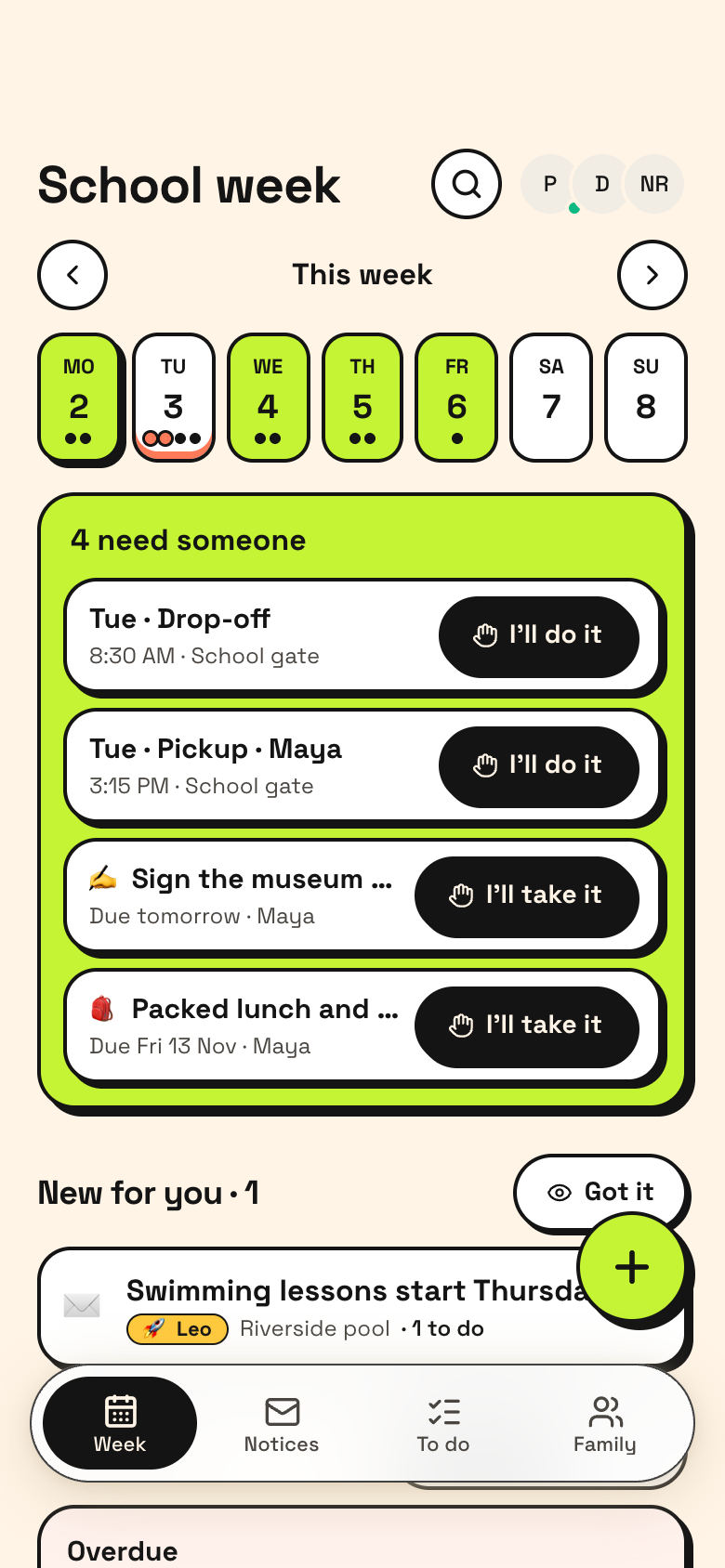
School Circle is one shared ledger on Marci for a family's school life. Parents, co-parents and grandparents write into the same week: notices that came home, who's signing the slip, who's on each drop-off and pickup, and who has seen what. Anything nobody holds sits at the top under Needs someone.
Tap one and watch the phone

 Marci
Tap School Circle on the phone, or ask me one of these.
Who it's for
Parents and co-parents
Every drop-off and pickup has a driver, and every slip shows who signed it and whether it went back.
Grandparents and carers who help
See the week, take a run with one tap of I'll do it, and mark it done.

Movie night, book night, any night.
Every screen
Ways to use it
A letter comes home
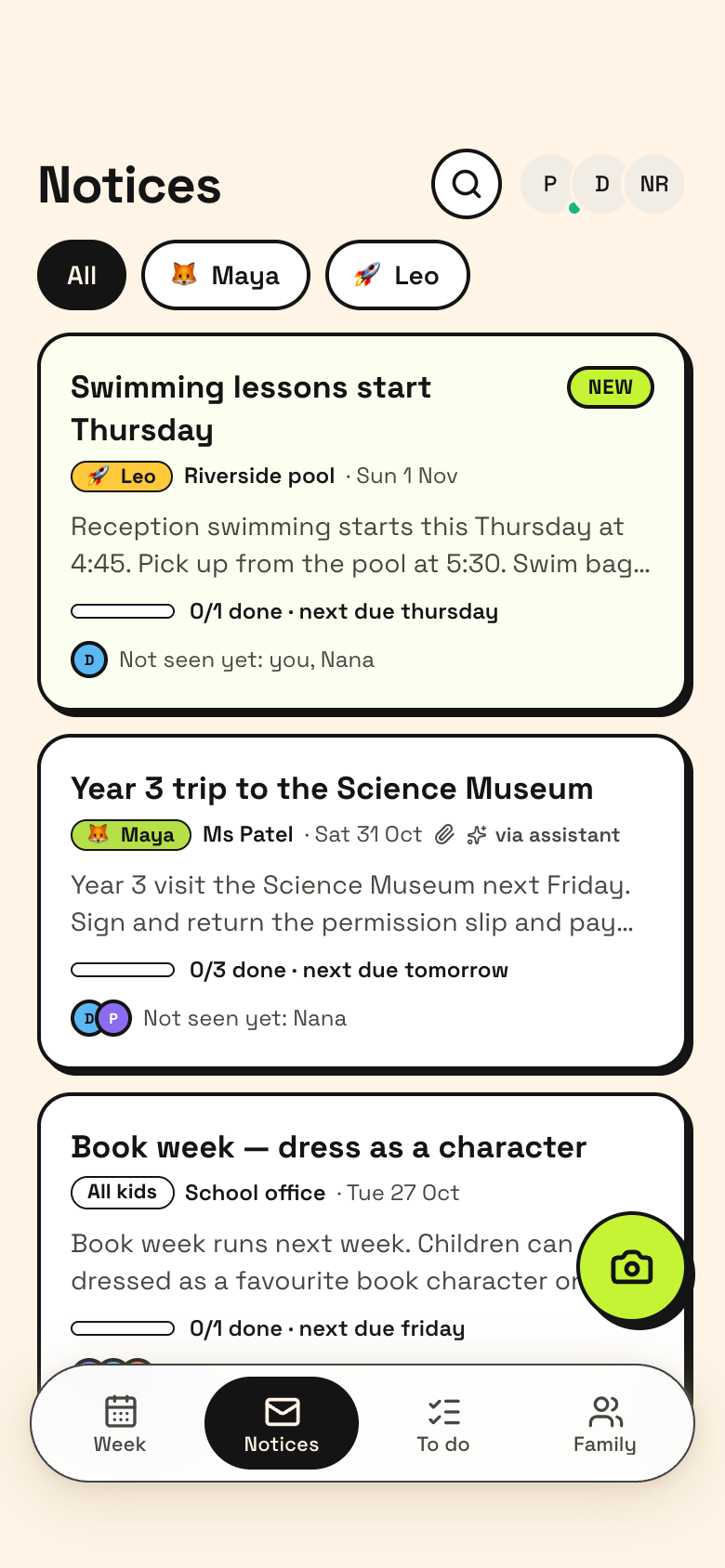
Snap it, pick a PDF or paste the email. Marci reads out the to-dos for you to check, and they land on the week.
Can't make Thursday pickup
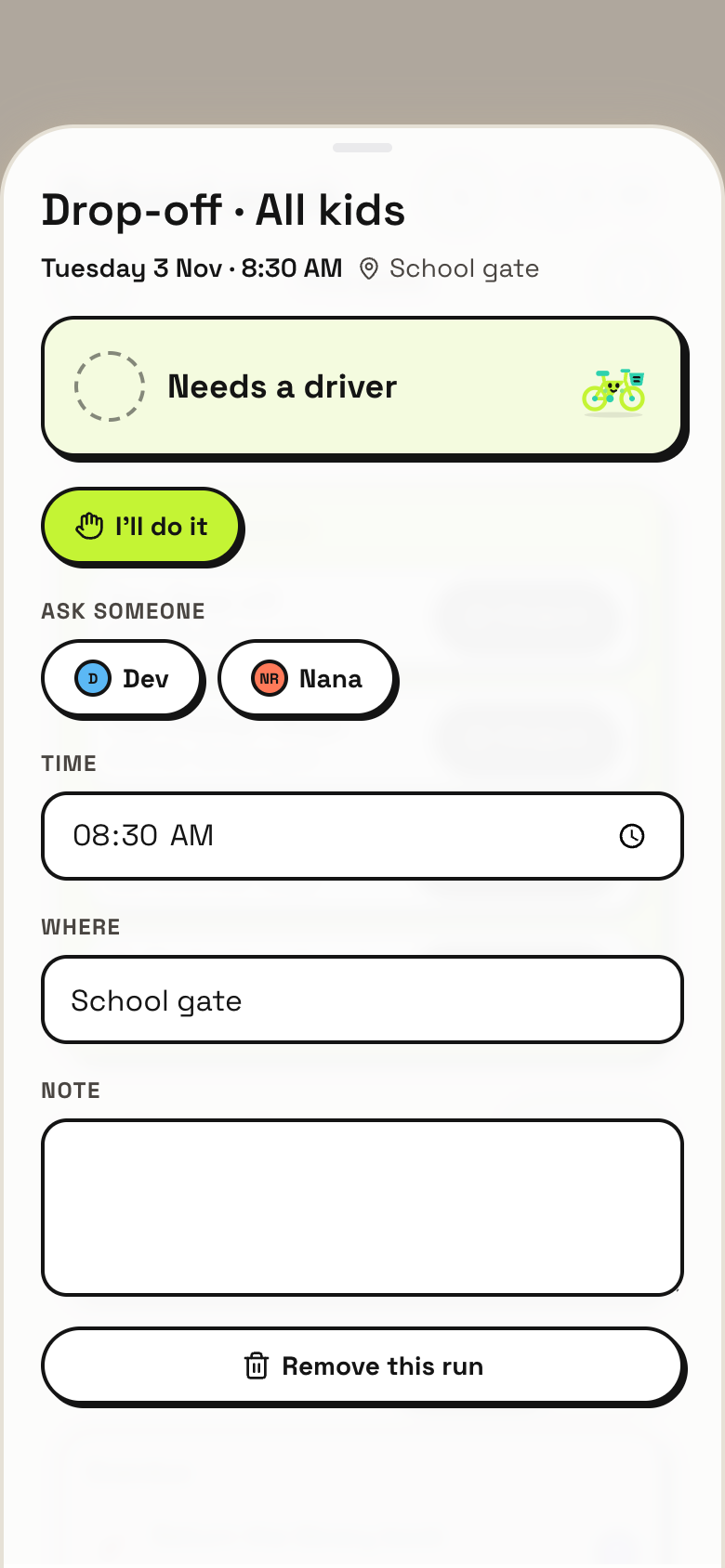
The run goes back to Needs someone, and everyone is told when it's soon.
Did you see the book week email?
Seen by shows who has read each notice, separate from who's doing it.
What it does
- The school week: every drop-off and pickup with who's driving, and what's due each day
- Needs someone: uncovered runs and unowned things this week, with one-tap I'll do it
- Can't make it: the run goes back to Needs someone and everyone is told when it's soon
- Notices: snap a letter, pick a PDF or paste an email; Marci reads out the to-dos for you to check
- Seen by: who has read each notice and who hasn't, separate from who's doing it
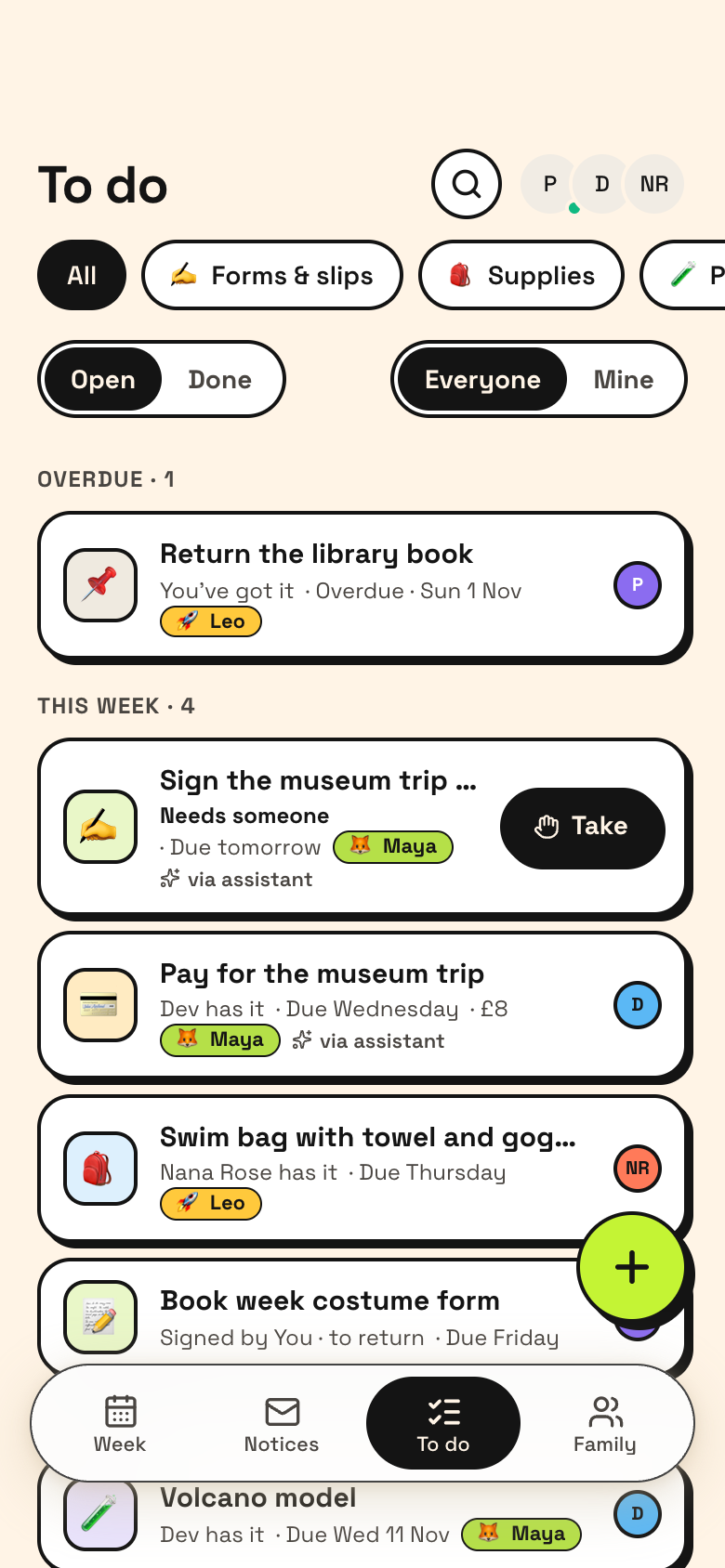
- Forms and slips: signed by, returned; supplies, projects and payments with done by and when
- Kids with their class and teacher, plus questions for teachers your assistant drafted
- Repeat last week's runs in one tap; your assistant can plan the whole week
Make it yours
Ask for a change in your own words and Marci updates the app for you.
Add a section for after-school clubs
Add a Sunday evening reminder for the week ahead
Add a field for lunch money


Talk it over in its room
School Circle is made for sharing. Invite people as editors or viewers, start separate spaces for different groups, and tap the Marci button inside it to start a room with everyone in it.
Made for people like
Pairs well with
 Fam CalendarFam Calendar puts the whole family's calendars next to the school week.
 Ride CircleRide Circle shares the driving with other families once your own runs are set.
 Sitter HandoffSchool Circle holds the school side of family life for the same parents and grandparents.
 Team ParentsSchool Circle holds the school side of the same family's week.
Part of
Questions
Can I add a notice from an email?
Yes. Snap a letter, pick a PDF or paste an email, and Marci reads out the to-dos for you to check.
What's the difference between seen and doing?
Seen by records who has read each notice. Who's doing it is tracked separately, so reading a notice never means you've taken it on.
Can an AI assistant help?
Yes. Your assistant can plan the whole week and draft questions for teachers. Marci can connect to ChatGPT, Claude and other AI tools, which can read or update the apps you choose.
Who can join?
Invite people as editors or viewers. You can start separate spaces for different groups, each with its own people and data.
Marci is rolling out now
Marci is invite only for now. Join the waitlist, or ask a friend on Marci for an invite.