Marci in your coding agent
Paste one line into Claude Code, Codex, Cursor, Gemini CLI or any coding agent and it sets Marci up itself: it installs the Marci skill, adds the connection and opens a Marci sign-in page where you choose its apps. Then it keeps your to-dos, ship log and decisions beside the code, and opens an app in its browser when you want to see one.

 Marci
Press Play the story, then watch it happen on the phone.
Get things done between agent sessions
Ask for an app and your agent opens it in its own browser or preview pane, signed in and ready. Agents without a browser hand you a link that opens beside the terminal.
 CursorBrowser tab
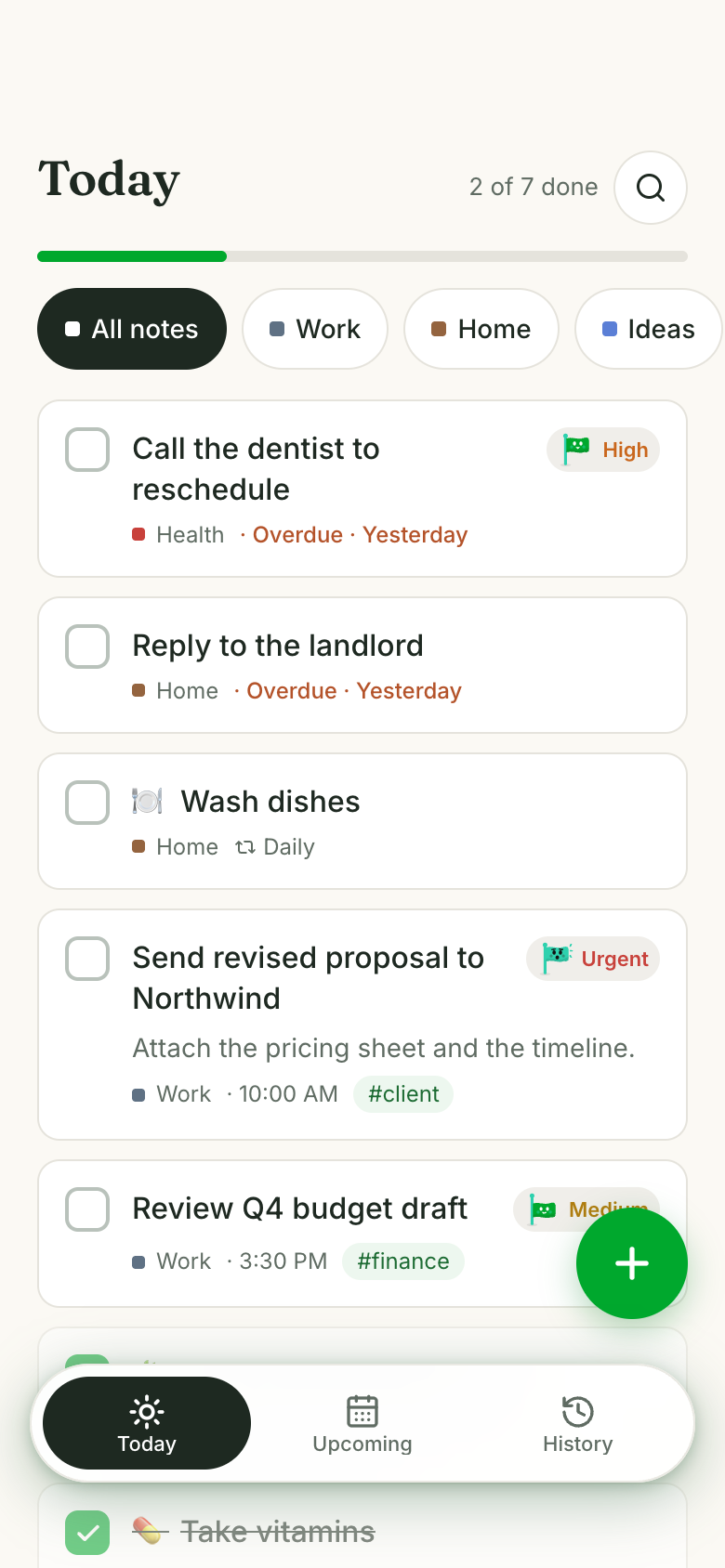
Add 'fix the flaky login test' to my to-dos and show me the list.
marci open_app · Tick
Added it to your Tick to-do app under Work. Here's your list.
 Claude CodePreview pane
● 42 tests passed · 3 files changed
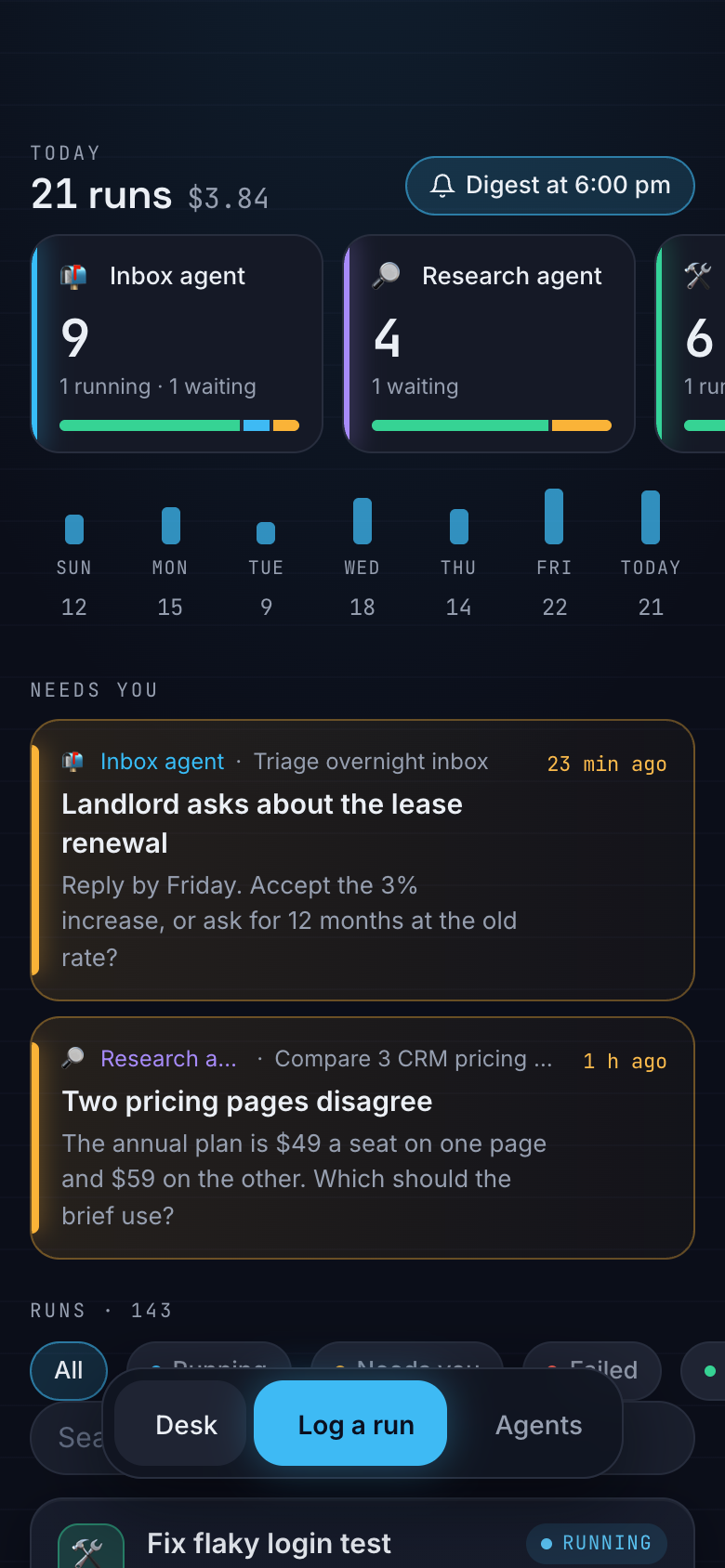
How are my agents doing today?
marci open_app · Agent Desk
Two runs need you. Agent Desk is open in the preview.
 OpenCodeLink to your browser
$ npm run build
⠋ building, about 10 minutes
The build takes ten minutes. Start a chess game with Sam.
marci open_app · Social Chess Club
Started a game in Social Chess Club. It's open in your browser. Your move.
Social Chess Club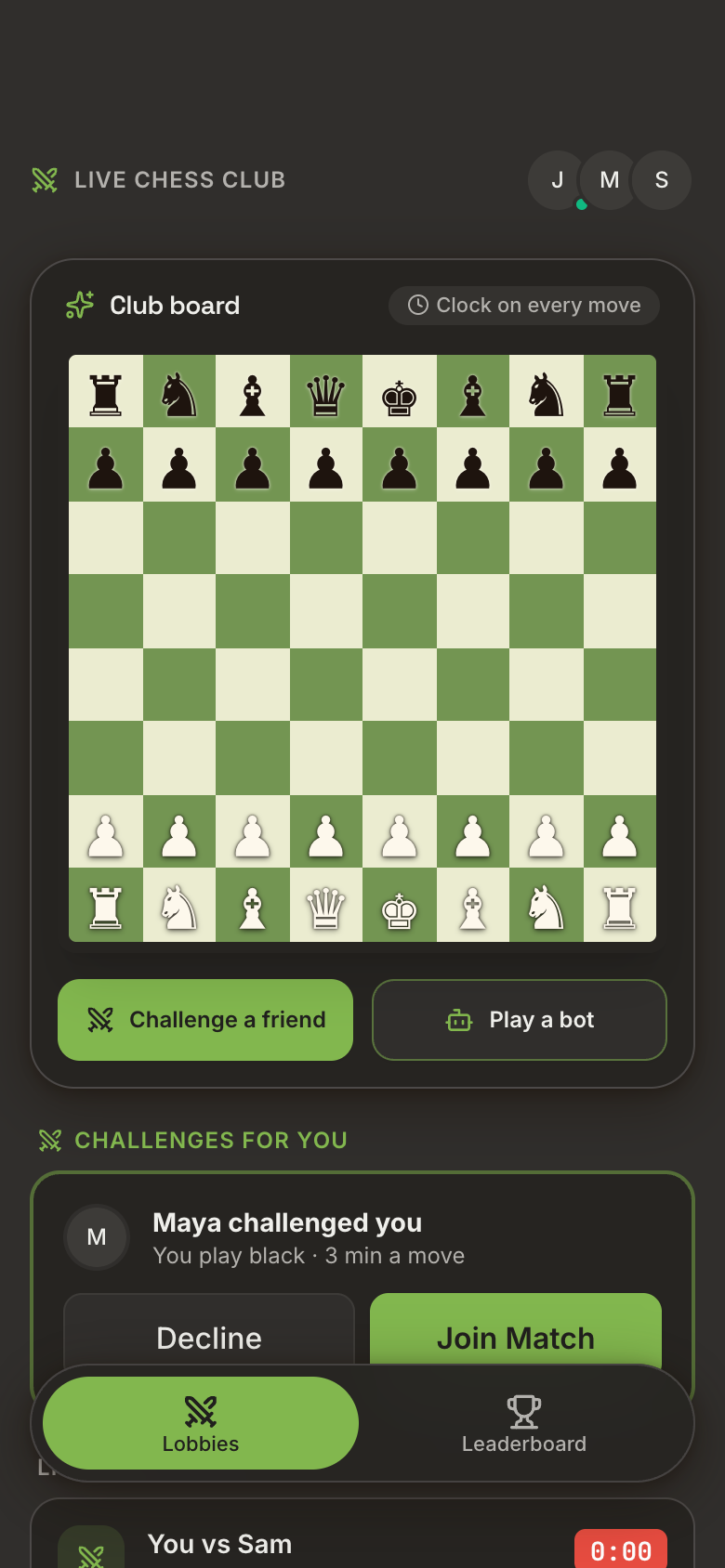

Up here, every agent reports to you.
Set it up with one message
Hand your agent the skill
Paste this into your coding agent:
Install the Marci skill from https://github.com/marci-apps/marci and connect it.It installs the skill withnpx skills addand adds Marci's connection the way that agent does it.Sign in and choose its apps
A Marci page opens in your browser. Sign in the way you do in the Marci app, then choose which apps the agent may use: Off, Read or Read & write. There is no address or key to copy.
Start a new session
Most agents load new skills in a new session. Then ask it to use Marci, or let it offer once when something clearly fits.
Setup by agent
| Agent | Skill | Connection |
|---|---|---|
| Claude Code | /plugin marketplace add marci-apps/marci, then /plugin install marci@marci | Comes with the plugin. Sign in from /mcp |
| Codex | npx skills add marci-apps/marci -a codex -g | codex mcp add marci --url https://mcp.getmarci.ai/mcp, then codex mcp login marci |
| Cursor | npx skills add marci-apps/marci -a cursor -g | Settings › MCP: add a server named marci with https://mcp.getmarci.ai/mcp |
| Gemini CLI | npx skills add marci-apps/marci -a gemini-cli -g | gemini mcp add --transport http marci https://mcp.getmarci.ai/mcp |
| OpenCode | npx skills add marci-apps/marci -a opencode -g | opencode mcp add with the address, then opencode mcp auth marci |
| Grok Build | npx skills add marci-apps/marci -a grok -g | grok mcp add marci https://mcp.getmarci.ai/mcp --transport http |
| OpenClaw | clawhub install marci, or npx skills add marci-apps/marci -a openclaw -g | Add marci under mcp.servers in ~/.openclaw/openclaw.json, then openclaw mcp login marci |
| Hermes Agent | npx skills add marci-apps/marci -a hermes-agent -g | hermes mcp add marci --url https://mcp.getmarci.ai/mcp --auth oauth |
| GitHub Copilot, Windsurf, Goose, Cline, Zed and others | npx skills add marci-apps/marci -a <agent> -g | A remote MCP server named marci at https://mcp.getmarci.ai/mcp |
Prefer to do it by hand? Every row above is the skill plus one connection command. Full steps for every tool are on the Connectors page.
Try saying
Keep this project's to-dos in Marci and close them as we commit
Log what we shipped today in my Ship Log
Add this to my Decision Log: we chose Postgres over SQLite, and why
The build takes ten minutes. Open a quick puzzle
Remind me Friday at 10 to cut the release
Apps that fit a codebase
 TickA calm paper to-do list in Marci for anyone juggling work and home errands
 Ship LogA build-in-public log you keep with friends on Marci
 Decision LogKeeps a numbered register of what was decided, why and with whom
 Agent DeskMission control in Marci for the AI agents you run
 Social Chess ClubFor playing chess with friends or against scripted bots
 SudokuClassic 9x9 Sudoku with friends
Take it further
Questions
How do I add Marci to my coding agent?
Paste this into it: "Install the Marci skill from https://github.com/marci-apps/marci and connect it." The agent installs the skill, adds the connection and opens a Marci sign-in page. In Claude Code you can also use the plugin: /plugin marketplace add marci-apps/marci, then /plugin install marci@marci.
Do I need both the skill and the connection?
Yes. The skill teaches the agent how Marci works; the connection is how it reaches your apps, signed in to your account. Handing the agent the skill sets up both.
Does the agent need my password?
No. The connection signs in through a Marci page in your browser, where you choose which apps the agent may use. You can change that any time in Marci under Settings › Connected tools.
Will my agent keep suggesting Marci?
No. It offers Marci only when something clearly fits, at most once a session, and drops it if you say no.
Where does an app open?
In the agent's browser or preview pane if it has one, signed in for you. Otherwise the agent gives you a link. The link opens once, and the browser that opens it stays signed in for about 12 hours.
Marci is rolling out now
Marci is invite only for now. Join the waitlist, or ask a friend on Marci for an invite.