Tick
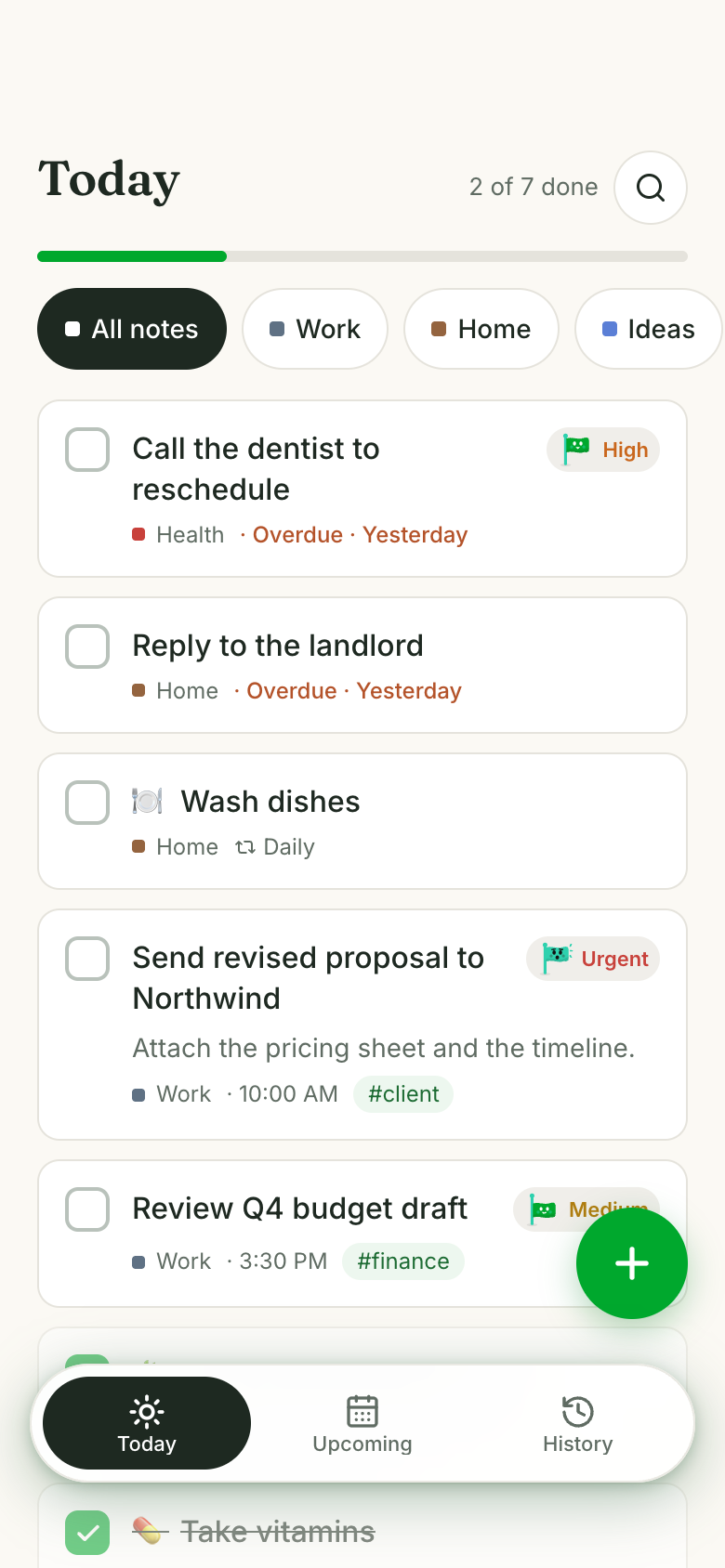
Tick is a calm paper to-do list in Marci for anyone juggling work and home errands. Write tasks into notebooks like Work, Home or Ideas, give each a day, priority or repeat, and tick them off as today's progress line fills. History shows any past day as a notebook page of what got done.
Tap one and watch the phone

 Marci
Tap Tick on the phone, or ask me one of these.
Who it's for
People with tasks on sticky notes
Everything goes into one list with a day attached, and Today shows only what's due plus anything overdue.
Whoever runs the home
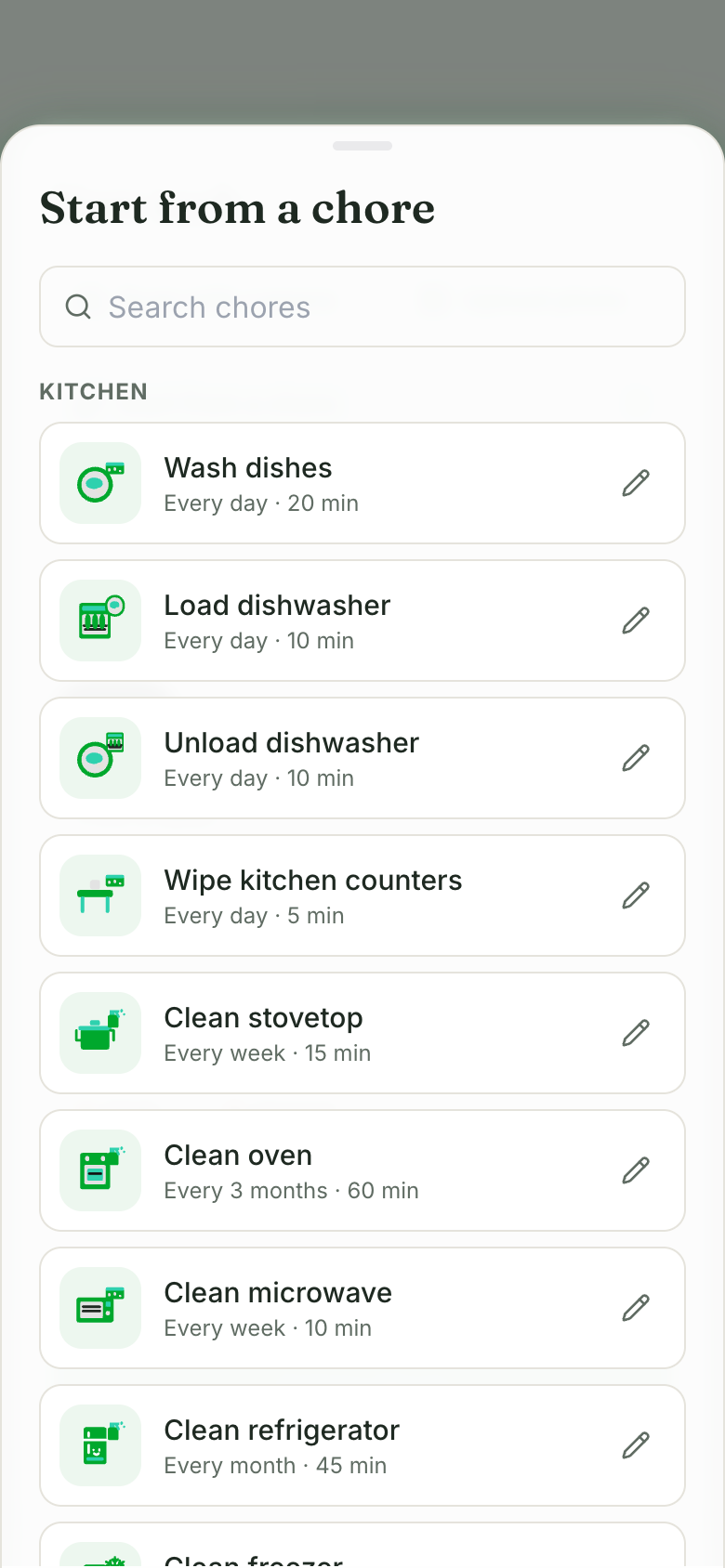
Start a task from seventy household chores by room, each with a suggested repeat and time you can change.
People with lots of meetings
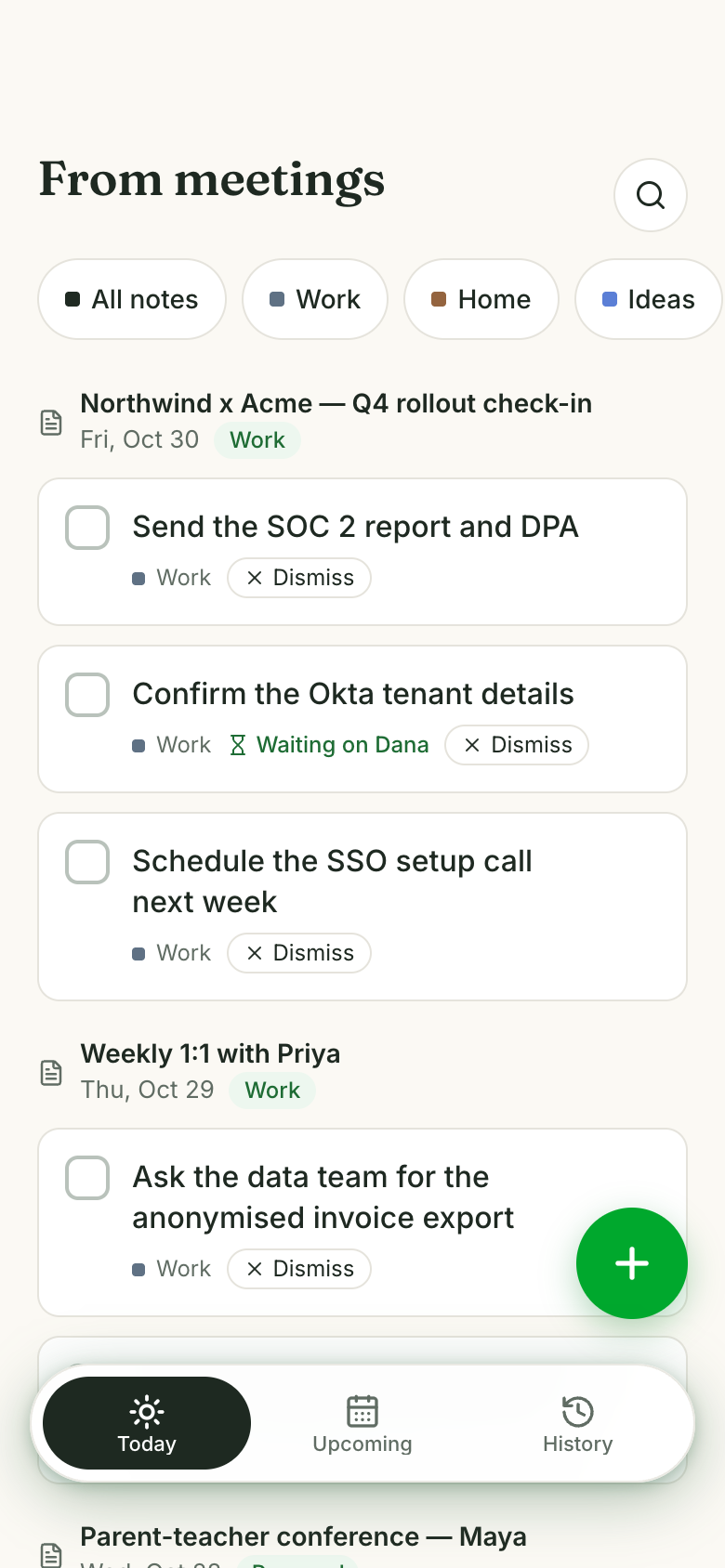
With optional Granola meeting notes, next steps become to-dos on their own, and steps someone else owns wait in Waiting on.

Your work, your clients, your lists.
Every screen
Ways to use it
Turn a whiteboard into tasks
Scan a handwritten note, whiteboard or list with the camera. The task form fills in for you to review before adding.
Chores that come back
Set the filter change to every 3 months or the bins to weekly. Ticking one off writes its next day.
Look back at last Tuesday
Pick any past day in History and see it as a ruled notebook page of what you finished and what was left undone.
What it does
- Write a task with a notebook, a day (Today, Tomorrow, Someday or a picked date, optional time), a priority, a repeat, a note and tags
- Notebooks are life areas: Work, Home and Ideas as chips, Health, Money, Family and twelve more under More, plus your own; rename, recolour, pin or add any
- Priorities Low, Medium, High and Urgent, each with its own badge on the task
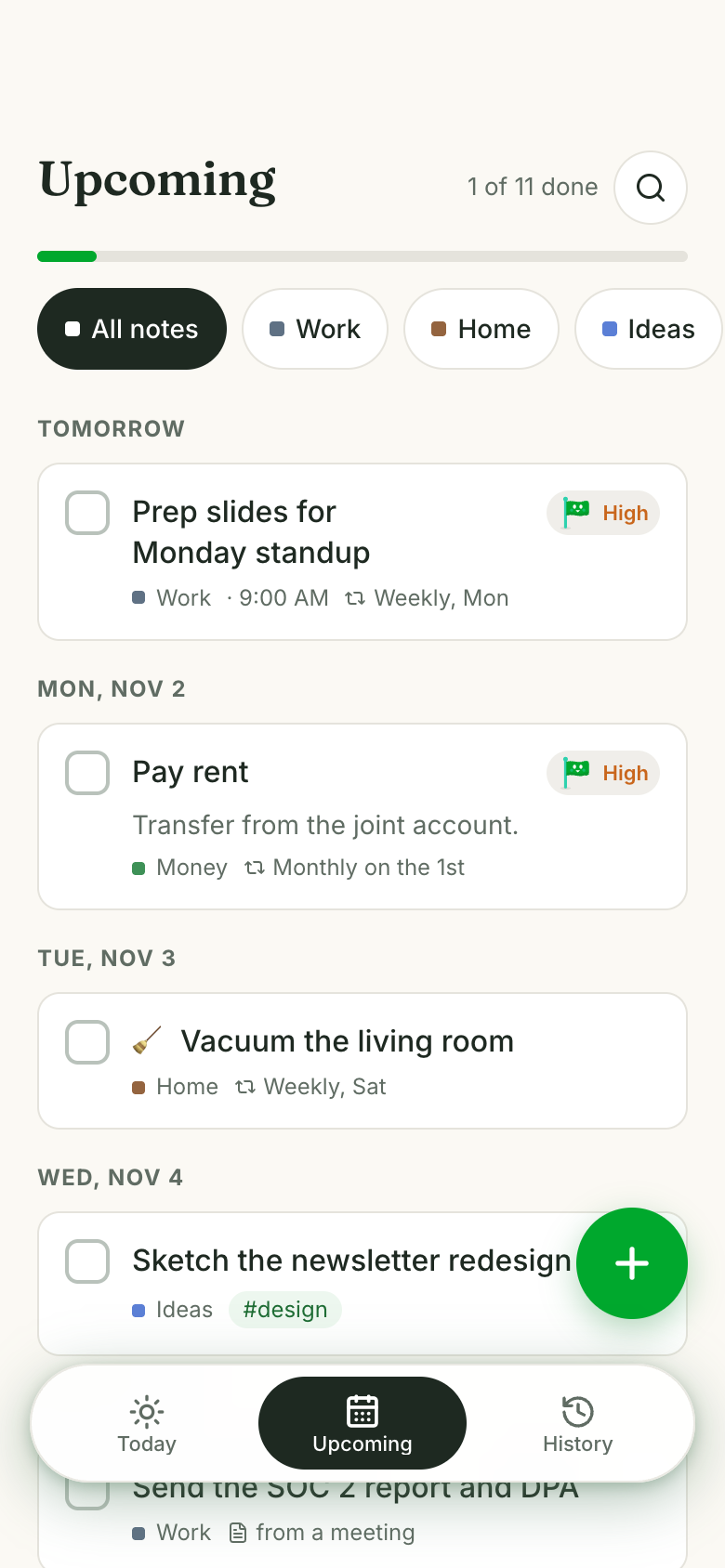
- Repeats: daily, weekdays, weekends, chosen weekdays, N times a week, every N days, weekly, every 2 weeks, monthly on a date or a weekday, yearly; ticking one off writes its next day
- Start a Home task from seventy household chores by room, with a suggested repeat and time you can change
- Scan a handwritten note, whiteboard or list with the camera or a photo; the task form fills in for review before adding
- Today: tasks due today plus anything overdue, with a done-of-total progress line; tick to complete
- Upcoming: future and someday tasks grouped by day
Make it yours
Ask for a change in your own words and Marci updates the app for you.
Add a Garden notebook
Add a time estimate to each task
Show tomorrow's tasks under Today

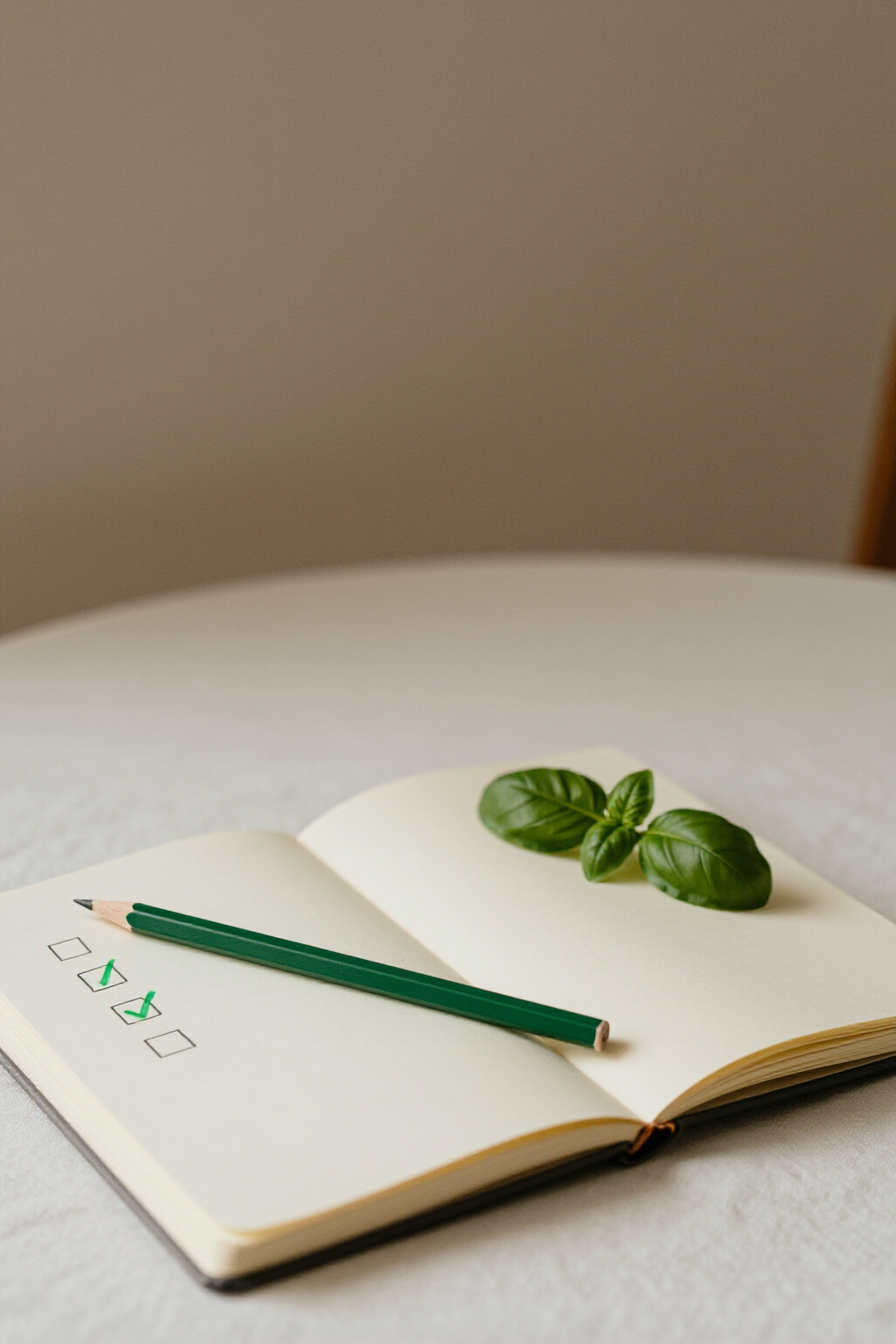
A coach for Tick
Tap the Marci button inside Tick and say yes to a coach: a room of its own where Marci knows the app, checks in on the days you choose and answers questions about your numbers. Give a friend their own copy with a share link; they get the app, never your entries.
Pairs well with
 Day PlannerDay Planner lays today's tasks out as time blocks once you know what needs doing.
 Eat the FrogA calm paper list for the small stuff that doesn't need a frog.
 Job HuntTick holds the small search to-dos, like updating a portfolio, between applications.
 Tick TogetherKeep your own tasks in Tick and the shared ones here, in the same paper style.
 Voice Idea WallNext steps that turn into real tasks belong on your to-do list.
 Weekly ReviewA Sunday review clears loose ends and picks next week's top 3 to put on your list.
Part of
Questions
Does Tick send reminders?
Yes. A task with a time of day pushes a reminder when it comes due, unless you ticked it off first.
Can I share my Tick list with my partner?
Tick is yours alone. A share link gives a friend their own copy, with none of your tasks. For one list you both write in, there's Tick Together.
Can Tick pull to-dos from my meetings?
Optionally, from Granola meeting notes. Each meeting's next steps become to-dos, work meetings in the Work notebook and personal ones in Home, each linked back to the meeting's recap.
Where can I use Tick?
Marci runs on iPhone, Android and the web at app.getmarci.ai. Tick's card can also sit on your Home Screen as a widget.
Marci is rolling out now
Marci is invite only for now. Join the waitlist, or ask a friend on Marci for an invite.