Meeting Thread
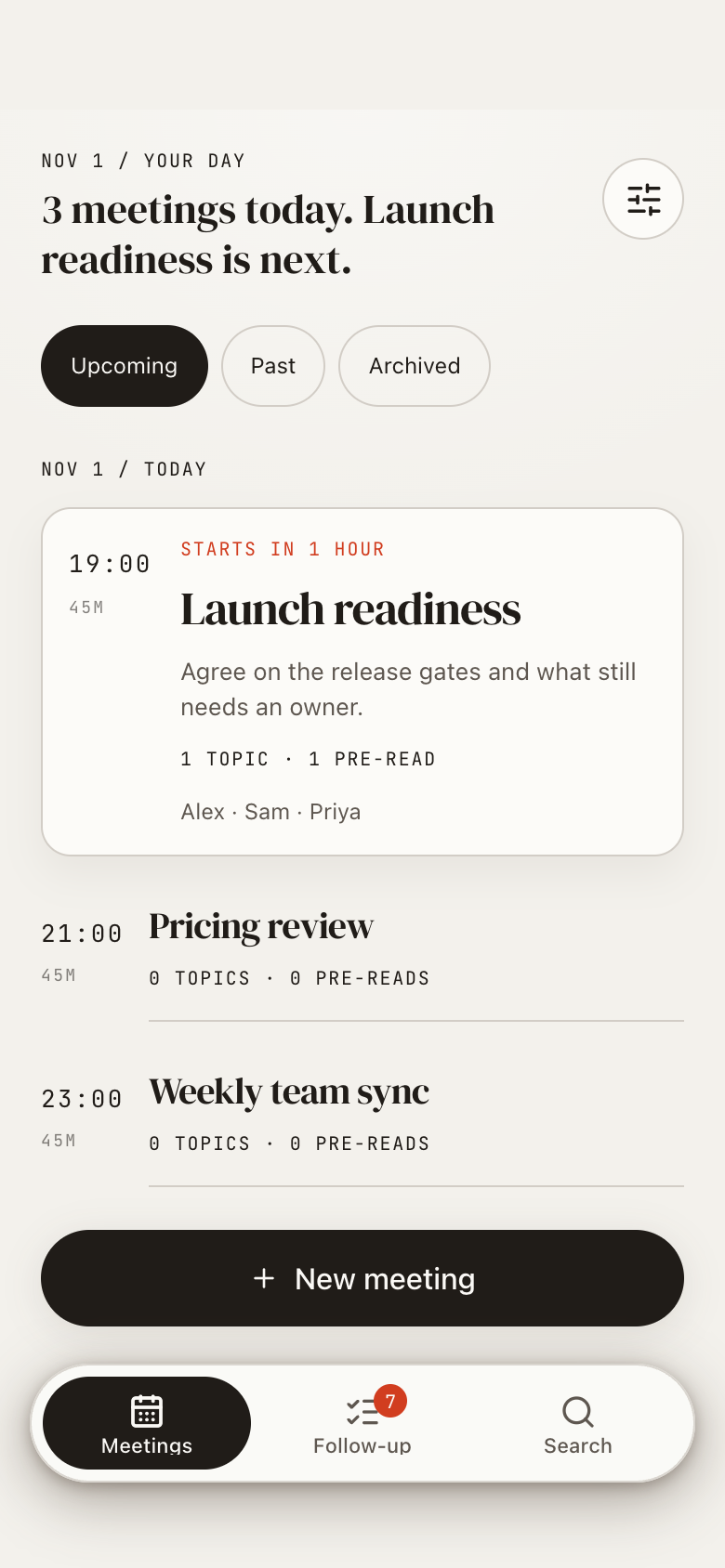
Meeting Thread is a meeting notebook on Marci that keeps one page per meeting, from agenda to notes, decisions, actions and summary. Prepare with your calendar, capture as the meeting happens, and anything still open carries into the next meeting with the same people.
Tap one and watch the phone

 Marci
Tap Meeting Thread on the phone, or ask me one of these.
Who it's for
People who keep their own meeting notes
Prep, decisions and commitments live on one page per meeting, so each one is traceable to what was said.
Anyone with standing 1:1s and standups
Tag meetings as 1:1, Standup, Planning and more, and the actions still open from the last one show up on the next.

Notes, numbers and next steps, all in reach.
Every screen
Ways to use it
Capture a decision mid-meeting
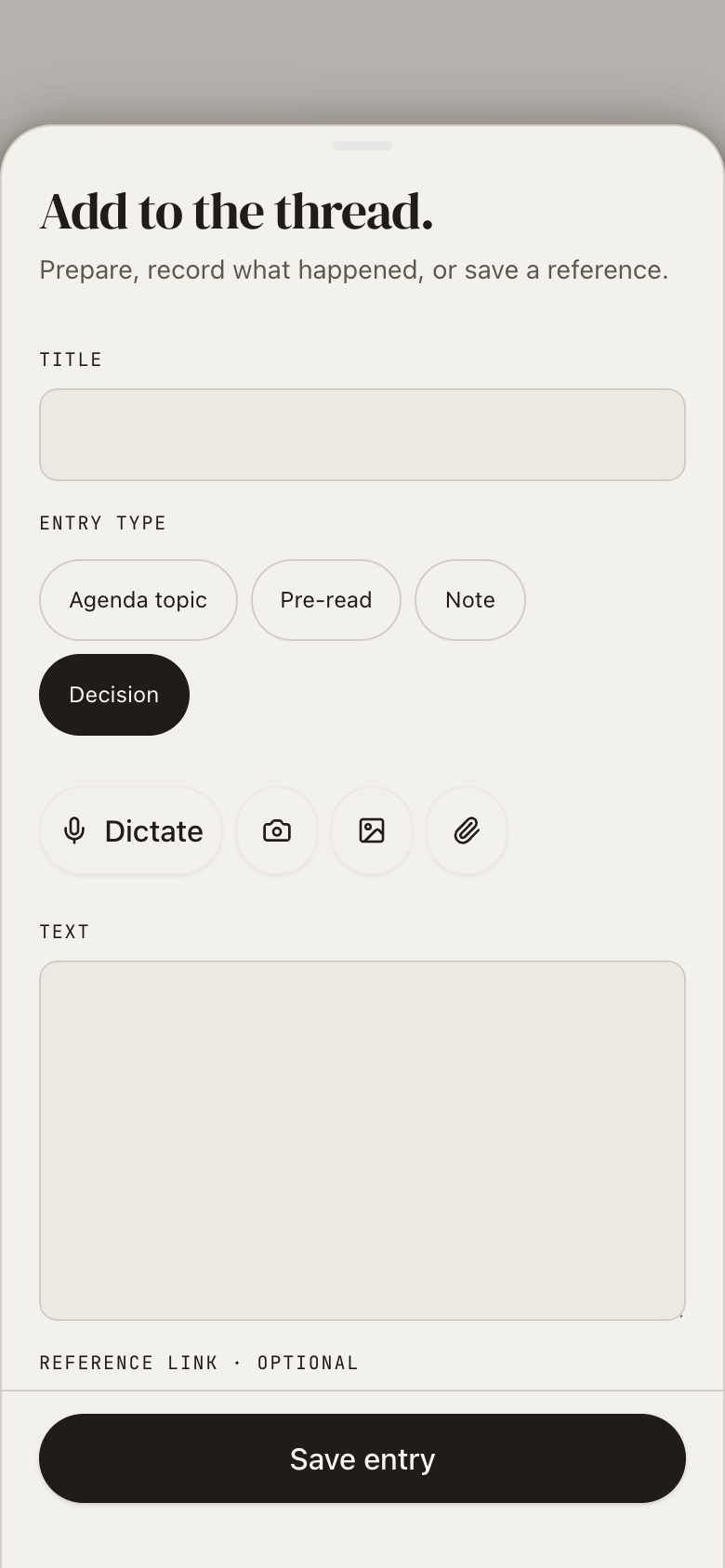
Type or dictate a note, decision, action or topic in quick capture without leaving the meeting page.
Pick up where you left off
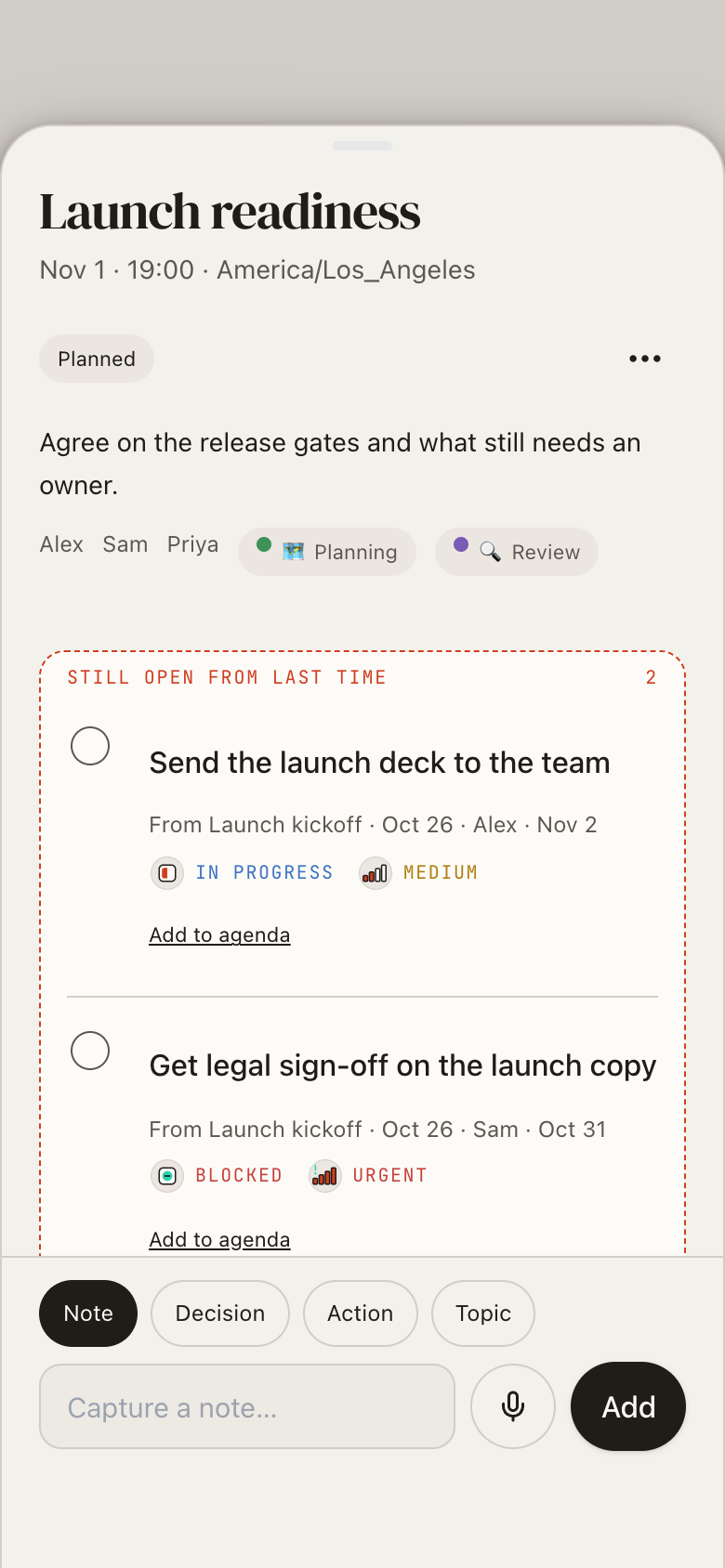
Open next week's planning meeting and the actions still open from last time are already on it.
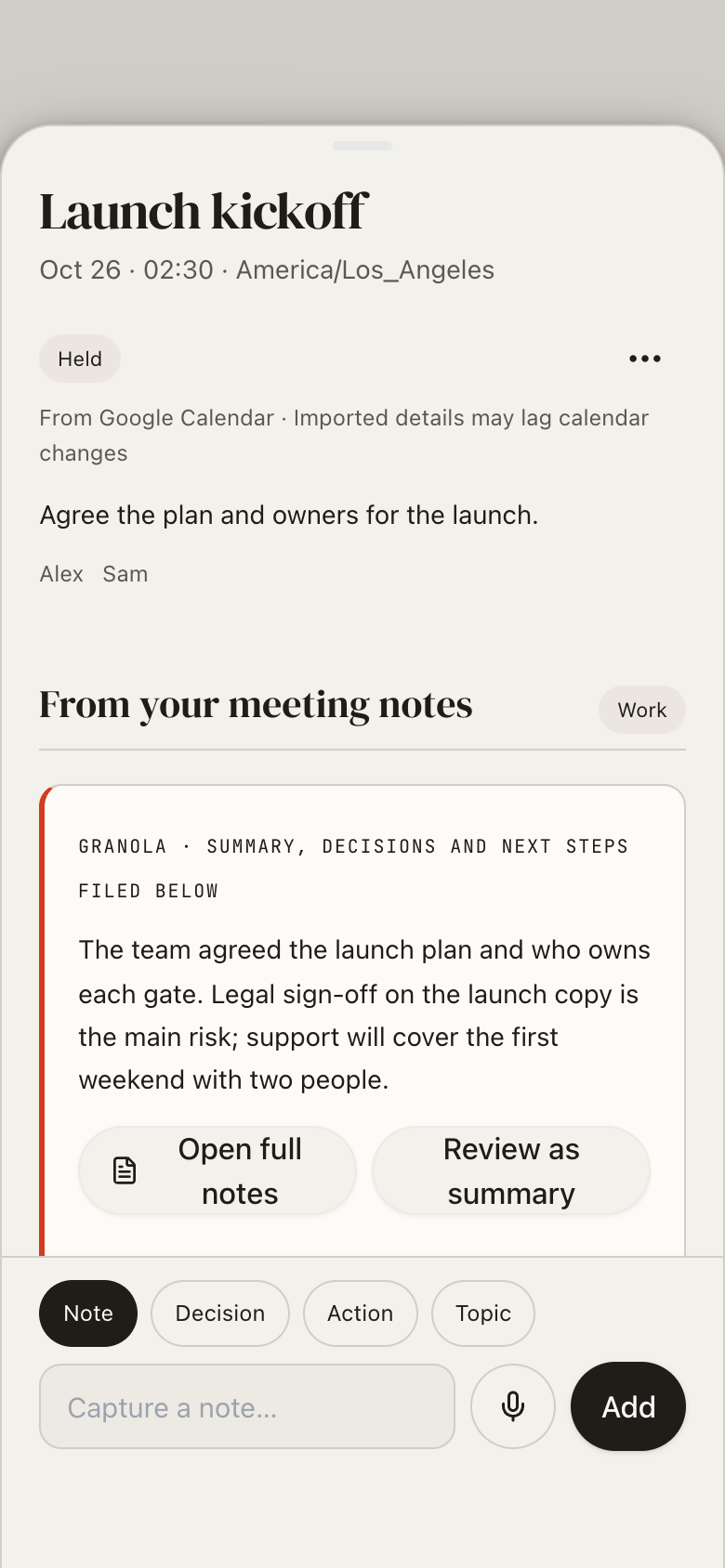
Let Granola fill it in
After a calendar meeting, its Granola summary, decisions and next steps with owners arrive on the page, and open next steps carry into the next meeting of the series.
What it does
- Prepare meetings with optional Google Calendar import
- Optional Granola meeting notes: after a calendar meeting its summary, decisions and next steps (with owners) arrive on it, and open next steps carry into the next meeting of the series
- One meeting page from agenda to notes, decisions, actions and summary
- Quick capture during the meeting: type or dictate a note, decision, action or topic
- Actions still open from earlier meetings with the same people or of the same series show up on the next one
- Priorities and To do, In progress, Blocked, Done statuses with badges
- Tags for kinds of meeting, starting with 1:1, Standup, Planning and more
- Review summaries, search saved evidence and get follow-through in your room
Make it yours
Ask for a change in your own words and Marci updates the app for you.
Add a Retro tag
Add a Waiting on status for actions
Put decisions at the top of each meeting page


A coach for Meeting Thread
Tap the Marci button inside Meeting Thread and say yes to a coach: a room of its own where Marci knows the app, checks in on the days you choose and answers questions about your numbers. Give a friend their own copy with a share link; they get the app, never your entries.
Pairs well with
 Action CatcherAction Catcher gathers next steps from every meeting into one inbox you can work through.
 Decision LogDecision Log keeps a numbered register of the decisions your meetings make, with why and with whom.
 Nocturne NotesMeeting Thread structures meetings with decisions and actions, while Nocturne Notes holds everything else you write.
 Raise TrackerMeeting Thread captures notes and actions from each investor meeting before they go on the card.
 Research SynthesisMeeting Thread captures notes and actions from the planning meeting the board feeds.
 Team ThreadMeeting Thread keeps your own notes and actions for meetings outside the team.
Questions
Does Meeting Thread work with Google Calendar?
Yes, if you want. Import event basics to start each meeting page, and reschedules stay visible while your notes remain yours.
Can I track the status of actions?
Yes. Actions have priorities and To do, In progress, Blocked and Done statuses with badges.
Can I add photos or files to a meeting?
Yes. You can take a photo, pick an image or attach a file, as well as type or dictate.
Who can see my meeting notes?
Meeting Thread is yours alone. A share link gives a colleague their own copy, with none of your entries.
Marci is rolling out now
Marci is invite only for now. Join the waitlist, or ask a friend on Marci for an invite.