Action Catcher
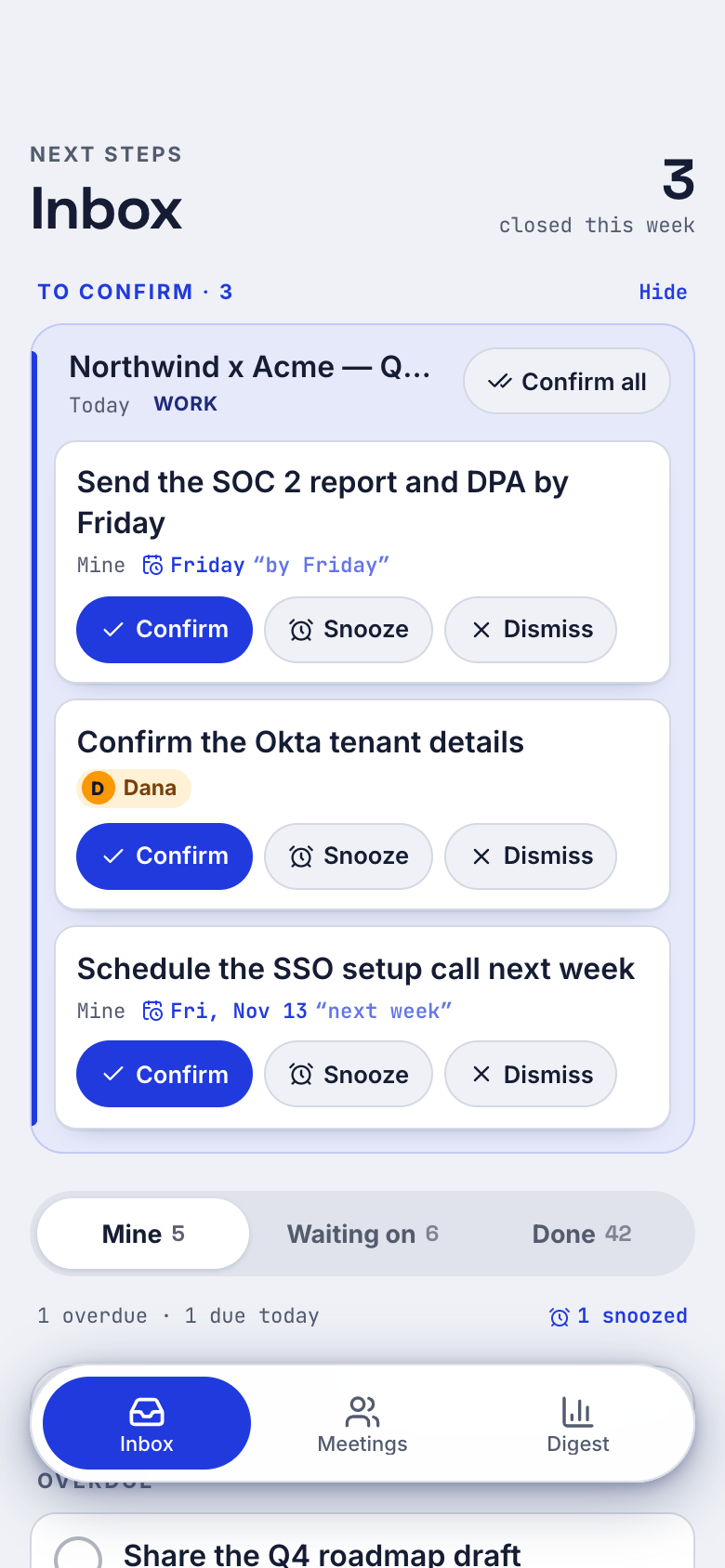
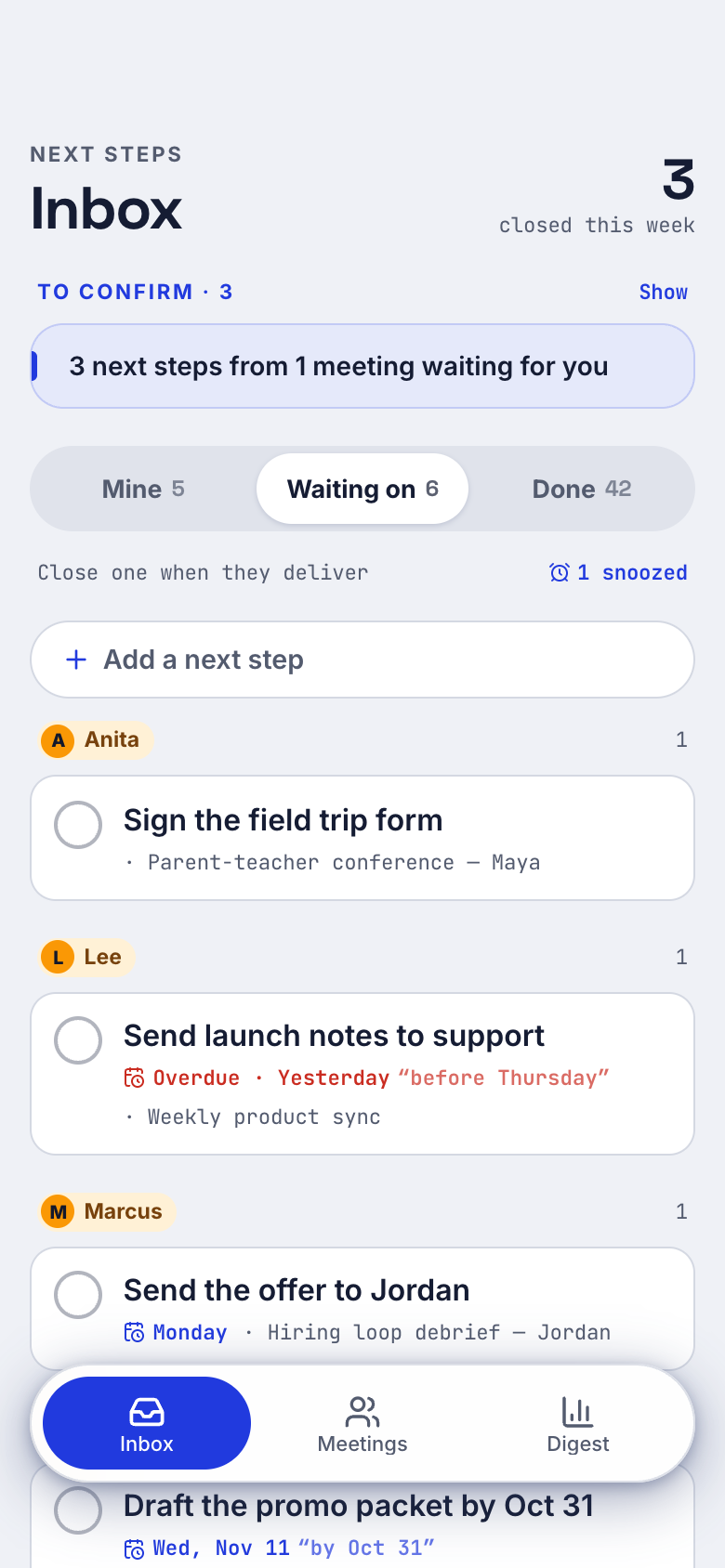
Action Catcher is a Marci app that gathers every meeting's next steps into one inbox. Granola notes arrive on their own, or you paste a recap, and each step lands in Mine or Waiting on with its deadline. Confirm, snooze or dismiss in a tap, and a weekly digest shows what is still open.
Tap one and watch the phone

 Marci
Tap Action Catcher on the phone, or ask me one of these.
Who it's for
Managers in back-to-back meetings
You leave each meeting with promises going both ways. Mine and Waiting on keep your steps and everyone else's apart, each with a due day when one was said.
Founders and consultants on Granola
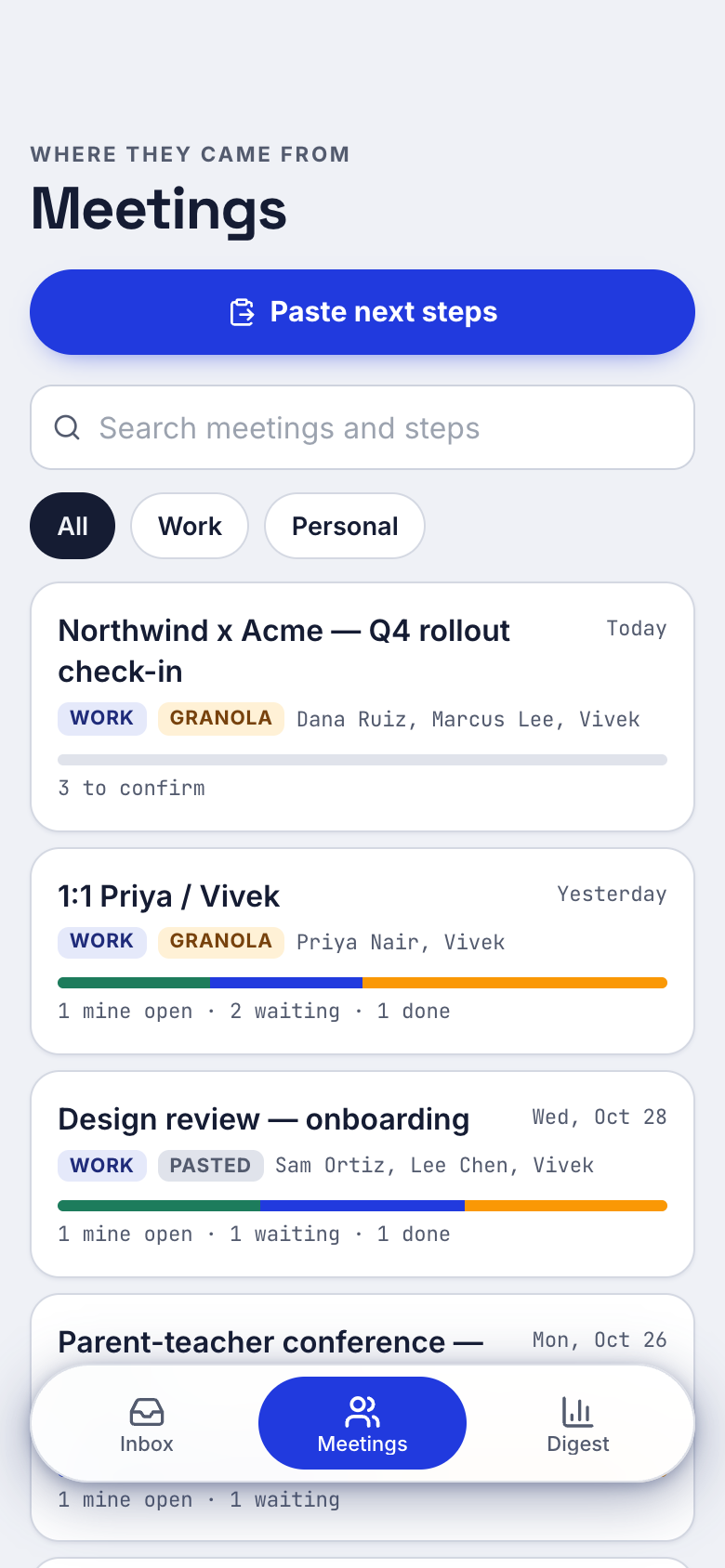
Granola notes arrive by themselves, one meeting per Granola meeting, and the next steps wait for you to confirm. Nothing is duplicated or brought back.
Anyone who keeps meeting recaps
No Granola? Paste the title, the day and one step per line, and the steps are sorted the same way.

Your work, your clients, your lists.
Every screen
Ways to use it
After a client call
A push says new steps arrived. You confirm yours, and "Sam: send the deck by Friday" lands in Waiting on, due Friday.
The Monday catch-up
The weekly digest shows what closed, what is overdue and the open loops per meeting and per person, so you know exactly who to nudge.
A promise made in the hallway
Add a next step by hand, yours or someone else's, with a due day, then ask to be reminded tomorrow at 9.
What it does
- Granola meeting notes caught automatically: one meeting per Granola meeting, its next steps split into steps to confirm, never duplicated or brought back, with a push when new ones arrive
- Paste next steps from any meeting (title, day, Work or Personal, one step per line) without Granola
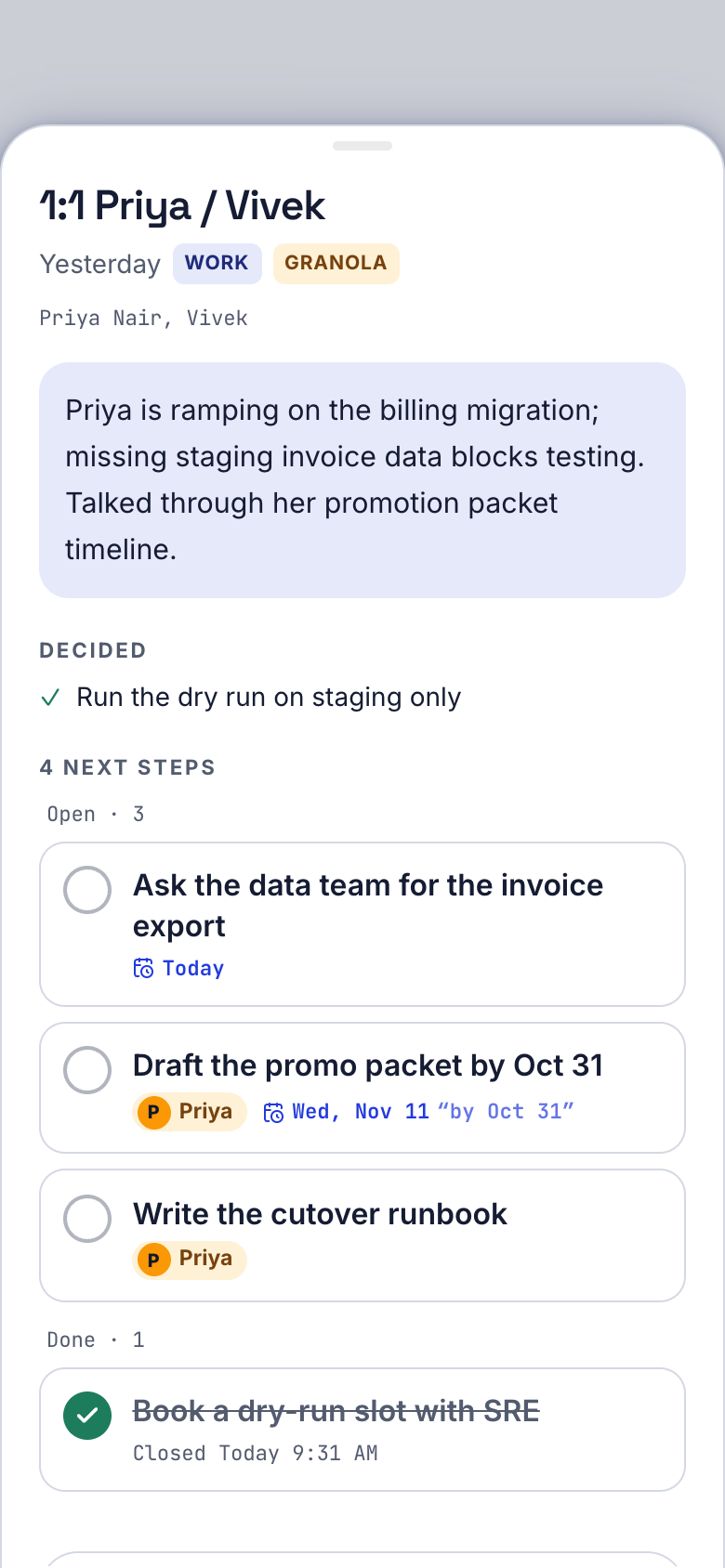
- One inbox in three views: Mine by when it's due, Waiting on by person, and Done with when each closed; close a step with one tap and undo
- Confirm, snooze or dismiss each caught step, or confirm a meeting's steps at once; snoozed steps come back with a push
- Due dates when said: 'by Friday', 'tomorrow', 'end of month' or 'Oct 31' become that day from the meeting's date, editable
- Mine or Waiting on from 'Owner: task' lines and your names; move any step between them
- Add a next step by hand: yours or someone else's, with a due day
- Remind me on any step: later today, tomorrow at 9, next Monday or its due day
Make it yours
Ask for a change in your own words and Marci updates the app for you.
Add a Clients label next to Work and Personal
Send the weekly digest on Friday afternoon instead
Show overdue steps at the top of Mine


A coach for Action Catcher
Tap the Marci button inside Action Catcher and say yes to a coach: a room of its own where Marci knows the app, checks in on the days you choose and answers questions about your numbers. Give a friend their own copy with a share link; they get the app, never your entries.
Made for people like
Pairs well with
 Client RecapCatch next steps from your internal meetings too, not just client calls.
 Decision LogCatch each meeting's next steps alongside the decisions.
 Meeting BriefAction Catcher collects every meeting's next steps in one inbox, beside the promises in your briefs.
 Meeting ThreadAction Catcher gathers next steps from every meeting into one inbox you can work through.
 1:1 CompanionKeep each 1:1's agenda in one place and every promise from it in Action Catcher.
Part of
Questions
Do I need Granola to use Action Catcher?
No. Granola notes arrive on their own if you use it, but you can paste next steps from any meeting: a title, the day, Work or Personal, and one step per line.
How does Action Catcher know when a step is due?
It keeps a deadline when someone said one. Phrases like "by Friday", "tomorrow", "end of month" or "Oct 31" become a date counted from the meeting's day, and you can edit it.
Can my AI assistant add or close steps?
Yes. Marci and your connected assistants can add and close next steps for you. Marci connects to ChatGPT, Claude and other AI tools, which can read or update the apps you choose (see getmarci.ai/connectors).
Is Action Catcher free?
Marci is free for now and invite only. Join the waitlist at getmarci.ai, or ask a friend on Marci for an invite.
Marci is rolling out now
Marci is invite only for now. Join the waitlist, or ask a friend on Marci for an invite.