Orders
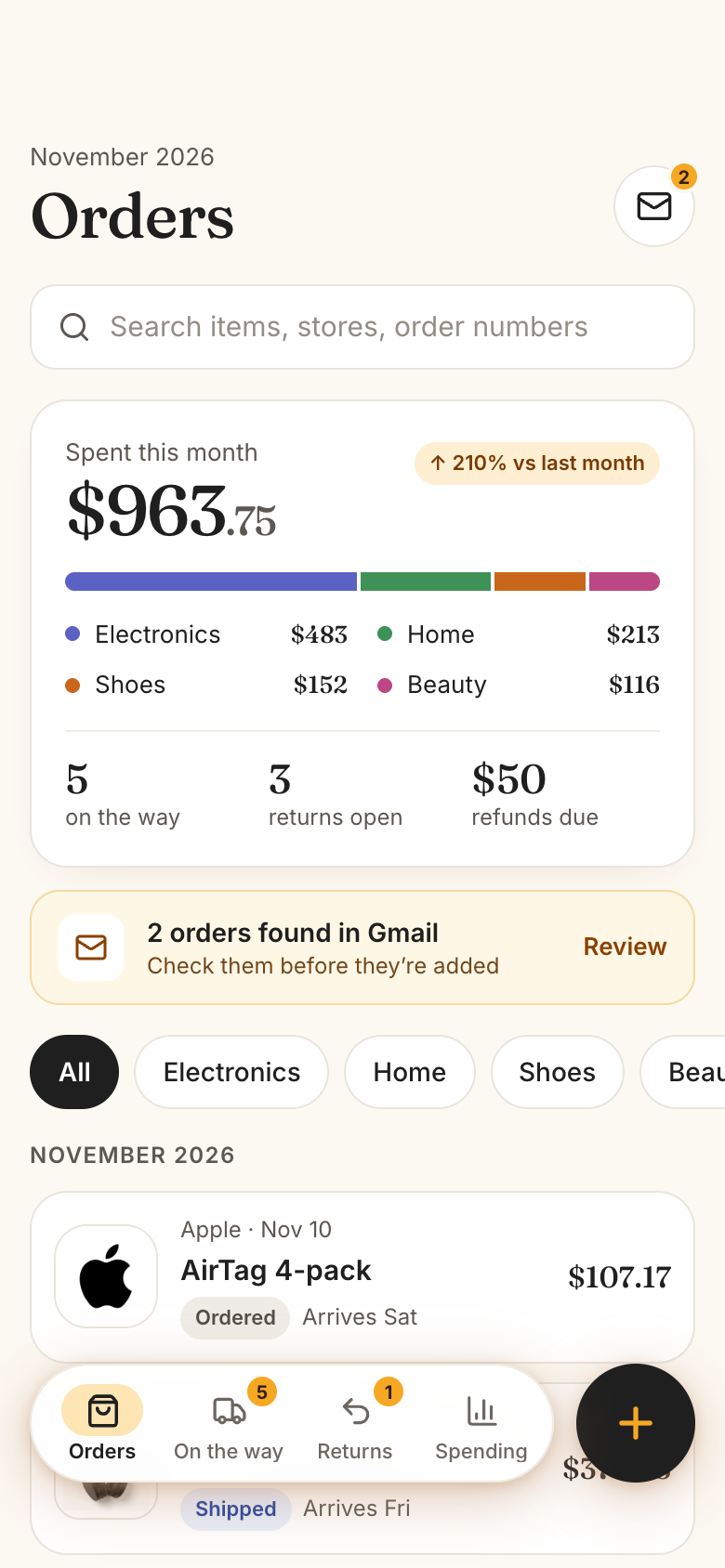
Orders is a Marci app that keeps every online order in one place. See what's on the way and arriving today, how many days you have left to return something, and what you spent this month by category and store. Add an order from a photo of the invoice, a screenshot of a store's order history, a PDF or by typing it, or let Gmail bring your order emails in.
Tap one and watch the phone

 Marci
Tap Orders on the phone, or ask me one of these.
Who it's for
People who order online every week
Every order from Amazon, Target, Nike or a small shop sits in one list with its store logo, status and amount.
Anyone who's missed a return window
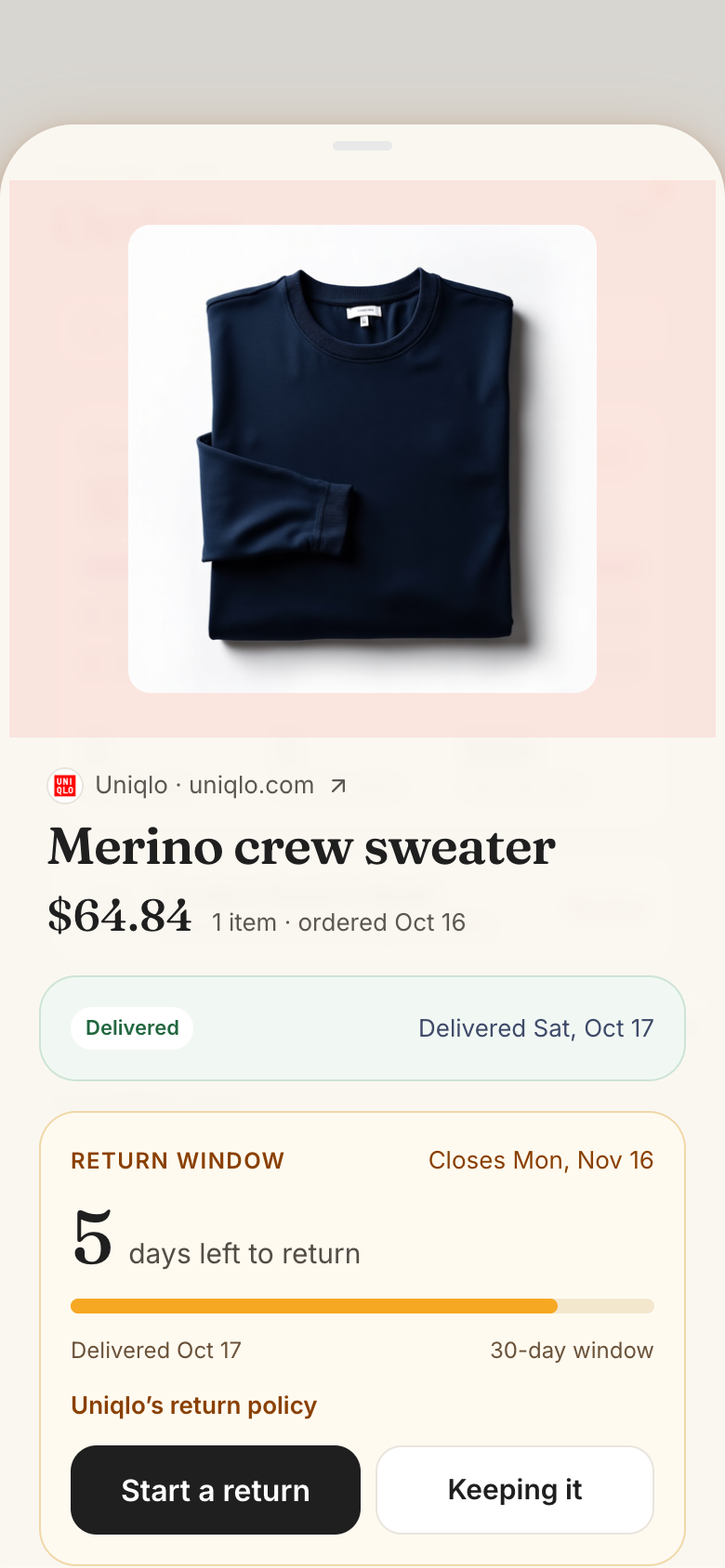
Delivered orders show the days left to return them, and Marci reminds you before a window closes.
People watching what they spend
See this month's spend by category and store, with refunds taken off.

Notes, numbers and next steps, all in reach.
Every screen
Ways to use it
One screenshot, every order
Screenshot a store's order history and send it in. Marci reads every order on it, with store, items, total and status, for you to check and add.
Where's my package?
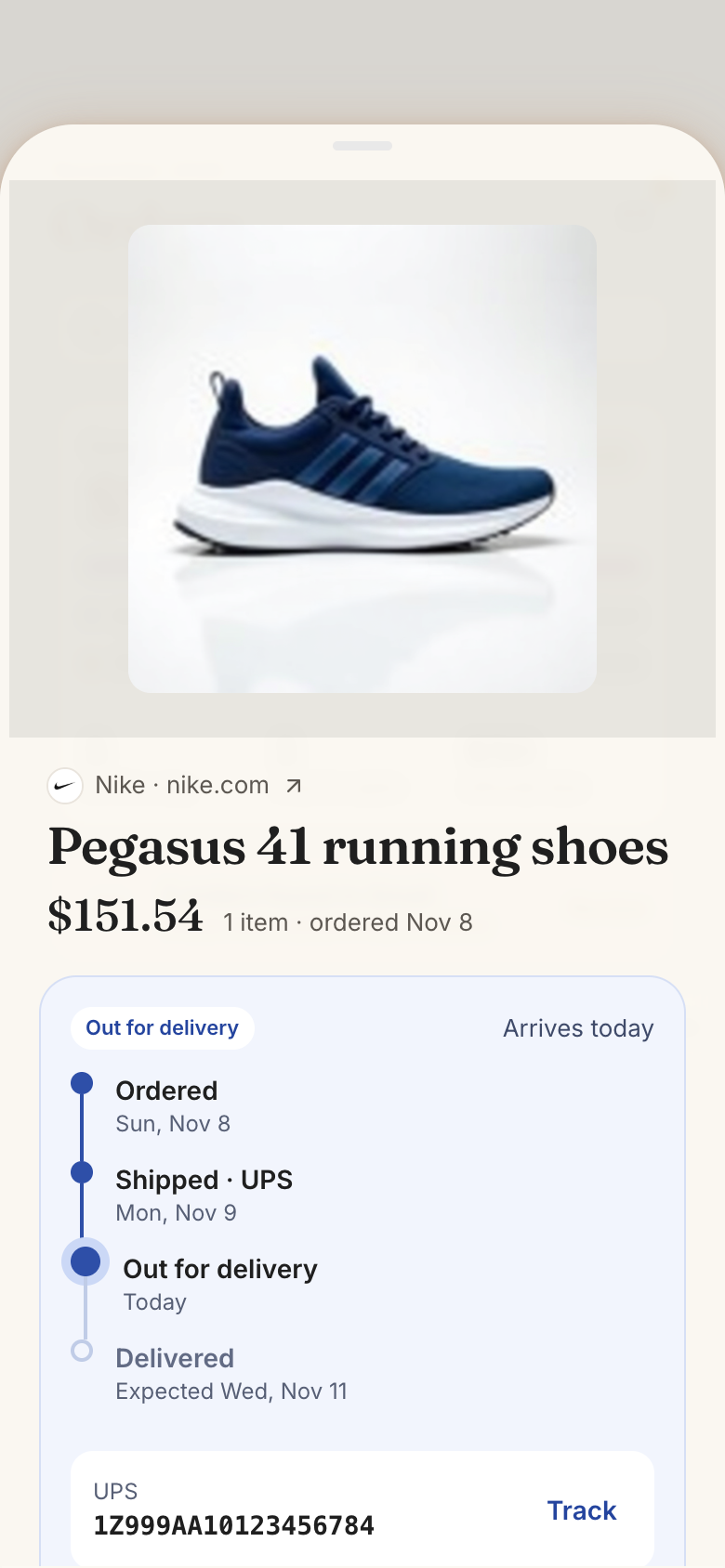
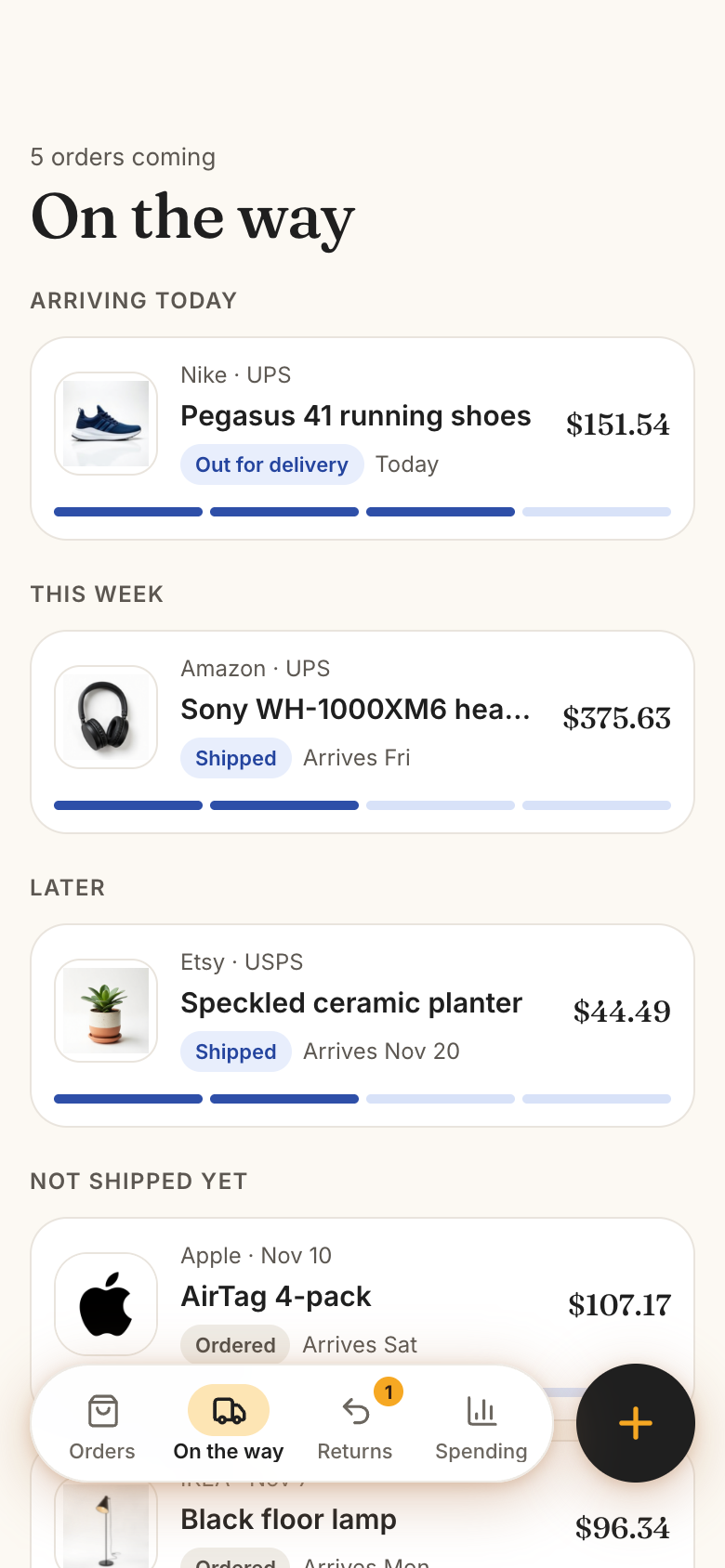
On the way groups orders by when they arrive, with the carrier and a tracking link. Tap Delivered when it lands and the return window starts.
Return it in time
Returns lists every open window, closing first. Start a return, mark it sent back and record the refund so it comes off your spending.
What it does
- Orders: this month's spend with the change from last month, a category bar, how many are on the way, return windows open and refunds still due, then every order newest first with its store logo, items, status and amount, filtered by category and searchable by item, store or order number
- Add an order four ways: take a photo of an invoice or packing slip, a screenshot of a store's order history (every order on it at once), upload a PDF invoice or saved order email, or type it in; Marci reads it into a filled form to check before anything is saved
- Type it in: store from a catalog of about 110 online stores with logos (or any store), items with price and quantity, order date and number, category, paid with, where it is (ordered, shipped, on its way, delivered) with carrier, tracking number and expected or delivered date, the return window, shipping, tax and notes
- Store details prefill: the store's logo, website, orders page, returns page and usual return window, every value editable on the order
- An order's page: a picture carousel (product pictures found on the store's page, the person's own photos and the invoice), store and website link, items, a tracking timeline with the carrier's tracking link, the return window and policy, totals, where it came from, and Open order page
- On the way: every order not yet delivered, grouped Arriving today, This week, Later and Not shipped yet, with a progress bar each; mark shipped, out for delivery or delivered in one tap
- Returns: open return windows with days left (closing first), returns in progress with the ship-by date, and refunds still to come; start a return, mark it sent back, record the refund, or keep it
- A reminder on the phone before a return window closes, a chosen number of days ahead
Make it yours
Ask for a change in your own words and Marci updates the app for you.
Remind me a week before a return window closes
Add a gift-for field to each order
Show this year's total on the home card


A coach for Orders
Tap the Marci button inside Orders and say yes to a coach: a room of its own where Marci knows the app, checks in on the days you choose and answers questions about your numbers. Give a friend their own copy with a share link; they get the app, never your entries.
Pairs well with



Part of
Questions
Do I have to connect Gmail?
No, it's optional. With Gmail turned on, order, shipping, delivery and refund emails show up as orders to add, and they keep orders you already have up to date. Nothing new is added until you say so.
Which stores does it know?
About 130 online stores in the US, India and the UK, with their logos, order and return pages and usual return windows. You can add any other store and change any value.
Can I see my orders on my Home Screen?
Yes. Add Orders as a widget on your phone's Home Screen. It shows this month's spend, how many orders are on the way, and what arrives next or which return window closes soonest.
Can it read an invoice or a screenshot?
Yes. Take a photo of an invoice or packing slip, pick a screenshot of a store's order history, or upload a PDF. Marci fills in the order and marks anything it was unsure of for you to check before saving.
Does it track packages live?
It keeps each order's carrier and tracking number with a link to the carrier's tracking page. Status changes come from you, Marci or your Gmail emails.
Marci is rolling out now
Marci is invite only for now. Join the waitlist, or ask a friend on Marci for an invite.