A budget you'll actually keep
Ask Marci for a budget and Marci Budget lands on your phone. Log what you spend in a tap or scan a receipt, set a limit on any category, and see today, this week and this month at a glance. No-Spend Streak turns spending nothing into a game, and Household Budget shares one month with everyone at home.
Tap one and watch the phone

 Marci
Tap Marci Budget on the phone, or ask me one of these.
What it looks like

Everything you need, packed in one bag.
Ask Marci
Get me a budget app
I spent $42 on groceries
Set a $300 limit on eating out this month
How it goes
Ask
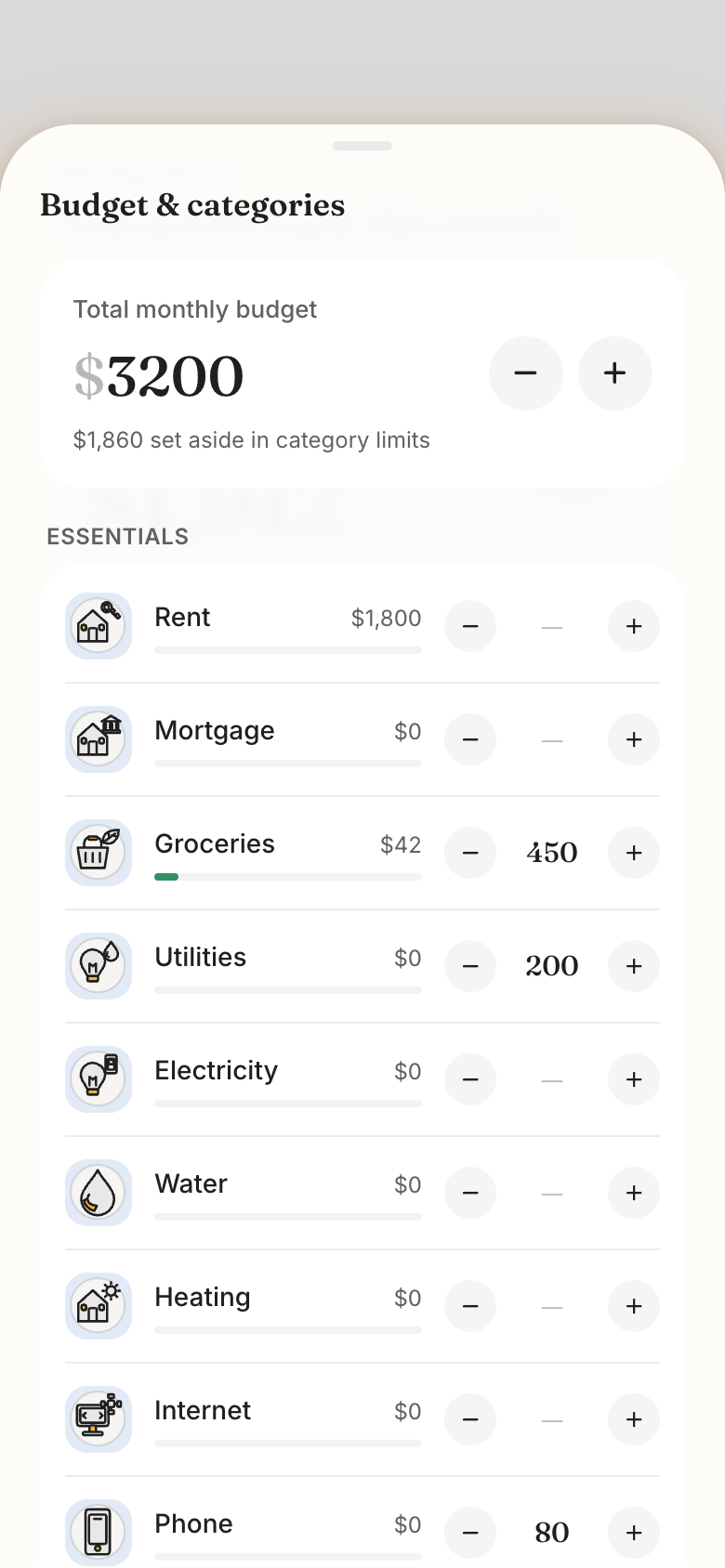
Marci shows you Marci Budget. Set a monthly budget and a limit on the categories you care about.
Log in a tap
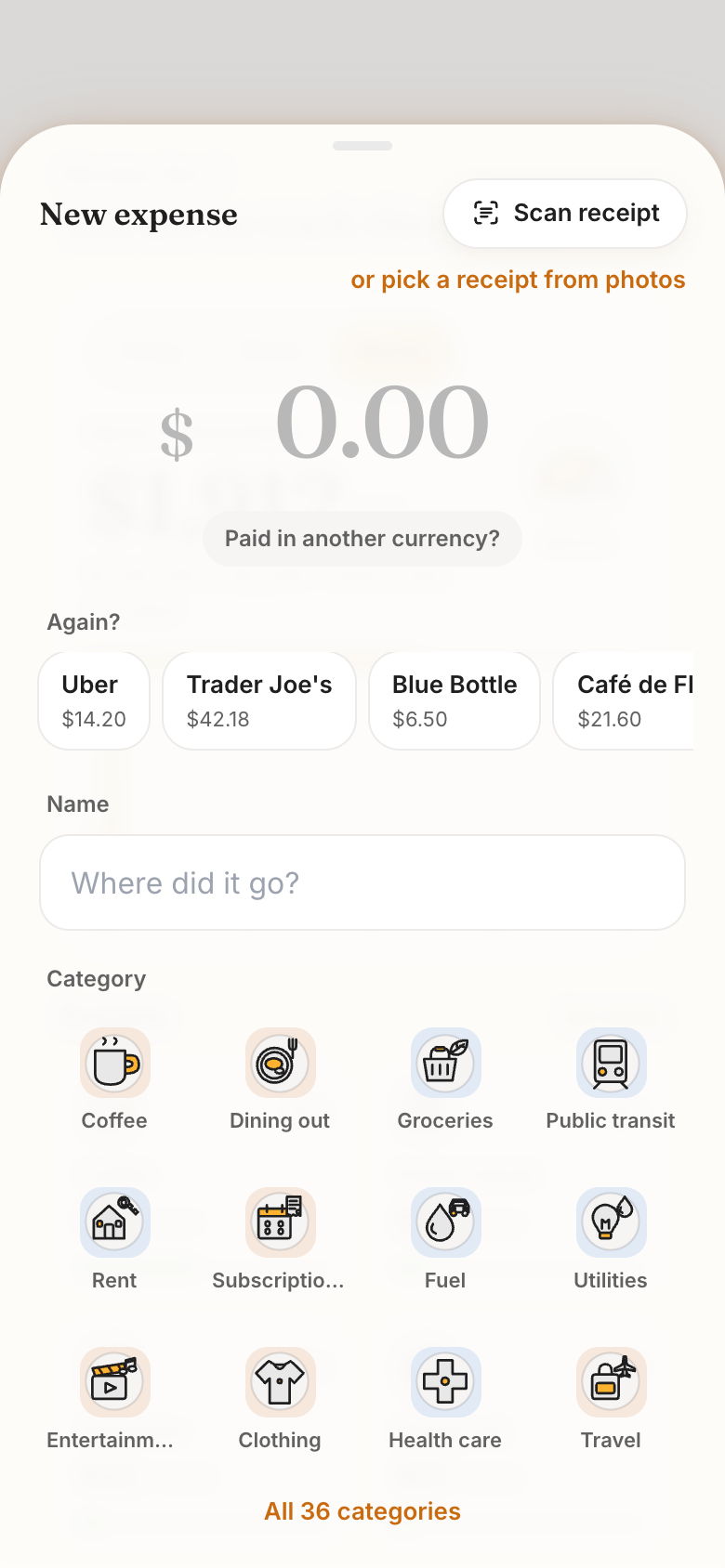
Add an expense with its amount and category, tap a recent merchant, or scan a receipt and check the form before saving. Turn on Gmail and receipts and bills come in on their own.
It comes back to you
You get a warning as you log past a limit, and Marci sends budget check-ins, a weekly recap and a month-end review.
Why we built Marci Budget
Most people don't want a spreadsheet. They want to know where the money went this month and whether eating out is about to go over, and they want logging to take less time than the coffee did. That needs one number on the first screen, a log that takes a tap and limits that speak up before the month is gone.
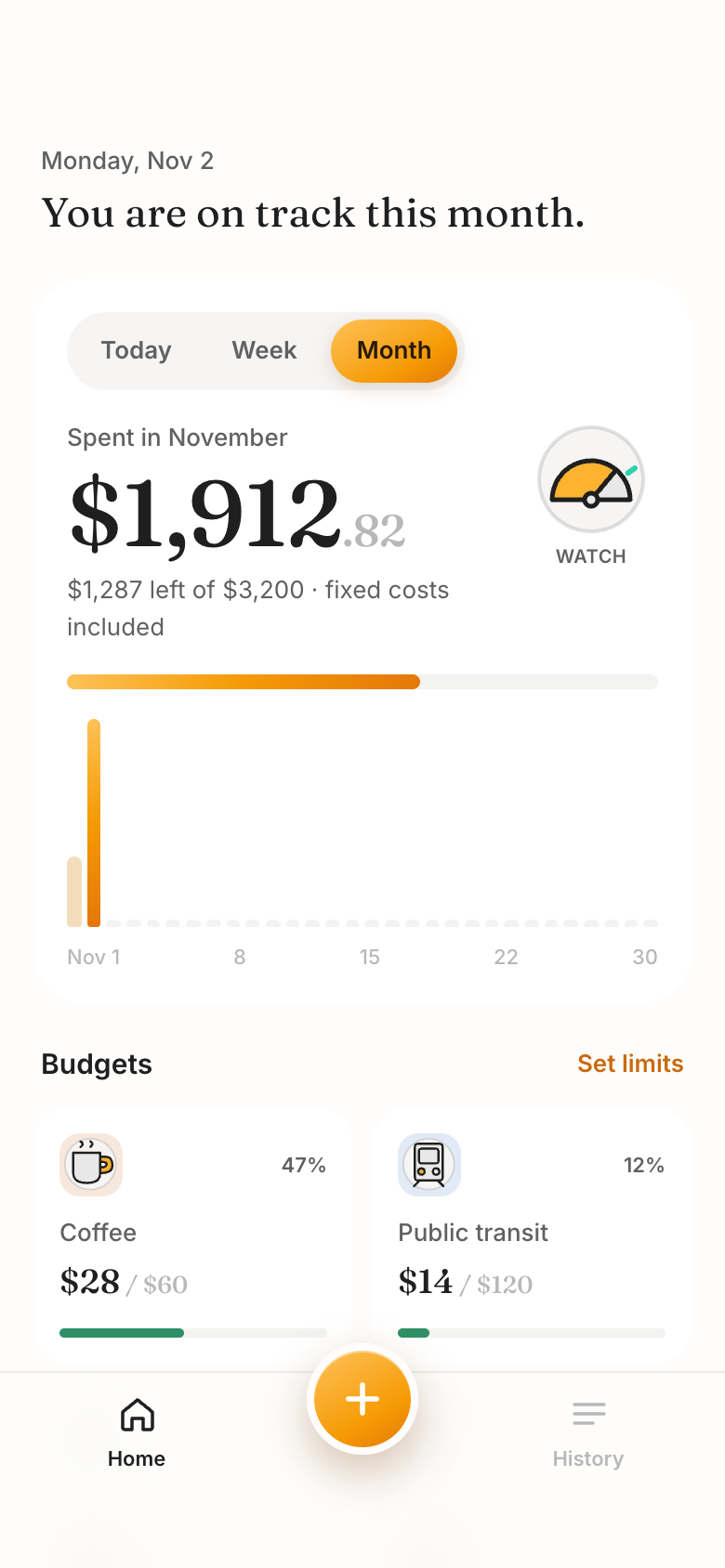
So Marci Budget is a coin jar that fills as the month goes, on cream paper in honey-colored light. Home opens on the month's spend as one big number over a day-by-day bar chart, with the budget bar filling beneath. The moment it's built around is scanning a receipt: a line sweeps the photo and the merchant, total and category fill in for you to confirm. It should leave you feeling in control.
Logging in a tap
Recent merchants fill an expense in one tap, and a line under the category says what's left after this purchase.
A gauge that reads on track, watch or over
Category badges turn amber near their limit, and you get a warning as you log past one.
Check-ins only when they matter
Marci speaks up when a category passes 80% or 100%, sends a weekend recap that skips quiet weeks, and suggests next month's limits, changed only if you agree.
Still yours to change
Ask for a new view, a field on an expense or a rule for a category, and Marci changes your copy of the app.
How people use it
First-time budgetersOne number for the monthSet a monthly budget and switch between Today, Week and Month to redraw the bars, with a gauge that says on track, watch or over. Marci BudgetTravelersLog it where you payScan the receipt at the table or tap a recent place. A purchase in another currency keeps what you paid beside what it counts as in yours.Marci BudgetFrequent dinersA limit that speaks upPut a limit on Dining out, or any of 36 categories. Its badge turns amber near the line, and Marci checks in when it passes 80%.Marci Budget
Make it yours
Split groceries into food and household
Show this month next to last month
Tell me when I'm halfway through my eating out limit before the 15th
Pick the style that suits you
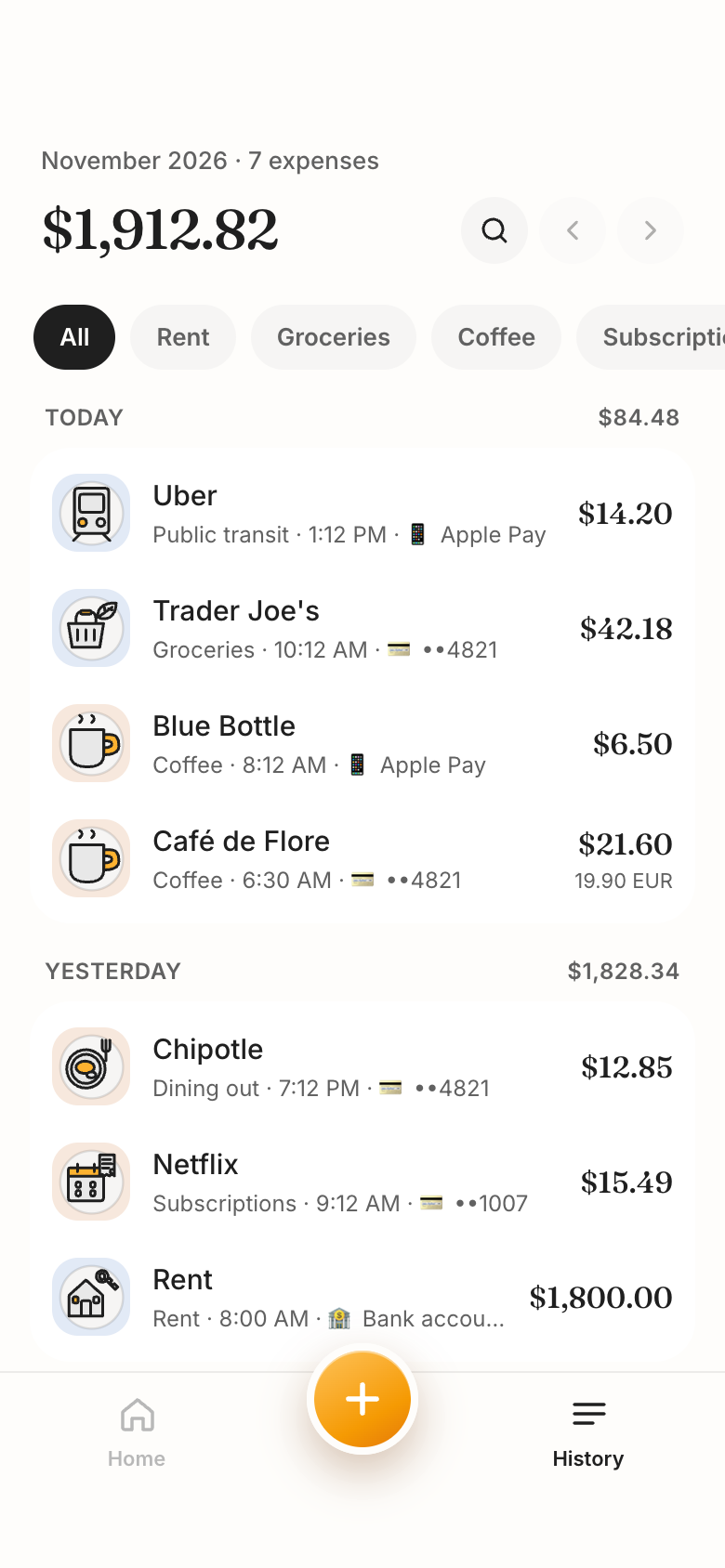
Marci Budget is the classic: a monthly budget, a limit on any category, and history by day. Purchases in another currency keep what you paid beside what they count as in yours.
No-Spend Streak is for people who'd rather play than budget. Tap No-spend day and your flame grows. With Gmail on, order emails mark a day spent on their own, while groceries, bills and health never count unless you say so. Each no-spend day keeps your usual day's spend as money not spent; Marci never moves money.
Household Budget is one month for everyone at home. Each person logs in their own color, you see who spent what, and the others get a push when a category goes over. Gmail receipts wait in each person's own To review list until they count or skip them.
These apps keep a record of your own spending. They don't give financial advice.
The apps for this


Take it further
 Save for somethingName what you're saving for and let a goal track it from what you log.
 Split expenses with friendsKeep shared costs in one place so nobody has to ask who owes what.
 Log spending from ClaudeConnect Marci to Claude and add an expense without opening your phone.
- Marci for freelancersHow freelancers keep clients, time and money in order on Marci.
Questions
Can it bring in receipts on its own?
Yes, if you turn on Gmail. Order confirmations, ride receipts and bills in your inbox land in Marci Budget, and anything you already logged by hand isn't added twice.
Can I share a budget with my partner?
Yes. Household Budget is one monthly budget for the whole household, with each person's spending in their own color.
Does it handle other currencies?
Yes. A purchase in another currency keeps what you paid beside what it counts as in your own currency.
What counts as a no-spend day?
A day you don't spend on anything that counts. Groceries, bills and health are allowed to start, and you can mark any purchase allowed afterwards.
Is this financial advice?
No. These apps show where your money went. Decisions about your money are yours.
Marci is rolling out now
Marci is invite only for now. Join the waitlist, or ask a friend on Marci for an invite.