Save Rules
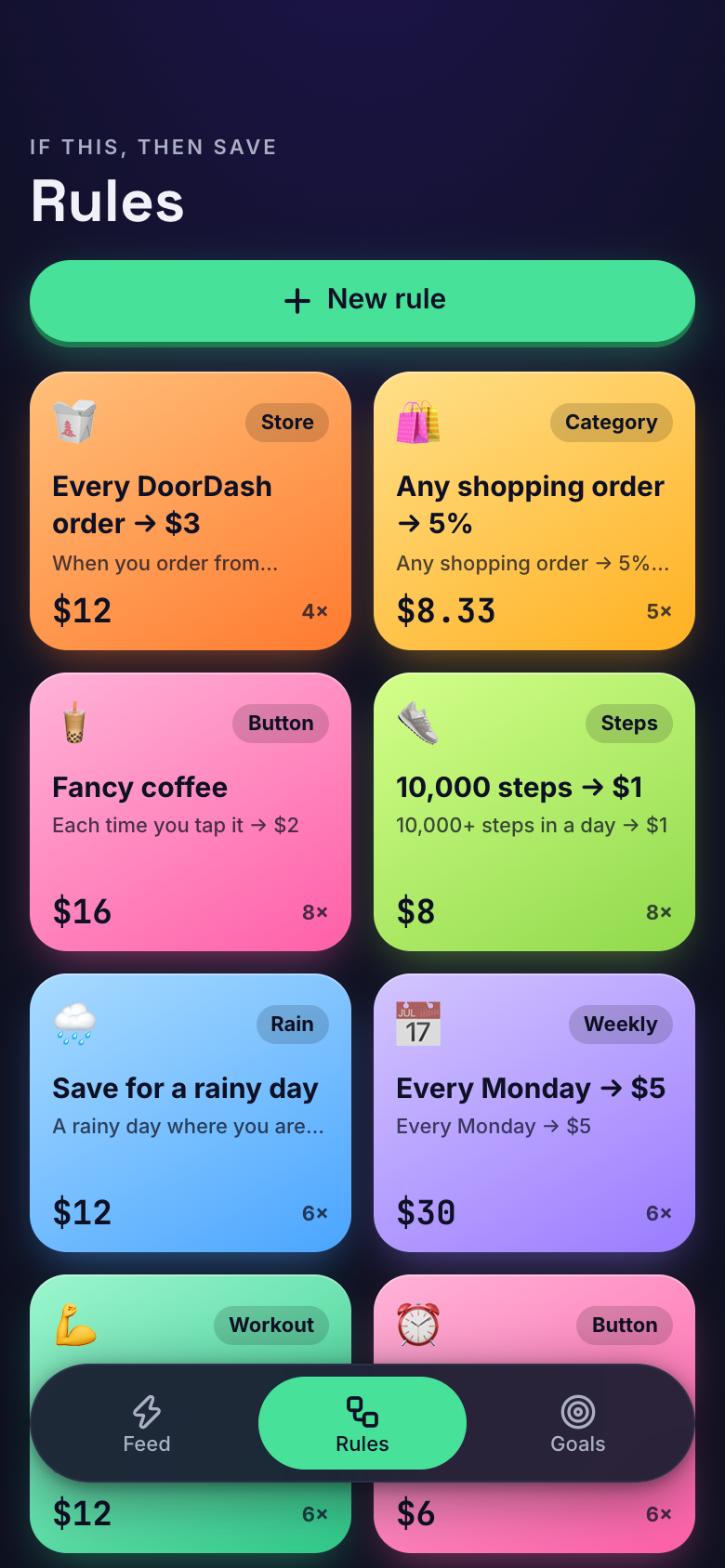
Save Rules lets you build if-this-then-save rules on Marci that put money toward your goals as you live. Save $3 on every DoorDash order, $1 when you hit 10,000 steps, or $2 on rainy days. A feed shows every save and why. Marci never moves money, and you move it when you're ready.
Tap one and watch the phone

 Marci
Tap Save Rules on the phone, or ask me one of these.
Who it's for
People who like little automations
Pick a trigger and an amount, and your rules fire on their own from orders, steps, weather and weekdays.
Savers who need a nudge
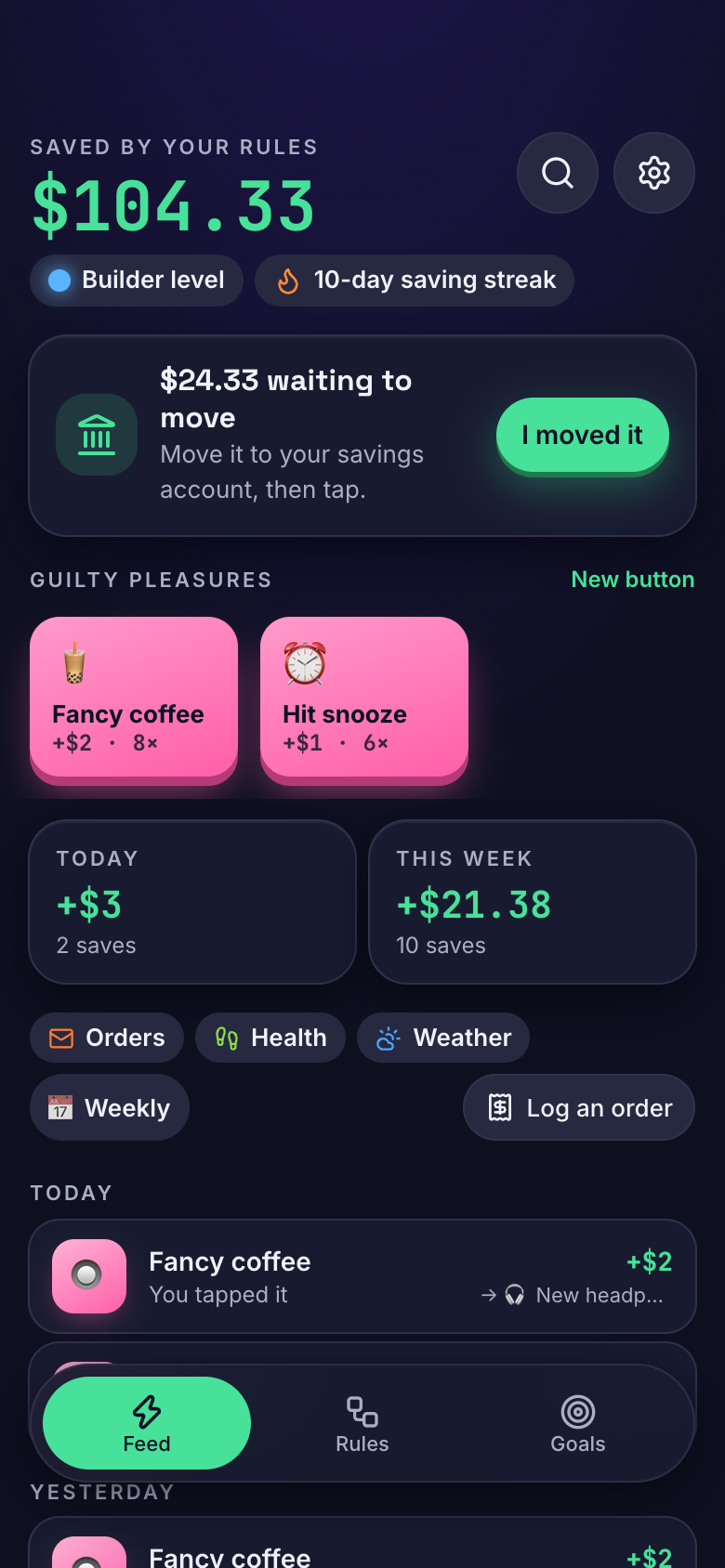
Tap a guilty-pleasure button like Fancy coffee or Hit snooze and its rule saves at once.

Your work, your clients, your lists.
Every screen
Ways to use it
Takeout night
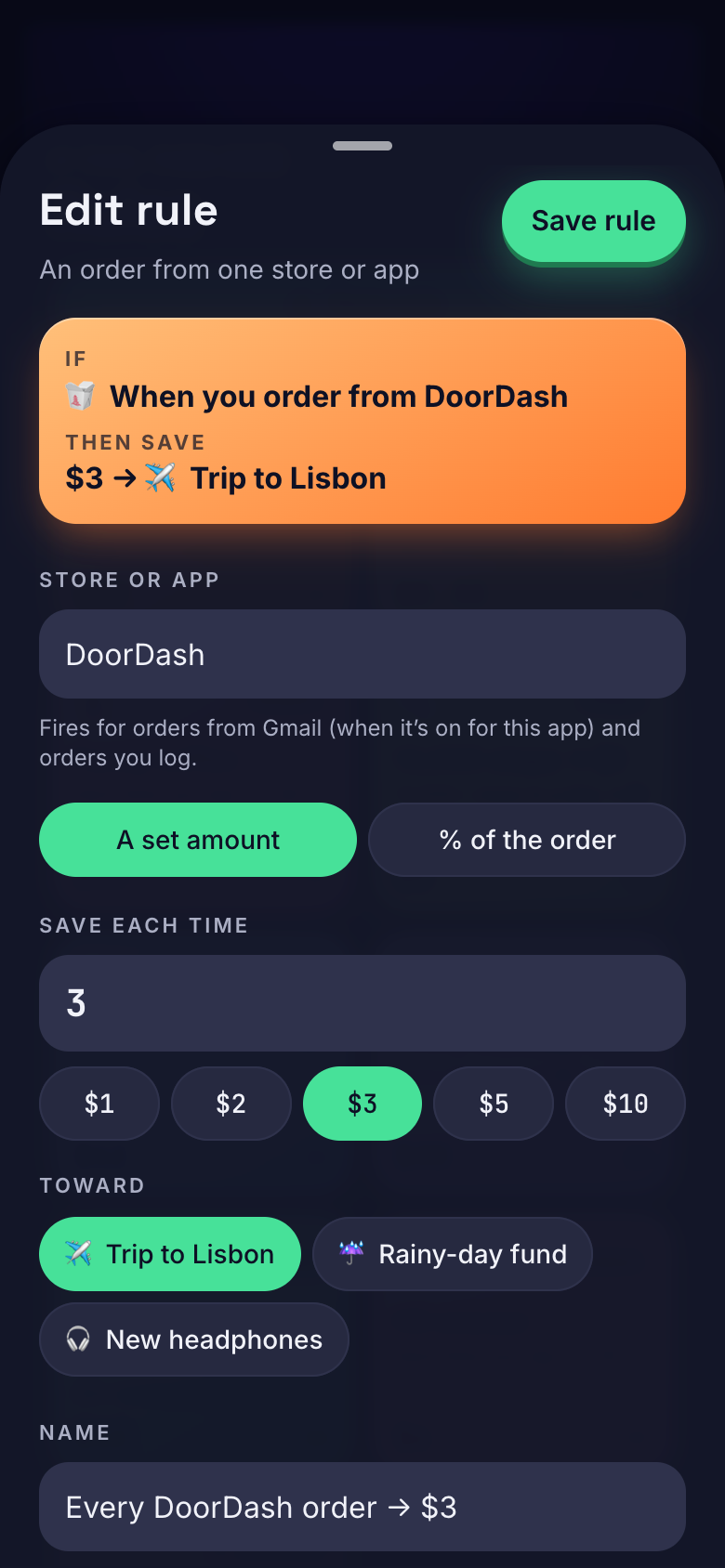
With Gmail on, your DoorDash order email fires your $3 rule. The feed shows the save, why it happened and the goal it moved.
A big step day
With Apple Health on, hitting 10,000 steps fires your steps rule.
Moving the money
See what's waiting to move to your real savings, move it yourself, then tap once to mark it done.
What it does
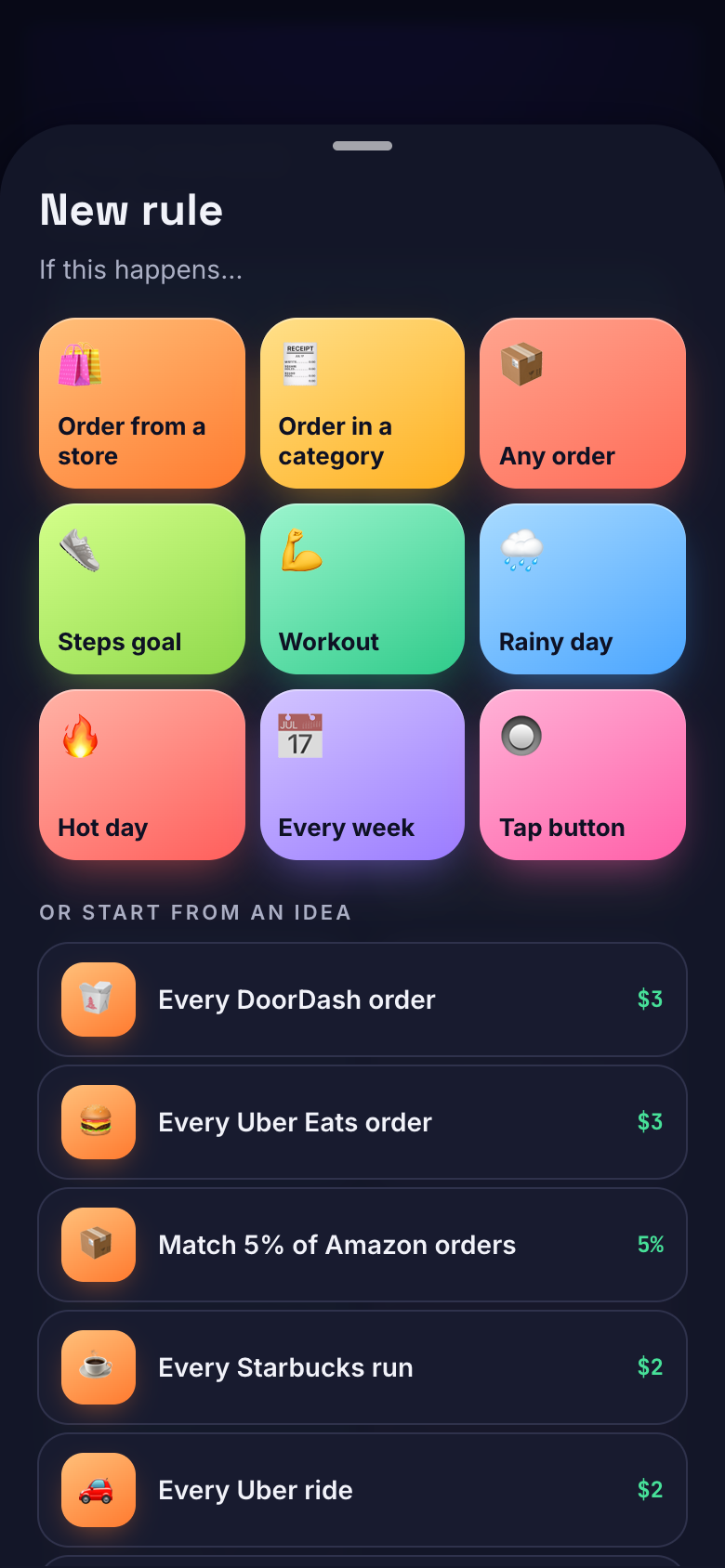
- Build if-this-then-save rules in two steps: pick a trigger (an order from a store, an order category, any order, a steps goal, a workout, a rainy day, a hot day, a weekday or a tap button), then the amount or a percent of the order and the goal it saves toward
- Start from 36 ready-made rule ideas (Every DoorDash order $3, 10,000 steps $1, Save for a rainy day $2, Every Monday $5, Fancy coffee $2…), every value editable
- Turn on Gmail for the app and order emails (Amazon, DoorDash, Uber, Instacart, Target…) fire your order rules on their own
- Turn on Apple Health and daily steps and workout minutes fire your steps and workout rules
- Rain and heat rules fire from the day's weather where you are, checked when you open the app
- Weekly rules save on one day each week
- Guilty-pleasure buttons: tap Fancy coffee, Impulse buy or Hit snooze and its rule saves at once
- A feed of every save: which rule fired, why, how much and the goal it went to; undo any save
Make it yours
Ask for a change in your own words and Marci updates the app for you.
Add a guilty-pleasure button for late-night snacks
Change my steps rule to 8,000 steps
Add a goal for a new bike


A coach for Save Rules
Tap the Marci button inside Save Rules and say yes to a coach: a room of its own where Marci knows the app, checks in on the days you choose and answers questions about your numbers. Give a friend their own copy with a share link; they get the app, never your entries.
Pairs well with



Part of
Questions
Does Save Rules move my money?
No. Marci never moves money. It shows what's waiting to move to your real savings, and you tap once when you've moved it.
What can trigger a rule?
An order from a store, an order category, any order, a steps goal, a workout, a rainy day, a hot day, a weekday or a tap button.
Do I have to connect Gmail and Apple Health?
No. They're optional. Gmail lets order emails fire your order rules, and Apple Health fires steps and workout rules. You can also log an order the inbox missed.
How do weather rules work?
Rain and heat rules fire from the day's weather where you are, checked when you open the app.
Marci is rolling out now
Marci is invite only for now. Join the waitlist, or ask a friend on Marci for an invite.