Save for the thing you want, and watch it color in
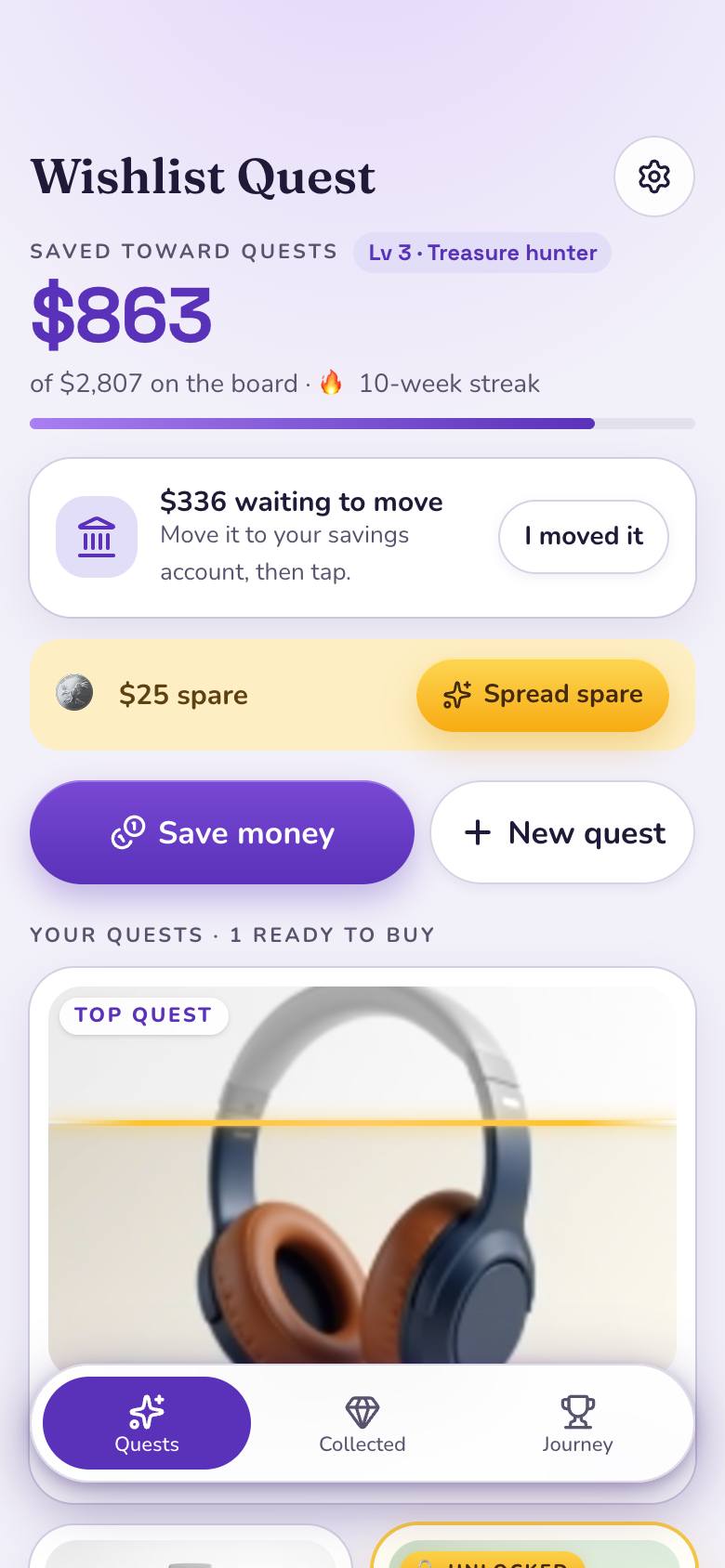
Add what you're saving for to Wishlist Quest by pasting a link, and its picture starts gray and colors in as you put money aside. Marci Budget keeps the month's spending under the limits you set. Say it as a goal and Marci tracks progress from what you log, without moving any money.
Tap one and watch the phone

 Marci
Tap Wishlist Quest on the phone, or ask me one of these.
What it looks like

Talk it over here. I am listening.
Ask Marci
Help me save for something
Add the $240 headphones as a quest
I want to save $1,500 for a trip to Lisbon by June and keep eating out under $200 a month
How it goes
Add a quest
Paste a link and Marci reads the name, price and picture, or type them in. Move the one you want most to the top.
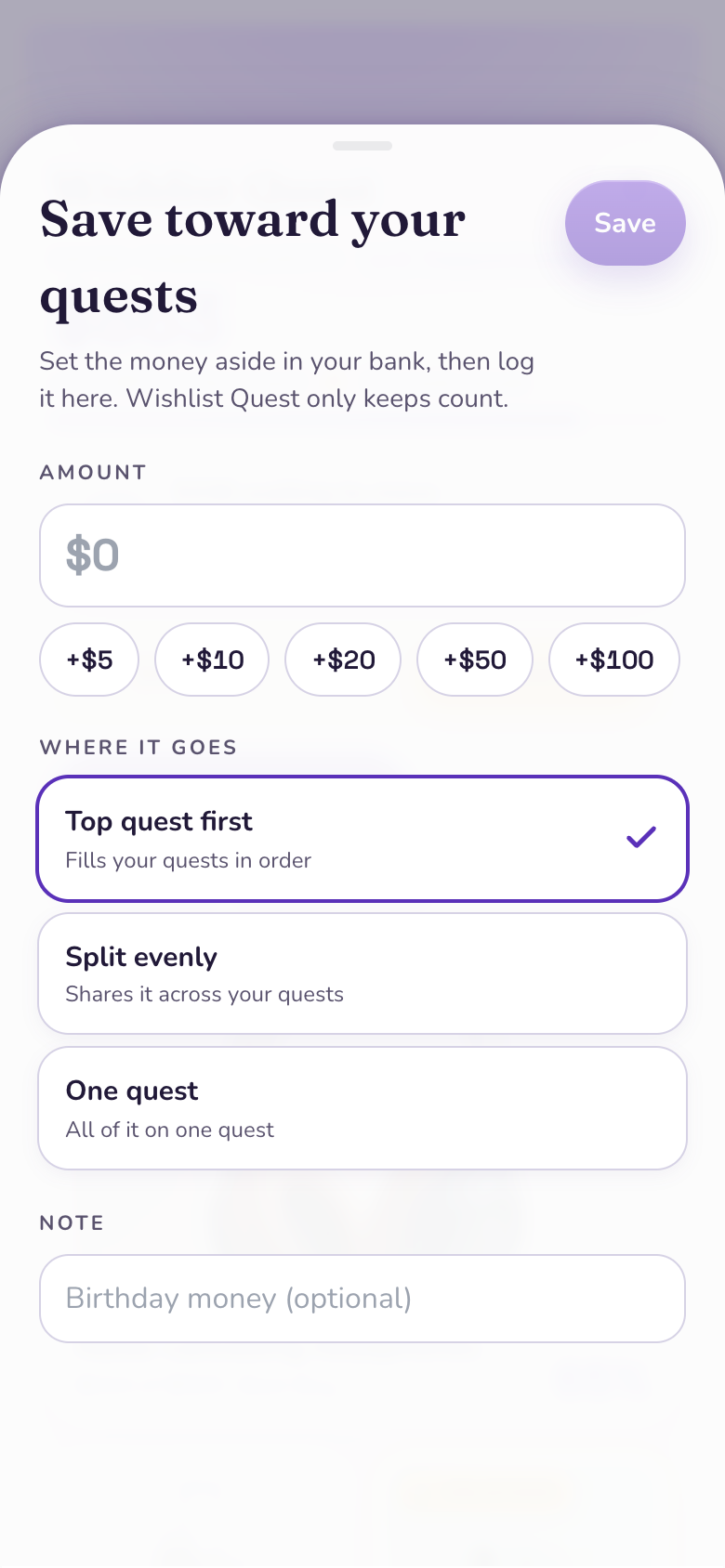
Save in a tap
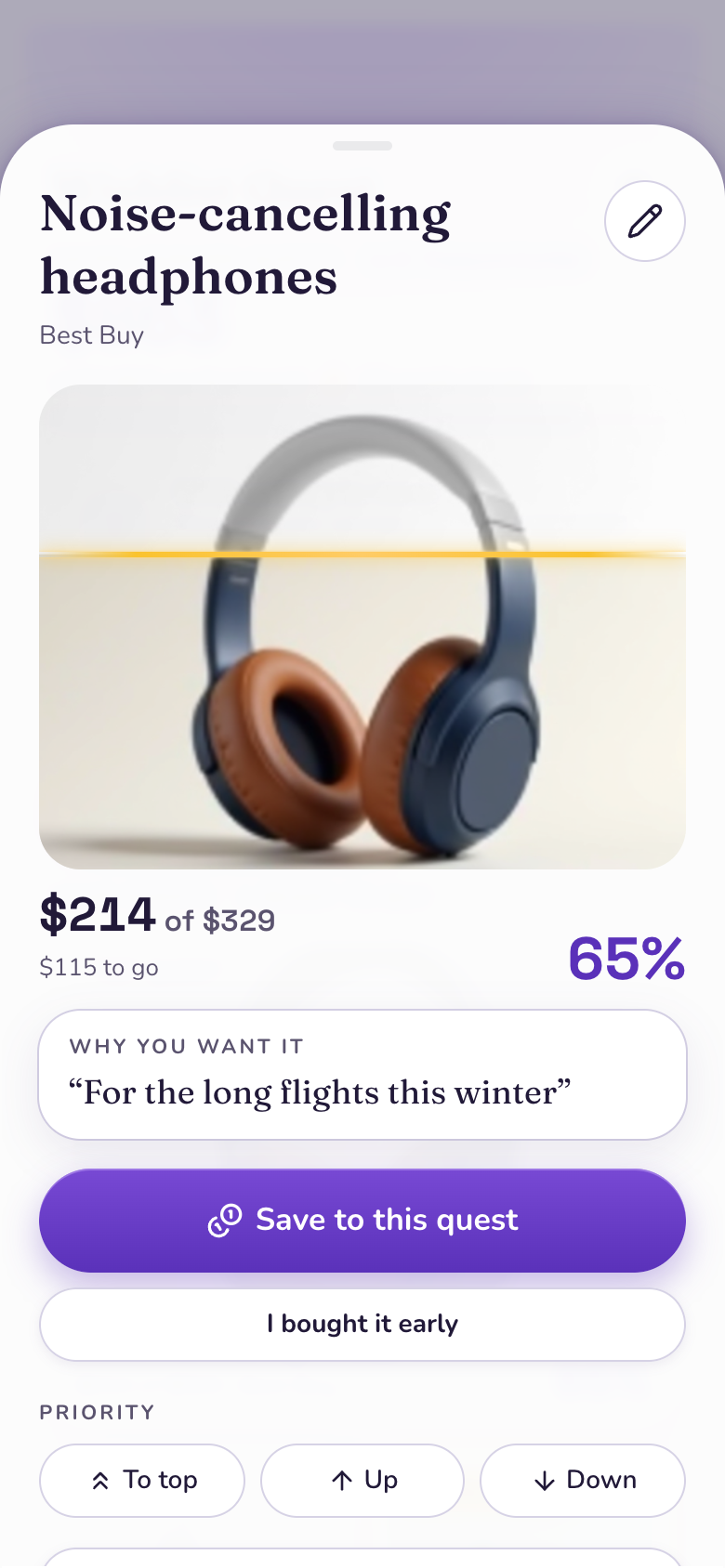
Put money toward your quests with a quick amount: top quest first, split evenly, or one you pick. Each picture colors in from the bottom, with a gold line at how far you've got.
Unlock it
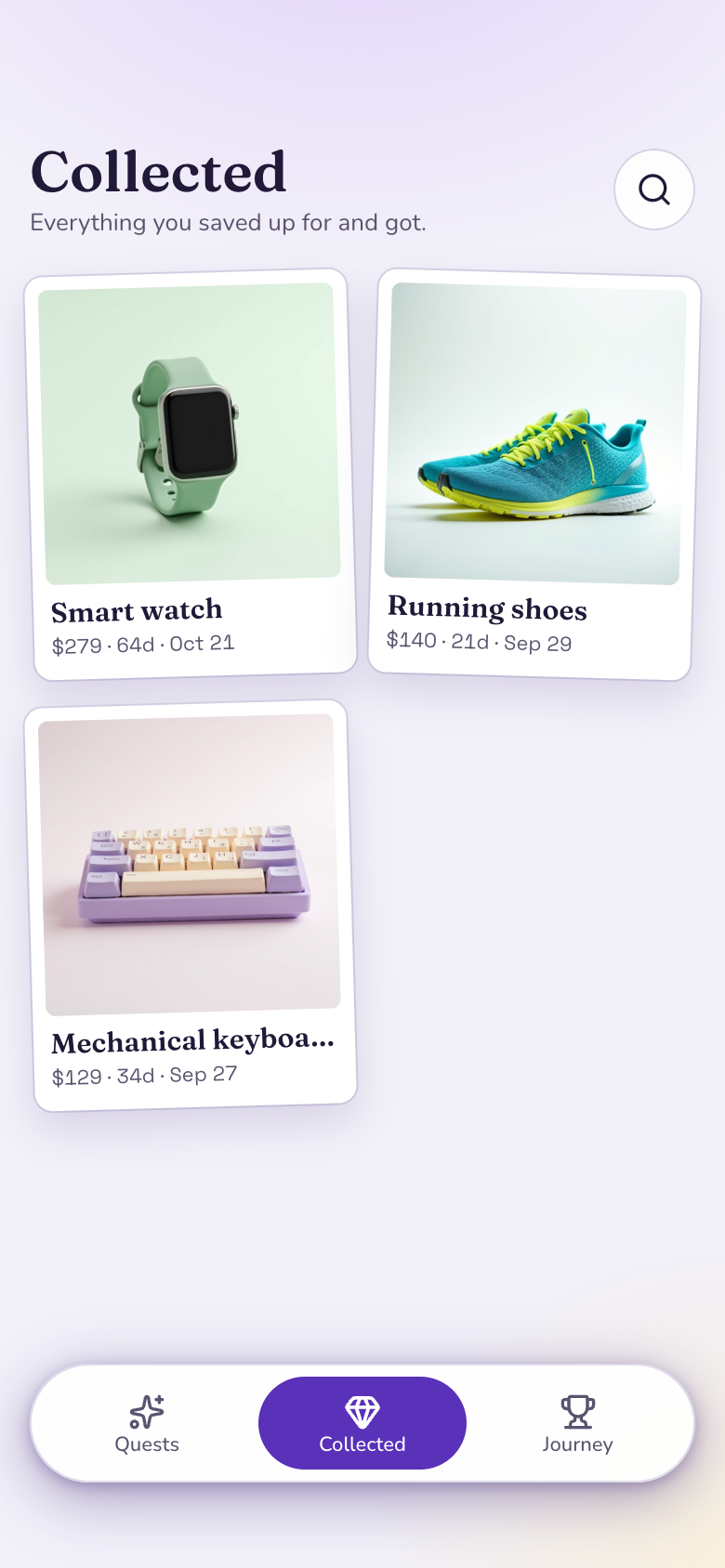
At 100% the quest unlocks with a celebration. Buy it, tap Got it, and it joins your Collected wall with how long it took.
Why we built Wishlist Quest
Saving up works better when you can see it. A balance in a bank app doesn't look like the headphones or the trip, and a spreadsheet goes quiet after a week. What helps is the thing itself in front of you, filling in as you put money aside, and an honest line between what you've saved here and what's actually in your account.
So Wishlist Quest is a gallery wall of things you want, and each picture colors in as it is paid for. It opens on a wall of gray pictures. Every saving tints one from the bottom, with a gold line at how far you've got. The best moment is the saving that tips a quest to 100%: the gold line hits the top, the picture blooms into full color and an Unlocked ribbon drops in. Then you buy it guilt-free and pin it to your Collected wall.
The product's own picture
Paste a link and Marci reads the name, price and picture. That picture fills with color exactly as far as the money you've saved.
Marci never moves money
Wishlist Quest shows what's waiting to move to your real savings, and you tap once when you've moved it yourself.
Leftovers become spare coins
Money left over waits as spare coins you spread in one tap, and you can take money back off a quest when plans change.
Still yours to change
Ask for a gift list for someone else's birthday or a reminder on payday, and Marci changes your copy of the app.
How people use it
StudentsHeadphones by the end of the semesterA student adds the $240 headphones from a link and puts $15 aside after each shift. The Home Screen tile shows the picture coloring in, and a weekly saving streak keeps them at it. Wishlist QuestTravelersA trip and a rain jacket at onceLisbon sits at the top of the board, a rain jacket below it. Most savings go to the top quest first; when they want both moving, they split a saving evenly across the two.Wishlist QuestCyclistsThe bike, collectedAt 100% the bike unlocks with a celebration. They buy it, tap Got it with the price they paid, and it joins the Collected wall beside the helmet, each with how long it took.Wishlist Quest
Make it yours
Add a quest for a new bike, $600
Split my savings evenly this month
Set a $150 limit on eating out
Your real money stays where it is
Marci never moves money. Wishlist Quest shows what's waiting to move to your real savings, and you tap once when you've moved it. Leftovers wait as spare coins you spread in one tap, and you can take money back off a quest when plans change.
Marci Budget keeps the other side: log a purchase in a tap or scan a receipt, set a monthly budget and a limit on any category, and see today, this week and this month at a glance.
To make it a goal, say the outcome: "save $1,500 for Lisbon by June." Marci plans the apps, you approve once, and progress comes from what you log. Nudges stay out of your quiet hours, at most one per goal per day. Put the Goal widget, or Wishlist Quest's App card, on your Home Screen and watch the picture fill.
The apps for this

Take it further
 A money coach over your appsOne coach that reads your budget and your quests and answers "can I afford the trip in June?"
 Split expensesShare costs with friends and roommates and keep the balances straight.
 Save from ChatGPTAsk ChatGPT to put $50 toward your trip and it lands in Wishlist Quest.
- Marci for studentsHow a student runs their week on Marci.
Questions
Does Marci connect to my bank?
No. Marci never moves money. You record savings in Wishlist Quest and tap once when you've moved the money yourself. Marci Budget can bring in receipts and bills from Gmail if you turn it on.
Can I save for more than one thing?
Yes. Put your quests in order; savings fill the top one first, split evenly, or go to one you pick.
What if I change my mind?
Take money back off a quest or drop it. Anything left over waits as spare coins for your other quests.
Is this financial advice?
No. Marci helps you keep track of what you save and spend. Decisions about your money stay yours.
Marci is rolling out now
Marci is invite only for now. Join the waitlist, or ask a friend on Marci for an invite.