Split costs with your people and know where everyone stands
Get Splitly with the people you share costs with. Add an expense or scan a receipt to fill it in, file it under a category, and Splitly keeps the balances and cash payments together. Living together? Household Budget gives everyone one monthly budget, each person in their own color, with a limit on any category.
Tap one and watch the phone

 Marci
Tap Splitly on the phone, or ask me one of these.
What it looks like
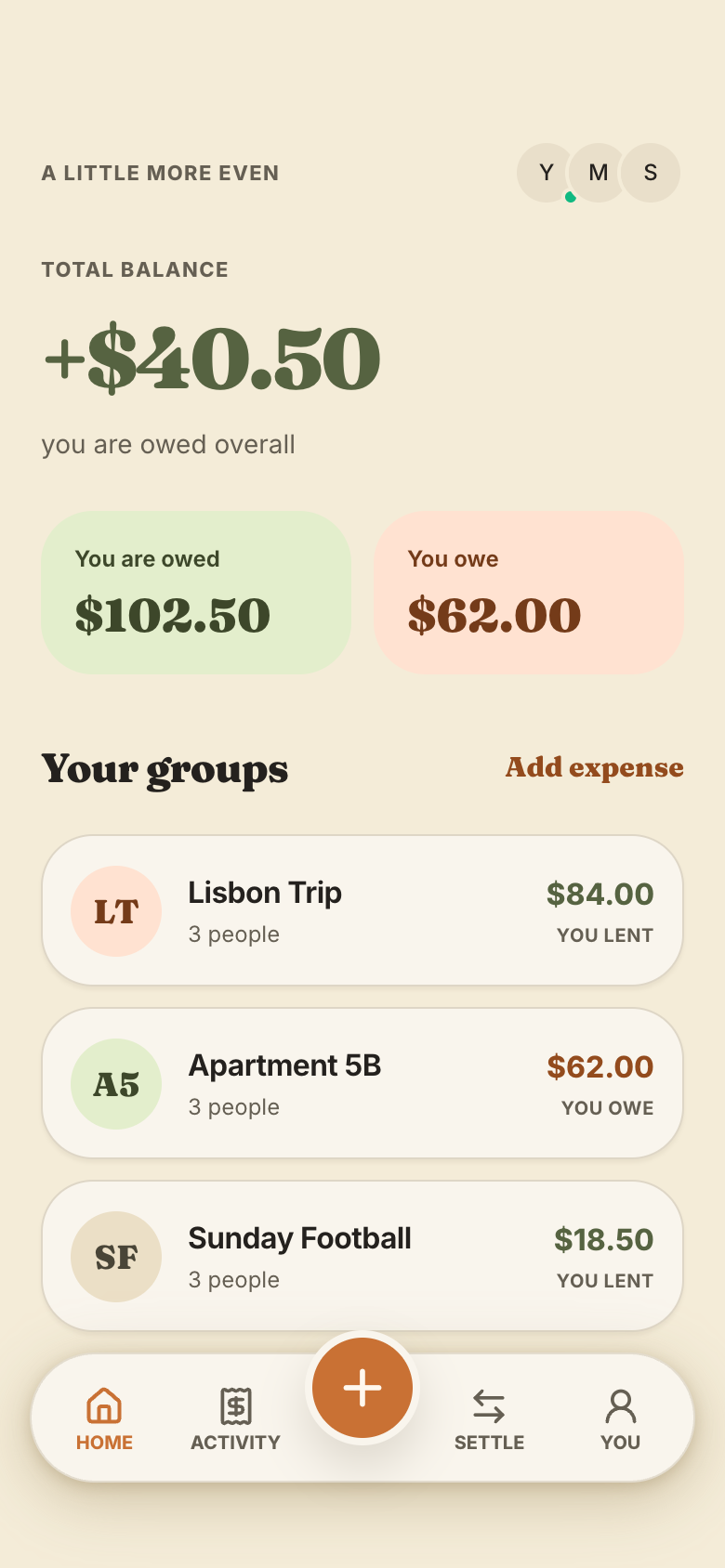
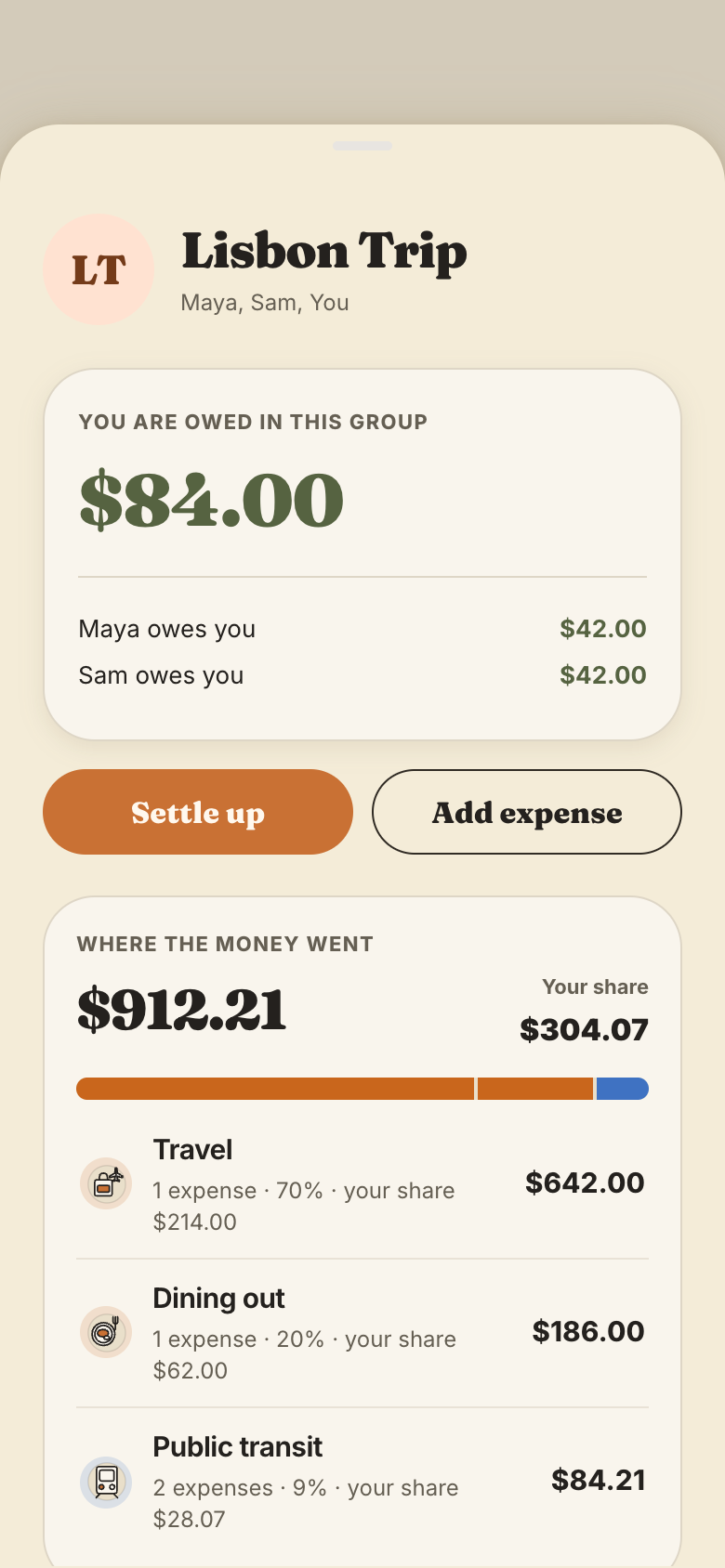
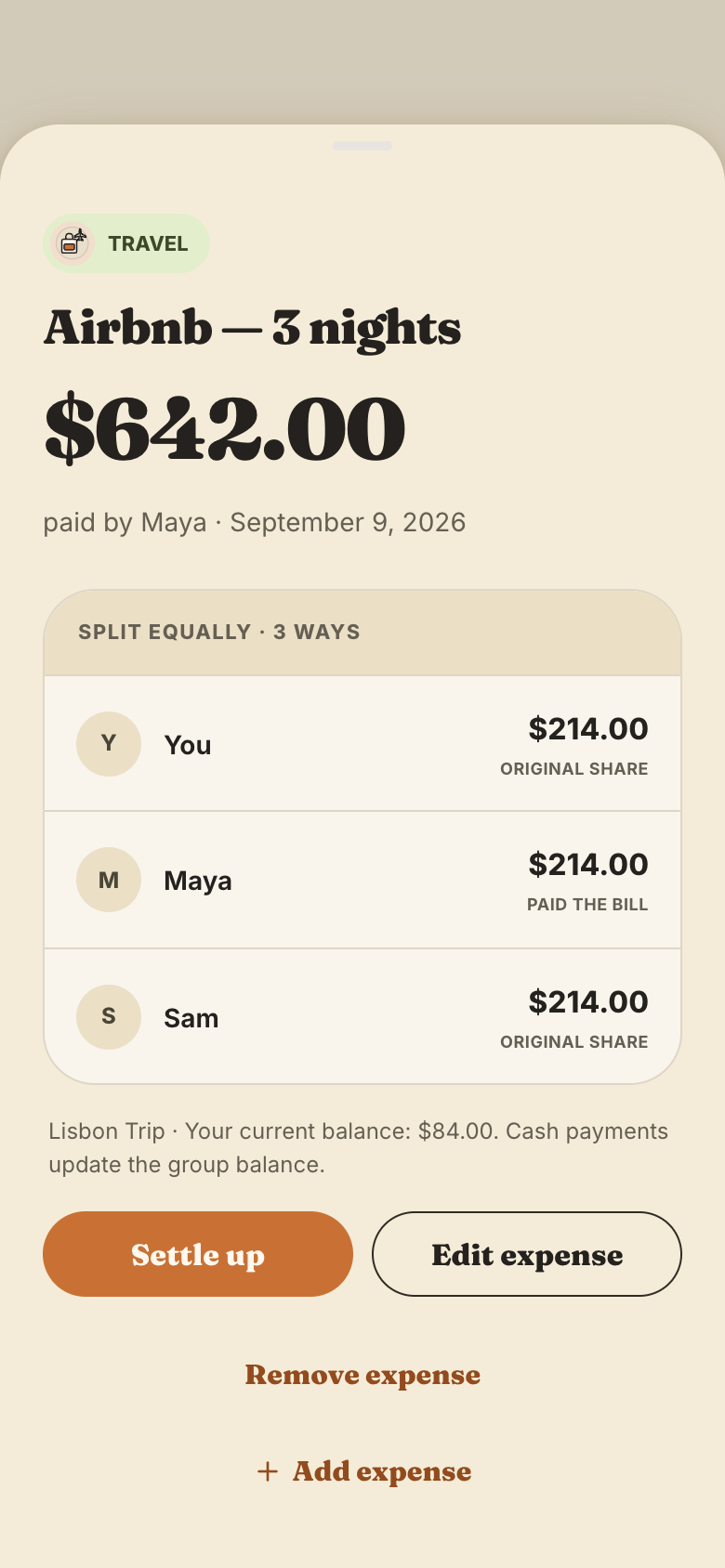
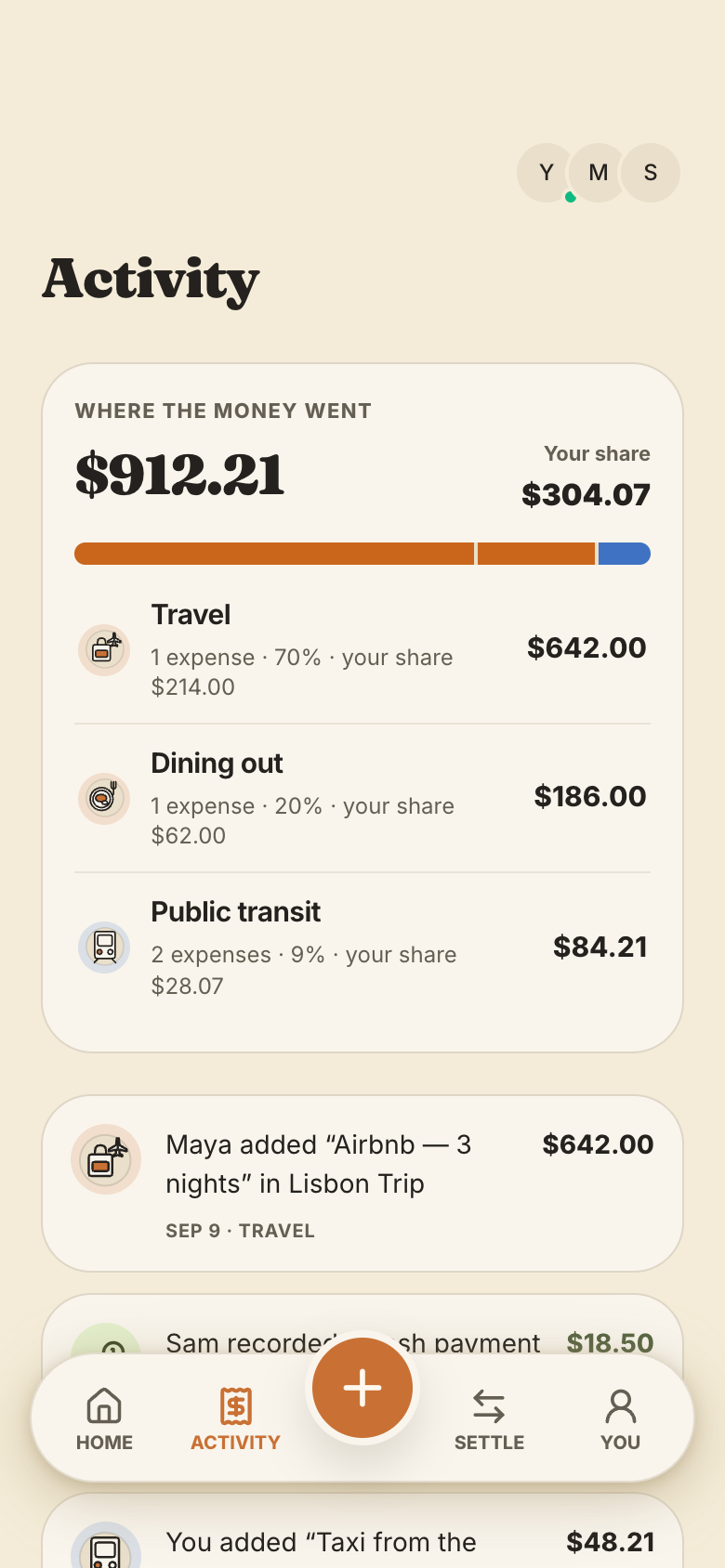

The apps you share with your people.
Ask Marci
Help me split costs with my roommates
I paid $84 for groceries, split it with Sam and Alex
Start a Splitly for our ski trip with Maya, Jon and Lee, and add the $600 cabin I paid for
How it goes
Start with your people
Ask Marci for Splitly and pick who's in. In a group room, ask Marci to add it and everyone in the room is in it.
Log as you go
Add an expense, or scan the receipt to fill it in. In the room you can just say it; Marci shows what it filled in and saves it once you confirm.
Settle up
Balances show who's owed what. Record a cash payment when someone pays back, and see where the group's money went by category.
Why we built Splitly
Splitting costs is a job about trust. Everyone needs to see the same balances, every share has to add up to the cent, and paying someone back has to clear the debt for both of you, in the same place. A shared spreadsheet drifts, and a running total in a group chat is one wrong reply from an argument.
Splitly is a warm shared money notebook: chunky serif amounts on cream paper, your groups as cards, every split exact. You open it to your balances and your groups, and logging an expense is a tap on the plus. Its best moment is settling up: record a cash payment and the balance clears on both phones.
Balances from every record
Splitly works out each balance from every share and payment in the group, never from a stored running total, so it can't drift.
Shares that add up
Equal splits are exact to the cent, and any leftover cent is placed the same way every time.
A receipt fills the form
Scan a bill and the title, total, category and date fill in for you to check. The photo stays on the expense.
Still yours to change
Ask for splits by percentage or a monthly recap for each group, and Marci changes your copy of the app.
How people use it
RoommatesRent, groceries and the internet billOne group for the flat. Each person logs what they paid, Splitly splits it equally, and Home shows the balances. When someone pays back in cash, either of them records it. SplitlyTravelersA ski trip, sorted by categoryThe cabin, lift passes, dinners and gas all go in one trip group. Afterwards everyone sees spending by category, with their own share of each, and settles up.Splitly
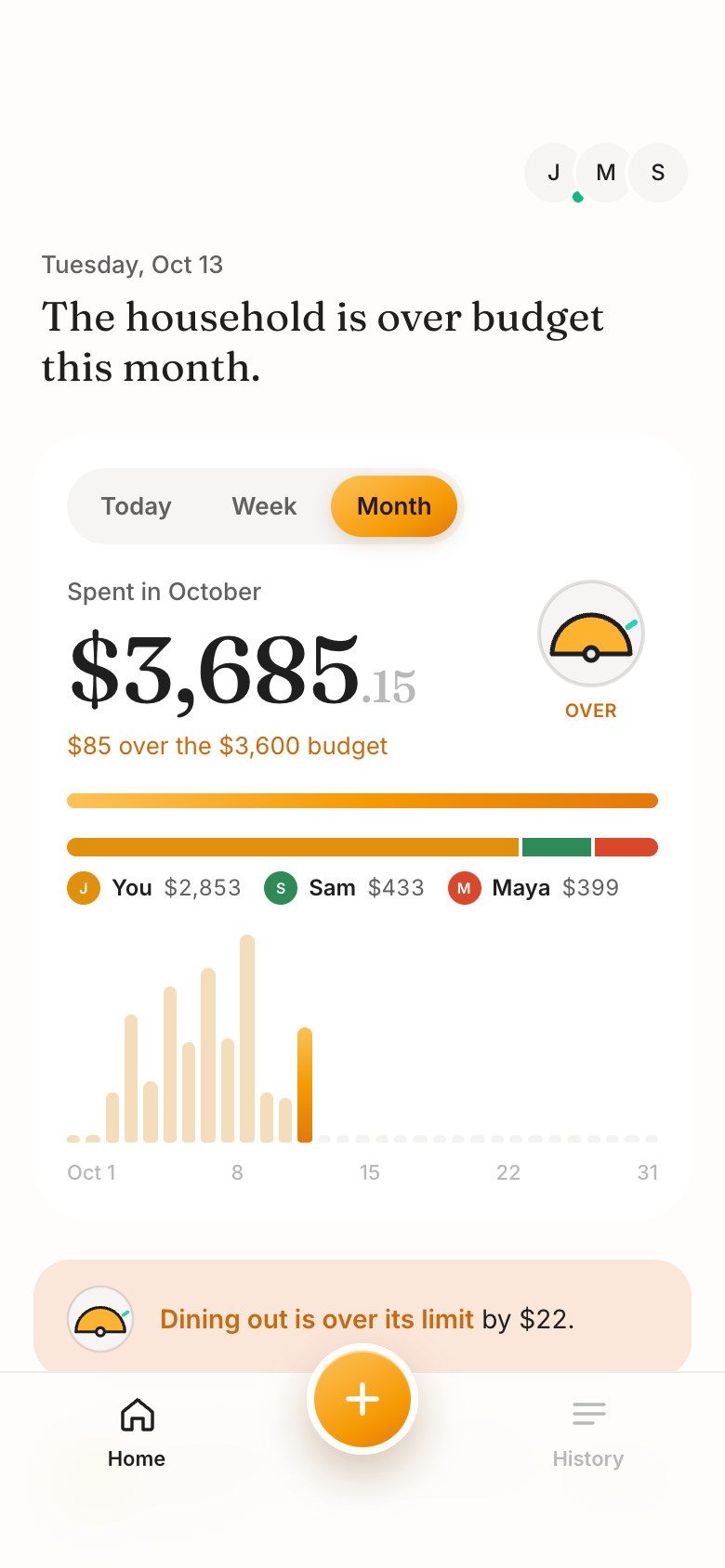 CouplesOne budget for the homeA couple sharing a home adds Household Budget: both log in their own color, set a limit on groceries and see who spent what this month. A push goes out when a category goes over.
 Household Budget
Make it yours
Add a category for utilities
Remind everyone on the first of the month to settle up
Show the trip's spending by day
For a household
When you share a home and a monthly budget, use Household Budget. Everyone logs what they spend in their own color, scans receipts, and sees the month at a glance: who spent what, each category's limit, and an on track, watch or over gauge. When a category goes over, the others get a push.
If you bring in receipts from Gmail, yours wait in your own To review list until you count or skip them, so the household sees only what you count.
Keep different groups apart with spaces: the flat in one, your family in another, each with its own people and data.
The apps for this

Take it further
- Plan a group tripOne itinerary, everyone's flights and rooms, and votes that settle things.
- Save for somethingWatch the thing you're saving for color in as you put money aside.
- Choose what Marci sees about youDecide what Marci may read and share about you in each room.
- Marci for roommatesHow roommates share a home on Marci.
Questions
Does everyone I split with need Marci?
Yes, the people you split with join the app on Marci. While Marci is invite only, an invite to your app brings someone new into Marci too.
Can I scan receipts?
Yes. Scan a receipt and Splitly fills in the expense for you to check. Household Budget does the same and keeps the receipt attached.
Can I keep my flat and my trip separate?
Yes. Splitly keeps separate groups, and any shared app can have separate spaces, each with its own people and data.
Will my household see all my spending?
Only what you log or count. In Household Budget, receipts from your Gmail wait in your own To review list until you count or skip them.
Marci is rolling out now
Marci is invite only for now. Join the waitlist, or ask a friend on Marci for an invite.