Weekly Review
Weekly Review is a guided Sunday ritual in Marci for a clear head. Clear every loose end in one tap each, look back at the week with your calendar, wins and misses, pick next week's top 3, and seal the week with a wax stamp. Sealed weeks build a streak and an archive.
Tap one and watch the phone

 Marci
Tap Weekly Review on the phone, or ask me one of these.
Who it's for
Knowledge workers
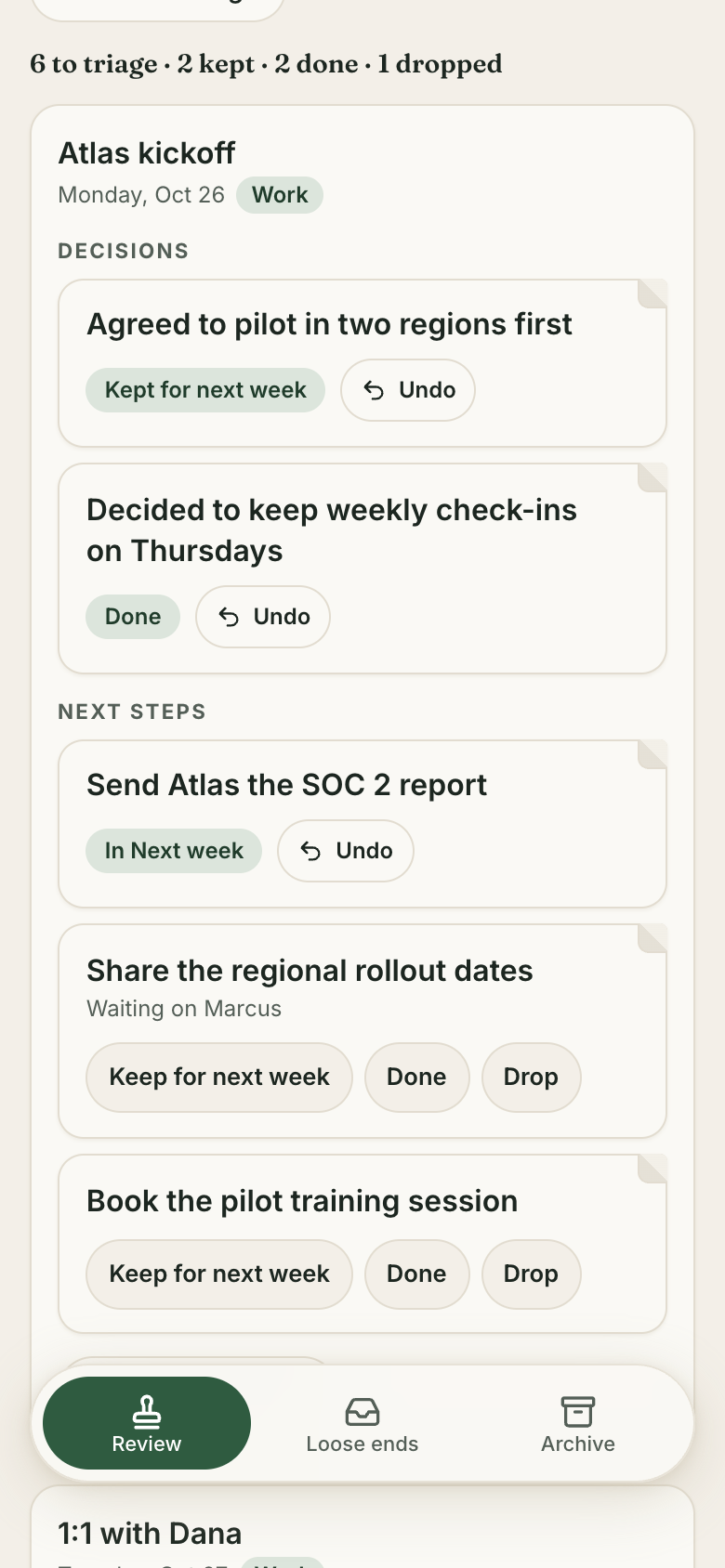
Sort the decisions and next steps your meetings left you, then choose the three things that matter next week.
Parents and students
Dump everything in your head during the week, and clear it in one sitting on Sunday.
GTD fans
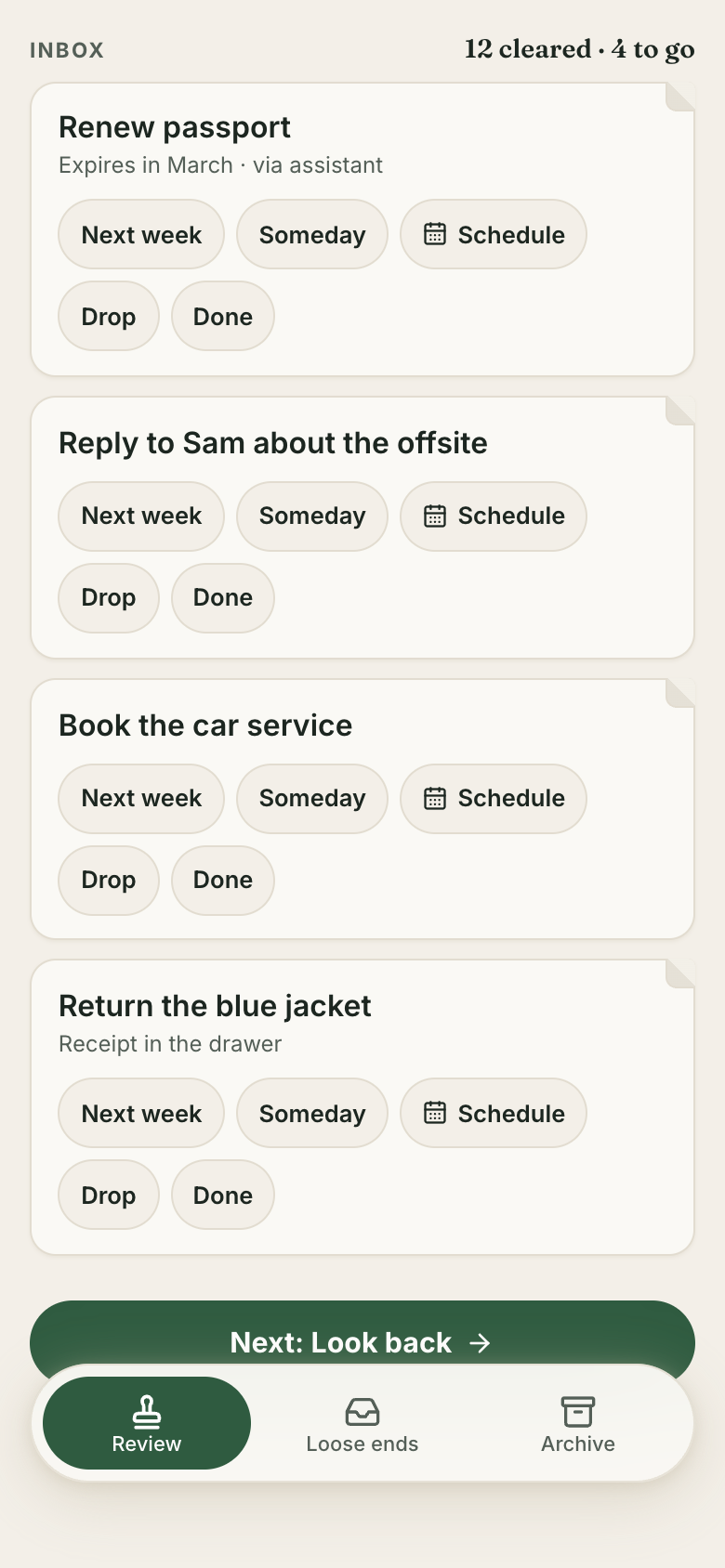
Each loose end goes to Next week, Scheduled, Someday, Drop or Done, with mind-sweep prompts to catch the rest.

The desk where the day gets planned.
Every screen
Ways to use it
Brain dump on Thursday
Type a list and each line becomes a loose end waiting for Sunday.
Meetings sorted
With optional Granola meeting notes, each meeting's decisions and next steps get triaged in one tap: keep for next week, done or drop.
Top 3 all week
Seal the week, and next week's top 3 stay on screen and tick off as you get them done.
What it does
- Capture loose ends any time: a brain dump that turns each line into a loose end, a quick add on Loose ends, and assistants adding them for you
- Step 1, Clear: one tap per inbox loose end (Next week, Schedule a day, Someday, Drop or Done) with a cleared counter and mind-sweep prompts
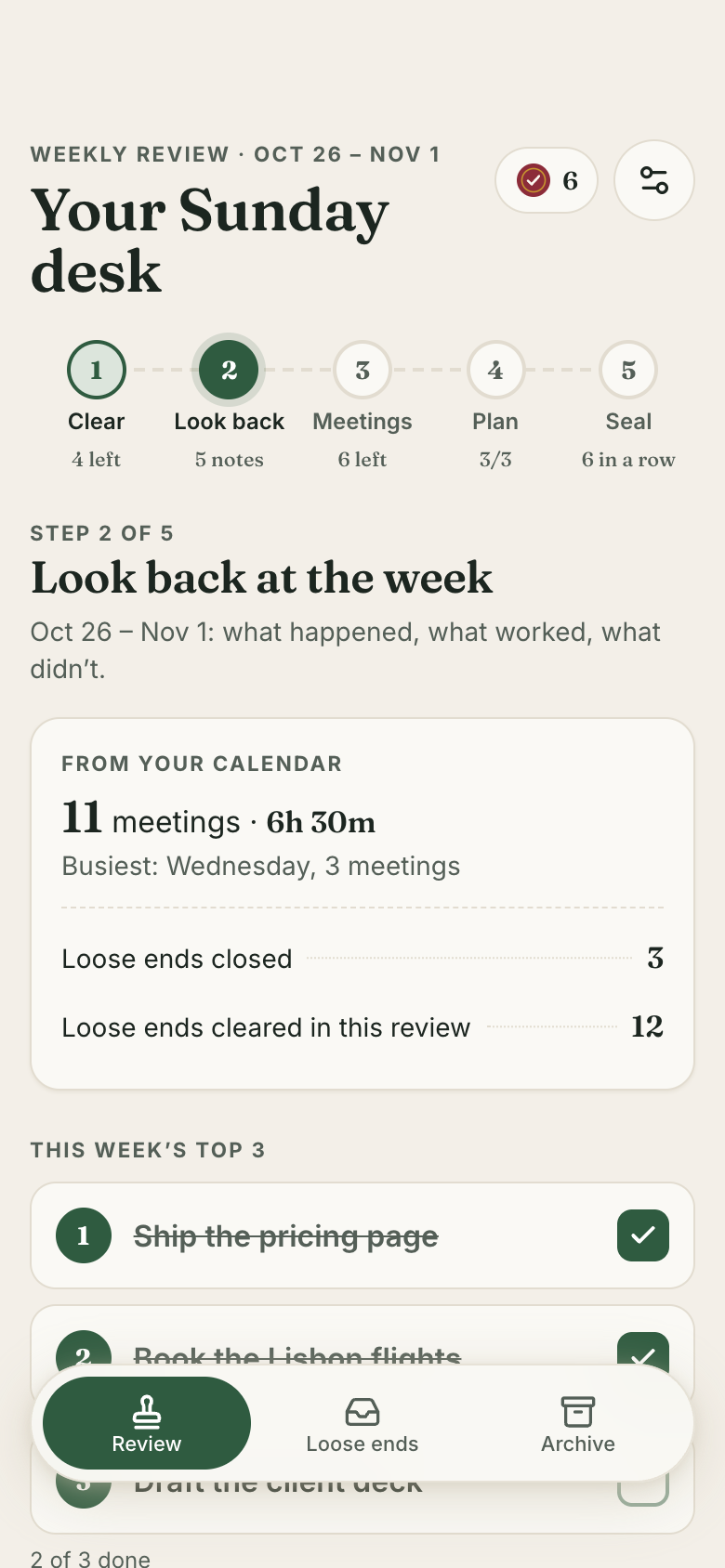
- Step 2, Look back: last week's meetings from Calendar, loose ends closed, last week's top 3 ticked off, wins and misses, and how the week felt
- Step 4, Plan: next week's top 3 picked from loose ends, carried over or typed, with a glance at next week's calendar and scheduled loose ends
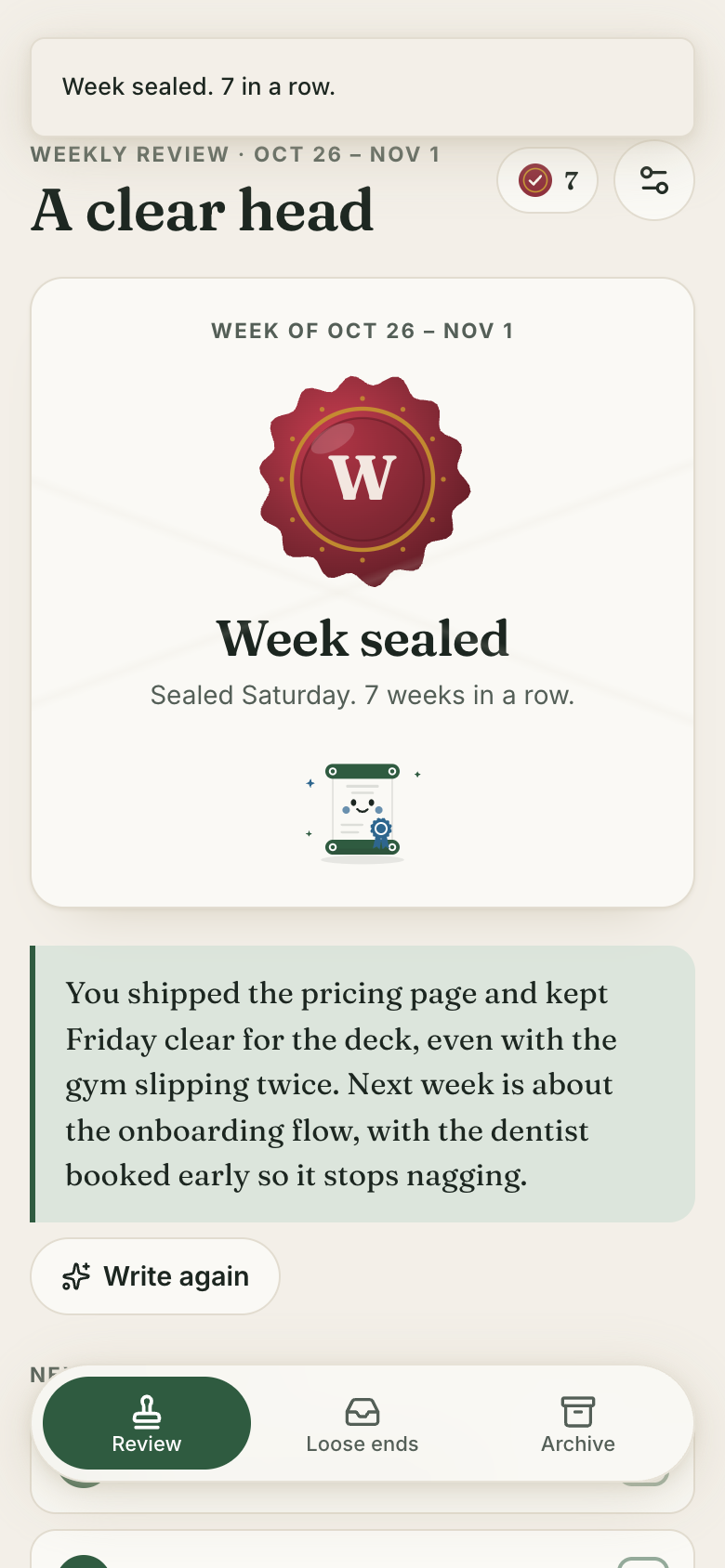
- Step 5, Seal: a summary and a wax seal that seals the week (never twice) and grows the streak of sealed weeks with milestones
- Ask Marci to write the week: a short summary from your wins, misses, top 3 and loose ends; write it again; a failure offers Try again
- Loose ends by place (Inbox, Next week, Scheduled, Someday, Done) with search; edit, move, schedule or delete any; someday items persist
- This week's top 3 stay on screen all week and tick off as they get done
Make it yours
Ask for a change in your own words and Marci updates the app for you.
Move my review reminder to Friday afternoon
Make it a top 5 instead of a top 3
Add an energy rating to the look back


A coach for Weekly Review
Tap the Marci button inside Weekly Review and say yes to a coach: a room of its own where Marci knows the app, checks in on the days you choose and answers questions about your numbers. Give a friend their own copy with a share link; they get the app, never your entries.
Made for people like
Pairs well with
 Done ListLog wins as they happen, ready for Sunday's look back.
 Session JournalWeekly Review gives you a Sunday look back that feeds what you bring to the next session.
 TickA Sunday review clears loose ends and picks next week's top 3 to put on your list.
 Time BankRead the week's statement during your Sunday review, then set next week's top 3.
Questions
Does Weekly Review need my calendar?
No, it's optional. Connected, it shows last week's meetings when you look back and next week's when you plan.
Can Marci write the summary?
Yes. Ask Marci to write the week from your wins, misses, top 3 and loose ends, and write it again if you want another take.
Can my AI assistant add loose ends?
Yes. Marci and your assistants can add loose ends, wins and next week's top 3. Marci connects to ChatGPT, Claude and other AI tools (see getmarci.ai/connectors).
Is Weekly Review free?
Marci is free for now and invite only. Join the waitlist at getmarci.ai, or ask a friend on Marci for an invite.
Marci is rolling out now
Marci is invite only for now. Join the waitlist, or ask a friend on Marci for an invite.