A to-do list that stays calm
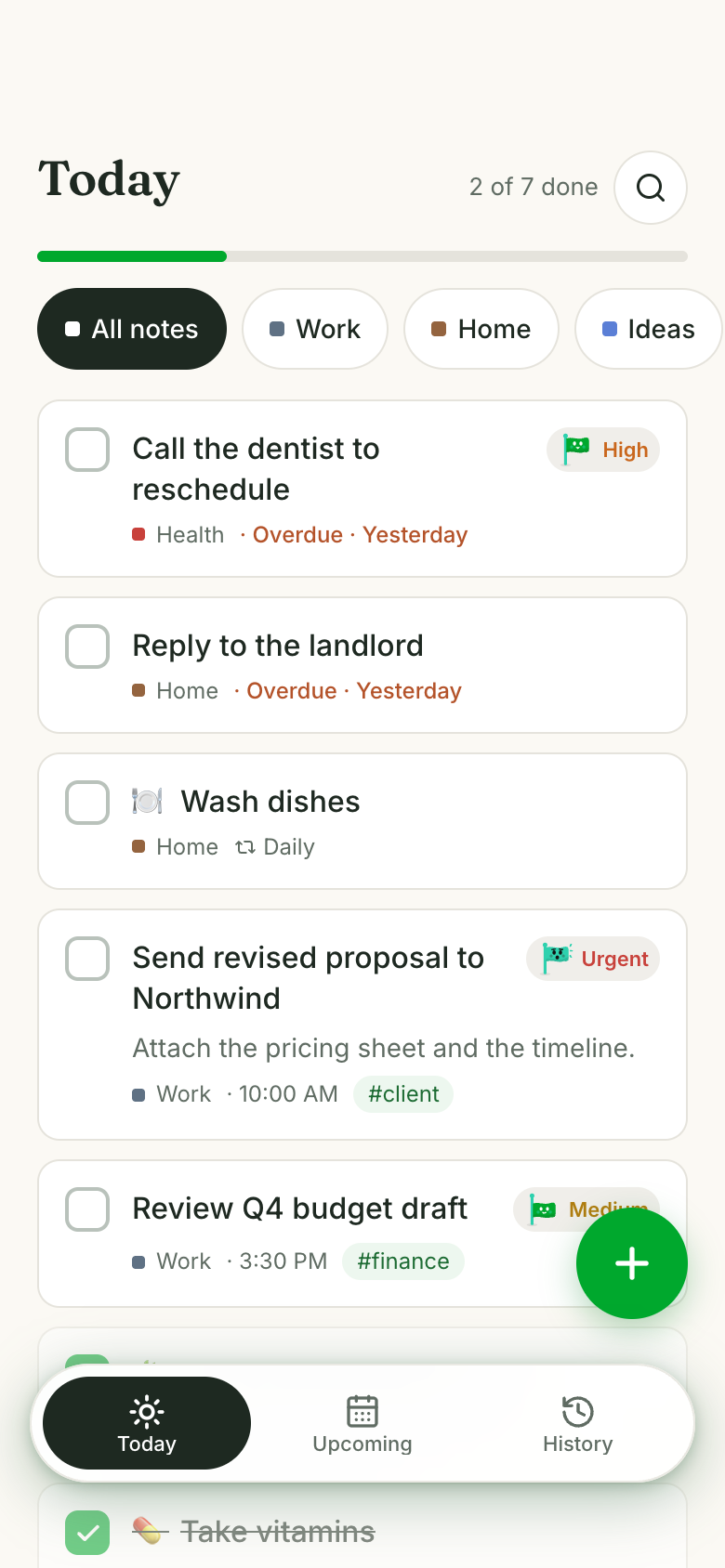
Ask Marci for a to-do list and Tick lands on your phone: a calm paper notebook with a tab for each part of your life. Give a task a day, a priority or a repeat, tick through today as the progress line fills, and look back at what each day got done. Tick Together shares the list at home.
Tap one and watch the phone

 Marci
Tap Tick on the phone, or ask me one of these.
What it looks like

One app that becomes the apps you need.
Ask Marci
Get me a to-do list
Remind me to call the dentist tomorrow at 10
Add take out the bins every Tuesday night to Home
How it goes
Ask
Marci shows you Tick. Your notebooks start as Work, Home and Ideas, and you can add any area of life.
Write it down
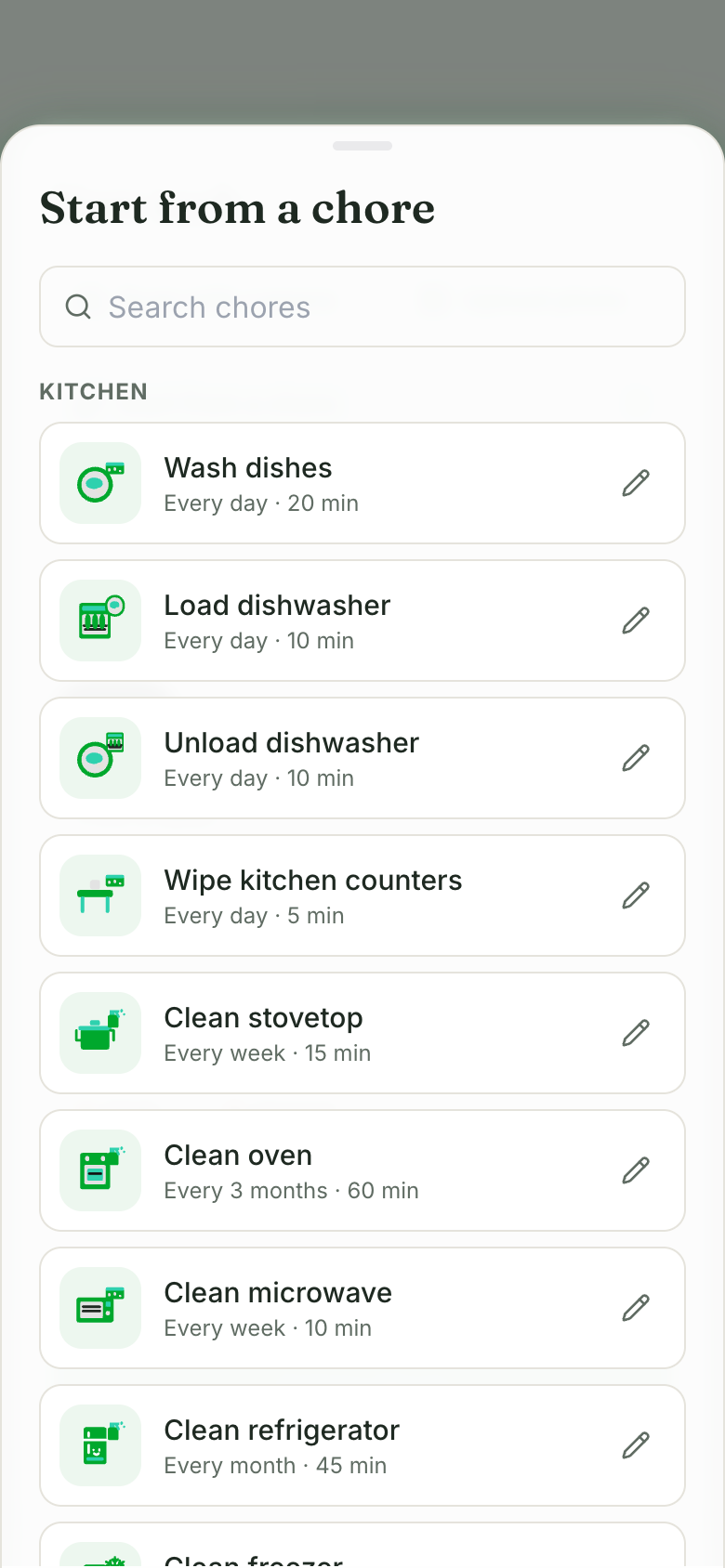
Type a task, start one from the list of household chores, or scan a handwritten note or whiteboard and check it before adding. Or just tell Marci.
It comes back to you
Today shows what's due and overdue, a task with a time reminds you unless you ticked it first, and a repeating task comes back on its next day.
Why we built Tick
A to-do list earns its place when it shows only what matters today, takes a new task in a second and quietly brings back the ones that repeat. Work and home tangle together, so it has to keep them apart without making you file everything. Remembering one task is easy. Handing you an honest list every morning takes a real app.
Tick is a cream paper notebook with a tab for each part of your life. Today's page opens with a quiet headline, a thin green progress line and white task cards with square boxes. The moment it's built around is scanning a note: the photo darkens, a green line sweeps it, and the task, day and notebook fill in for you to check. It should feel calm when you open it and settled when the line is full.
A notebook for every part of life
Work, Home and Ideas to start, Health, Money, Family and twelve more under More, plus your own.
Repeats that look after themselves
Daily, weekdays, every few days, monthly on a date and more. Tick one off and its next day is written for you.
Every day kept as a page
History turns any past day into a ruled notebook page of what got done and what was left.
Still yours to change
Ask for a new view, a field on a task or a rule for a notebook, and Marci changes your copy of the app.
How people use it
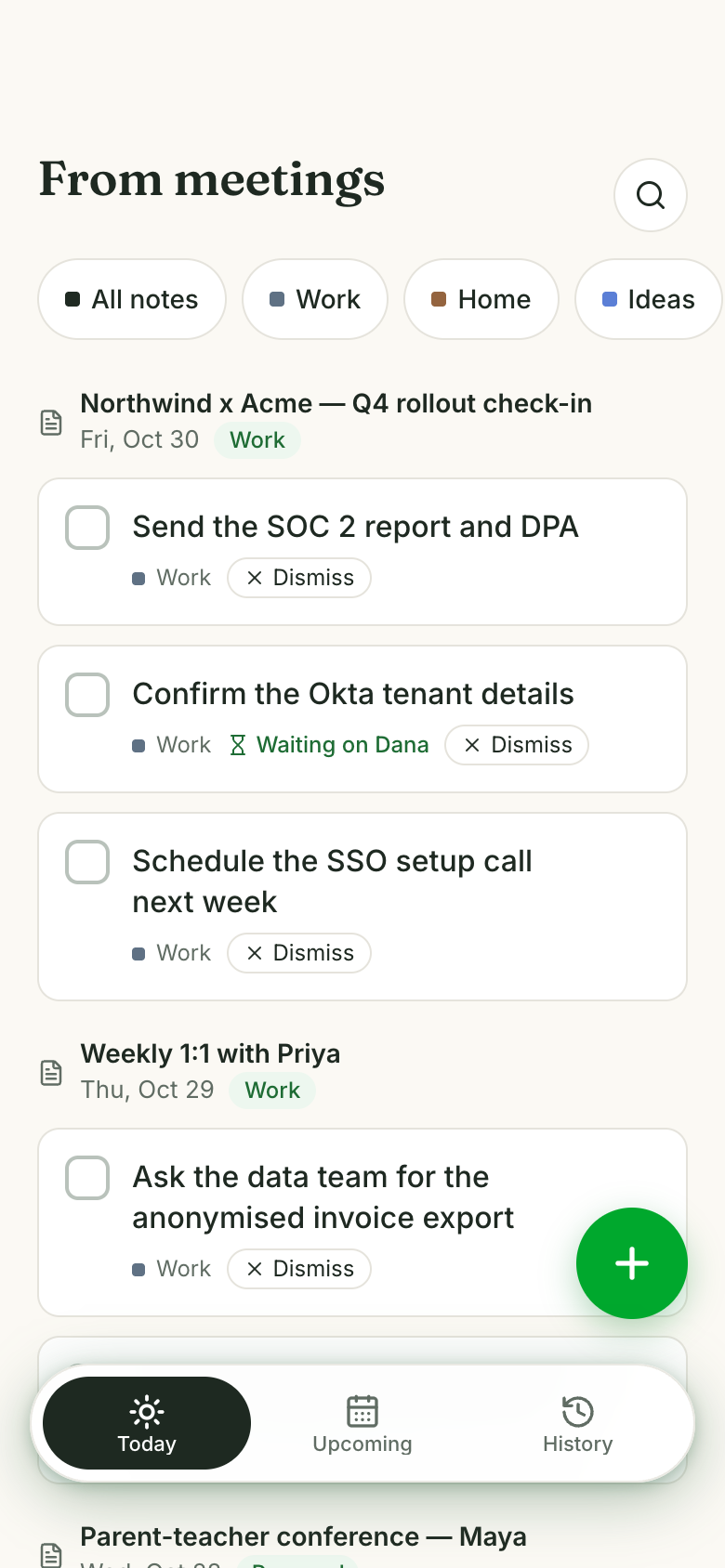
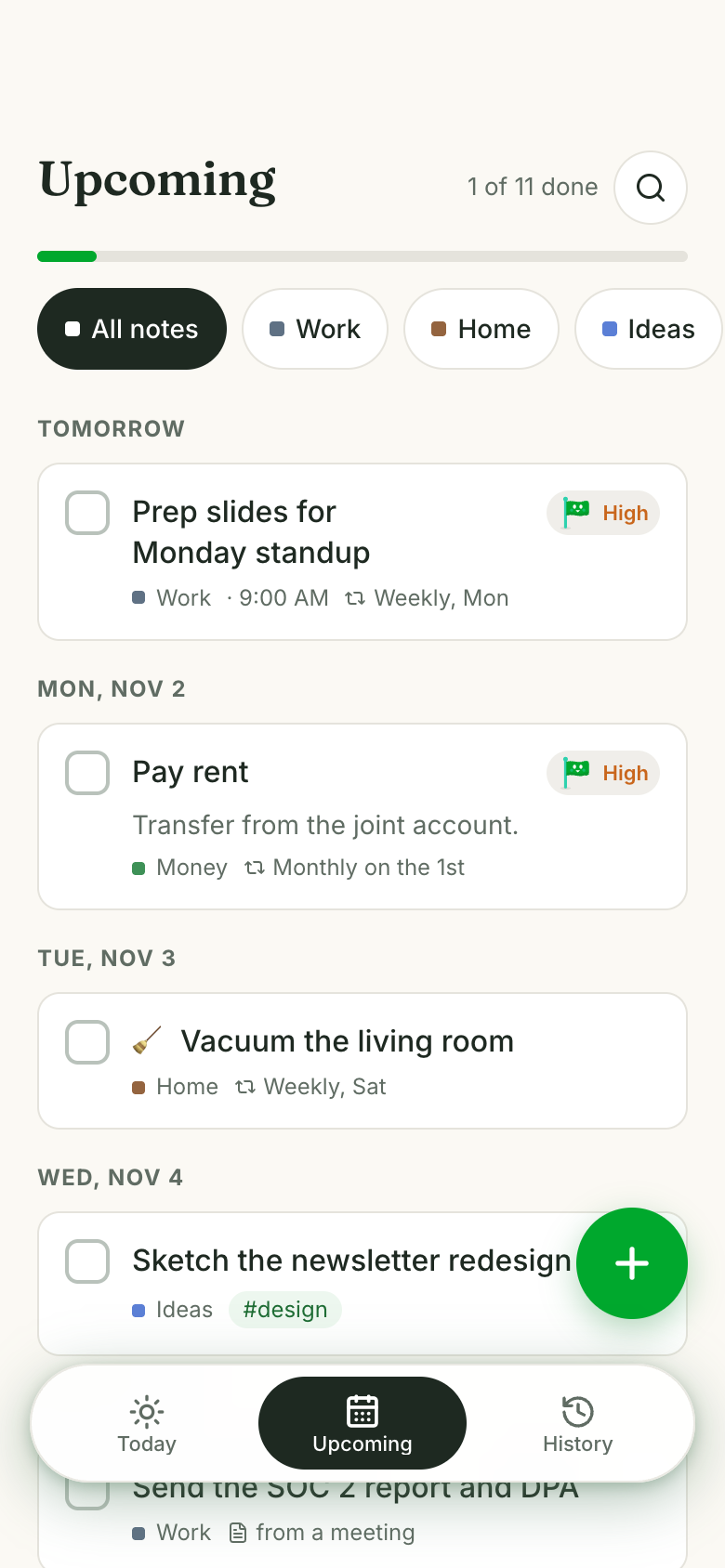
ManagersMeeting next steps, already listedWith Granola notes on, each meeting's next steps become to-dos in Work, and steps someone else owns wait in Waiting on. TickHomeownersChores that come backStart a Home task from seventy household chores by room, each with a suggested repeat and time you can change.TickWeek plannersThe days ahead in one viewUpcoming groups future and someday tasks by day, and a repeating task comes back on its next day once you tick it.Tick
Make it yours
Add a notebook for the garden
Move anything overdue by three days to Someday
Show me how many tasks I finish each week
To-dos from your meetings
Turn on Granola meeting notes and each meeting's next steps become to-dos on their own: work meetings go to Work, personal ones to Home. Steps someone else owns, like "Dana: confirm the rota", wait in Waiting on so you can follow up, and one tap makes one yours. Every meeting to-do links back to its meeting's recap and full notes.
The apps for this

Take it further
 Share the chores at homeOne list for the household, with chores that take turns.
 Project to-dos from your coding agentClaude Code, Codex or Cursor keeps its to-dos in your Marci.
 Today's list on your Home ScreenThe App card widget shows what's open today and what's next.
- Marci for managersHow managers keep meetings, people and follow-ups in hand on Marci.
Questions
Can I share my to-do list?
Yes. In Tick Together everyone writes in their own ink color, hands tasks to each other or taps I'll take it, and ticking one off shows who did it.
Does it do repeating tasks?
Yes: daily, weekdays, weekends, chosen weekdays, every few days, weekly, monthly, yearly and more. Ticking one off writes its next day. In Tick Together, a repeating chore can take turns between you.
Can I turn a handwritten list into tasks?
Yes. Scan a handwritten note, whiteboard or list with the camera or a photo, and the task form fills in for you to check before adding.
Can I see what I got done last week?
Yes. History shows any past day as a notebook page of what you finished and what was left.
Can I add to-dos from ChatGPT or Claude?
Yes. Connect Marci to ChatGPT or Claude and add tasks from there. See Connectors.
Marci is rolling out now
Marci is invite only for now. Join the waitlist, or ask a friend on Marci for an invite.