Day Planner
Day Planner is a Marci app that lays out your day as a column of soft pastel pills. Type 'gym 7am 1h' to add a block, see what's happening now and how much time is free, place inbox tasks into the gaps, and run routines on their days.
Tap one and watch the phone

 Marci
Tap Day Planner on the phone, or ask me one of these.
Who it's for
People who time-block
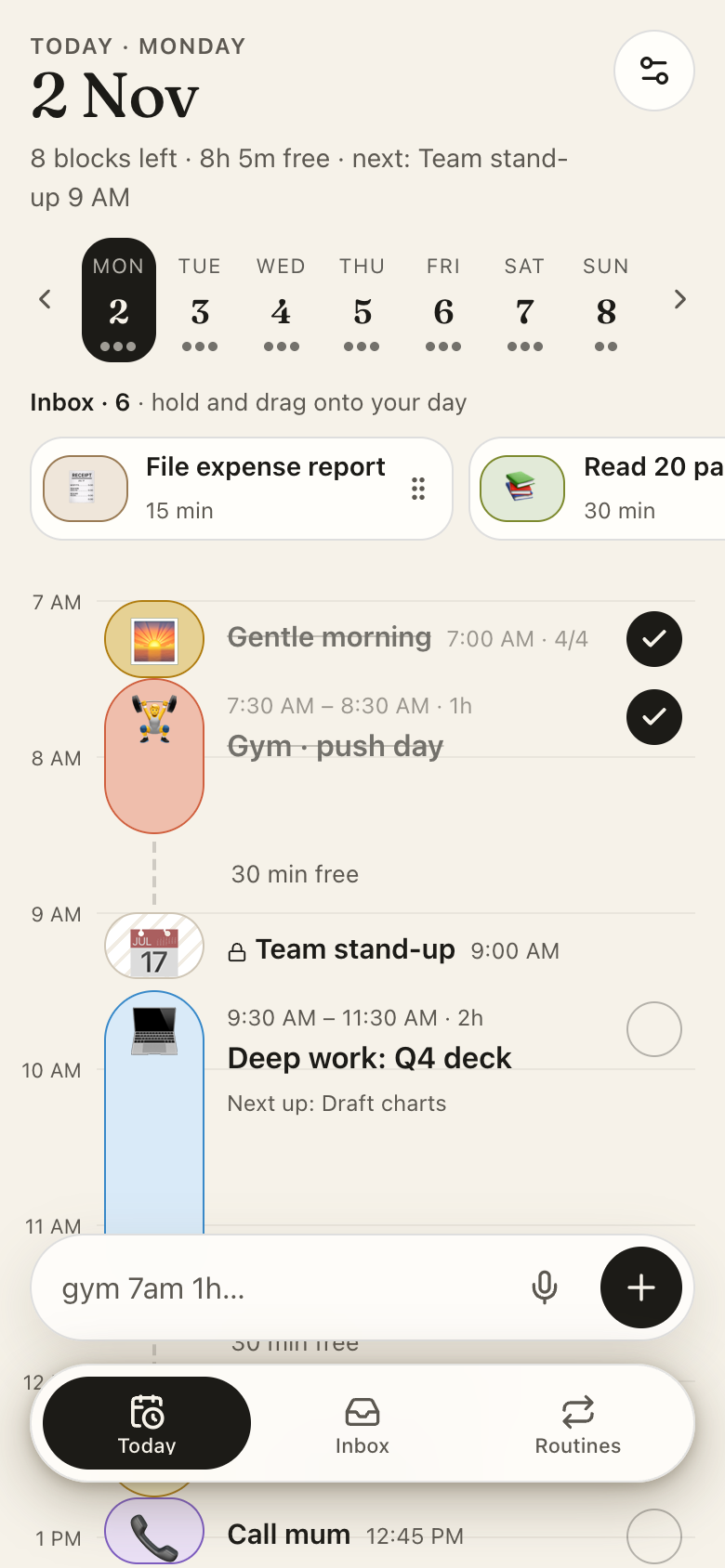
Each block is sized by its minutes on an hour column, with a now line and named free time like 1h 30m free.
People who like visual, ADHD-friendly planning
See the whole day as colored pills, filter tasks by short or low energy, and get an alert before each block.

Your work, your clients, your lists.
Every screen
Ways to use it
A free gap at 2 PM
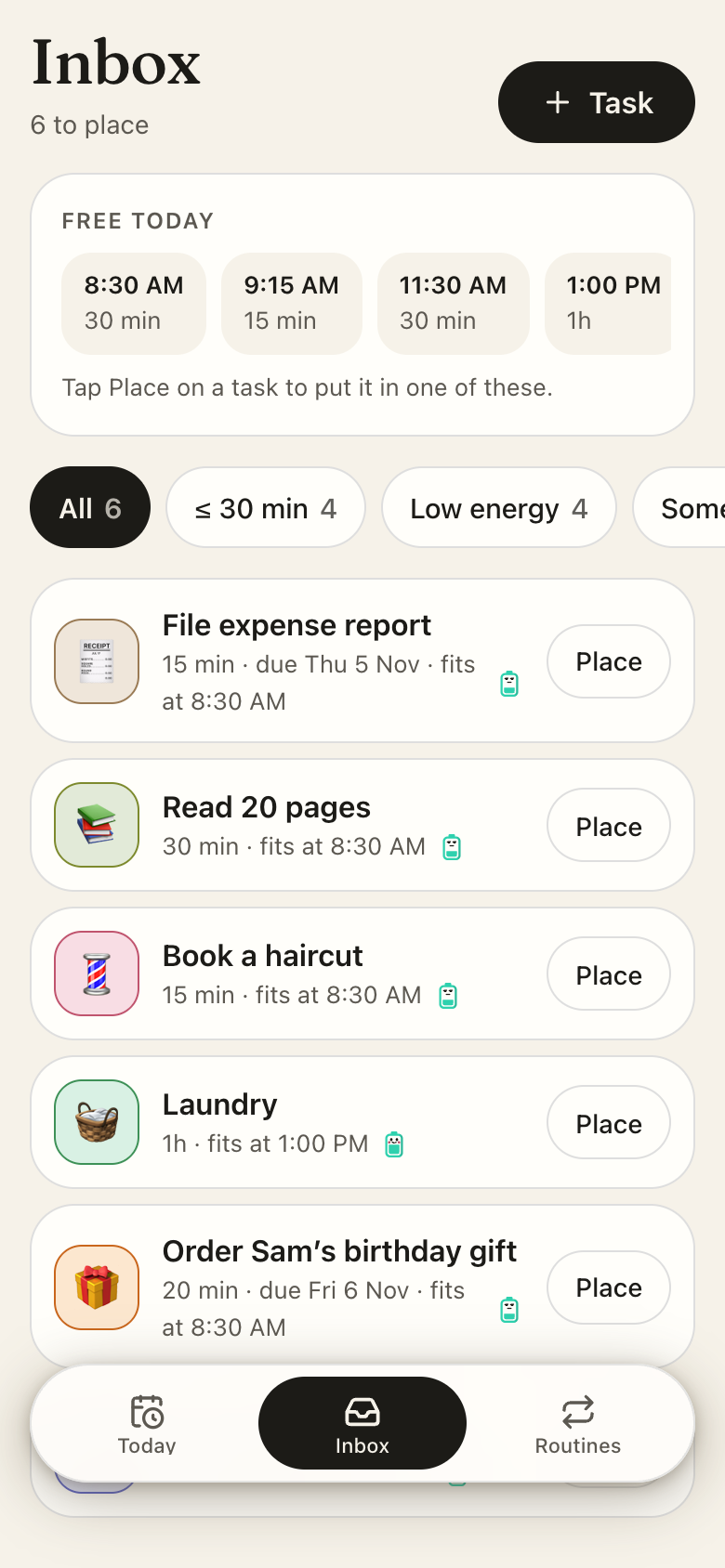
The largest free gap invites a task from your Inbox, and you place it into the slot.
Meetings stay put
Events from a connected Google Calendar appear locked on the timeline so you can plan around them.
A gentle morning
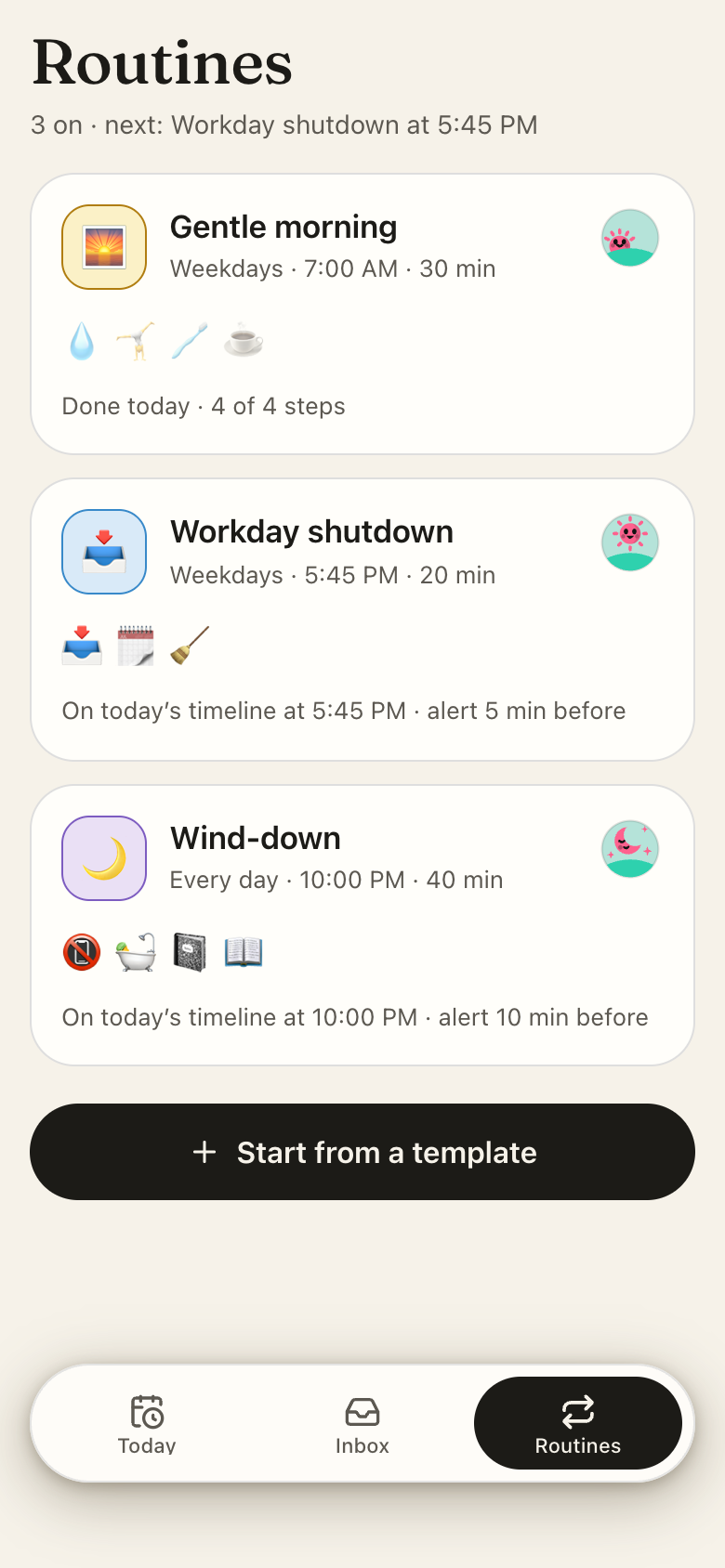
Start a routine from 24 templates, edit its steps, and tick them off on the timeline.
What it does
- Today: the day as a vertical hour column with a pastel pill per block, sized by its minutes, an emoji icon, title and time; a now line crosses the column and the current block fills as time passes
- Free time between blocks is named ("1h 30m free") and the largest gap invites a task from the Inbox
- A week strip moves between days; each day shows how many blocks it holds
- Add a block by typing a sentence like "gym 7am 1h": the app reads the time, length and day, suggests an emoji from what you typed, and every field stays editable
- Block composer: day, start, length presets, 12 pastel tints, the energy it takes, a repeat (daily, weekdays, weekends, specific weekdays, every N days, weekly, every two weeks, monthly on a date, yearly) with an end, and an alert
- Icon picker: search 546 activity emoji by word, filter by category, with matches for the title on top
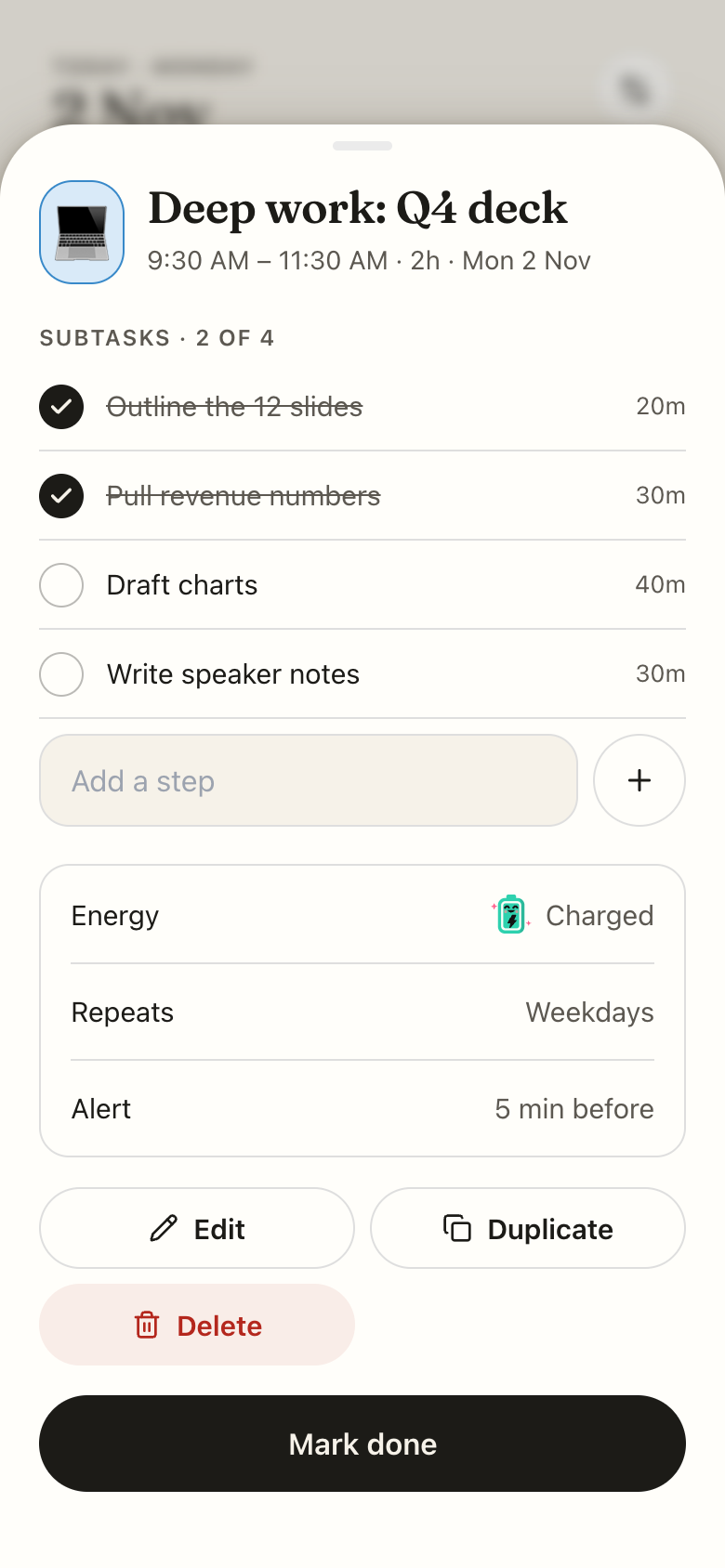
- A block's page: time, subtasks you can tick for that day, energy, repeat and alert; Edit, Duplicate, Back to inbox, Delete and Mark done
- Deleting a repeating block asks: only this day, this day and every one after, or every one
Make it yours
Ask for a change in your own words and Marci updates the app for you.
Add a focus tint for deep work blocks
Move the morning plan nudge to 7:15
Add a weekly review routine on Fridays


A coach for Day Planner
Tap the Marci button inside Day Planner and say yes to a coach: a room of its own where Marci knows the app, checks in on the days you choose and answers questions about your numbers. Give a friend their own copy with a share link; they get the app, never your entries.
Made for people like
Pairs well with
 Calendar WeatherPlan a stormy day with breaks and blocks that make it lighter.
 CountdownsPlan the days in between, block by block.
 Daily PillRead the pill, then plan the day block by block.
 Focus GardenRun a focus timer during the blocks you've planned.
 Lesson PlannerDay Planner lays out the rest of your day around the periods you teach.
 Routine PlayerDay Planner blocks out the rest of the day around your routines.
 TickDay Planner lays today's tasks out as time blocks once you know what needs doing.
Part of
Questions
Does Day Planner show my calendar?
Yes, optionally. Events from a connected Google Calendar appear locked on the timeline, and you can hide whole calendars in settings.
Can blocks repeat?
Yes: daily, weekdays, weekends, specific weekdays, every few days, weekly, every two weeks, monthly on a date or yearly, with an end.
Will Day Planner remind me?
Yes. It sets a notification before each block and routine for the coming week, plus an optional morning plan nudge. If your phone refuses notifications, the app says so.
Is Day Planner free?
Marci is free for now and invite only. Join the waitlist at getmarci.ai, or ask a friend on Marci for an invite.
Marci is rolling out now
Marci is invite only for now. Join the waitlist, or ask a friend on Marci for an invite.